Desertcart purchases this item on your behalf and handles shipping, customs, and support to USA.
๐ Dominate work and play with Alienwareโs beastly power and stunning visuals!
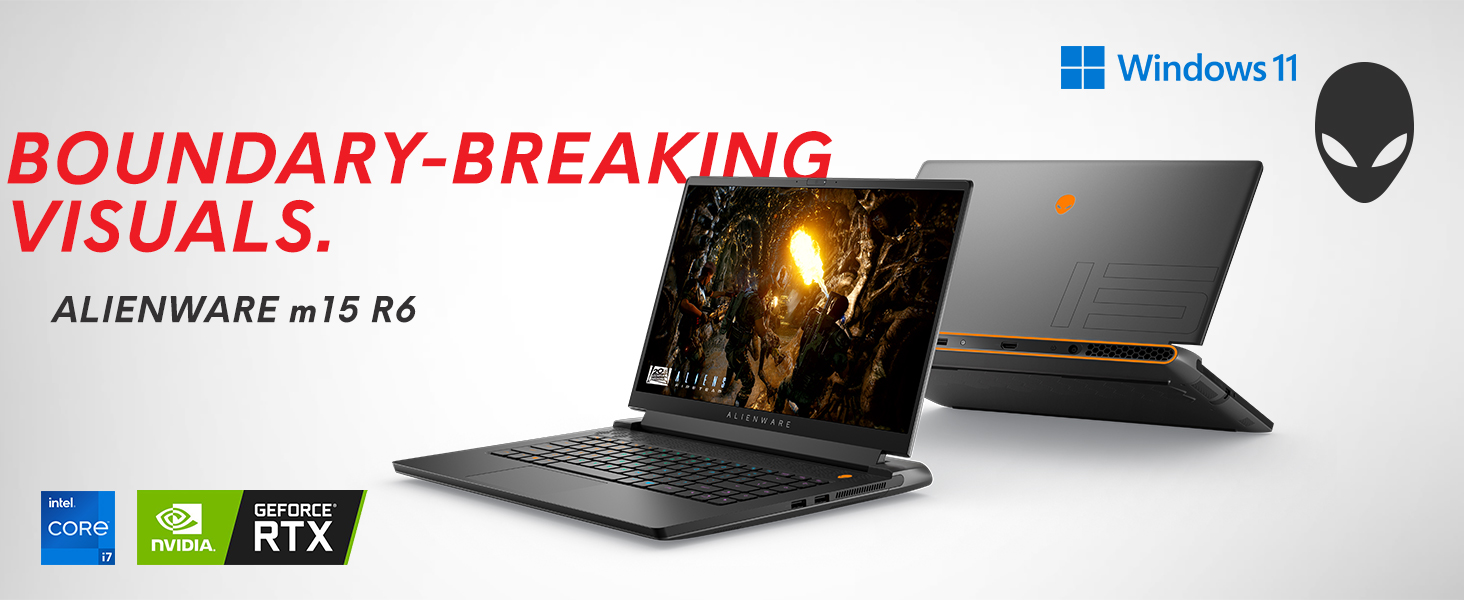
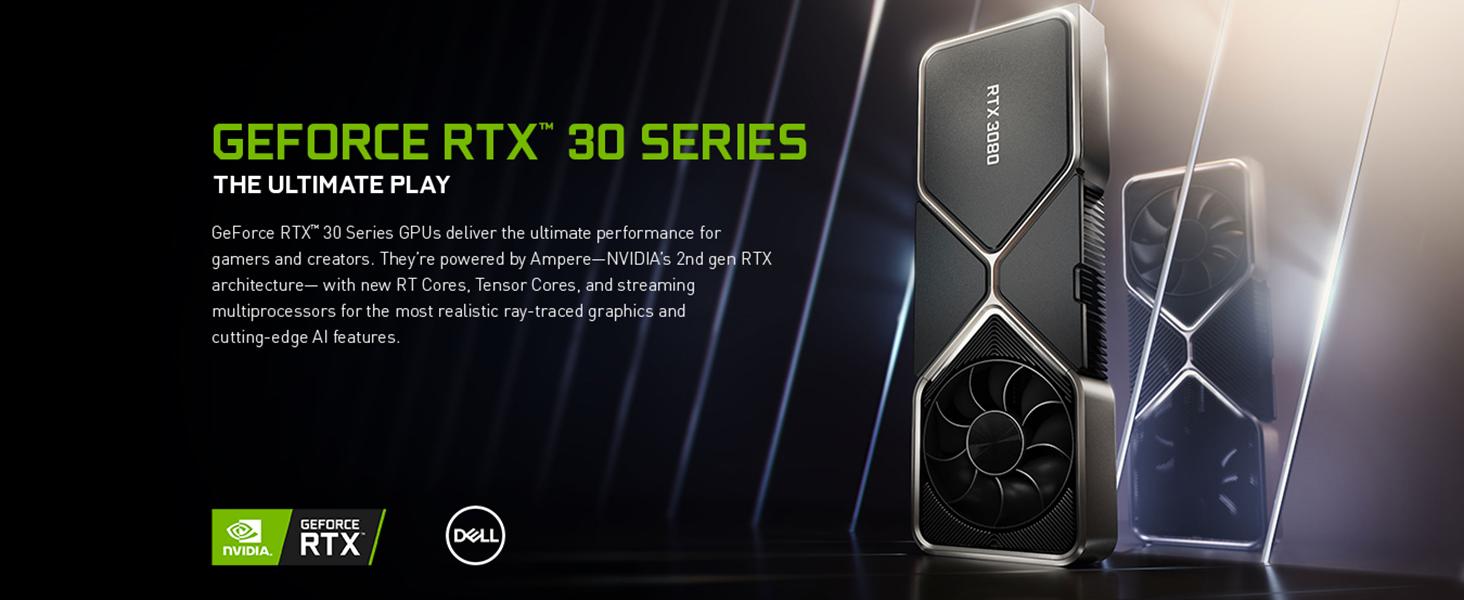
The Alienware M15 R6 is a premium 15.6-inch gaming laptop featuring a vibrant QHD 240Hz display, powered by an 11th Gen Intel Core i7-11800H CPU, 32GB DDR4 RAM, and a top-tier NVIDIA GeForce RTX 3080 8GB GPU. It offers 1TB SSD storage, Windows 11 Home, and advanced connectivity options including Wi-Fi 6. Designed for professionals and gamers who demand desktop-level performance in a sleek, portable chassis.


| ASIN | B09DFKDGRN |
| Audio Output Type | Internal |
| Audio Recording | No |
| Automatic Backup Software Included | Windows 11 Home |
| Battery Cell Type | Lithium Ion |
| Best Sellers Rank | #143,697 in Computers & Accessories ( See Top 100 in Computers & Accessories ) #26,980 in Traditional Laptop Computers |
| Biometric Security Feature | Fingerprint Recognition |
| Bluetooth support? | Yes |
| Brand | Alienware |
| Built-In Media | Keyboard |
| CPU Codename | Tiger Lake-H |
| CPU Model | Core I7 11800H |
| CPU Model Generation | 11th Gen |
| CPU Model Number | 11800H |
| CPU Model Speed Maximum | 4600 GHz |
| Cache Memory Installed Size | 24 |
| Camera Description | Front |
| Chipset Type | [Intel chipset, not specifically mentioned] |
| Color | Black |
| Compatible Devices | External displays, mice, keyboards, storage devices, printers, and other accessories that interface with USB, HDMI, Mini DisplayPort, Ethernet, Bluetooth, and Wi-Fi |
| Connectivity Technology | USB |
| Control Method | Touch |
| Customer Reviews | 4.4 out of 5 stars 208 Reviews |
| Display Resolution Maximum | 2560x1440 |
| Display Technology | LED |
| Display Type | LED |
| Form Factor | Laptop |
| Graphics Card Ram | 8 GB |
| Graphics Coprocessor | NVIDIA GeForce RTX 3080 |
| Graphics Description | Dedicated |
| Graphics Ram Type | DDR3 SDRAM |
| Hard Disk Description | SSD |
| Hard Disk Interface | Solid State |
| Hard Disk Size | 1 TB |
| Hard-Drive Size | 1 TB |
| Hardware Interface | Solid State Drive |
| Has Color Screen | Yes |
| Human-Interface Input | Touch Pad |
| Item Dimensions L x W x Thickness | 14.02"L x 10.73"W x 0.89"Th |
| Keyboard Description | Gaming |
| Keyboard Layout | QWERTY |
| Lithium-Battery Energy Content | 86 Watt Hours |
| Manufacturer | Dell Computers |
| Memory Clock Speed | 3200 MHz |
| Memory Speed | 3200 MHz |
| Microphone Form Factor | Integrated microphone |
| Model Name | Alienware |
| Model Number | AWM15R6-7729BLK-PUS |
| Model Year | 2022 |
| Native Resolution | 2560 x 1440 pixels |
| Notebook Pointing Device Description | Touchpad |
| Number Of Cells | 6 |
| Number of Ethernet Ports | 1 |
| Number of Ports | 2 |
| Operating System | Windows 11 Home |
| Other Special Features of the Product | Upgradable |
| Processor Brand | Intel |
| Processor Count | 1 |
| Processor Series | Core I7 11800H |
| Processor Speed | 3 |
| RAM Memory Installed | 32 GB |
| RAM Memory Slot Total Count | 2 |
| RAM Memory Technology | DDR4 |
| RAM Type | DDR4 SDRAM |
| Ram Memory Maximum Size | 32 GB |
| Resolution | 1080p |
| Screen Size | 15.6 Inches |
| Speaker Description | [Minimal]: Built-in speakers |
| Specific Uses For Product | Gaming |
| Total Number of HDMI Ports | 1 |
| Total Usb Ports | 3 |
| Touch Screen Type | Capacitive/In-cell/On-cell |
| Touchpad Feature | true |
| UPC | 884116392729 |
| Unit Count | 1.0 Count |
| Video Output | HDMI, Mini DisplayPort |
| Video Processor | NVIDIA |
| Voltage | 240 Volts |
| Warranty Description | 1 |
| Warranty Type | Limited |
| Webcam Capability | Yes |
| Wi-Fi Generation | Wi-Fi 6 |
| Wireless Compability | 802.11n |
| Wireless Technology | Wi-Fi |
R**S
Amazing Performance, Thigh Blistering Heat, Wife Annoying Fan Noises!
TLDR: Absolutely stunning performance worth every $$$ - Insane heat while gaming will blister your thighs if sitting on your lap - As quiet as a neon green Lamborghini with no muffler. Keyboard can be heard clicking from 100' away. Backstory: I purchased this computer last year during the height of the graphics card shortages because of the RTX 3080 built in. I've never had a gaming laptop prior to this but the specs were hard to argue with so I pulled the trigger. I primarily needed to replace the laptop I used for work, but I also edit videos and do some gaming, so I decided to just go all out and get something that could fill all roles. Fan & Keyboard Noise: I did a lot of research before purchasing this setup and many people complained about the fan noises. The software scales fan performance very well based on CPU usage. For normal use the fans are inaudible, but when pushing the CPU (typically while gaming) the fan will ramp up to full speed and it is very loud. I personally don't mind the sound but I have had many people ask me if my computer was OK. I guess they expected wisps of smoke to start pouring out based on the intensity of the noise it was making. My wife will often watch TV and I have been banned from sitting next to her on the couch because the fan noise makes it harder to hear the TV. The big surprise for me was how loud the keyboard is when typing. I LOVE the satisfying click feel compared to most laptop keyboards, but the noise it makes is embarrassingly loud when sitting in a room trying to take notes. If you plan to use this for school/work just keep that in mind! Performance: The speed of this computer is epic. I max out all settings and have yet to see any noticeable issues with any games. Video compiling in Adobe is awesome and the screen is beautiful. Boot up is close to instant. I didn't realize the power unit for this computer is much stronger than normal Dell units. I have a standard Dell power unit at my office and when using it the computer will not allow max performance. This isn't an issue for me because I do not need to push CPU at work, but I found in interesting. Speaking of power, battery life is something to consider. Even at reduced power settings I will see 1-2 hours before the battery is depleted. Running off batteries with the standard settings also reduces performance by several orders of magnitude. Many games will stutter with high settings. I found this to be an acceptable compromise but worth considering for your needs. Issues: So far, after 12 months of ownership I've had little to complain about. My "S" key cap started to de-laminate and recently cracked in half, causing me to reach out to Dell about the warranty. They are sending a technician out in a couple days to replace the keyboard for me at no cost. Hard to complain about that. It also seems like there are a few companies that offer replacement key caps for a nominal fee which I suspect I'll need to take advantage of when the warranty period is over. Heat: OMG! I cannot express how hot this thing gets when running flat out. I highly suggest placing something between your thighs and the bottom of this PC. That said, I have yet to see any heat related performance issues so I gather the heat management is doing something correct. All-in-all I really struggled to plunk down the huge $$$ of this setup but at this point I am beyond happy with the value. I may get a cheap tablet or similar for the rare times I want to be subtle when taking notes in a professional setting, but having all the power of a high end desktop in a portable package is awesome.
A**R
Great for me
Bought because Iโm in IT classes and it is up for the task; virtual machines, coding servers, etc. It does get a little loud when blowing air but doesnโt get too hot. Fast, great graphics, and capable of just about anything. Audio is good too, better with nice headphones. My only small complaint is Alienware + Microsoft inherent programs take up a bit of memory. Expensive, but also performs like what I paid for.
M**T
Reject the Haters: This Rocks
I reject the Alienware haters. I have had my m15 r6, 3080 with 32gb RAM and 1TB SSD for 10 months now and itโs been excellent. I got it open like new from Amazon for hundreds cheaper than full price, so you can quit your โAlienware is too expensiveโ chat now. Iโve been running games slightly better than next gen consoles FPS at 1440p at 240hz, getting anywhere from 55-100 fps with the average being about 70 fps depending on the game and assets needing loading. I do exceed 100 FPS regularly in GTA V and other games. Hogwarts Legacy running about 65 FPS. The screen is great. Very sharp and the matte finish opposed to my OLED TV is great. I play with an C-shape table in front of me, and at normal distance it is very sharp and responsive. Fans go and it gets hot to the touch, just below wanting to pull your hand away, but literally never care about this because I am not a laptop on my actual lap dude. Fans are easily tuned out without headphones and silent with headphones. ALWAYS plug into power while gaming for the top performance in FPS. Trackpad is the closest Iโve found to the excellent MacBook touchpad, but still lags every once in a while. Really no issue here. Keyboard is a dream and the clickity-clack of the Cherry MX keyboard rocks. No complaints. The chassis is solid when closed, but the screen top is a tiny bit bendy which makes me open and close it with some cautiousness. Never had issues here as youโd treat any laptop. Itโs never gonna meet the MacBook hardcover steel feel. Nice port selection too, RGB looks great. Wish secondary features were highlighted with RBG on the keyboard but really a small nit pick. Overall, Iโve nearly convinced myself to get a super powered 4090 gaming desktop but this thing just keeps convincing me it was an amazing investment and delivers a really excellent portable gaming system thatโll give me AAA performance for probably a couple more years.
L**E
Powerful Laptop
Upgraded from an Acer Nitro 5 with a 1050ti 60hz screen and wow, its like a whole new experience! You can pretty much handle any game on max settings and still get at least a solid 60. Resident Evil 7 on max runs awesome with over 300 fps in certain places. Resident evil 8 also runs well on max settings with ray tracing at a solid 80-90 fps @1440p. The keyboard is per key rgb and nicely customizable. It's a solid keyboard, although I still prefer my external keyboard for comfort. Camera is nothing special, not that id really ever find a use for it except for Windows 11 "Hello" feature that lets you unlock your laptop through facial recognition. Yes, this laptop is going to run hot (it's got a 3080) so I bought a cooling pad for it and have had no issues. Fan sounds like a jet engine at times but not a bother to me. I was told by everyone to stay away from Alienware for lots of reasons but I can say as of now I'm super happy with my purchase. Curious to see how well it holds up over the years.
O**A
Works great for everyday stuff (browsing etc...)
Had this for about 11 months, haven't used it for intensive games and it performs (expectedly) well in those games, maybe one day I'll game with it, but so far I've mostly used it for browsing. That being said, I like it. HOWEVER, I was running into frequent crashes at the start until I deleted the alienware command center and other associated software (not sure which one was the culprit, probably the command center) and it stopped crashing completely. For the regular use that I do, I rarely ever hear the fans (I hear them when it updates). If you want to have the command center installed which lets you control alienware specific features, you might be really annoyed with this, and by now maybe they fixed it, idk. Overall, I'm satisfied, but then again, I haven't really used it as a gaming laptop so much as an everyday pc.
K**R
UPDATED REVIEW: LESS THAN 12 MONTHS LATER, DOES NOT BOOT AT ALL
UPDATED REVIEW: It is now May 2022 and my computer will not boot at all. I have a black monitor and the laptop will not boot at all. The charger has power. It's been acting buggy for about 30 days or so, sometimes I had to press the power button several times to get it to boot. Today it won't boot at all. The Alienware logo lights up on the back of the monitor for a few seconds and then goes dead. Unfortunately I am out over $2,600 because I cannot take it for repair because I have sensitive client files on this laptop, including biometric information like birth certificates and passport images. I can't trust a stranger to work on it. Be warned. I don't think I will be buying another Alienware. **************************************************************************************************** Unlike many other buyers, I purchased this Alienware because I wanted a powerful laptop for webinar production that could handle lots of complex programs at once and was still technically portable for business trips, which I take 3-4 times a year. The last Alienware I owned was the R17 and I purchased in 2017. It was time for an upgrade. I also own an Acer gaming computer but I don't like it as much, it just doesn't seem as fast or intuitive, and for some reason, the Acer drops its external monitor inputs pretty frequently when I am recording very long webinars for some reason, and that never happens with the Alienware. Anyway, I regularly run 2 screencast programs (Camtasia/Screencast o Matic) as well as several accounting and bookkeeping programs at the same time (QBD, Excel, and professional tax software like Lacerte) and the Alienware rarely bogs down. Not sure about any kind of gaming capabilities, but I have had the computer about 60 days and I really like it so far for my applications. Recommended.
D**E
UPDATE: Some issues and annoyances, but overall, a solid enough machine.
UPDATE: I have increased the rating from 3 stars to 4 stars. The issue where the display has gone wonky hasn't occurred, and I've been able to work around the black screen on wake up issue by changing the machine to not use fast boot and setting it to hibernate instead of sleep when closing the machine. This results in only a couple more seconds of delay when waking up the machine because it runs so quickly, and I think that's a fair change. By disabling hardware acceleration on Chrome, I've eliminated the other display issues I was having. I suspect this is a flaw with the GeForce drivers or Chrome itself, not with the machinery. Too many issues. I can't tell if it's because it's a Windows 11 machine or because of the machine itself, but I'll start with the positives first (because there are some positives, and maybe they'll outweigh the negatives for you). - The keyboard. The keyboard is magnificent and easily the best mechanical keyboard I've tried on a laptop. Responsive, just the right level of clicky, and not lights up very well. - The performance. This is what you get a gaming laptop for, and in this aspect, the machine doesn't disappoint. I've benchmarked this thing to heck and back, and it has yet to even struggle. - The display, about 90% of the time. The colors are crisp and vibrant, no contrast issues, excellent refresh rate. I think this laptop hits the sweet spot between resolution and refresh rate along with reasonable expectations from what you can get from a laptop. Now for the issues: - About 50% of the time, when the screen goes off, it doesn't come back on completely, resulting in a black screen with nothing but a cursor. I haven't been able to work around this beyond a hard restart. - On more than a few occasions, after prolonged use, the display has gone completely wonky. Everything starts jittering really badly, and I start getting some really banding across the screen. I have to shut it down and restart to resolve the issue. It doesn't even appear to be running too hot when this happens. - Twice, I've had the keyboard simply stop responding for about ten minutes in the middle of use. Now, I'm willing to pin all of these on Windows 11 rather than Alienware, but I wanted to provide my experience. When this machine works, it does so very well, but it's given me more than a few headaches. Let's just say that I'm not selling my old ASUS ROG laptop until I've had some time to make sure all the kinks are ironed out in a few months. If that happens, I'll update my review accordingly, because this machine has the promise to be an awesome workhorse.
Y**N
Need to buy USB TYPE S to DISPLAY PORT connector
Although it's written Windows 11 , system shows Windows 10 home, which is surprising and questionable..... So far machine is a little miracle, I don't get much exploring, cause I'm contract seaman, internet is weak,can't set up Direct X and other things. In few weeks I'll reach home and update it the way I want. In compare with my previous HP OMEN(GTX 1070) it's small monster. So far I have installed HORIZON ZERO DAWN, and it's flying to the moon !!! System recognized it on highest settings. Quality of picture WOW! Noisy? Yes. Hot? Yes. But what to expect with such powerful GTX 3080 inside. My previous MSI DOMINATOR and HP OMEN was even more... I purchased to pare with it monitor MSI OPTIX QHD with rapid IPS,will see how it works. RGB amazing. I'll update my experience later. Power brick size acceptable, I had bigger. My Xbox controller works well with it,so I don't care much about TouchPad, using mouse anyway
Trustpilot
3 days ago
3 weeks ago