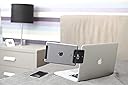


desertcart.com: MountEra Side Mount Clip for Dual- Triple- Monitor Experience; can Serve as Tablet Stand and Smartphone Holder; Compatible with All Tablets, Smartphones, Laptops (Limited Black Bear Edition!) : Everything Else Review: Works completely as intended -- couldn't be more pleased - This unholy monstrosity is my gaming/livestreaming rolling cart. It has an extra clip-on mousepad ("Desk Potato") and one clip-on cupholder. I've also attached an under-desk headphones hook, a lighted webcam on a gooseneck mount, and an iPad Mini on a gooseneck mount. (Plus a wire basket zip-tied to the base, and, just for fun, an LED strip underneath -- all purchased from right here on desertcart.) Then I wondered about the logistics of a real dual-monitor setup. I didn't actually take the plunge on buying a 15.6 Asus ZenScreen UNTIL I'd read enough reviews to be convinced that MountEra clips could hold all 1.7 pounds aloft. I bought two clips, and here's the finished result! Voila! It's actually pretty sturdy; the portable monitor isn't going anywhere. So the MountEra clips work exactly as promised!! I love that the clips hold the monitor at a natural viewing angle. Good stuff. I basically always leave my laptop like this now. I don't really travel with it (except, y'know, rooooolling around the house), so it can just stay like this until my husband ever decides he wants to borrow the ZenScreen. I do worry about the stress the weight of the Asus will put on my Acer's laptop hinges over time. Another desertcart customer review actually recommended attaching a 4-inch Stanley T-hinge (treated with spray-on rubberizer) to the laptop lid to give the whole setup more stability, which looks ludicrous but works brilliantly. So now there's a big gate hinge on the back of my laptop. And that's totally OK! I love my new setup. P.S. I was so not compensated for this review. I get really deeply suspicious of anyone who shares photos of products, like, "oh that's definitely a paid review," but nope, I'm literally just sharing a photo because I'm irrationally proud of my Frankenstein monster. Thanks, MountEra, for letting my dream of having the silliest laptop cart on Earth be a reality. Review: The Best Option For Me - I've been using this for a couple weeks now and it does what I need. It's not perfect, but it's the best option for me. It could be perfect for you, it just depends on what you're attaching. The stand for my Asus ZenScreen portable monitor isn't sturdy and doesn't allow me to stand it the monitor up straight so I bought this. I chose it over the other clip brand because of the reviews saying that the other option is brittle and prone to breaking. If it wasn't for that, the other option would probably work a lot better for me, but I'd rather be slightly inconvenienced than deal with having to replace the mount. The MountEra Clip is sturdy, seems well made, looks good and came in a nice box. It did take me a second to figure out how to open the box. I'd much rather there wasn't a huge logo on it, but I can probably fix that with some acetone to remove it or a marker or sticker to cover it. No big deal. The mechanism is easy to understand, you just loosen the clip, slide your devices into place and then tighten it. It takes a little bit of coordination to line everything up right, at least it does with my monitor, but by the third time I did it, I was a pro. My monitor is too heavy (1.7 pounds) or too wide to mount to the laptop monitor without having something under it. I start getting discoloration on the screen when I tighten it down enough for that to work well. This means I can't line up the screens without an extra something beneath the monitor. I thought it would be a big deal for me, but I honestly haven't noticed it once yet. If that's a deal breaker for you, you could put just about anything underneath your monitor. It doesn't have to fill the whole space under your monitor since the clip is doing most of the work. I just rest the bottom of the monitor on the table. The biggest problem that I have is that the ZenScreen has such a thin frame that this clip covers about a half inch of the screen. It would probably cover a good portion of many phones and tablets too. The overlap onto the laptop monitor is perfect and doesn't cover any portion of that screen. Like another reviewer, I use Excel a lot, and my problem is that the clip covers either the row markers on the left side or part of the scrollbar on the right side. Personally, I like letting it cover the middle portion of the scroll bar better. So that's a minor annoyance on top of the aesthetic issue of the clip blocking a small portion of the screen. There's about a 3/4 inch gap between the two screens. I'd prefer them to be closer, but it's not a big deal. My last thought is that I'm glad that this clip mounts the monitor at a slight angle. When I first mounted my monitor on the right-hand side the angle meant that I could still access the plug on the left of my monitor. If I had used a straight mount, the power/display cable would interfere with mounting it. I also just prefer that additional monitors are angled in. Overall, this is just shy of perfect for me. It definitely does what I need it to do and some of the problems that I have with it would be problems that I would have with any other product as well.
| ASIN | B01LQT1RBO |
| Brand | MountEra |
| Compatible Devices | Laptops, Smartphones, Tablets bg |
| Compatible Phone Models | Laptops, Smartphones, Tablets |
| Compatible with Vehicle Type | Automobile |
| Customer Reviews | 3.7 out of 5 stars 112 Reviews |
| Enclosure Material | Polycarbonate |
| Item Dimensions | 3.54 x 2.76 x 1.18 inches |
| Item Weight | 45 Grams |
| Item dimensions L x W x H | 3.54 x 2.76 x 1.18 inches |
| Manufacturer | MountEra |
| Material | Polycarbonate |
| Mfr Part Number | 4328658300 |
| Model Number | 4328658300 |
| Mounting Type | Tabletop Mount |
| UPC | 649070898942 |
J**A
Works completely as intended -- couldn't be more pleased
This unholy monstrosity is my gaming/livestreaming rolling cart. It has an extra clip-on mousepad ("Desk Potato") and one clip-on cupholder. I've also attached an under-desk headphones hook, a lighted webcam on a gooseneck mount, and an iPad Mini on a gooseneck mount. (Plus a wire basket zip-tied to the base, and, just for fun, an LED strip underneath -- all purchased from right here on Amazon.) Then I wondered about the logistics of a real dual-monitor setup. I didn't actually take the plunge on buying a 15.6 Asus ZenScreen UNTIL I'd read enough reviews to be convinced that MountEra clips could hold all 1.7 pounds aloft. I bought two clips, and here's the finished result! Voila! It's actually pretty sturdy; the portable monitor isn't going anywhere. So the MountEra clips work exactly as promised!! I love that the clips hold the monitor at a natural viewing angle. Good stuff. I basically always leave my laptop like this now. I don't really travel with it (except, y'know, rooooolling around the house), so it can just stay like this until my husband ever decides he wants to borrow the ZenScreen. I do worry about the stress the weight of the Asus will put on my Acer's laptop hinges over time. Another Amazon customer review actually recommended attaching a 4-inch Stanley T-hinge (treated with spray-on rubberizer) to the laptop lid to give the whole setup more stability, which looks ludicrous but works brilliantly. So now there's a big gate hinge on the back of my laptop. And that's totally OK! I love my new setup. P.S. I was so not compensated for this review. I get really deeply suspicious of anyone who shares photos of products, like, "oh that's definitely a paid review," but nope, I'm literally just sharing a photo because I'm irrationally proud of my Frankenstein monster. Thanks, MountEra, for letting my dream of having the silliest laptop cart on Earth be a reality.
S**.
The Best Option For Me
I've been using this for a couple weeks now and it does what I need. It's not perfect, but it's the best option for me. It could be perfect for you, it just depends on what you're attaching. The stand for my Asus ZenScreen portable monitor isn't sturdy and doesn't allow me to stand it the monitor up straight so I bought this. I chose it over the other clip brand because of the reviews saying that the other option is brittle and prone to breaking. If it wasn't for that, the other option would probably work a lot better for me, but I'd rather be slightly inconvenienced than deal with having to replace the mount. The MountEra Clip is sturdy, seems well made, looks good and came in a nice box. It did take me a second to figure out how to open the box. I'd much rather there wasn't a huge logo on it, but I can probably fix that with some acetone to remove it or a marker or sticker to cover it. No big deal. The mechanism is easy to understand, you just loosen the clip, slide your devices into place and then tighten it. It takes a little bit of coordination to line everything up right, at least it does with my monitor, but by the third time I did it, I was a pro. My monitor is too heavy (1.7 pounds) or too wide to mount to the laptop monitor without having something under it. I start getting discoloration on the screen when I tighten it down enough for that to work well. This means I can't line up the screens without an extra something beneath the monitor. I thought it would be a big deal for me, but I honestly haven't noticed it once yet. If that's a deal breaker for you, you could put just about anything underneath your monitor. It doesn't have to fill the whole space under your monitor since the clip is doing most of the work. I just rest the bottom of the monitor on the table. The biggest problem that I have is that the ZenScreen has such a thin frame that this clip covers about a half inch of the screen. It would probably cover a good portion of many phones and tablets too. The overlap onto the laptop monitor is perfect and doesn't cover any portion of that screen. Like another reviewer, I use Excel a lot, and my problem is that the clip covers either the row markers on the left side or part of the scrollbar on the right side. Personally, I like letting it cover the middle portion of the scroll bar better. So that's a minor annoyance on top of the aesthetic issue of the clip blocking a small portion of the screen. There's about a 3/4 inch gap between the two screens. I'd prefer them to be closer, but it's not a big deal. My last thought is that I'm glad that this clip mounts the monitor at a slight angle. When I first mounted my monitor on the right-hand side the angle meant that I could still access the plug on the left of my monitor. If I had used a straight mount, the power/display cable would interfere with mounting it. I also just prefer that additional monitors are angled in. Overall, this is just shy of perfect for me. It definitely does what I need it to do and some of the problems that I have with it would be problems that I would have with any other product as well.
B**K
The ultimate in mobile multi-tasking...
I had been searching for options to use multiple monitors with my laptop when I'm traveling and came across this and the Mountie. While I liked the design of the Mountie, with the piece that runs down between the monitors for stability, they didn't look too sturdy. That plus the fact that many reviews stated it was best to get 2 for mounting one monitor alongside the laptop display clinched it. I purchased 4 of these, which incidentally, cost me less that what 2 of the others would have. As it turns out, I only need 2 to do what I need. By using one of these on each upper corner of my laptop display, and 2 Anker aluminum stands, I can run a 4 monitor setup. The fact that they are larger and cover more actually works to my advantage. You can see my setup, using the above mentioned parts along with (3) ASUS MB169B+ monitors and my laptop. The clips cover the corner of my main display the corner of the upper monitor, and the side of the outrigger monitor. I use the stands to hold the side monitors up a little and keep them at the desired angle without putting extra stress on the laptop hinge. The software for the ASUS monitors says it can link up to 5 of these monitors, so I guess I could go to 5 wide with one on top at some point, but that would just be showing off...lol You can see how looks in comparison to my home office setup, which has bigger monitors, but actually about 15% fewer pixels. When I'm on the road, I can set it up like this in my hotel room in about 3 minutes, or if I'm just stopping of somewhere I usually just put the top one on to give me a little more work space. These clips seem to be well made. I think the ABS frame will stand up to a lot of use, and the padded areas are well fitted and secure. Not much more to say about these, but for my purposes, they are perfect...YMMV.
A**R
it can be tricky to find the sweet spot to keep it up
In my opinion $20 is a bit expensive for this type of product. Purchased to mount my portable monitor to my macbook pro. Works really well when I have monitor vertically positioned. When using it to mount my monitor horizontally, it can be tricky to find the sweet spot to keep it up. Overall does what is supposed to do.
C**L
If your buying it to mount a second monitor to your laptop then I wouldn't waste your money
I'm really surprised there are so many favorable reviews on this product. If you're buying it to mount a second monitor to your laptop then I wouldn't waste your money. Just received this and no matter how much I try to tighten the clamp it doesn't hold the monitor up. The only way I am able to get it to even marginally work is to install the monitor length wise up and down. It barely hung onto my monitor for 30 seconds before my brand new monitor fell out of it. Total crap product I'll be returning immediately.
J**K
Seemed Like A Good Idea
This item solves a problem no one has. I purchased it more out of curiosity and have determined it to be pretty useless. The clamp only opens enough to securely attach to a relatively thin monitor or other vertically oriented flat surface no greater than half an inch thick and will only reliably hold a cell phone without a case or with a very thin bump-style case. Don't plan on mounting this to your desktop monitor unless it is really thin and has a rigid bezel wide enough to avoid having to clamp it directly to the LCD panel. I couldn't get this to attach to my phone without covering up at least a quarter inch of the edge it was clamped to which blocked my view of the screen. Gripping on to less was insecure and gripping on to more blocked even more of the screen. I attempted to use this with several tablets ranging from 7" to 8" and it simply would not hold them securely. Additionally, the added weight to the laptop screen made it horribly unstable and not "lapable" (reference the picture of the dude with his macbook in lap mode. He is stabilizing the screen on the left side to prevent everything from capsizing). Also, I believe the extra weight may subject additional stress to hardware that was not designed for that purpose. I can't even imagine using this with larger 9-12" tablets Lastly, for all that this does or doesn't do, it is way overpriced and most definitely not a "Cheap alternative to Razer Project Valerie". That is just a false claim. After experiencing this product I cannot recommend it. I rated it a 2 only because, as stated in the title, it seemed like a good idea. NOTE: This appears to be identical to Daite Dual Display Side Mount Clip, Tablet & Phone Mountie Side, Dock to Laptop or UltraBook (Black) with similar reviews and over three times the price. You decide.
B**G
outstanding for a travel monitor
I am someone who needs multiple monitors for maximum productivity. I bought this clip to replace the stand that I formerly used for my Asus MB169B 15.4" travel monitor. The stand had many problems, most of which centered around getting the viewing angle just right so that the main monitor on my Thinkpad laptop and the travel monitor were both easily readable. I even purchased an IPS travel monitor in an attempt to get this right. The MountEra side mount clip positions the additional monitor just right so that both it and the laptop monitor are perfectly angled for easy viewing. It is not quite as easy as putting the external monitor on a stand, but well worth the extra minute or two it takes to clip the monitor to your laptop. I liked it so much that I bought another so that I can have 2 portrait format screens when traveling. Highly recommended
V**Y
Very nice innovation! Perfect to be on laptop and Facetime at same time of your phone.
Absolutely love this adapter! I used to always have my phone leaning against my screen which either took up part of the screen or it fell down. I canโt believe I never got one of these earlier but very glad I did now Its super easy to use and has a nice flat surface on the part that attached to the laptop and the part that attaches to your phone so does not damage anything. Its night and sturdy. You simply untighten it and pop in your phone on 1 end, put your laptop screen in the other hand and tighten it again ~ simple! Very nice little innovation and overall gets the job done. 10/10
Trustpilot
2 months ago
1 month ago