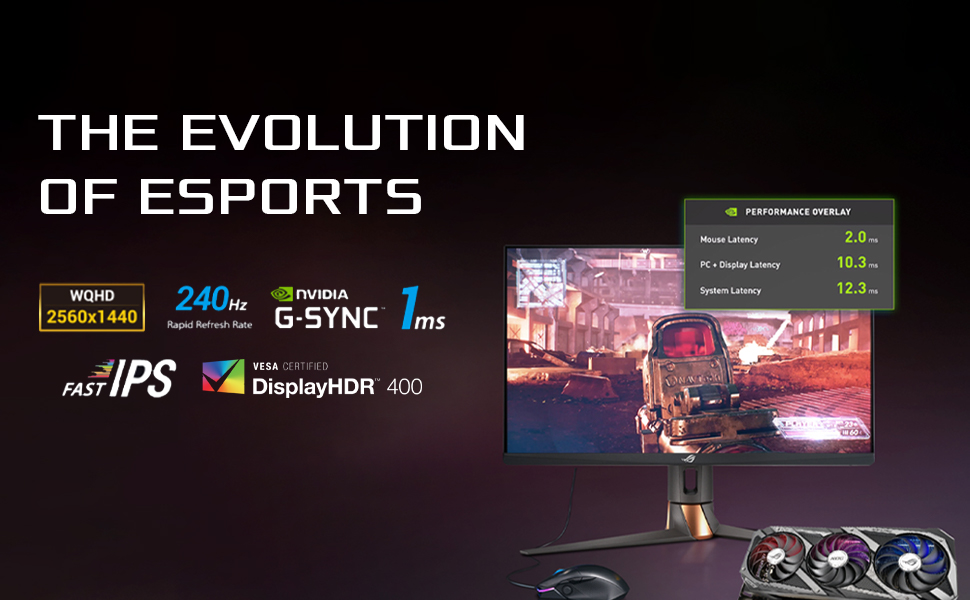
🎮 Dominate every frame with ASUS ROG Swift – where speed meets precision!
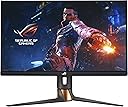
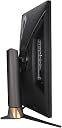
The ASUS ROG Swift PG279QM is a 27-inch WQHD gaming monitor featuring a Fast IPS panel with a 240Hz refresh rate and 1ms response time. Equipped with NVIDIA G-SYNC and Reflex Latency Analyzer, it delivers tear-free, ultra-responsive gameplay. HDR400 certification and DCI-P3 color gamut ensure vibrant visuals, while versatile connectivity options and ergonomic design make it a top-tier choice for professional gamers and enthusiasts alike.


| ASIN | B08LCNWQWL |
| Adaptive Sync | G-Sync |
| Additional Features | Blue Light Filter, Height Adjustment, Pivot Adjustment, Swivel Adjustment, Tilt Adjustment |
| Aspect Ratio | 16:9 |
| Best Sellers Rank | #174,314 in Electronics ( See Top 100 in Electronics ) #3,802 in Computer Monitors |
| Brand | ASUS |
| Brightness | 400 nits |
| Color | BLACK |
| Color Gamut | 1.5 |
| Compatible Devices | Desktop, Gaming Console |
| Connectivity Technology | wired |
| Contrast Ratio | 1,000:1 |
| Customer Reviews | 4.4 out of 5 stars 370 Reviews |
| Display Resolution Maximum | 2560 x 1440 pixels |
| Display Technology | LCD, LED |
| Display Type | LED |
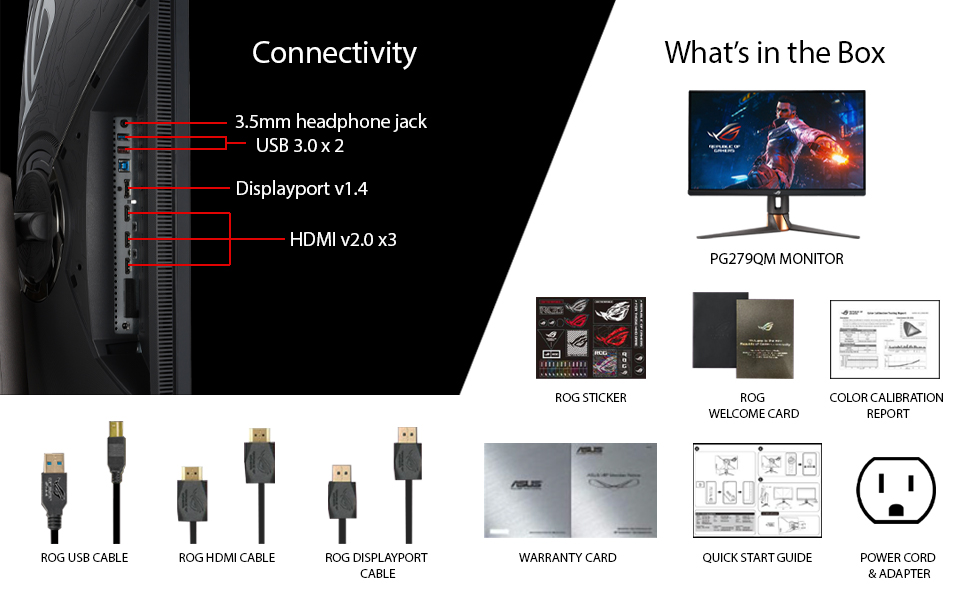
| Hardware Connectivity | DisplayPort, HDMI, USB, USB 3.0 |
| Image Contrast Ratio | 1,000:1 |
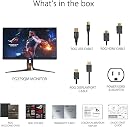
| Included Components | Color pre-calibration report DisplayPort cable HDMI cable Power adapter Power cord Quick start guide ROG sticker USB 3.0 cable Warranty Card |
| Item Dimensions D x W x H | 16.06"D x 24.17"W x 10.04"H |
| Item Type Name | monitor |
| Item Weight | 17.9 pounds |
| Manufacturer | ASUS |
| Model Name | PG279QM |
| Model Number | PG279QM |
| Mounting Type | Wall Mount |
| Native Resolution | 2560x1440 |
| Number of Component Outputs | 3 |
| Picture Quality Enhancement Technology | TÜV Flicker-free TÜV Low Blue Light VESA DisplayHDR 400 G-SYNC |
| Pixel Pitch | 9.2 |
| Power Consumption | 42 watts |
| Processor Count | 1 |
| Refresh Rate | 240 hertz |
| Resolution | QHD Wide 1440p |
| Response Time | 1 milliseconds |
| Screen Finish | Matte |
| Screen Size | 27 inches |
| Screen Surface Description | Matte |
| Series Number | 279 |
| Shape | Rectangular |
| Specific Uses For Product | Gaming |
| Total Number of HDMI Ports | 3 |
| Total USB 2.0 Ports | 2 |
| Total USB 3.0 Ports | 2 |
| Total Usb Ports | 2 |
| UPC | 192876927205 |
| Viewing Angle | 178 degrees |
| Voltage | 240 volts |
| Warranty Description | 3 Year Warranty with ARR |
D**L
Amazing Gaming Monitor, Never Had Any Issues
I purchased this monitor over 2 years ago in November 2021, and I've been very happy with it. The resolution/image quality and latency are superb, in my opinion. This has been my primary monitor since I've purchased it, using it at least a few times a week, and I've never had any issues with it. Assuming your PC can handle it, this monitor has worked great for playing anything from Red Dead Redemption 2 to the latest Call of Duty games at 1440p. You may occasionally need to adjust the graphics settings in the specific game you're playing, but that's due to the game being poorly optimized, and this monitor always displays a great image once that's taken care of. Two things I'll note which are not necessarily cons for me and my use case, but I wanted to mention them. Firstly, this is obviously an expensive monitor, and it's possible that you're looking for something less expensive that still ticks some of the same boxes as this one (just not all of them). So, if this monitor feels a little bit too expensive, that's fair. I purchased it with the intent that I wouldn't have to worry if my monitor display would be very high-quality at 1440p and there would be very low latency for FPS-games. The second thing I'll note is that while the stand is clearly very high quality, it's also a little awkward. It hasn't been an issue for me, and it can be easily addressed with a monitor arm/mount, but it's worth mentioning if you plan to use it in a confined space or a space with awkward dimensions. Overall, this monitor is great and I've been so happy with it.
A**C
Best Display I’ve ever owned
The PG279QM is the best display I’ve owned and was worth every penny. - Pros: • fantastic, detailed picture • best in class colors • the native g-sync module flawlessly handles changes in frame rate. New World at 1440p and max settings (for example) will regularly swing between 60 and 125 fps depending on what’s going on in the game at that moment. The PG279QM is silky smooth and can handle such drastic swings in FPS without showing any immersion breaking tears, lag or stutters. • you can fully edit brightness and all display settings when in sRGB mode • Surprisingly bright for just HDR400 • ASUS Aura Sync ARGB compatibility -Cons: • there is noticeable backlight bleed on all black screens (such as when you turn on the monitor). Turning off the variable backlight setting can get rid of this, but it hasn’t been a big issue for me. • HDR400 with 16 local dimming zones isn’t true HDR. You’re not going to get an OLED or FALD IPS experience here. Summary: if you want best in class refresh rate but don’t want to sacrifice on image or color quality, look no further.
D**K
Good Quality Gaming Monitor
I have had this monitor for almost exactly 4 years now and have had no issues and I have been impressed with the overall quality of the monitor. It makes for a really good gaming monitor especially if you have a good PC setup that can put out 240 frames per second. For context, I have used it multiple times a week and for hours at a time and it still has held up well. I would recommend the monitor for anyone who values high frame rate and a good quality image. I think there are also a lot of quality of life things that dont come with a standard monitor such as adding cross hairs, monitoring frames per second, and the g sync ultimate.
R**S
Checks all the boxes for what I needed, superb monitor!!
Don’t really have much to say about this monitor as at the time of purchase, was the best monitor money could buy. It has tons of functionality and features built into it, I’m not going to list everything, just know even today it’s still bad to the bone. If I could think of something to critique, would be I wish it would also come in a 24” size, also I kinda wish I hadn’t paid the extra to get the one with GeForce chip installed into the monitor, as I like AMD’s graphics cards due to being more bang for the buck. I pretty much pigeon holed myself into using only GeForce cards or I won’t be able to take advantage of those extra features I paid for, and that sucks because GeForce has overpriced their cards for awhile nowadays and you don’t get the same performance per cost as we once did. If you’re well off and upgrade you’re graphics card every couple years then ignore my review and grab this monster, although now you can get the same monitor with 300+ refresh rates for not much more.
S**N
Great panel, but has some very annoying shortcomings
Negatives: I came from the Dell s2417dg monitor which had notoriously terrible color banding, and the Asus Pg279qm does not do much better in my experience. I could not believe my eyes when I saw some videos, pictures, and games exhibit this flaw. It is most apparent in darker shades of colors. I am too lazy to post pictures, but in the game Valorant, when I look at the walls in the map Haven, I see gradient banding that I never noticed before on my old monitor. In some instances of watching videos and playing games that has darker shades of the sky or shadow, I start seeing a posterization effect, and is as annoying as it was on my Dell. Next thing I want to talk about is contrast. Contrast is very meh, but it is expected of IPS technology of todays. What is annoying however is that the contrast on my unit is lower than advertised. I have calibrated it with a colorchecker display pro, and the best contrast I could achieve was 970. Now, it is very close to its advertised 1000 ratio, but this is a setting that goes a long way even if it's a 30 number difference. Also, on the Lagom black level test, this panel was unable to separately display the difference between the 3 levels of blackest boxes. This leads to a bit of crushed blacks in all content, but it is something I can tolerate because it is not as bad as my Dell. The only way to see all boxes on the Lagom test is to use the black level boost function in the osd settings, but it washes out the image at its max level. I really wish this display had a better contrast, even if it's only by a bit. When it comes to the HDR400, I don't think it's good or even functions because of the terrible local-dimming. Most notorious reviewers say it's bad, so don't buy this expecting anything out of its HDR. Lastly, I want to mention text clarity and. It is bad. Like I couldn't focus my eyes on any text at the panel's native resolution at 100% scaling. I did not have this problem with my Dell once again. And I have to mention that my vision is not bad by any means as my optometrist tested that it is only a little off from 20/20. There is a workaround for this problem, and it is to use windows Cleartype fuction, along with windows 150% custom scaling. Text is much better after the change in settings, and my eyes can finally relax. Positives: -Great color coverage, a definite upgrade over my Dell. Proper sRGB mode that will please the creators that need it. One of the widest wide gammut monitors available right now. -Native Gsync module. No clear noticeable overshoot/ghosting in any games I've played. But according to Hardware unboxed, in the 165-200 range of fps, overshoot rates are higher. I don't play my games at those refresh ranges, so I can't comment on this. -Response time and input-lag are very good; I noticed the difference coming from my Dell. Final Thoughts: Nvidia's RLA feature is something that I don't use because I play my competitive games at low settings anyways to ensure the lowest amount of latency and stutter while retaining consistency in image smoothness. I say this because this monitor's price is definitely influenced by the inclusion of this feature and Gsync. If you do not care about RLA and Gsync, while also finding the annoyances I mentioned above to be too much, I recommend looking at the Asus Xg27aqm or the Acer XB273U GXbmiipruzx as those two are on average 300USD cheaper than this monitor while still having 240/270hzOverclock/1440p resolution. Since I never tried what I suggested above, I can't guarantee you won't run into the same negatives I mentioned at the beginning of the review. PS: my unit came has 1 stuck pixel and a noticeable backlight bleed on one corner and it's got me really thinking about returning it. With the 900USD msrp, I really expect better quality control.
O**N
Worth every penny !
A week after I built my new gaming pc I accidentally cracked the screen on my Asus Rog Swift PG279Q , the 2015 model of this line. Made the mistake to cheap out and replace it with another monitor for less than half the cost of this one, won’t say which one but it only took a day to realize you get what you pay for. Returned it and paid the price to go with the upgraded version of what I had and am very pleased. The cheaper monitor didn’t have a dedicated G-Sync module as my 2015 model had as well and it definitely makes a big difference from a software induced g-sync compatible IMO. The variable refresh rate of a true native G-Sync monitor is buttery smooth and this monitor is that and more. The out of the box colors are nice , however with a little tweaking it’s even better. I used the Icc profile from rtings.com , a few adjustments in the Nvidia control panel. Forgot to mention my unit had Zero backlight bleed/IPS Glow or dead or stuck pixels. Also the text clarity is superb compared to the cheaper aforementioned bad buy. Worth Every Penny!
B**N
AMAZING PC Display...Floral smell, not so much...come on Amazon!
BACKGROUND 101: I needed two really good displays. I spent a great deal of time researching for one that could multitask with the best of them without breaking the bank (needed two!). I wanted something that could keep up with gaming (240hz), resolution (2k), and could photo edit (100%+ sRGB, 100% adobe RGB). HDR was a nice-ity, this one happened to have that too. I could not find many things I did not like about this monitor (more on that later). My DISAPPOINTMENT: I saw the price and my reaction was, “wow! that’s really good for this monitor.” I quadruple checked to ensure it was not used or refurbished. Not seeing ANY indication they were, I punched the buy button for two. MY SURPRISE: Days later they arrive. Unpacking them my immediate reaction was, these are used! I could tell right away just from the packing. Then I saw the dreaded stickers that says “Thanks to you, this product has a second life.” I have KNOWINGLY purchased used products before but there was ZERO notification when I purchased these – I know as I quadruple checked. I don’t have the sharpest vision, but I’m not blind – so where was it hiding? SAGA CONTINUES: My initial impulse was to send them back but the price was good (not great, $505), especially for two. I’d give them a try. Any issues and I’d send them right back. SURPRISE CONTINUES: The first display I unpacked. It was clearly a purchase and return. Set it up and there were no issues. Worked great. It was a keeper. THE REASON FOR 3 STARS: But the second one…one word to describe, “gross.” Apparently, some kind of floral cleaning fluid had the pleasure of soaking the entire side of the box. Unpacked it and the pleasure continued. It had sat so long in this fluid that it had permeated that entire side of the box even to the components inside. It had sat so long that the screws on the base of the display stand rusted. Oh, how much fun it was to peal all the sticky, floral wrappings away from the box, foam, and components. Come on Amazon, SOMEONE, ANYONE could have taken a few minutes to clean it up before you mailed the sticky, floral mess to a loyal customer. No excuses. A customer should not have to deal with this nasty. One of few times I have been disappointed by the big A. By the end, I nearly vomited from the floral smell that still haunts me. It was caked on and required many washings to get it all off and it still smells! SILVER LINING: The sticky, floral cleaner mess was isolated to that side of the box only. Plus, I was mounting the displays onto adjustable arm monitor mounts. But I always think future resell. The display stand cleaned up for the most part, except for the rust. That and the box is unusable. I wouldn’t keep it anyway just because of the vomit inducing smell. Other that that, the monitor was for all intents and purposes brand new. So, also a keeper. WHAT YOU PROBABLY CAME HERE FOR: The displays are as good as they say they are from any of the other reviews you’ve probably read and watched. They do have built-in speakers, but might as well not. Only good for notification sounds. I would not use them for gaming or any serious listening. The display does not have the best blacks either. When the monitor is idle in a dark room, the black looks more gray than black. These aren’t on par with the black of OLED but they also don’t cost the same. That also means the contrast isn’t the best either. Overall, I would recommend as they are near perfect for what I was looking for. But Amazon, EPIC FAIL!
T**N
5 stars
The best
J**R
Bueno
El monitor es bueno, pero no me convencieron de todo los colores
M**I
Power supply very bad
Doesn't turn on at all After 8 months with only 3 hours of use in a week... Changed power supply but still not working.
B**4
King of kings
This is an amazing monitor. Upgraded from my old pg279q. Only had it 2 days so far, but received it with zero dead pixels and I can’t even notice it’s an ips screen on the backlight bleed test. I may of gotten lucky 🍀. Not going into specs as you can read for yourself, I will say the hdr is much improved however due there is strobing in area of the 16 lighting zones when on a black screen and day your mouse is moving in the zones. I don’t notice it when gaming though, and never thought I would play with hdr. But so far so good. The build quality is premium and the calibration out of the box is stunning. Will update if any problems arise.
S**N
Awesome.
Wonderful. No issues or concerns ! I’ve had it for a couple months now.
E**Z
Asus no decepciona… en decepcionarte.
3er monitor de Asus que compro en 2 meses y 3er monitor de Asus que viene con problemas (o es que simplemente este es malo). Ni bien saco el monitor de la caja, noto que le faltan plásticos de protección, parecía estar bien hasta qué días después, noto algo raro en el logo que esta en la parte de enfrente… y sorpresa! Le falta una parte y parece como si hubieran tratado de cubrirlo o disimularlo, LAMENTABLE. Como si no fuera suficiente, este monitor súper caro tiene problemas con los colores y la calidad de imagen. Es su modo sRGB (si, los monitores en pleno 2023 siguen usando sRGB) los colores son súper opacos y tristes, nada raro en este modo. Pero el verdadero problema es cuando lo cambias al modo Wide Gamut, los colores están tan saturado que duele la cabeza después de un rato, en especial el rojo. Después de varios días tratando de calibrar, nunca encontré una forma que me satisficiera al 100%. Por otro lado, tiene un gran problema en la uniformidad de grises y de iluminación. Los bordes laterales y el borde inferior se ven más oscuros que el resto de la pantalla, aunque pongas el brillo al máximo esto se sigue notando. Con respecto al HDR, es muy malo, pero esto es normal en IPS, y este monitor no es la excepción. Si buscas un buen HDR, es mejor optar por un VA gama alta o directamente un panel OLED. El monitor es rápido, sí, y muy fluido. En verdad se siente muy bien el 1440p a 240Hz, pero se ve todo opacado por lo problemas que ya mencioné. Lo devolveré de inmediato ni bien termine esta reseña, pues me parece que por el precio, debes esperar lo mejor de lo mejor y este monitor me quedó mucho a deber. Tal vez le de otra oportunidad a Asus y lo vuelva a pedir, porque es probable que solo mi unidad tenga problemas, no lo sé. Pero definitivamente si te quieres ir a la segura, no gastar un dineral y no quieres perder tiempo y dinero, busca un monitor LG, que LG en paneles para monitores es el Rey indiscutible. ACTUALIZACIÓN 07/02/23 Ordené el monitor por segunda vez. Esta vez el panel llegó bien, con buena calidad de colores. El problema esta vez es de parte de Amazon o la paquetería. El paquete llegó golpeado y la tapa trasera del monitor venía rota. No te permiten el reemplazo del producto así que forzosamente estás obligado a devolverlo y esperar el reembolso. Mi consejo definitivo es evitar comprar monitores en Amazon, ya que es muy común encontrarse con defectos (5 monitores comprados en Amazon y los 5 venías defectuosos). Y si eso no fuera suficiente, Amazon se molesta que devuelvas sus productos defectuosos y hay peligro que te baneen la cuenta.
Trustpilot
2 weeks ago
1 month ago