Buy anything from 5,000+ international stores. One checkout price. No surprise fees. Join 2M+ shoppers on Desertcart.
Desertcart purchases this item on your behalf and handles shipping, customs, and support to USA.
๐ถ Elevate Your Sound Experience!
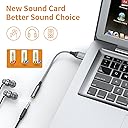
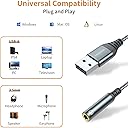
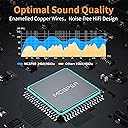
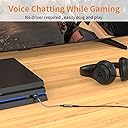
The USB to 3.5mm Audio Jack Adapter is a versatile external sound card converter that allows you to connect your headset to a variety of devices, including PCs, laptops, and gaming consoles. With plug-and-play functionality, premium audio quality, and a durable design, this adapter is perfect for professionals on the go who demand high-fidelity sound without the hassle.


| ASIN | B099FLWJD3 |
| Audio Output Mode | Stereo |
| Brand | MCSPER |
| Compatible Devices | Personal Computer, Laptop, Macintosh, Speaker, Headphone, Gaming Console, Smartphone |
| Customer Reviews | 4.3 out of 5 stars 2,795 Reviews |
| Hardware Connectivity | USB |
| Hardware Interface | USB |
| Hardware Platform | Personal Computer |
| Manufacturer | MCSPER |
| Maximum Sample Rate | 48 KHz |
| Model Number | d3757ee6-29be-435b-b24c-8b92df691561 |
| Platform | Android, Linux, Mac, Mac OS X, PlayStation 4, Windows 10, iOS |
| Signal-to-Noise Ratio | 120 dB |
| Surround Sound Channel Configuration | 5.1 |
| Unit Count | 1.0 Count |
W**I
Good adapter
I purchased this for my new PC which does not have a rear audio port so I needed to use a rear USB port for my speakers. Works perfectly.
A**.
Worked Great, even worked in a KVM setup
This worked great and sounded good. I was setting up a KVM setup between Windows and MacOS machines, I didn't have a way to transfer the speakers so on whim I gave this a shot as an experiment. So the KVM switch transferred a USB hub between the computers, this was plugged into one of the USB ports on the hub, and the speakers were plugged into the this jack. Everything worked great right out of the box, I didn't have to fiddle with anything. I ended up not needed it in the long run because the monitor that was acquired had an audio pass-through from the HDMI so that worked without needing to use up a spot on the USB hub. But I'm impressed that it worked with this pretty jankey setup between two different OSs.
D**0
Works perfect with Linux mint plug and play.
Works perfect with Linux. Plug and play. I am using this for running Linux on an old Chromebook where the sound card keeps malfunctioning. Fixed it no problem.
W**R
Definitely nice for the price. But...
This does what I need and does it well. There is one small deficiency, in my opinion, and one weirdness that I don't think is the adapter's issue. The deficiency is that the device only supports 16 bit sound. The page doesn't claim otherwise except that one of the images specifies 24 bit sound. Nowhere in the description is that stated. Now, 16 bit sound is great and sound from this adapter is great - no problem there. I do think (or imagine) I can hear a slight difference in dynamism on another device that supports both bit depths. The weirdness is that on starting up in Windows 11 after a shutdown, sound comes through the adapter incredibly loud. If I unplug the adapter and replug, everything is normal. If I choose restart, there is also no problem. That constellation makes me think it's something in Windows (which doesn't fully shut down in shutdown, so it can start up more quickly). I'm going to keep an eye on it.
C**N
Works as expected
It works awesome straight from the package to the computer and works great
W**C
Worst purchase ever!
The converters have been the worst purchase I have ever made, that says a lot considering this item is not very expensive. Its true you get what you pay for, and i had little patience after trying to resolve the issues these jacks created. Now i want to start by saying that this is not a one off. Both jacks I recieved cause almost identical problems on two computers, a desktop and a laptop. The issues on the laptop were worse by far! When i started working on my desktop first, I noticed that i was losing audio. I couldn't figure it out at first and had to keep restarting my computer until i finally figured out what the problem was. When i set the converter (Tx(number sequence)) as the default speaker, it would kill all my audio. I would run a youtube video for testing purposes, and the audio would drop and cause the video to start buffering. I don't know how those are connected, but here we are, and it happened on my laptop too. I had to reset my desktop every time i was trying to set it as the default speakers, i didn't know this was the issue at the time. I didn't put two and two together until i started rearranging my laptop setup and changed the default audio to the Tx(number sequence) converter using the additional converter. That is when it dawned on me that it was the cause for the same problems i was having on my desktop. Unfortunately, this caused me to undo the errors it caused for about half an hour as i ended up having to do a contra code (up, up, down, down, etc.) trying to get my USB hub working again as it made my M&K unrecognizable after restarts. Little did i know it wasnt just the M&K, but everything connected to my hub was now missing because of this converter. i had to turn off my computer, and once it shut down i had to unplug my hub, restart my laptop, confirm the default audio was not on the converter, plug my hub back in, and then restart my laptop once again. This dumb connector made me lose over an hour of my life on two different days. Needless to say i will be asking for a refund.
R**K
Great little solution!
Needed to switch audio using a KVM switch and this does the trick (since KVM switches rarely have audio any more). Each PC recognizes it immediately when it switches to that PC.
M**L
works great
works great, my desktop speakers sound good using it
Trustpilot
5 days ago
3 weeks ago