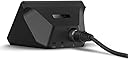
๐๏ธ Elevate your audio gameโbecause your voice deserves the spotlight.
The Elgato Wave XLR is a compact, professional-grade USB-C audio interface designed for streamers, podcasters, and recording pros. Featuring a studio-quality 75 dB preamp, 48V phantom power, and proprietary Clipguard technology, it delivers ultra-clear, distortion-free sound. Its intuitive capacitive mute button and Wave Link software enable seamless multi-source mixing and control on Mac and PC, making it the ultimate mic interface for next-level content creation.


| ASIN | B09738CKKX |
| Audio Input | XLR |
| Best Sellers Rank | #26,355 in Musical Instruments ( See Top 100 in Musical Instruments ) #167 in Computer Recording Audio Interfaces |
| Brand | Elgato |
| Brand Name | Elgato |
| Compatible Devices | Personal Computer |
| Connectivity Technology | USB |
| Customer Reviews | 4.6 out of 5 stars 2,562 Reviews |
| Frequency Response | 20 KHz |
| Included Components | Wave XLR, USB-C Cable, Quick Start Guide |
| Item Dimensions D x W x H | 3.31"D x 3.46"W x 4.65"H |
| Item Type Name | interface |
| Item Weight | 300 Grams |
| Manufacturer | Elgato |
| Manufacturer Part Number | 10MAG9901 |
| Maximum Sample Rate | 96 KHz |
| Model Number | 10MAG9901 |
| Number of Channels | 1 |
| Operating System | Mac |
| Supported Software | Wave Link |
| UPC | 840006642886 |
| Unit Count | 1.0 Count |
| Warranty Description | 2 year manufacturer. |
J**F
A Great GoXLR Mini Alternative!
The Elgato Wave XLR is a great piece of equipment for your sound setup. While deciding whether or not to get this, I had to look at the benefits and drawbacks this device had in comparison to the GoXLR Mini. A drawback of this device is that, compared to the GoXLR Mini, the Elgato Wave XLR isn't as convenient because it lacks physical faders (the sliders for different sound sources). This could be a deal-breaker for some people, but it wasn't enough for me to ditch the option. In my opinion, the Wave XLR has many more benefits than the GoXLR Mini. The compact design of the Wave XLR makes my setup nice and tidy compared to the size of the GoXLR Mini. It fits perfectly on top of my computer, and its cable management is perfectly fine since all its ports are coming off the back. The Elgato Wave Link software is incredibly intuitive. It separates the audio into two potentially identical tracks: the monitor track and the stream track. Because of this, you can adjust your sound levels for your stream track (what the stream may hear or what an audience might hear) separately from what you hear (the monitor track). You can also switch between what track is currently playing through your headphones right on the software so that you can properly adjust the sound levels. The Wave XLR has VSTs for all audio sources, so you can add limiters, equalizers, noise gates, etc. to your microphone or any other sound. It also allows you to use your microphone with the VSTs on any program, so you can speak to your friends through Discord for example with your VSTs. There is a knob on the front of the device that lets you adjust the gain for the microphone you have plugged in. Fortunately, the Wave XLR has enough gain to power power-hungry microphones such as the Shure SM7B, so there is no need to worry about whether your microphone will ever be too quiet. You can push the knob to switch it from adjusting your microphone to your headphone level, and you can push it again to adjust how much of your microphone you hear back and how much of your system you hear back. Keep in mind that monitoring your microphone directly through the Wave XLR and NOT through the Wave Link software will NOT have any of the VSTs you put on. Overall, this is an amazing device, and for $40 cheaper than the GoXLR Mini, you are definitely getting enough bank for your buck. It has everything the GoXLR Mini has except the physical faders (sliders), and more. I would recommend this to any streamer who is looking for an audio interface that is compact and powerful enough to power a microphone like the Shure SM7B.
C**C
Works amazing!!!
I donโt usually take the time to write long reviews, but this purchase honestly surprised me in a good way. I went into it with fairly normal expectations and figured it would be โgood enough,โ but it turned out to be one of those items where you immediately think, โWhy didnโt I buy this sooner?โ From the moment I opened the box, the quality stood out. Nothing felt cheap or thrown together. The materials actually feel durable โ the kind of durability that makes you think itโll hold up for a long time instead of being something you replace every year. The instructions were clear, and the setup was way easier than I expected. Even the packaging was done well, which I always appreciate because it shows they pay attention to the small details. Iโve been using it for several days now, and it performs exactly the way you want a product to perform: consistently. No weird quirks, no having to โfigure it out,โ and no disappointment after the first use. It does what itโs supposed to do, and it does it well. One thing I really like is how the design balances simplicity with functionality. You donโt need to be an expert to get the most out of it. If youโre on the fence like I was, Iโd say go for it. Iโve bought plenty of things online that look great in the photos but feel mediocre in person. This wasnโt one of them. It actually exceeded my expectations, which doesnโt happen often. I feel like I got more than my moneyโs worth, and thatโs probably the best compliment I can give any product. Highly recommended.
A**C
Very easy to set up. Great quality audio interface.
As someone who's only getting started audio related Elgato really made it easy and streamlined. Setting up was a breeze and the UI for the software was easy to navigate not to mention there are available eq presets to maks your mics sound better available through their marketplace for FREE. I'm currently using a Beyerdynamic M70 Pro X which to my knowledge is a gain hungry mic and this powers it up no problem. Build quality is okay, it's plastic so don't expect it to withstand being crushed. Setting it up was easy, install the software first, connect your mic and/or headphones in and hook it up to your pc and you're set. It is pretty pricey, however, I didn't want to get a cloudlifter in addition to an audio interface so this actually made me save quite a bit.
J**R
Decent as an audio interface but has some weirdness with software
As a basic package the wave xlr is a good audio interface for those looking to step out from usb mics. It provides a very clear signal between your computer and your mic while adding a decent amount of gain to power dynamic mics well it's got a simple to use design with capacitive touch mute buttons and a multifunction dial for controlling gain, and monitor mix it provides near zero latency monitoring but that said it's only useful for single input setups plus it's software while useful for management of audio inputs can cause software conflicts with some games that have issues dealing with virtual inputs
G**.
Good, but could use better software.
Overall I am satisfied with this, although I have had some issues with Elgato plugins in the Wave Link app that caused it not to boot properly when turning on the PC. I would constantly have to manually start the Wave Link app in order to get audio to work. After getting rid of the plugins (which are official Elgato ones) and reinstalling, it has fixed the issue. Otherwise, it works great for splitting up audio channels for videos, streaming, etc.
J**Y
Great combo with SM7B
The Elgato Wave XLR has been a great audio interface for my Shure SM7B. Itโs a bit pricey, but this is because of the preamp it has inside. With this audio interface, you donโt really need a cloudlifter, or any other gain booster. This audio interface has a preamp with max of 75dB. Granted, you wouldnโt want to ever use 75dB with this as it will max out the preamp and introduce lots of white noise. With my Shure SM7B, I keep it at 57dB, but anywhere from like 55-60dB should work. You can even use an external preamp if you have extra money and want to have your elgatoโs preamp lower. The size is great as itโs very small. It wonโt occupy much of your desk. The software, wave link, is amazing too. You can use VSTโs in wave link to further tune your voice or audio recording. No need for other software. Just add your VSTโs into wave link and use the monitoring to hear the difference. These effects can also be put into game chats if you select the FX input. Very helpful to introduce some noise suppression in game. You can also get some usage of higher impedance headphones with this. There has been one concern though. While using it, I have noticed some popping or crackling whenever I speak randomly. Iโm not sure if itโs because of my PC, the audio interface, my microphone, or my XLR cable. It could be any of those factors, I believe. Just keep this in mind that this could happen to you as well. Iโm not sure if others can hear this crackling/popping, or if itโs just me. I use monitoring always so it could be from that.
N**K
My favorite Elgato device.
This is such an amazing DAC, that I have two of them. One for my personal rig and one for work. The audio quality with the Elgato solutions are fantastic. You've really good quality nose cancellation, cleanup, and compression with Elgatos provided solutions; however, you can also import 3rd party tools as solutions to help improve or adjust your sound. The audio latency is relatively low for voice play back. The XLR interface is exceptional. The dial is incredibly easy to use. The touch mute area on the top is incredibly handy, especially with the ability to change colors to indicate mute status. The ability to provide Phantom Power is nice; however, I don't use that feature anymore. This is much more affordable than the XLR + Stream deck solution. One day, maybe I'll upgrade, but for now, this product delivers.
D**W
Easy to use, Great Software.
The Wave XLR is super easy to use, One big knob controls everything and has a clear indication of what everything does. There are 3 Controls in total on this, you can turn the knob, you can push the knob, and you can tap the top to mute. So don't worry about figuring those out, pushing the knob once will change the setting it adjusts, holding it down will enable/disable the phantom power, and turning it will increase/decrease the selected setting, now that the controls are down that is pretty much all you need to know. Moving on to the software it has a ton of useful features, has a built in mixer to control the volume from all of your sources once you set it up right, "Clipguard" which lowers the gain automatically if your microphone starts to clip, and the standard lowcut filters and sample rate controls. It also allows for VSTs now. Which is a nice touch if your deep into audio, or want to learn. Overall this is an amazing audio interface, it is a little on the expensive side compared to the Scarlett Solo, but I think it is well worth it because of the ease of use, and the software.
L**E
Changed everything for me (in a good way)
I purchased because you can set up mic filters up on the device, and they then apply to any application you use. I know there is software that can do this without the Elgato ecosystem but this makes it so much easier for me to understand. Additionally I now have separate volume controls for every category of use on my PC which I can adjust for both myself and any audio being output to a stream. Everything can be backed up and restored when needed. Works reliably. Couldn't ask for more.
A**N
Perfect upgrade for the streaming setup
Got this after deciding I wanted to upgrade to an XLR microphone for the streaming setup, and I made the right choice. I wanted something simple, but still high quality like other Elgato products I have used. It is simple, looks very good, and it has given me no issues thus far with audio, sound, or anything like that. Plus, the dial is super fun to use and feels great.
O**G
A great interface
I love having an interface for my sounds, it is great to have more control over the sound of my streams. BUT, the software is complicated and not very clearly written and provided. The online โmanualsโ are made for ppl who know what this device. After using it for 2 weeks I am enjoying the device.
A**A
My Honest review
This review is for all future buyers of the Elgato Wave XLR Interface. I know that when you look at the seller rating, it feels terrible, and trust me, I was also afraid when I first saw it. In fact, I accidentally checked it after placing the order. When I received the product, I was quite worried, but after unboxing, everything was perfect. The product was genuine, and everything was in great condition.
C**C
Simple and Practical XLR Interface
This is the ideal XLR interface for getting microphone audio on a PC for streaming, podcasting, voice overs, or just discord/skype/teams. Works great with an ElectroVoice RE20 even without a cloudlifter. Also works well with the AT2035 with phantom power. The most noteworthy features that set it apart from other audio interfaces are the Wave Link app and the capacitive mute button on top. Wave Link is incredibly useful for mixes, and close integrations with stream deck mean controlling it can be simple too. Adding VSTs directly to the audio to do compression, EQ, de-essing, and notably noise suppression is much simpler than with other apps like Voicemeeter, and having the effects apply to the output directly instead of through OBS let's apps like discord hear the same audio. The inbuilt Noise Suppression plugin is surprisingly good, while I would not recommend using it if avoidable as it does definitely affect audio quality, it works well to make noisy backgrounds (such as with an air conditioner or fan on) bearable for people on the receiving end of voip calls. I've tried a number of other audio interfaces like the Scarlett 2i2, Komplete Audio 2, and Line 6 UX2, and the WaveXLR is simply the best for a desktop mic. The others have its roots in recording instruments in addition to vocals and it shows. Out of those 3 the only one that comes close is the classic Line 6 UX2 which had a great selection of preamps and effects that were built in to the Pod Farm app, but the WaveXLR definitely has a cleaner interface and more features. Capacitive mute is a simple feature but is very convenient once you use it. It avoids having the loud 'pop' that using the phantom power switch as your mute button leads to, and is both quieter and easier to press than a virtual button. While it does not have the same mixing capabilities out of the box as the GoXLR (which I do not recommend as TC helicon has basically stopped software support for it), nor does it have the number of inputs that more instrument-minded interfaces have, the Wave XLR is designed simply to have one mic hooked up to it with a bunch of features available for that mic, and it does its job very well.
Trustpilot
1 week ago
2 weeks ago