Buy anything from 5,000+ international stores. One checkout price. No surprise fees. Join 2M+ shoppers on Desertcart.
Desertcart purchases this item on your behalf and handles shipping, customs, and support to USA.
🖼️ Elevate your prints to gallery-worthy brilliance with Canon’s LU-101 Luster Paper!
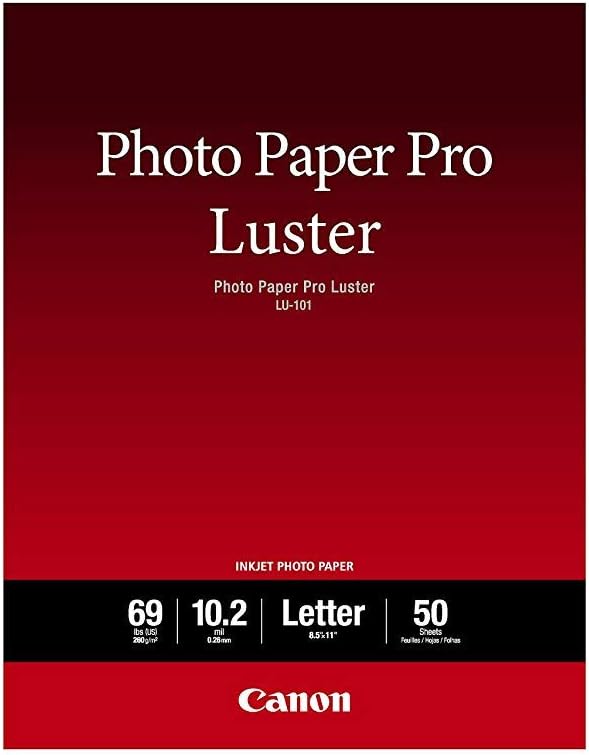
Canon LU-101 LTR Luster Photo Paper offers 50 sheets of 11x8.5 inch semi-gloss, fingerprint-resistant paper with 92 lumen brightness. Designed for professional photo printing, it delivers outstanding color reproduction and reduced glare, making it perfect for portraits, weddings, and fine art prints. Highly rated and trusted by photographers using Canon PRO series printers.


| ASIN | B0089INHUU |
| Best Sellers Rank | #29,629 in Office Products ( See Top 100 in Office Products ) #126 in Photo Quality Paper |
| Brand | Canon |
| Brand Name | Canon |
| Brightness | 92 Lumen |
| Color | White |
| Customer Reviews | 4.8 out of 5 stars 2,271 Reviews |
| Global Trade Identification Number | 00013803146851, 00804993385676 |
| Item Dimensions L x W | 11"L x 8.5"W |
| Item Weight | 1.96 Pounds |
| Manufacturer | Canon Ink |
| Material Features | Semi-gloss finish with fingerprint resistance and reduced glare |
| Paper Finish | Glossy |
| Paper Size | Letter |
| Paper Weight | 69 |
| Sheet Count | 50 |
| Sheet Size | Letter |
| UPC | 804993385676 013803146851 |
| Unit Count | 50 Count |
Y***
Good Photo paper for quality printing!
Definitely the matte photo paper that I was looking for! I had been looking for a photo paper that has that good flair like the old photos and this is definitely it! Quality of the photo is definitely good but you must test its compatibility with your printer so you can adjust your print setting and reach the quality/ image you are aiming for. Thickness is definitely thicker than printer paper but not very thick that my HP printer cannot take it. Wish there's 4x6 or 5x7 version of this photopaper, since I am wasting photopaper by using the A4 version, but still.. this is still good.
A**R
Great Inkjet Paper! (plus tips)
I really like this paper for photo printing on my Canon MX870. I had previously been using el cheapo OfficeMax glossy photo paper and prints were okay, but I had to do a lot of finagling with develop settings in Lightroom to get the color/contrast dialed in. With this paper, though, what you see is pretty much what you get. Here's a few tips if you happen to use Adobe Lightroom on a Mac to edit and print your photos (may apply to other editing software, as well) and a Canon Photo printer: • Create a virtual copy of your photo first, then crop for aspect and make other "print-only" adjustments. • Before you enter Soft Proofing, assuming you don't have horribly clipped shadows/highlights, adjust your "Blacks" and "Whites" sliders so that your brightest whites and darkest blacks are 3-5% inside each end of the histogram (blacks at 3-5% and whites at 95-97%) using clipping indicators and the eyedropper tool. • Enter the Develop module and check "Soft Proofing". Since you've already created a virtual copy, choose to use this copy for proofing. • Set your proof settings below the histogram before making any adjustments. Choose your printer profile with the suffix PR3. This lets your printer driver know that you are using your specific printer with Canon Pro Photo paper. • You may be tempted, based on the appearance of the image in Soft Proofing mode, to warm the image up via the white balance controls. I would suggest you print the image as-is first and adjust as needed. The Soft Proofing give the image a cool appearance, at least on my monitor. • Use to page clipping indicator in top right of histogram to view out-of-gammet colors (most likely red and/or green hues) and use the HSL Saturation adjustments to reign them in until the clipping indication on the image is nearly gone. I would also suggest that if you have to desaturate a lot of a specific cold, that you desaturate its compliment by about half (IE: if you have to desaturate Magenta by 50%, desaturate green by 25%, as well). • Enter the Print module and select your size/layout. • Choose "Print Settings" on the bottom left to bring up the settings dialog box. Select your printer and, for presets, select "Default Settings". We'll adjust those next. • Below the page range selection, choose "Color Matching" from the selection and select "Canon Color Matching". Choose "Quality and Media" and select "Photo Paper Plus Semi-Gloss" for media type and "High" for print Quality. I would also suggest that, if you have the option to select a paper source, you use the feeding path that bends the paper the least. On mine it is via the rear tray, as opposed to the lower paper cassette. • Go back up to presets, select "Save Current Settings...", name it something like Canon Semi-Gloss/Luster so you can use it again, and finally save to exit the Print Settings dialog. • In the "Print Job" section along the right, be sure to set the color management profile to "Managed by Printer", since we changed that setting in previous steps. You should be pretty much good to go, save for some test printing adjustments to taste. Cheers!
J**W
Best genuine Canon photo paper for the knock off brand’s prices
Stellar paper. cost for the quality is very good. Never buying anything but canon products for the rest of my surely long life… …if that’s not the case please print my funeral photo and a positive review of my life on this paper. Thank you.
G**G
Great Quality Paper
No issues with this Canon paper ( i use with a Canon PRO-200 photo printer). Prints are beautiful as long as you don't use low re pics to begin with.
C**O
Excellent
Excellent paper
P**.
Gorgeous paper, but needs markings on the back
I love this paper. I love the way it makes my photos look, I love how the texture blends with film grain, I love how the texture interacts subtly with light. But I hate how much of a pain this paper is to load due to a plain white back. Have to hold it up to light like a detective to see the textured side. Canon could easily mark the back.
C**R
Best in Price, Quality and Value... Very Impressed with results!!
I'm like most when it comes to printing my own photos. I usually look for something in the human range of pricing and value. I own a Canon MX922 All-in-one, and I get really great pictures. I even went so far as to try a few generic brands of photo papers but found the Canon brands to be a far better value when judged side-by-side. I recently sprung for my daughter graduation pics ($$$) and opted to do the printing for the rest of the family from the included CD. (Smarter than buying prints at $10 each) I used a multitude of photo papers, from Matte finish to Glossy and Glossy II... All Canon. All were acceptable for gift giving, but this was my last to graduate so I wanted better. I researched the Canon Luster Photo Paper 50 sheets (LU-101 LTR) which at $17.49 (Retail $34.99) looked to be the best of both worlds. I ran off a few black and whites and then my daughter's main Cap and Gown photo. Wow!! They really look professional! I now have a new favorite printing paper. They all look too good for the price. I understand that you get what you pay for, especially with photo papers, cameras, and ink. (The ink is from Amazon as well- Valuetoner 24 Pack Compatible Ink Cartridge Replacement for Canon PGI-250XL CLI-251XL Pixma MX922) These are by far the best photos I've ever printed, and without hurting my wallet. I love my daughter and like any good fathers, I want her to have the best. She was happy with a Matte and Glossy finishes, by these are going to knock her cheerleader socks off! LOL. I will be buying more of this photo paper for my quality finishes. Also, I'm going to be replacing all my Glossy family photos on the walls with this type of photo paper. Hope this helps. Highly recommend.
L**N
Quickly becoming my favorite paper! (Amazon's packaging could use some work though)
I own a Pixma Pro 9000 Mark II and a Pro-10, and this paper works beautifully in both of them. I used to use the Pro Platinum high-gloss paper, but with the Pro-10's black and white capability, as well as its matte black ink and chroma optimizer (neither available on the Pro 9000 Mk II), I decided to try a paper with less gloss. I've always enjoyed the fingerprint resistance of luster vs glossy paper, so I tried the sample pack of Luster (5 sheets) that came with my Pro-10. I love the results! Vivid colors, fast drying, and just a bit of "shimmer". As a matter of fact, this is quickly becoming my favorite paper for general printing and only if I feel the need for glossy, the Pro Platinum will come out. Highly recommended!!! My only issue with this paper has nothing to do with the paper itself. Amazon doesn't tend to package these papers well, so they get bounced around during shipping. That's fine for the higher end large papers (Pro Platinum) that come in sturdy cardboard boxes already, but for the Luster paper, it doesn't at this size. It's MUCH better packaging than the Glossy II paper from Canon, but if the box takes a decent fall, you'll crunch a corner. One of the two packages I received had a slightly crunched corner, but thankfully the paper inside is fine. I can't say that about the Glossy II. Every package of that paper I've ever received from Amazon (3) has had at least 1/4" crinkle in one corner, so I refuse to buy that paper here again (I've since moved on to the higher end papers anyway).
F**Z
Buen papel.
Pues yo las estoy usando para imprimir en ellas los anuncios que hago para mi tiendita. Creo que es una mejor opción que el papel normal pues el acabado de los colores es más vibrante, además de que resiste la humedad y el sol por más tiempo.
D**E
Colors Pop
The colours are great and there is good dynamic range making for some real depth. With the luster surface the image turns out detailed but not overly shiny. The weight is good too. I used a new "Megatank" Canon G620 printer with a ICC profile I got from Northern Light Photo in the UK (Keith's G550 review on YouTube). Note - the photo here is coated with a polyurethane sealer.
M**A
Excelente calidad!
Es muy importante elegir el tipo de papel en la configuración de la impresión.
E**R
Great Image Quality
I love this product, and I have used it several times over the years. The print and colour quality is fantastic, great for doing your own at home prints, or photo printing. For the best results make sure to use it with a high quality printer – I used the Canon Pixema Pro-100.
S**H
Good quality
Good quality
Trustpilot
2 months ago
1 week ago