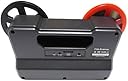
🎞️ Relive the Magic, One Frame at a Time!
The WolverineReel Converter Scanner is a state-of-the-art device designed to digitize 8mm and Super 8 movie reels into high-quality 720P digital videos. With its fully automated frame-by-frame scanning process, it ensures that every moment is captured in stunning detail. Compatible with various operating systems and capable of saving directly to SDSDHC cards, this device makes it easy to preserve and enjoy your film memories on modern devices.


| ASIN | B01KA32HH0 |
| Best Sellers Rank | #1,008 in Video Converters |
| Brand | Wolverine |
| Built-In Media | Digitizer, USB cable, Power adapter, TV cable, 5" Reel' User Manual |
| Color Depth | 24 bits |
| Connection Type | USB |
| Connectivity Technology | USB |
| Customer Reviews | 4.2 out of 5 stars 1,418 Reviews |
| Global Trade Identification Number | 00040074431003 |
| Item Weight | 3 Pounds |
| Light Source Type | LED |
| Manufacturer | Wolverine Data |
| Media Type | ['Video'] |
| Minimum System Requirements | Windows 7 |
| Model Name | MovieMaker MM100 |
| Optical Sensor Technology | CMOS |
| Resolution | 720P |
| Scanner Type | Film |
| UPC | 040074431003 |
| Unit Count | 1.0 Count |
| Warranty Description | 200 Reels or One Year parts and labor |
M**1
Good performer for a reasonable price.
Easy to use but does not handle early super 8 movie (mid 1970's) all that well. Had to use the "folded paper trick" from their website to get the film to track through the machine smoothly. Later super 8 from the 1980's tracked fine without the paper trick. Useful tip from either one of the posts here or their website, was to run old sproket damaged film through backwards. Then use a video editor to turn the film right way up, flip horizontal and reverse the play and all is well. That tip works a treat. Had to use that twice so far including on an obviously well watched wedding taken on standard 8 in the 70's. Sproket holes were so bad it would not track at all in many places, but of couirse the back side of the sproket holes were perfect. There were no issues with any standard 8 movies, except for worn sproket holes as mentioned above. In terms of use, you do have to baby sit the process, not because of any inherent machine issue but because you get problems with old film, like breaking and sometimes jamming over poor splices. So, you do need to have a film splicer and either film cement or splicing tape handy for running repairs. Also. if you have your film on 400 ft reels you will need to split the film in two as this model Wolverine only tales 200 ft reels. Fortunately my film and splicing gear, including cement, were all stored in an airtight metal box for 30 odd years and so there was minimal deterioration and even half a bottle of film cement for splicing. Overall, a worthwhile purchase. UPDATE September 7th 2018 Was a bit concerned about how it would handle sound striped film. Have 3,000 feet of Super 8 film with sound added on after the processing via a sound stripe. Have processed 1,000 feet of it so far with no issues at all. All of the film is 35 to 45 years old with some of the sound striping being added in 1976.. Adding a sound track via the movie projector, after you have added the sound stipe using a striping machine, is not a process you forget easily. That is how I remeber when it was done so clearly. In any case point is, the Wolverine handled the striped film with no issues except over the taped joins which were used (because of the sound stripe) instead of the usual cement joins. So, a bit of addirional baby sitting needed to watch for the joins.
J**N
Small, cute, I AM IN AWE OF THIS DEVICE!
This is one of the most amazing gadget-ty things I have ever owned. YES, there IS a $2500 device you can buy that performs this task more professionally, but I guarantee you it comes no where near achieving ten times the quality of the result. Reading other reviews, I find that buyers were not careful to know what they are buying. Before I expound on that, let me state that I am just DELIRIOUSLY happy to own this thing! Okay! Other reviewers complain as follows: It does not capture audio. It is limited to 5 inch reels. It is limited to 720p scan resolution. The files it creates play back at 30 frames per second (too fast). It only creates mp4 files which are grainy and the video runs too fast. There are many other complaints. There is nothing inherently “grainy” about mp4 files. Graininess on amateur film video is generally from an automatic gain control (AGC) circuit that is trying to compensate for the fact that you are failing to provide enough light for what you are recording. This problem is most over with respect to modern gear which simply does not require the type of illumination that was necessary in home movies and early camcorders….and of course, there is nothing about mp4 files that make them play back at a different speed. What is wrong with 720p? It still looks pretty good on our big screen TVs! Do you think there is much more to capture on a tiny frame of 8mm film? READ the sales information carefully, and none of this should surprise you, and NONE of this is really a problem when you consider that the savings on the first 10 videos you digitize will pay for the cost of this machine. I used the (recently ubiquitous) services of the most visible provider of this service. The results were fine, but I waited a few weeks and paid a lot of money. I since redid a couple of my films myself and the results were EASILY as clear and watchable. Yes, the default playback speed of the videos you create gives you a pretty fast video, but when you use the common software video players, they almost all give you an opportunity to slow it down. I recommend .6 of the recorded speed. If you burn dvds, editors such as Corel VideoStudio and most others will let you CREATE a DVD that plays back at the proper speed without needing any special tweak by the person you send it to. Reading other reviews, it sounds like this machine might not be as sturdy as a Sherman tank. I recommend you do not use it for rewinding. Just rewind by hand with the help of a pencil. Save the motor for the more important use during processing. Keep it clean. Follow the directions about keeping dust out of the little place where the frames are squared up for having their picture taken. To me, with proper use, this should last a pretty long time, and should be fixable for most little minor things that might happen. Most end users would not even need the machine once they have gotten through all of their archival videos. At that point, you can probably sell it online and recover some of your costs. The little 13 page owners manual is very well done, and obviously has ENGLISH as its primary language. Just understand that you should be very cautious and careful with this. If you do that, you will be stupendously delighted as am I. Don't try to compare it feature by feature with devices that cost a four digit number! I could go on further, but there is probably a maximum review length. Ask me questions if you like - I think there is a way you can do that! I am a big fan. John in Wisconsin
F**S
I tend to buy good equipment, and was looking for prosumer level options
I waited until I had digitized 100 movies before writing this review. A couple of months ago we inherited about 6000 feet spread over 80 spools of 8mm movies shot in the 1930's and 1940s. Later we were given another 20 super-8 spools from the 70's. My first thought was to get these professionally digitized, but even the cheapest service was going to be several hundred dollars and probably a lot more so I instead looked into doing it myself. I tend to buy good equipment, and was looking for prosumer level options, but found very little out there. Basically there was this unit, and the next cheapest choices was $1200 and it only did super-8. The unit itself feel pretty cheap, and I was concerned that it would not last the length of my project, especially after reading some reviews on an 8mm film enthusiast website. While plastic-y and light weight, it has not missed a beat in my 100 spools. The operation is pretty simple: (1) Pop a 32 gb SD card in the back of the unit (32 GB is as large as it will take and will hold over 200 50 foot movies) (2) Using canned air, or the included puffer brush, clean the light table (3) Thread the movie using the lines printed on the unit. (4) carefully place the film under the two tabs near the light table and close the carrier (5) Push start (6) Go do something else, because this is going to be over 30 minutes for a 50 foot reel. It will automatically stop after it runs out of film but you do tend to get a few seconds of white at the end of your movie which you can ignore or edit out using software (6) Take the card to your computer and upload to youtube, or first convert to 16/18fps using software. I just directly uploaded the files to YouTube and watched them at 75 percent speed which was fine Pros: Works! Makes very acceptable quality files that upload directly to YouTube (you can first convert/edit them) Very easy to learn Stand alone, no need to connect it to a computer until you need to transfer the files For me, a solid unit that did the job at the fraction of the cost of sending them out Works with either 8mm or super-8 movies Cons: Doesn't encode sound (some super-8 had sound) 30 frame per second is not the same as the original movie, so you need to slow down the playback or convert using software Flimsy feeling, need to handle delicately This model maxes out at 200 foot movies, although they have a new unit (pro) that can do longer ones. Keep in mind though that most home movies are 50 feet. Overall would I recommend it? I recommend you do the math. Costco has the cheapest service I could find for digitizing. $19.95 for the first 150 feet then 13 cents per foot thereafter. If you only have 30 or so movies to do, and never plan to shoot anymore (lol) it might make more sense to send them out. if you have a lot of movies, this will get the job done with a nice quality result for a fairly reasonable price. One thing I do recommend though is to GET IT DONE. These movies were excellent, and I wish very much that it had been done when the shooter was still alive. These movies have been sitting in a box for decades and now people are enjoying them again. I was able to share the videos with a history group of the town he grew up in, and they really enjoy these glimpses into the past.
E**R
Excellent Value
I paid $275 for the Wolverine 8mm / Super8 Film-to-Digital Converter on Amazon. It is an excellent value at that price. It's not a fancy machine, but it's of good quality and does the job. My father left me an assortment of Regular 8 and Super 8 films of our family from the 1950's and later. I've been converting them to MP4 a few at a time with the Wolverine. I first clean the films with a microfiber cloth and 91% isopropyl alcohol, using my father's old projector and take-up reel as a platform, as I hand-turn the film through the cloth dampened with alcohol. Then I back-clean the film onto the original reel using only a dry microfiber cloth. There are other cleaning products, but 91% isopropyl alcohol is incredibly cheap and it works. I also clean the Wolverine light stage before every film with the microfiber cloth and the isopropyl alcohol, which I push around with a Q-Tip. Q-Tips are linty, so I let only the cloth touch the light stage. My father had mostly 3-inch reels, but there were a few 6-inch reels, the latter all Regular 8. For those, I had to break them up into smaller reels to fit on the Wolverine. I bought some spare reels, leader tape and Presstape splices for this task. It worked fine. I have Vegas Movie Studio software to edit the converted movie files. The first thing to do is to correct the frame rate, which initially plays too fast. If you don't do this, you basically have a Keystone Kops movie. For the Regular 8 films, I stretch the length of the movie by a factor of 1.875. For Super 8, it needs to be stretched by a factor of 1.6666. The reason is that the Wolverine creates movies at 30 frames per second, while old Regular 8 movies played at 16 FPS and Super 8 at 18 FPS. There's a little arithmetic involved, and I employ a calculator. Then I use my Vegas Movie Studio to correct the color, which is usually too yellow due to the aging film. And I generally increase the contrast slightly. I'm sure that other brands of movie-editing software will also handle these tasks. While I'm hand cleaning the films, I note if there are any bad distorted splices that would get stuck in the gate of the Wolverine. If there are, I babysit the film as it runs through the machine. If there are only smooth splices, I feel confident about walking away. I write down the time when the conversion started, and come back before it's done. Sometimes the end of the film is stuck in the reel, and I want to yank it out, so as to not miss any frames at the end. Regular 8 films nominally take 33 minutes and 20 seconds to convert. Super 8 films take 30 minutes. But these times can vary, as the length of film on a spool is not always 50 feet exactly. You have to swap reels on the Wolverine to rewind, but I've never had any problem with this. Overall, I'm very happy with the Wolverine film converter. If you have many reels larger then 5 inches, you may wish to buy a more expensive Wolverine model that handles 7-inch reels. I think it costs about $430.
D**S
BE CAREFUL OF THE WARRANTY!
$300 is a lot of money, but it's not a bad price for what the machine is supposed to do, and perhaps most machines are strong like tanks, but I just bought a lemon. I could easily give the product a much higher rating if only the company changed their warranty terms. I just returned this unit for a refund; thankfully it was still under Amazon's warranty. I transferred several reels of film and found a number of minor irritations but figured, "Whatever, cheaper than sending the films out." Then the scanner stopped working. It just would not advance the film forward anymore. I tried a reel of film that I had already put through without any problems, and even that reel of film would not advance. I've been abundantly cautious with the machine, as I'd spent $299 plus tax on it, so there was nothing I could have done that would have broken the machine. Like I said, the machine was still covered by Amazon's warranty, so there was no problem with that. BUT the maker's warranty is absolute trash. Thank goodness I didn't put the machine aside for a while before using it, as Amazon only covers the product for a month. Wolverine advertises a warranty extending for a period of a year or until you've scanned 200 films, whichever is sooner. Not bad, right? A year warranty is standard, and who has 200 films? Wrong. Read the manual (available as a pdf from Amazon) and you'll find that there is a huge caveat: the 200 films isn't actually 200 films: it's based on the number that the machine's counter says. When I sent the Wolverine back, the counter was nearly 50 - and I don't even nearly that many films! It actually counts every single time you start and stop the machine as a film having been processed. This is ridiculous, because each film you have to start and stop for numerous reasons.Trying to get a picture in frame, so that the sprocket hole isn't showing in the video, or so that the top isn't cut off and showing on the bottom? You'll have to start/stop a few times for that, because the frame, for whatever reason, sometimes moves while the film is scanning. Congratulations! You've just scanned half a dozen films - with a single reel! Film misfeed? Get stuck? In each instance, you have to start/stop recording, and each time you do that, you have - according to their warranty - scanned a whole film. It's easily conceivable that you might get more than 200 on the counter scanning a couple dozen films. And then your warranty's done! Even if the machine kept working, there were other annoyances: the lever that held the film down over the window doesn't open far enough so that you can truly brush a piece of dust off of the glass easily, for example. As mentioned above, you can't adjust the frame while the film is going, so you have to stop and then adjust and then re-start the film. Then you have to start recording again - only for the film to jump out of the position it was in as soon as it starts recording. Really, you have to just zoom out so that you record more than just the picture and then use editing software to crop it. You have to use the editing software anyway, because each time you stop/start, the machine creates separate files that you have to edit together. The rewind is ridiculously slow; you literally can rewind a reel faster by hand. The minor annoyances would be annoying but manageable, though, if the machine didn't break, and I would have felt comfortable exchanging the machine if it wasn't for the grotesque nature of the warranty.
M**F
Well worth the money!
I have been meaning to with our family's Super 8 films to digital for years now. They range from 1966 to 1975. I was terrified of sending them out in the mail for a commercial house to transfer them. These reels hold our childhood and early family life and most in our family have not seen them in 40 years!! Anyway, best money I ever spent. The tears and the smiles of the memories of our family as young parents and children, and now-gone loved ones are priceless!! The machine worked great! If your films are "chopped up" some, meaning the sprocket holes on some are broken, the machine sort of stalls so you should have it in range while transferring, however it only takes a nudge of the film with your fingers to pull it through the section with the broken sprocket holes. The other huge bonus is you can adjust the frame the way YOU want and not the way the indifferent way the commercial house would. I found it best to "pull out" all the way on the framing while the machine records, and then just crop it to my liking in my iMovie on my Mac. You can also adjust exposure as well, though I felt the factory setting on the machine was just fine and any adjustments on that I did on my Mac as well. Mine was listed as "USED" and the asking price was $273. However, it was all still sealed in original packing and even had pacing tape over the film gate, so it was "previously owned" but never used. The only thing was it was missing the owner's manual. But it's simple to use and I had no problem taking a few moments to figure it out and did some looking on line for instruction as well. I chose the machine with the 720p as opposed to the more costly 1080p version because all reviews said you cannot tell the difference at all. Just don't expect a new HD appearance to your films because they will still have that grainy home move look to them, which is fine and is how they've always appeared in the past on your pull-down home movie screen. I cannot tell you how much it meant to my family and to my parents who are in their 80s, in seeing these images of a precious time gone by. Truly like stepping into a time machine. I realize my review is more about the old family films than the product, but it is this product that has brought them to life once again. PS: The films will no longer live in silence as you can now add music in their digital life!!
D**B
So glad I found this!
Have decades of 8mm films to convert to digital and couldn't afford to send them all to a film conversion company. My husband ran across a description of this Digitizer while looking for camera accessories and he urged to me give it a try. I can't say that the result is the highest resolution, but the originals weren't the highest resolution (or even for that matter the most focused) film to begin with. But most of them are now in digital form and the memories contained in them are "safe". When all is said and done the results are 'watchable'. I don't mean this as a criticism - I don't mean they're "barely worth watching" I mean I can finally WATCH them. What good is having boxes of films that no one can watch - how enjoyable can film be - unwatchable on their little reels sitting in boxes for years, all the while fading and deteriorating until they are no longer viewable. Mine are now WATCHABLE - and once they are all "saved" to my computer I can assess whether one or more of them should be sent into a film digitizing company to have them cleaned and color corrected and saved for posterity (for the family). Are there more advanced digitizers out there, that have more bells and whistles and produce more finished results with higher resolution? - yes; can I afford them? - No I can't. So until those other digitizers come way down in price or until my income rises into the stratosphere, I will be using the Wolverine. It's affordable, it's easy to use, easy to clean, is gentle to my original films, and gives me pretty-good quality digital versions of my films. I'm not a film-maker, I'm not the AFI trying to save historic films for posterity. I'm just a middle-aged kid who luckily grew-up during a time when our parents were first taken with the idea of making a moving-picture history of our family and now must find a way of saving those images before they are lost for good. This digitizer worked well for me.
R**O
Decent results for a modest cost.
I used the Wolverine scanner to digitize about 120 fifty foot rolls of 8mm film. After reading the reviews, I wasn’t sure if the scanner would last very long, so the first time through, I didn’t pay much attention to any of the adjustments such as frame position. I rushed to get through all of the films before the machine would break. However, I had no issues with the durability of the scanner, so I decided to rescan all of the films a second time, paying close attention to the adjustable parameters. The counter now reads over 780 and the scanner is still going strong. This is what I like about the scanner: • It is a frame by frame scan. • The quality of the scan is better than using a video camera to record a film projection from a screen or a piece of white paper. • It doesn’t require a lot of babysitting. The things I don’t like about the scanner: • The quality of the scan is not adjustable and needs to be improved. The video file suffers from excessive compression. • Splices need to be clean, otherwise the film will get stuck in the scanner. • The film is pulled forward by a claw, so if the sprocket holes are damaged, the film will stop. Use splice tape to fix broken film. • No two films are exactly alike. Some films are wider than others and can get stuck in the scanner. This occurred on ten percent of my films. • The worst problem I had with the scanner is jitter. This is where the frame position changes as the video progresses, making the resulting video jumpy. Most of my films had light jitter. This didn’t make them unwatchable, but it was noticeable. A small number of my films suffered from severe jitter. This made the videos completely unwatchable. Once severe jitter started, it didn’t go away until I discovered the solution described below. I found three solutions for light jitter: 1. The film on the source reel sometimes needs to be kept slightly unwound so that it is loose. As the machine pulls the film forward to scan, it only pulls the small section of loose film rather than the entire weight of the source reel. This helps to keep each frame in the same position as it scans because the machine doesn’t have to overcome the momentum of the entire source reel. This requires babysitting and is not a cure-all. 2. The two screws that attach the metal bracket to the underside of the film door may need to be loosened or tightened in order to hold the film in the proper position. 3. Deshaker software can be used on the digitized file. This does reduce jitter, but the disadvantage is that the video file needs to be recompressed, so there may be quality loss. Severe jitter was very difficult to correct. None of the solutions for light jitter worked. A second machine did not work. However, a new SD card did work. Unfortunately, severe jitter would return even with the new SD card after scanning a number of films. Replacing the SD card again would fix it. Overall, I am happy with this machine. It does a better job at a lower price than any of the other methods I have tried. The one item on my wish list that I would be willing to pay a higher price for is adjustable quality.
B**W
Works great if the largest reel is 5 inches
This thing has been clicking away since I got it. It is easy to use and it only needs minor baby sitting. I can now edit my films with my Ipad pro. The originals will never have to be played again. My only problem is I have about 10 - 7 inch reels. I will make an adapter with a crank to take the larger reels. I can break the reels into 2 - 5 inch and then with the adapter, rewind them back onto the 7 inch reel. For the 2 inch extra length, they could have made an adapter. Spending another $500.00 wasn't an option. Bob
K**T
Does what it promises to do.
Much cheaper than having 8mm digitised professionally if you have more than half a dozen 50 ft reels. I had about 35 such reels, including 10 Super 8, which the machine can also digitise. It photographs each film frame individually, so it isn't fast, but speed is not important: reliability much more so. Some reviewers mentioned problems with an overheating drive band/belt. I never ran it for more than two hours at a time and had no problems at all with any overheating. I can't compare it to the results obtainable from a professional studio, but they were perfectly adequate for me: turning 50 year-old silent film into MP4 files which are perfectly viewable. I am very happy with this purchase as I could never have afforded to have it done professionally. I guess I will now try to sell the machine on E-BAY as one only needs it once unless you want to go into business yourself!
V**S
Fantastic Device
This worked as expected and copied many hours of 40 year old 8mm film, the quality was great, if you have spliced film you have to watch the copy process as it tends to jam on the splice but no drama just re-adjust the film and off it goes, it did not jam on every splice. Very happy with this purchase, highly recommended to digitize old film.
C**N
Súper
Con este dispositivo volví a disfrutar mis recuerdos guardados en películas 8 y super8, que creí no volver a ver por tener mis proyectores con problemas. Y mejor aún digitalizadas y compartidas ahora en YouTube a familiares y amigos
P**X
It proforms as stated
Item arrived on due date, as stated it is slow but picture quality is good.
Trustpilot
3 days ago
2 months ago