Desertcart purchases this item on your behalf and handles shipping, customs, and support to USA.
🔒 See everything, miss nothing — security that works as hard as you do.
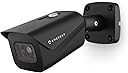
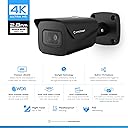
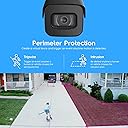
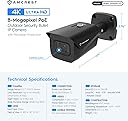
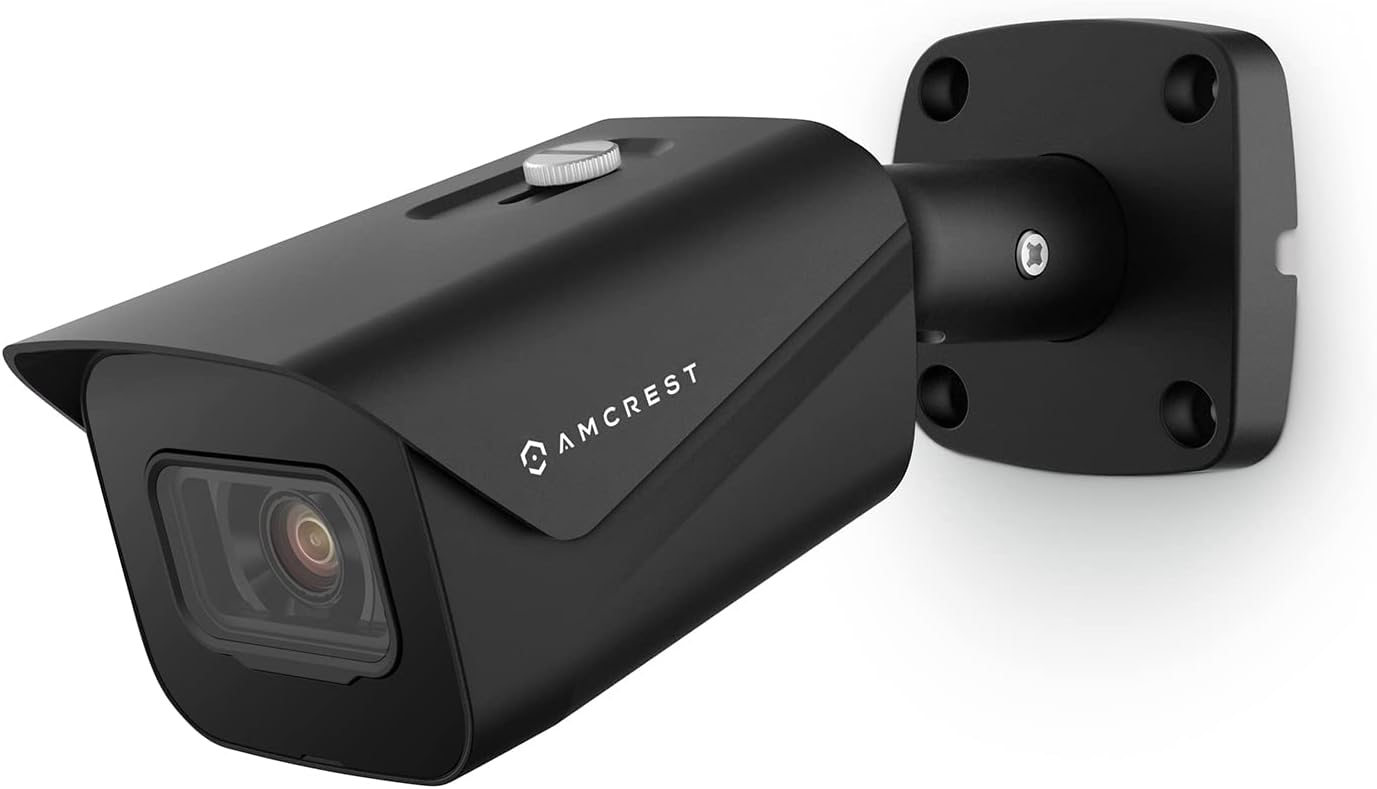
The Amcrest UltraHD 4K Outdoor Bullet POE IP Camera delivers professional-grade 8MP video at 3840x2160 resolution with a wide 125° field of view. Featuring advanced CMOS sensor technology and AI-driven human/vehicle detection, it offers crystal-clear day/night surveillance with up to 98 feet of infrared night vision. Its rugged IP67-rated metal housing ensures reliable outdoor performance in extreme weather. Easy Power Over Ethernet setup and versatile storage options—including cloud, MicroSD (up to 256GB), and NVR compatibility—make it a top-tier choice for smart, secure monitoring accessible from anywhere via the Amcrest View Pro app.


| ASIN | B07C7W91YR |
| Alert Type | Motion Only |
| Antenna Location | Night Vision |
| Are Batteries Required | No |
| Best Sellers Rank | #199,256 in Electronics ( See Top 100 in Electronics ) #1,005 in Bullet Surveillance Cameras |
| Brand | Amcrest |
| Built-In Media | Quick Start Guide |
| Color | IP8M-2496EB-28MM (Black) |
| Compatible Devices | Desktop, Smartphone |
| Connectivity Protocol | Wi-Fi |
| Connectivity Technology | Ethernet |
| Connectivity technology | Ethernet |
| Control Method | App |
| Controller Type | Iris |
| Customer Reviews | 4.3 out of 5 stars 887 Reviews |
| Effective Still Resolution | 8 MP |
| Effective Video Resolution | 8 MP |
| Enclosure Material | Metal |
| Field Of View | 112 Degrees |
| Form Factor | Bullet |
| Frame Rate | 15 frames_per_second |
| Indoor Outdoor Usage | Outdoor |
| Indoor/outdoor use | Outdoor |
| Installation Type | Screw In |
| Light Source | Infrared |
| Manufacturer | Amcrest |
| Memory Storage Capacity | 256 GB |
| Mfr Part Number | IP8M-2496EB-28MM |
| Model Name | IP8M-2496EB-V2 |
| Model Number | IP8M-2496EB-28MM |
| Model name | IP8M-2496EB-V2 |
| Mount Type | Wall Mount |
| Night Vision | Night Color |
| Night Vision Range | 131 Feet |
| Number of Channels | 1 |
| Number of Items | 1 |
| Other Special Features of the Product | Image Sensor, Motion Sensor, Night Vision |
| Photo Sensor Resolution | 8 MP |
| Photo Sensor Technology | CMOS |
| Power Source | Power Over Ethernet |
| Recommended uses for product | Night Vision |
| Room Type | Classroom, Garage, Hallway, Office |
| Special features | Image Sensor, Motion Sensor, Night Vision |
| Specific Uses For Product | Outside, Outside; Amateur, Outside; Professional |
| UPC | 091952777591 091952772015 798068901611 |
| Unit Count | 1.0 Count |
| Upper Temperature Rating | 60 Degrees Celsius |
| Video Capture Format | H.265/H.264 |
| Video Capture Resolution | 4k |
| Viewing Angle | 125 Degrees |
| Voltage | 12 Volts |
| Waterproof Rating | IP67 |
| Wattage | 6 watts |
| Wireless Technology | Wired / POE |
| Zoom Type | Digital Zoom |
D**N
Crystal clear, very sharp, easy to use camera
Wow. What a great camera. Crystal clear, very sharp. I can take a picture and zoom in for every little detail. Night vision is awesome. Far much better then my current LAView system. So one of my cameras was flaking out on me…a dome camera. I picked this one because 1) dome cameras suck if you are near a wall and 2) I needed a wide angle lens. So here are the pro’s and con’s. Pros: • Quality of image is outstanding! • Night vision is also very very good. Even when there is a streetlight in the street, the camera compensates for that specific spot and doesn’t kill the entire picture. My street is about 60 feet away from the camera and I can see past the street and to the neighbors house very clear precision. I wasn’t expecting that so it was a pleasant surprise. • Required me to change the password upon entering the camera setup…requires 8 character min. • The 2.8mm wide angle lens is awesome. Works better then my existing dome camera. • Is IP67 weather resistant. But you have to check the temperature because some IP67 cameras can’t withstand cold Michigan weather. This one can rated at -40 degrees! • The camera is able to be seen through Chrome, or phone app on and off home wireless connection. Definite bonus. I currently have an LA View camera system which requires “internet explorer”. Yes! Can’t upgrade the plugin. This camera can be seen anywhere. • Able to integrate into my existing system using ONVIF protocol. It took a bit of work trying to find the configuration. It comes standard with TCP 37777 but I was able to change the management port to 8000. • Easy to create HTTPS certificates for SSL rated privacy. Cedrts are only good for one year though. • Using SMTP protocol, port 25 tcp – there are buttons for easy setup of google, outlook, comcast, yahoo, etc. • Has the new high efficiency video coding standard / data compression … of H.265! So nice….especially when you only have a 2GB HDD. You can also downgrade to H.264, H.264B, MJEPG. • I even tried standalone…yes it has an SD Card that you could use even if you don’t have a NVR. • Software/app is very easy to set up. If you connect to the camera, there is a bar code you can scan. Done. Works via home wireless and also on cellular connectivity (not connected to your internal network). • The physical look/feel of the camera is solid! There are two red lights when the IR is turned on…very much more subtle then the old versions with a ton of IR lights. CONs: • They do have a cloud backup that you can use if you don’t have a NVR system of your own and SD Card is just not enough….but it is $6 per camera per month. Kinda pricy if you need coverage of 4-6 cameras.
M**S
Value for money
Yet to use the pair of cameras for identifying people, but so far I'm disappointed with the following: 1. The night time "Infra-red" illumination LEDs are are easily visible at night and draw attention to the existence of the camera - can't be easily "hidden". These illumination LEDs obviously fail the test for "infra-red" (infra=below the visible red part of the human observable spectrum of electromagnetic radiation). 2. One camera seems to be more sensitive than the other. Daytime video capture (using Blue Iris) looks good - but I don't have another camera similar with similar specifications to use a benchmark.
C**N
De las mejores cámaras para exteriores
La calidad es excelente, de noche se distingue todo perfectamente pero hay detalles que deben saber: no olviden conseguir el eliminador a 12v porque no lo trae incluido. Además no es wifi solo se conecta por cable ethernet así que tendrán que batallarle un poco para instalarla pero la calidad que ofrece vale la pena. Otra recomendación es que si estará en exterior traten de asegurarla muy bien para que no se las vayan a robar como a mí (o que al menos les cueste). Ya que al guardarse todo en la memoria, si se roban la cámara se va con todo y tarjeta y el servicio de nube de amcrest no es económico que digamos.
B**R
High-Quality Camera Delivers
This is my second Amcrest product. (The first was the AD110 doorbell cam). The rest of my cameras are Ubiquiti UVC G2 bullet cams which are getting pretty outdated at this point and I am in the market to replace them with something newer. Since I was happy with the doorbell camera, I jumped at the opportunity to test out this 4K Bullet Cam. I've had it and tested for a week so here's my results. Pros: 4K Image is stunningly crisp and detailed Wide viewing-angle covers a larger area than expected Popular protocols supported (H.264/H.265 and RTSP) Can use with any number of NVR systems or the Amcrest Apps SD slot card for out-of-the-box recording Cons: (There's only one) The cable extends out of the camera body for POE and optional barrel connector for power. This is not an issue if you can mount where the excess cable can be tucked in to a wall, but is the only thing I don't like better than my Ubiquiti cameras which allow the ethernet plug to connect in to the camera body with a weatherproof grommet. I unboxed the camera and it came with everything I needed. The sticker for the mounting pattern was especially useful. I ended up using slightly different anchors because I mounted in my garage on a wall which is drywall over 3/4" particle board. The quickstart guide covers using the apps (there are a few different apps Amcrest provides and they also cover briefly how to connect to third party apps such as BlueIris). To get the physical mounting instructions, the quickstart guide refers to a link with a video and some instructions. Even though the instructions were for a slightly different camera model, they are sufficient. Your exact setup is going to vary anyway so use your judgment along with the instructions for the guide. It's recommended to use a bare cable and crimp ends on to the cable to get the ethernet connection made to make it easy to get the connection in to the weather resistant housing. We had a bunch of snow and I couldn't get to the box of cable I had in the shed, so I used a 10' pre-made cable. As you can see in one of the photos, I had to trim the anti-snag part of the boot to make it fit. If you use a bare cable and crimp the connector on yourself as recommended, you won't have this issue. It is also why I ended up with a slight surplus of cable. I plan to redo the cable at some point in the future. Once the camera was installed, I turned the port on, on my switch and it powered up. The Amcrest app in search mode found my camera (and my doorbell camera too) easily and I was able to adjust the mounting slightly to get the exact viewing angle I wanted. I also added the doorbell camera to the Amcrest view pro app. If you just want basic viewing, you can stop here and you are good to go. I had some other things I wanted to test out including a live feed on my camera monitor in the office so I had a few more steps. If you go to the camera's IP in your web browser (I just used my iPad and it worked great) you can login with default credentials of admin/admin and it will prompt you to change the password. You can then see the live view and customize network settings, picture settings, motion/recording settings and stream settings. I ended up setting a static IP on the device itself as well as adjusting the settings on the sub stream to test them both out. I made sure RTSP was setup on the default port and I was able to add it to my camera display by just configuring the URL rtsp://<user>:<password>@<ipaddress>/ and it loaded up the main stream. You can really see (bottom left) how much better the Amcrest camera picture is than my other cameras. The night vision is really good too. A huge improvement over my UVC G2s. One thing I really like is you can move the overlays around the image to customize. For a final test, I spun up an instance of Shinobi (open source NVR) and was able to quickly add in my new camera and setup recording and notifications. This worked completely as-expected and I had zero compatibility issues. Basically put in the URL and it just worked. Overall this is a great camera and definitely a good candidate for me to use to replace my aging 720p cameras. The product supports all of the industry-standard specs you would expect and plays very nicely with both the Amcrest apps and the third-party apps that I tested.
I**A
Ideal para oficina (requiere PoE)
Me gusta el equipo y el software para manejar las camaras. Es importante tener equipo para suministrarle PoE.
Trustpilot
1 day ago
2 weeks ago