❄️ Stay Cool, Stay Ahead — Because Your Laptop Deserves the Best Chill
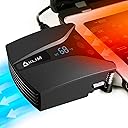
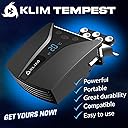
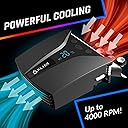
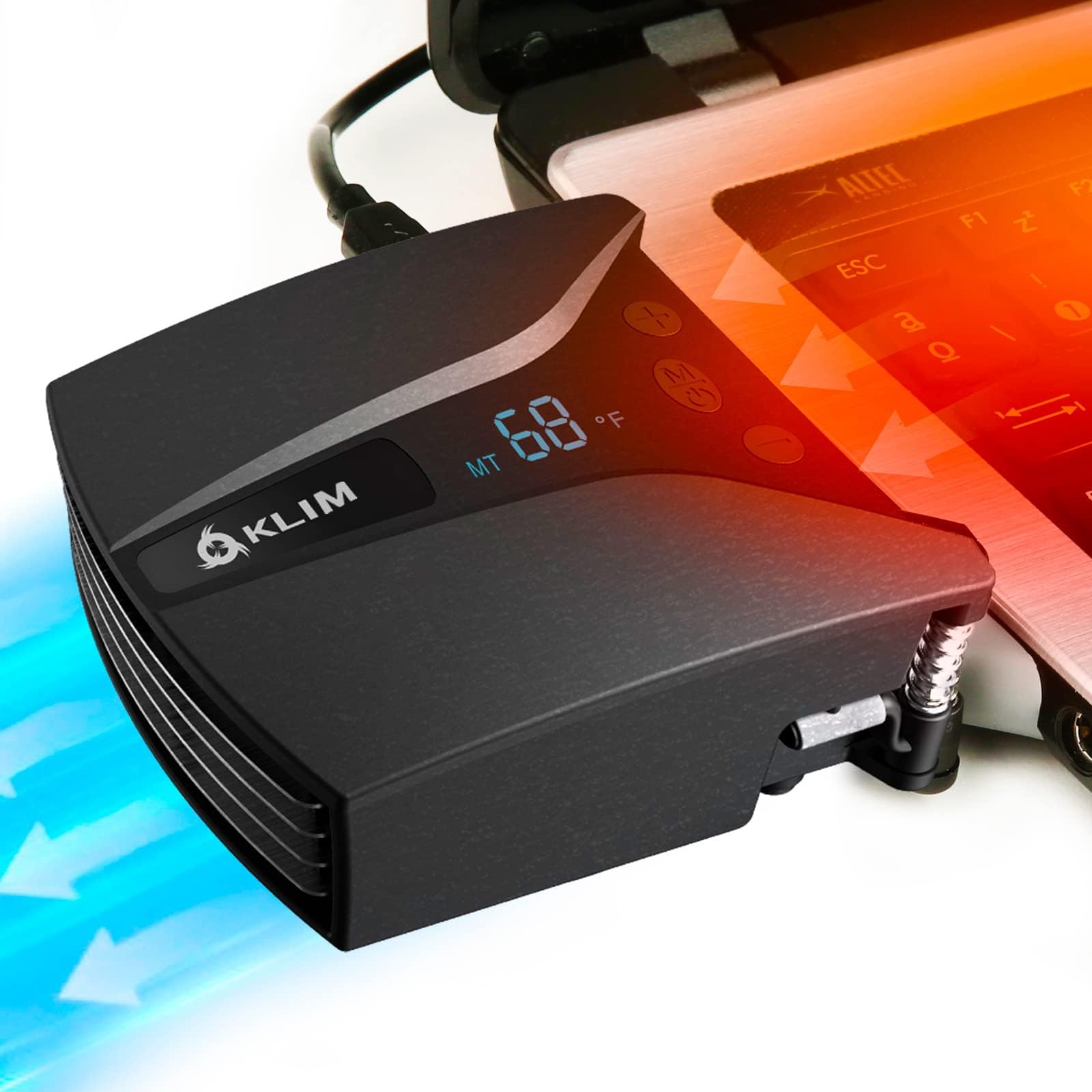
The KLIM Tempest is a cutting-edge laptop cooler featuring a powerful 4000 RPM vacuum fan that rapidly expels hot air to prevent overheating. It intelligently adjusts fan speed across 13 levels using automatic temperature detection or manual control, ensuring optimal cooling with minimal noise. Designed with versatile mounting accessories and durable ABS materials, it fits most laptops with side or rear exhausts and comes with a reassuring 5-year warranty and round-the-clock customer support. Perfect for professionals who demand peak laptop performance and longevity.


| ASIN | B08P8JCBB7 |
| Best Sellers Rank | 15,495 in Computers & Accessories ( See Top 100 in Computers & Accessories ) 3 in Laptop External Cooling Fans |
| Guaranteed software updates until | unknown |
| Item model number | K122-2 |
| Manufacturer | KLIM |
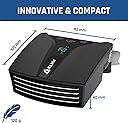
| Product Dimensions | 10.01 x 8.2 x 3.99 cm; 100 g |
E**E
Worth buying
Works well
A**R
Works!
Does actually work. My laptop is a gaming one, bit old, so runs hot, this helps to keep it cool. Good design, works well.
V**O
Extremely noisy fan: Resolved
I have bought two for a 17" laptop. These two are unacceptably noisy, I regret the purchase. Edit: KLIM resolved the issue and sent the substitute. The new fan is silent. Customer support at KLIM is highly professional, friendly and efficient when you need a resolution. They work with you even at weekends.
F**Y
So good I bought another one
It makes sense that instead of trying to push air through the bottom of your laptop with a cooler pad (although I do have one of those as well), using a method that sucks the hot air out of your laptop, and thereby pulling cool air in is a better solution. I bought the Klim Wind cooler pad and this Klim Tempest in the hopes of cooling down my overheating laptop that kept crashing on me with the blue screen of death. The Tempest is easy to set up (I have stuck mine onto the cooler pad) and it is whisper quiet, much quieter than my laptop fans which seem to not run so much now. I love the auto setting, which monitors my laptop temperature and adjusts the suction if needed. You can set it to manual if you prefer. I have an Acer Aspire V17 Nitro gaming laptop, which has rear facing heat vents on both left and right. I have an aluminium "chassis" on my laptop and since I have attached the Tempest to the right-hand side, this side of my laptop is cold to the touch, not just cool, but cold, even when I am running processor hungry programs. The intake vents underneath my laptop are basically tiny holes dotted all over the bottom. Blowing air towards these vents (by means of the cooler pad), can't do that much on their own, but I believe by having the suction on the outward vents, cool air is more readily pulled through my laptop. In other words, I think the combination of cooler pad and extractor is a winning formula. I am so impressed with this thing, that I bought another one to go on the left side. Ensure that you check whether your laptop is suitable before purchasing, but if it is (as I am sure most will be) then go ahead and buy it. It's great.
A**A
Amazing product, great for travel
Love this! Works extremely well on its own or in conjunction with a pad-style cooler. The temperature display lets me know when I need to up the rpm for increased cooling. It is very satisfying to watch the temperature drop once it's been activated. All of my laptops over the last few years have had heat issues that they weren't able to deal with. I wish I had this gadget earlier as it would have saved me some true heartache. It is a little noisy but I consider it a minor inconvenience and well worth keeping my laptop cool. The compact size makes it great for travel purposes...no need to lug a cooling pad around. You have to be a little more cautious when moving your laptop around but it beats having your laptop die from a warped motherboard.
D**N
Did nothing for gaming laptop temperatures despite using two units
I bought two of these to use on the exhausts of an Acer Nitro gaming laptop, which can get quite warm to the touch on the panel above the keyboard (under which the CPU and GPU lie). System: 5800H and 3070 GPU System cooling set to Auto, with Acer NitroSense CoolBoost enabled. Test #1 - CPU Stress Test at default speed Putting things under CPU stress load (100%) and no GPU utilisation other than basic windows, CPU temp was at 90C before I connected both coolers to separate exhausts. After several minutes, everything was still at 90C, so no effect for me whatsoever. Failed on the CPU cooling. No noticeable impact on the temperature of the warm area above the keyboard. ----- Test #2 - CPU Stress Test at max speed Exhaust fan noise is significantly louder - from quiet at default to clearly audible at max speed. And yet ... still, everything remained at 90C, so no effect for me whatsoever even at max fan speed. No noticeable impact on the temperature of the warm area above the keyboard. ----- Test #3 - Gaming at default speed Running a game, without either CPU or GPU being overly stressed. CPU load ~17%, GPU load ~60% Without coolers: CPU temp 69C, GPU temp 58C With cooler: CPU temp 67C, GPU temp 56C No noticeable impact on the temperature of the warm area above the keyboard. Remember that is with not one, but two of the coolers - delivering 2C on both CPU and GPU. Not really cost-effective cooling. ----- Test #4 - Gaming at max speed Running a game, without either CPU or GPU being overly stressed. CPU load ~17%, GPU load ~60% Without coolers: CPU temp 69C, GPU temp 58C With cooler: CPU temp 67C, GPU temp 56C No noticeable impact on the temperature of the warm area above the keyboard. So as with the CPU load testing, the fan rate did nothing to change cooler performance, whilst completely cranking up the noise levels. ----- I thought at first there may be an issue with the contact on the cooler, but upon a touch test, despite the volume of air going out the back of the cooler (as if its shifting something), there's really no sensation of air flow or suction at the intake - blocking the intake with the length of my finger diminished, but did not remove the air exhaust, so it seems as though a lot of air movement is not coming from the source of the heat, but is ineffective pass-through. Beyond the poor performance: Easy to setup, though would be awkward for use on-to-go. But in theory, not a problem for gaming at home on a laptop which isn't being moved about much (*if* the cooling was actually effective, which it is not). Contents are well packaged, and the units are lightweight. The digital temperature display looks cool (though it didn't reflect the temperaute within the the laptop - the 60-90C internal temperature being reflected about 32C on the digital displays - which is another indication of how ineffective it is at processing the internal heat).
R**N
More efficient and quieter then the cooling pads
More efficient then my laptop cooling pads and far quieter. The auto temperature sensing for the fan speed is useful as well, so it only revs up automatically when needed.
M**K
Been using this since 2021 and it's fantastic
I've had one of these hooked up to my MSI gaming laptop 24/7 for the last 3 years and it's been working perfectly.
J**A
The product works temprature decrease is visible my exhaust vent (side vent) kept getting hot after hours of daily usage , the device helps it be cool , height works for a flat table it won't works for a laptop stand though, device itself feels premium and rich , automatic and manual modes are easy to use the temprature reading display works well. Got it on sale for almost half the mrp definitely feel value for money ,
B**S
I was on the hunt for some kind of cooling pad for my gaming laptop that kept throttling during gaming due to heat. Some times to the point where games would become unplayable until I shut them down and let it cool off. I just happened to see this different looking thing in one of the web pages I was reading reviews on. It immediately caught my attention because of its size and the very reasonable price. Pros: - very affordable for the amount of cooling you get - compact size - very quiet - quieter than the fan on my actual laptop when in use! - "Automatic" mode that regulates the speed based on detected temperatures - very adaptable with all it's different attachments - measured decrease in laptop temps using HWMonitor - super great and responsive service from actual people!! Neutral - This is nothing the fault of the device, but of my lack of awareness of sizes. It covers up one of the USB ports on my laptop. I'm just adding this for other in case they too forget to look for such things. Notes: The first one I received was louder than I expected, but I wasn't too concerned. Until it started really resonating and vibrating. There was clearly something loose inside as it would have a slight rattle when shaken. I suspect it was something from the shipping and handling part of the purchase. I reached out to support and they were very thorough and gracious in replacing it after giving me very thoughtful suggestions to try to fix it first. When the new one arrived I was astounded by just how quiet it was. It's a great little device.
T**.
Ich habe mich nach einem Kühler für mein Gaming Notebook angeschaut und bin hierbei auf das Klim Tempest gestoßen. Der Kühler kommt in einer schlichten Verpackung daher, im Lieferumfang enthalten ist neben dem Lüfter, ein Anschlusskabel, Sticker, Quick-Start-Guide und diverse Befestigungsmöglichkeiten. Der Lüfter wird entweder an die Seite des Lüfter befestigt, die die warme Luft rausbläst, hierbei kann man zwischen einer Platte mit Saugnäpfen oder einer mit Klebestreifen entscheiden. Der Lüfter selber hat eine Temperaturanzeige sowie zwei Knöpfe zum runter und hochregeln des Lüfters. Hierbei kann der Lüfter laut werden, was an sich nicht schlimm ist, da man eh mit einem Headset spielt. Hierbei kühlte dieser ziemlich gut, sodass meine Temperatur auf 5 Grad runtergegangen ist. Man kann diesen z.B. auch als portablen Kühler im Sommer benutzen, wenn man eine Powerbank hat. Ich bin zufrieden mit der Leistung und werde diesen auch im Sommer benutzen.
T**O
Pues realmente ayuda bastante a refrigerar el portátil. Lo tengo instalado en un MSI cyborg 15 y se adapta genial. Es muy fácil de poner. Lo tengo junto con una base de refrigeración thermaltake massive y se nota mucho a la hora de jugar. Además lo puedes quitar y poner con facilidad. Yo solo lo pongo a la hora de exigirle rendimiento al portátil, aunque lo puedes dejar puesto siempre.
C**.
Le seul type de ventillateur efficace pour un PC portable. Le placement peut être délicat. Il s'est détaché à plusieurs reprises avant que je ne trouve une manière de le faire tenir définitivement. Il fait beaucoup de bruit quand il tourne à fond, mais il refrodit de manière efficace.
Trustpilot
4 days ago
1 month ago