Buy anything from 5,000+ international stores. One checkout price. No surprise fees. Join 2M+ shoppers on Desertcart.
Desertcart purchases this item on your behalf and handles shipping, customs, and support to USA.
⚡ Scan smarter, work faster — join the productivity elite!
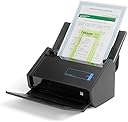
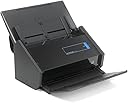
The Fujitsu ScanSnap iX500 is a high-speed desktop scanner delivering 25 pages per minute with duplex scanning. It offers flexible USB or Wi-Fi connections compatible with both PC and Mac. Bundled with advanced software including Adobe Acrobat and CardMinder, it transforms paper clutter into organized, searchable digital files, making it a top choice for professionals seeking efficient document management.


| ASIN | B00ATZ9QMO |
| Best Sellers Rank | #263,725 in Office Products ( See Top 100 in Office Products ) #307 in Document Scanners |
| Brand | Fujitsu |
| Built-In Media | Computer Scanner |
| Color Depth | 24 bpp |
| Connection Type | USB |
| Connectivity Technology | USB |
| Customer Reviews | 4.6 out of 5 stars 3,334 Reviews |
| Global Trade Identification Number | 00097564308048, 00617079301718 |
| Item Weight | 3 Pounds |
| Light Source Type | LED |
| Manufacturer | FUJITSU IMAGING (SCANNERS) |
| Media Type | USB |
| Minimum System Requirements | Windows 7 |
| Model Name | PA03656-B005 5506844 |
| Optical Sensor Technology | CMOS |
| Resolution | 1200 |
| Scanner Type | Document |
| Standard Sheet Capacity | 50 |
| UPC | 617079301718 043396323957 097564308048 |
| Unit Count | 1.0 Count |
| Warranty Description | 1 year limited warranty. us and latin america only. |
| Wattage | 20 watts |
M**R
Absolutely First Rate Product!
The ix500 Fujitsu ScanSnap is an absolutely first rate product! I don't know if I have ever bought a piece of computer hardware that operates as well as this scanner. And the software works unfailingly, to boot. This product is SO intutive and easy to use. I am not surprised other people have raved about it. I had initially planned to purchase one of the Neato scanners, but after reading reviews of both products, I chose the ScanSnap. Man, am I glad I did. I am now archiving virtually every piece of paper I come across that I may need to refer to one day. I scan it with the ScanSnap, and then transfer it to Evernote in PDF format. The combination of this scanner and Evernote is mindbogglingly simple and powerful. One thing to note. I purchased this scanner about one week before the "ScanSnap for Evernote" product was released. At first I thought about swapping the scanners. Ultimately, I kept the ix500, and I am glad I did. The Evernote ScanSnap purportedly is easier to use with Evernote because its software bundle imports the scans directly into Evernote. However, this only saves one step in the whole process. With the ix500, you must select Evernote as the target location after scanning is complete. I don't mind this step a bit. In fact, it is much preferable to the Evernote ScanSnap, as the ix500 software bundle allows you to send your scans not just to Evernote, but also to any number of other target locations. It also allows you to manipulate the scan, and create PDF's and JPEG's. The ix500 software bundle also comes with a full blown copy of Adobe Acrobat, which is easily worth $100 if you bought it separately. You also get Cardminder, which allows you to scan and index business cards. Trust me, the ScanSnap ix500 is one of the best things you will ever buy. And the ix500 software bundle is far preferable to the dedicated Evernote bundle. I should also mention that you can buy the ix500 from Amazon, Costco and other retailers which offer a 30-day return policy. Evernote offers no return policy. So, you can buy the ix500 with the confidence that if you don't like the product for any reason (and I can't see that happening), you can return it for a full refund. One other thing I almost forgot. This scanner is blazingly FAST! It will do a two-sided scan of a leter-sized page in mere SECONDS. I used to have to wait more than half a minute for a page to scan on my All-in-One scanners. And that was just for one-sided scanning. I don't leave many reviews, but for this product, I couldn't forgive myself for not doing so. The ix500 is truly a magnificent product. Enjoy.
M**M
What a great scanner!
I was looking to buy the larger Neat-scanner, as I own the small one, but I did have some issues with that, like paper-jams, which would tear up the (thin) paper as well as small papers, and sorting out where to file the scanned papers. Then I read some very negative reviews about this larger one, and the last review I read mentioned the iX500 Scanner. So, I went looking for reviews on the iX500, which were almost all very positive. I bought mine, it arrived really quick. Setting it up is very easy, and it works fabulously! You can use your own filing system that you build in the Snap Scan Folder, which is easily located in 'My Documents' on your computer, and you can also scan to pre-existing folders on your computer, it's all really easy. It comes with a large cover for small or fragile papers, that takes care of the tearing problem and works really good. The scanner has a single or duplex scan mode, in the later both sides are copied at the same time. Now there is the only slight problem I have, which may very well be that I did not read the - on line - instructions to the fullest, because it resets itself to 'duplex' all the time (except when you count on it...), so to avoid excess memory usage, you have to manually set it to single on a regular basis. When the back of the paper you're scanning is spotless, it will remove the blank side itself, which works well, until there is some see-through from the front or some spots on the back. With business cards it has the possibility to manually remove the back - blank - page, with regular papers to scan it doesn't. If you scan several pages on the same subject, it will put them together in one file, which is really neat. I have gone, in the short period I own it, already through stacks of papers, that I could then destroy. I love what that does to my room! As for business cards - it reads some very well, others really bad, but the image is still visible and one can manually correct the most important parts. Fancy cards with Italic lettering are the worst. But for me personally that is less important, the 50 or so I wanted to scan did not take up too much of my time. And you can, in the 'cardminder' folder that comes with the iX500, look them up on name, profession etc. After I put in my cards and destroyed most of them, my computer, however, gave up the ghost, so I felt lucky I had not destroyed the computer guy's card... (though his name is in my cell phone, for safety's sake). This of course was an extra warning sign: make sure you have a good back-up system. I use Carbonite, which picks up everything I put newly into my computer within minutes and I'm safe. My computer wasn't really dead this time, only the monitor, bad enough!, but we had an issue with my husband's laptop that was slowly dying while I had just convinced him to also use Carbonite. It died, and through Carbonite all his important papers could be retrieved and restored on his new laptop! Back to the iX500: I just found somewhere (in Help I think) that the 'roll' has to be renewed after 1000 pages, but it stated my count stood at only 100 just now (I feel I've used far more already). I haven't looked up what the cost of renewal would be or how complicated it might be to exchange it, but it seems it is some way off still. It seems the cover sheet hat to be renewed too, as logically that my get some wear & tear as it is floppy and it is a hassle to put it back into its protective plastic bag. One of the reviewers I 'consulted', though, mentioned that he didn't bother so far, and everything still worked fine. So, we'll see how that works out. For now, I'm just very happy with this iX500 Scanner, even though the price is higher than the Neat Scanner, but Amazon had a cheaper price, so that worked out too.
J**L
Good, even very good, but not great.
I got excited about the notion of a paperless office at home when I read the reviews for this product, so I forked over the cash and purchased this little gem. It is as fast as advertised, and as easy to set up (if you are talking hardware only) as advertised, but once set up your troubles start. I should say that I am using this little beastie on a Windows 8 computer and the new way of thinking that Win8 is attempting to introduce to the computer world may have caused some of this confusion. Still, it is Fujitsu who needs to be forward thinking enough to prepare for these little problems. Win 8 and its new innovations are here to stay whether we like it or not. Fujitsu does a poor job of adapting. To give them their due, so has most other software publishers. The first problem I had was scanning to Evernote. I read the reviews and they said how easy it was to do and it is, once you figure out how to make the connection. You see, you have to go into the ScanSnap Manager Settings app (not ScanSnap Manager which seems to do nothing) and unclick a checkbox before the Evernote choice appears on the dropdown list of applications to hook up to. I finally found that little bit of gold after dredging through the help documentation for an hour and it didn't precisely say "to hook up to Evernote do this." Instead the statement was much more general. If I weren't a computer programmer already I might have completely missed it. That information should be provided up front in the setup documentation in the first place. BTW, I "chatted" with Evernote about this very thing. They gave me some vague instructions to try a few things, and if I was not successful to call Fujitsu. That's one demerit for Evernote which normally provides really good support to their Premium customers. Then one takes the awesome leap of scanning into Evernote. Beautiful. Except that when I scan a bill I get three pages instead of one--logical since the bill comes on two sides of one page and one side of a second page. One must futz about trying to figure out what to do about that, which is easy after about an hour of playing around; Evernote has a "merge note" option that gives the user the option to merge the scans together. The only problem I am having now is that I cannot figure out how to make sure the notes are merged in the right order, but I am sure with experience that will come. The notes that appear in Evernote also have cryptic names generated by the scanner or Evernote, I am not really sure which one. They are easy to change once you realize you can and I don't really know a solution to making the note titles any less cryptic so I cannot blame Fujitsu for that, but it would be nice if I could have read somewhere, "Just change the note title in Evernote to whatever once its imported." Finally, the scanner comes with some kind of transparent thingie that is supposed to be used to expedite the scanning of...something. I am not sure what, because the instructions that come with the transparency cover are so spotty. They refer to an "operators manual" but I have yet to find it. I am sure I will with patience, but until then this thingie will remain unused and I will probably miss out on another easy addition to the machine tools in the ScanSnap tool box. So what am I saying in the end? This machine is easy as pie to use if all you want to do is scan a few documents into their default ScanSnap organizer, and it is as fast as advertised. If you want to go a little farther, you need documentation, which I have yet to find. Oh, there's a ScanSnap Help application that shows up on the Windows 8 Start page, but all it really does is show the generic help that comes with the application and most anyone who has tried to use that format for getting questions answered knows how frustrating it can be. It's not the same as a "Getting started" manual or the fabled operators manual that exists somewhere. In short, this otherwise great product gets four stars from me because it could be better. And the area in which it could be better is in making sure that I the beginner user knows where to find the documentation that they are constantly referring me to in their short, pithy "getting started" statements. I want to become an expert at using this thing, but without full information that process will be as fun as throwing it on the barn wall to see whether it sticks.
S**E
Kicks Butt and then some!!!
I have owned the ScanSnap for about three weeks now and highly recommend getting it over the other scanners out there. I did some research for about two weeks before deciding to purchase the Fujitsu ScanSnap iX500. It is a VERY expensive scanner, but well worth it. I was very hesitant at first a purchasing such a high dollar device, but glad I did. I have a filing cabinet full of papers, a butt load of military documents, receipts, paid bills, and all the other crap you need to hold on to. I got tired of have a drawer full of papers that was a pain in the butt to keep organized or to find an apartment document. The Fujitsu ScanSnap takes care of this problem. I was able to scan about 400 documents in just a few hours to include organizing them in a file directory I had created on a backup 1TB portable drive. The scanner performed well, and I only had to rescan like for documents. I only had one or two jams that were easily corrected. This thing is superfast and the quality of the scan is very good. It is very easy to use. Put in up to 50 documents hit the blue button and let it do its work. It scanned receipts from retail stores very well, even the receipts that were faded and crumpled. It can even scan long documents such as the ones you get when you sign a mortgage from your bank. The ScanSnap Organizer software is fairly easy to use, but I cannot give a fair review on it for I'm still learning how to use it efficiently. I even have scanned a few old photos and they turned out pretty well. I did have an issue with machine connecting to USB 3.0. I'm not sure if it is a driver issue on my end or Fujitsu's end. The model I have supports USB 3.0 but currently I have to plug it in a USB 2.0 port. I have not researched how to correct the issue, but using USB 2.0 is fast enough for me. The machine does not take up a lot of space, and fits snugly right next to my HP LaserJet printer. If you are looking for a document scanner and want to get rid of that filing cabinet full of papers, this is the way to go! It is pricey, but you will be getting a very fast and quality scanner that will last a very long time.
1**1
Works Exactly as Advertised
I absolutely love this scanner. It does exactly what I want it to do. I use Quickbooks to track my personal spending and Quickbooks gives you the option to attach a document to a transaction such as a receipt so that later on when you go "what the heck did I spend $200 on at Walmart?" you can just pull up the receipt. So I had previously been using a flatbed scanner to do this. And it would take me hours to go through them since you have to scan them one by one. With this I just stick in a whole stack of receipts and press the scan button and in under a minute they are all scanned into the computer. I personally have not tried the Neat Desk, but I was seeing mixed reviews for it and this just seemed like the superior product so I went ahead and spent the extra money for this and I believe it was absolutely worth it. I use a MacBook Pro Retina with Windows 7 installed via bootcamp. So one of my concerns when looking at the Neat Desk was that you have to specify whether you want the mac version or the windows version. This scanner on the other hand comes with software for both operating systems and works flawlessly in both. It also allows you to connect via wifi on both, which I really like. The scanner only allows you to have one computer set up to connect with it by wifi at a time (although you can connect to other machines by USB). So I figured it would see my Mac partition and my Bootcamp partition as two different computers but it does not. So I can scan wirelessly no matter which OS I am currently working in. And on that note the wireless scanning works every time. There is no delay or anything like that. It is just as fast as if you were using a USB cable. I do not use the organizer software that comes with it. I just save anything I scan as a PDF and file it myself. However, I do use the business card organizer (CardMinder) and it works great. I get a lot of business cards from people so it is nice to be able to have a searchable database of cards rather than trying to go back through all the cards I have to try to find one. CardMinder is pretty good at picking out things like the Company name, phone number etc. from the cards but it is not perfect. So you can manually correct the fields that it gets wrong. Also, if it picks the wrong line you can correct it by selecting the correct line on the card image. So for instance the one card I scanned in, it selected the word GMail as the company name. So what you can do is click on the image of the card and drag a box around the company name. Then if you press the button next to the company field it will use whatever is in that box as the company name. A word of warning though. It is kind of finicky. It will only look at what is in that box. So, for instance, if when you drag the box over the word(s) you don't quite get the bottom of the word in the box, it gets all messed up because it will not look at the bottom of the word. It has jammed on me a couple of times but I was pleasantly surprised by how infrequently it jams, especially when dealing with receipts which are different lengths and things. I do try to scan skinny receipts separately from normal sized receipts though so that I can set the feeder to the correct width. When something does get jammed though it is very easy to fix. There is a release lever that allows you to open the scanner and remove the document without tearing it. The scanner also recognizes when a paper jam occurs and stops scanning. It will then show you a preview of the page and ask if you want to keep it or not. You can then reload the documents back into the feeder and press continue scanning and it will just pick up where it left off. It also senses the thickness of the paper and if it detects that it has accidentally grabbed two pages instead of one it will automatically stop and do the same thing. Ask if you want to keep the page etc. I do have a couple of minor complaints. I wish there was an option to scan several pages as individual documents. If there is, I have not found it. Instead if you put multiple pages in the feeder at once it scans them as a single document. However, it comes with Adobe Acrobat (although it's only for Windows) which makes it very easy to break apart documents. You just have to select the pages that you want to be separate documents and select extract pages. Then just check the save as separate documents box and the delete after extracting box and select where you want them saved. Also, there appears to be a length limit. Occasionally I will get one of those 2 foot long grocery store receipts or something and it will stop scanning part of the way through. But those are few and far between for me, so it hasn't been a major issue. I tried folding one in half and putting it in the feeder (fold side down) so that it would scan duplex and just appear as 2 separate pages in the document, but I would still have one receipt. It did not like that one bit. It got all jammed up. So don't do that haha. I eventually just decided to cut the receipt in half and scan it in as 2 separate pages. And just one more tip. The ScanSnap is is pretty good about straightening documents and getting documents facing the right direction, but again it's not perfect. Sometimes the words will be slightly crooked or a page will be upside down. Rather than going through the whole document and correcting each page, just OCR the document. In order for the document to be searchable the words have to be right side up and straight, so Acrobat will correct each page before making it searchable. This will correct 95% of the pages that ScanSnap gets wrong.
L**A
Not again!!
I was scanning our old pictures on a flatbed scanner and although the results were excellent, the process was slow. With the ScanSnap I now scan pictures much faster with only a small decrement in quality compared to the flatbed. I also use it to scan receipts, bills and other notes directly into Evernote. It will scan small handwritten notes, greeting cards (opened or closed), letters, and business cards also. I scan just about everything I can now, shred the paper after making the scan, and my desk is clean at last! I have only filed a few hard copies since I purchased the SnapScan, and shuffle around many fewer papers. I had two large boxes of photos to scan and am through the first box much faster than I ever would have been. You can even place a small stack of photos in the feeder and it will scan them sequentially without jamming. I inherited a few boxes of photos from other family members and need to sort and scan them in addition to our collection of photos. I dreaded this process and kept putting it off until now. The user interface is pretty easy to follow and you can choose the destination and type of scan (pdf or jpeg) and the amount of compression of the jpg images. There is a carrier sheet for longer documents or ones that might not sail through easily (although they can't be too thick), which is also helpful if there is some sticky tape still on the back of the photo or document. It was expensive but one of the best purchases I have ever made. There is a more costly version advertised by Evernote but as far as I can see this functions the same way. Free at last!! Update 3/16/14 I was happily scanning away per the above when a few weeks ago noticed a line through all of my scans that got more pronounced over a few days. I made a frantic call to tech support and a very patient polite person (in California) helped me troubleshoot the problem. There was some material on one of the scanner lenses, probably a bit of gunk attached to one of the old photos I scanned.It was difficult to see but after cleaning the lenses the tech told me to gently run my finger across the lens. I felt a tiny bump which I was barely able to see with a flashlight. After I cleaned that spot, the scanner worked fine again. So if you are scanning old photos that have been in a photo book, make sure there is nothing sticky on the back of them. Better yet, put them inside the feeder sheet(s) that come with the scanner just to be sure. One thing I did find out is the cost of the consumables. This was a bit of a shock. But I guess when the time comes that I need to replace parts I will be happy to get my scanner going again despite the cost. I did not need any this time but I did check and was surprised at the cost. UPDATE 8/1/17 STAY AWAY!!! I have changed my rating to one star. This item is buggy and all of a sudden sprouts error messages. Support is excellent BUT the issues, which are different each time I call support, keep occurring. When it works (emphasis on when) it's great. Otherwise it gives error messages and won't scan.
H**N
Easy to Use, Fast Scanner, with Quality Output - A Very Good Value
This scanner is helping me tame the personal paper monsters I have been fighting for the last few years. As the "paperless" world has taken over (hahaha!!), my pile of paper has grown immensely, to the point that it was drowning me; I couldn't find anything, and trying to get things done like taxes filed was becoming impossible because of it. So I bought a couple of 2TB external drives, and determined that I would digitize everything. Well, I tried doing that for about a year using one of those HP multifunction machines (fax, scan, print), but after that year, I was further behind than ever, because the speed of the scanner was way, WAY too slow to keep up with the paper monster. I decided that if I didn't get things scanned faster - much faster - I was soon going to get in real trouble. I bought this Fujitsu ScanSnap iX500 about six months ago; I'm STILL not completely caught up, but I have been gaining serious ground. I think in another six months, I will have it all under control. The limiting factor now in catching up is not the speed of my scanner, but the amount of time I have available to spend scanning my personal documents. The house is less cluttered than it was, and it's getting uncluttered more and more as each weekend passes. It is a serious stress reducer. This scanner scans documents at 1200 dpi about half as fast as a commercial HP scanner costing about five times as much scans documents at 600 dpi at work. It does scan letter-size documents at 1200 dpi at about 20 ppm. In my book, you can't ask for much more than that. Now, this scanner is not built quite as sturdily as the commercial-duty scanner at work, and it perhaps would not take the punishment my work scanner does. But for your personal/family/small business scanning, it can handle more than you can throw at it (not including peanut butter and jelly sandwiches and eight-year-old kids hitting it with errant kickballs or baseballs). This scanner comes with Adobe Acrobat Standard, which is really nice, in my opinion. It will allow reading the stored documents on just about any computer anywhere. I find it indispensable. This adds a lot of value to the machine. I do not use the software filing features the machine includes. I make up my own folders the way I want them made up through Windows 7, and I just want the machine to put the files where I tell it to. I suspect the filing software would cause me some difficulty at SOME point - say, if I were to buy a different brand of scanner after this one dies. So I would just rather file my documents myself. The controls for setting the type of format you want to use, the quality of the scan, etc. are pretty easy to use. I had no difficulty. I honestly don't know how long it would take me to figure out the filing software, nor what any of those characteristics are, so I can't judge that. The only negative that I have found with this machine is that the output tray, which folds up in three joints, is that it is very light, and if I'm not careful, I hit the tray with my hand when I move toward it with paper, and it flips up and folds at the first joint. It folds up nicely when you are done using the machine for a while, and as several others have pointed out, the scanner has a surprisingly small footprint when it's not in use. But the lightness (some might say flimsiness) of the output tray is perhaps the one thing that would not allow it to be used in an office environment where several people were using it throughout the day, every day. While have had a paper jam or two, it was certainly not a fault of the machine. I put some papers in the feeder that were kindof crinkled and of different widths. I have used the machine for more than five months now, so I think I have given it a decent, though not severe, tryout. Bottom line: this machine is fast, delivers quality output, is pretty flexible, easy to use, and a good value for the price. For the average one or two-person operation, I think it will last a long time, and for many thousands of scans.
B**P
Detailed Review of the Fujitsu iX500 ADF Scanner -- The absolute best scanner on the market today!
I bought this ScanSnap iX500 almost a year ago in December of 2013 and have put in through its paces over the past year and I want to share my findings with you as I believe this is THE BEST automatic document feed (ADF) scanner on the market right now... not just because of how it functions, but the included software as well which makes sorting and organizing a breeze! BACK STORY: Suffering from a disability that causes me not to think clearly at times, having everything in paper format was an absolute mess. When my disability started in 2006, I started a company and worked for another company and the paper started piling up. It was a mess and I was completely disorganized. I accidentally threw away or shredded thousands of documents I needed... receipts, important paperwork, documentation, etc. It was a mess and I'm still trying to find those documents to this day. After finally starting to get my disability under control in 2013, I made the decision to purchase this scanner and go paperless. The company I was working for needed a couple thousand documents scanned organized and this is the scanner I recommended and purchased. Now, towards the end of 2014, I have scanned at least 15,000 pages of documents with this scanner without a single problem whatsoever. Seem too good to be true? That's what I thought until I saw the end result. Files cabinets, empty. Stacks of papers, gone. In fact, any piece of mail, receipt, or document that made its way into my hands is immediately scanned and stored in digital format. HOW IT HAS WORKED: Well like I said, I've got about 15,000 documents through this thing and haven't had a single problem with it feeding documents, jamming, or anything. I've used scanners almost twice the price of the iX500 that had more problems. The software is extremely user-friendly with a few quirks you'll have to get used to... nothing severe enough worth mentioning. What I like most about it is I use Google Drive to store my paperwork and with the ScanSnap software, when a document is sent through the scanner, I can have it automatically save to the Google Drive folder on my home computer which automatically syncs it with the cloud, making it available on all of my computers, my cell phone, my Chromebook, etc. I don't know of any other scanner that lets you do this right within the software. That feature alone pushes this scanner to the front of the line for me and many others. It's built extremely durable and has a small footprint on your desk, folding up when not in use. It's also black in color versus the typical beige ADF scanner colors that stick out like a sore thumb. You get what you pay for with this scanner, 100%. Fujitsu could probably charge a lot more money for this scanner if they wanted to because it works better than scanners twice its price. SOFTWARE: As I mentioned above, the ScanSnap software controls the scanner with ease. You can quickly change settings from single-sided scanning to double-sided, color scanning to black and white, grey scale, or even auto-detect where the scanner will be able to tell how it should scan the document. If the document is a black and white report, it'll scan it in black and white. If it notices grey-tone, it will scan it accordingly. If it sees color, it scans it in color. Absolutely amazing. You can also change the resolution settings depending on how crisp you need the document. The higher the resolution, the higher the file size, although I've noticed, even at 150dpi, the images are crisp and easy to read. I can't see much difference between 150dpi and 300dpi besides the increased file size with 300dpi. The software gives you the option to scan right to email, to a specific folder, to Google Drive, and several other services. This in itself is an amazing feature that has come in handy on numerous occasions. Also worth mentioning is the WiFi capability. I can scan a document and have it sent right to a folder on my cell phone simply by using the free Android or iPhone app. This has come in handy when I'm on the go and need to bring the document with me for a business trip, doctor's visit, etc. Since we're mentioning software, keep in mind, this scanner comes with a full version of Adobe Acrobat, worth over $100. This lets you use all of the features Acrobat offers when scanning your documents. You can also tell the scanner to use OCR (optical character recognition) to make your documents fully searchable! Now that we've gone over a brief history of the iX500, let's get down to the pros and cons: PROS: * Very quick and accurate scanning speed. Whether in simplex (one-sided) or duplex mode, the scanner is fast and accurate. * Processing speed is very quick with very minor lag, if any at all. * USB 3.0 connection. This is HUGE as it allows for a very fast file transfer speed from the scanner to your computer. Many ADF scanners still use a standard USB 2.0 connector and the speed difference is very noticeable. With USB 3.0, you're getting up to 5 GB/second compared to UISB 2.0's speed of only 480 MB/second. No comparison there... USB 3.0 wins.The provided USB cable is 6 feet long giving you plenty of length to set the scanner up on your desk where you want it, not necessarily right next to the computer. * The paper handling mechanism is greatly improved over previous generations and light years beyond the current competition. Like I said, I've put at least 15,000 documents through this scanner in under a year and it continues to feed documents the same as the day I bought it. Go ahead and scan a tiny receipt or business card, throw in some odd shaped papers, legal sized sheets, or long receipts... it doesn't matter... the iX500 handles them all with ease. * The rollers (consumables according to Fujitsu) last forever! I've heard some people going 4+ years of scanning file cabinet after file cabinet of documents with no problems. Just keep the rollers sticky cleand, vacuum and paper dust particles from inside the scanner and you should be good to go. CONS: * Recently brought to my attention is the sensors on the iX500 are CIS and not CCD like they are on the similar model, the S1500. Historically, people have preferred the CCD sensors as they have typically scanned color documents better, although the CIS sensors have historically scanned text and grey-scale documents better. Fast forward to 2014 and quite honestly, I've used both and they perform identically... I cannot notice a difference really... in fact, I think the CIS sensors have finally caught up and surpassed the CCD sensors. The thing to remember is this is an ADF scanner, not a flat-bed scanner. If you need to scan high-resolution photos, you're looking at the wrong scanner as this scanner is designed for low to high volume document scanning. * The Acrobat software included is Version 10, not Version 11 which is the most current version. This isn't a huge deal but I felt it was worth mentioning. Also, the Acrobat software will only work with Windows based machines so you'll need to use the Preview software that comes standard on a Mac. * No TWAIN support. This really isn't a huge deal anymore as nowadays we're mostly scanning right to PDF and storing our documents in local folder versus running them through separate proprietary software. If you absolutely need TWAIN support, unfortunately this scanner is not going to work for you in that regard. SUMMARY: I can't stress enough how much I recommend this product. I have written hundreds of reviews here on Amazon and out of all of them, this is probably the one I am the most passionate about because this scanner has changed my life and is changing the lives of others, too. If you want to go paperless and finally ditch those file cabinets full of paper, buy this scanner! Having papers in file cabinets isn't safe anymore as they can be lost or destroyed in a fire, through water damage, theft, misfiling, etc. As I said earlier, I scan directly to the Google Drive folder on my computer. So far that process has been working great but I will keep you updated if I notice any glitches. Right now, it's an awesome method! Scanning some important documents in and being able to pull them up on my Chromebook months later while sitting in a coffee shop is amazing. This is the era of going paperless and I hope you take the plunge, buy this scanner and get scanning! :-) *** If this review was helpful to you, please let me know! It means a lot to me when I know I've helped someone make a decision on whether or not to buy something. I either own or have tested EVERY product I review, and I appreciate reading other people's reviews because they always help me make an informed decision. These things are what make Amazon great: the prices and the reviews! If you have a specific question about a review, please contact me through my profile page. I'm more than happy to chat with you about it. Thanks! ***
A**X
EXCELENTE SCANER
Uno de los mejores aparatos que he comprado!!!! Me ha dado un resultado increíble ya que escanea por las dos caras al mismo tiempo y lo hace rápido!!! Es un excelente equipo!!!!
A**A
Excelente!!! Lo mejor de lo mejor
El scaner ScanSnap iX500 superó mis expectativas. Realmente es el mejor escaner para uso personal que he visto, incluso supera a varios que son para el ambiente empresarial. Escaner de alta gama, sin duda.
Trustpilot
1 month ago
2 months ago