Desertcart purchases this item on your behalf and handles shipping, customs, and support to USA.
🔥 Level up your game with ultra-wide speed and clarity! 🖥️
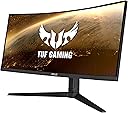
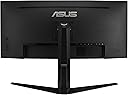
The ASUS TUF Gaming VG34VQL1B is a 34-inch ultrawide curved gaming monitor featuring a sharp WQHD 3440x1440 resolution, an ultra-fast 165Hz refresh rate, and a 1ms MPRT response time with Extreme Low Motion Blur technology. It supports FreeSync Premium for tear-free gameplay and boasts DisplayHDR 400 certification for vibrant, professional-grade color and contrast. Designed for serious gamers and immersive experiences, it offers broad compatibility with both AMD and NVIDIA graphics cards.


| ASIN | B08PKXF1LC |
| Adaptive Sync | FreeSync Premium |
| Aspect Ratio | 21:9 |
| Aspect ratio | 21:9 |
| Best Sellers Rank | 10,650 in Computers & Accessories ( See Top 100 in Computers & Accessories ) 238 in Monitors |
| Box Contents | Monitor |
| Brand | ASUS |
| Brand Name | ASUS |
| Cable Length | 34 Inches |
| Colour | Black |
| Compatible Devices | Cellphone |
| Contrast Ratio | 1000:1 |
| Customer Reviews | 4.3 out of 5 stars 490 Reviews |
| Display Technology | LED |
| Display Type | LED |
| Global Trade Identification Number | 04718017927222 |
| Hardware Connectivity | DisplayPort, HDMI |
| Has Color Screen | Yes |
| Image Brightness | 300 cd/m² |
| Image contrast ratio | 1000:1 |
| Is Electric | Yes |
| Item Dimensions D x W x H | 10.9D x 31.8W x 21.2H centimetres |
| Item Type Name | Monitor |
| Item Weight | 6.6 Kilograms |
| Manufacturer | Asus |
| Maximum Display Resolution | 3440 x 1440 Pixels |
| Model Name | VG34VQL1B |
| Model Number | 90LM06F0-B01170 |
| Mounting Type | Wall Mount |
| Native Resolution | 3440x1440 |
| Network Connectivity Technology | DisplayPort, HDMI |
| Picture Quality Enhancement Technology | ASUS Extreme Low Motion Blur Technology (ELMB), FreeSync Premium |
| Pixel Pitch | 0.2325 |
| Power Consumption Size | 35 Watts |
| Processor Count | 1 |
| Product Features | Curved Screen |
| Product Warranty | 2 year manufacturer |
| Refresh Rate | 165 Hz |
| Resolution | QHD Ultra Wide 1440p |
| Response Time | 1 Milliseconds |
| Screen Finish Type | curved |
| Screen Size | 34 Inches |
| Screen size | 34 Inches |
| Screen surface description | curved |
| Shape | Rectangular Prism |
| Specific Uses For Product | Gaming |
| Total HDMI Port | 1 |
| Total Video Out Ports | 2 |
| Unit Count | 1.0 count |
| Viewing Angle | 178 Degrees |
| Voltage | 240 Volts |
| Warranty Type | No Manufacturer Warranty |
A**A
Only 2 days in but so far a truly excellent display at a great price
Only had this Monitor 2 days now but it’s excellent ,, below I’ll list the good and bad but for the price paid, I’m delighted Good ,,,,,, • Screen Size, Excellent, I’ve gone to ultrawide from a 31.5 G32QC 1440p monitor so not much of an upgrade as such in terms of size but the aspect ratio is incredible for flight simulator 2020, which is what I play mainly, I never thought of getting one until I seen my brother simming on his ultrawide and it just looks better • Colours, Amazing, They look as good as many IPS Panels I’ve had and maybe even better than some, for a VA Panel they really are excellent, I’ve uploaded a video showing these off through an online video but please be aware I did record it from my phone but please take my word for it, there excellent. You can also choose 10bit colour in the nvidia control panel if you select a screen refresh rate of 144hz or below through display port, which I’ve done, ASUS don’t seem to mention this anywhere and go with its 165hz 8bit colour in the description. • Size, Bezels = For this price point there very good and your getting a lot of screen for your money, it’s also fairly thin at the back for an ultrawide, my brother as the Z35p and it’s huge compared to this. Bad points ,,,,,,, • Not so much the monitors fault but I did pick this up through Amazon Resale Germany and it arrived with no power lead, hdmi lead, and display port lead, although Amazon resolved the issue very fast but I still had to pop to the local b & q store in the late evening to get a power lead to see if the monitor actually worked, so just be prepared if you pick it up through resale, • USB HUB = It comes with a built in 4 port USB 3.0 hub, but my clock that sits usually on top when connected to it turns off almost instantly, now the clock is USB 2.0 but surely the monitor is backwards compatible, my G32QC was USB 3.0 and the clocks usb power lead worked fine in it, so I’ll contact ASUS Support in the next few days and get back to this with an update, hopefully that way the reason the previous customer returned it :( , I did go into the settings and the standby usb power was set to off, I changed it to on but it still won’t power the clock • GHOSTING, When the overdrive setting is on when planning around the top panel inside the fenix a320 there is horrible and very big ghosting, it’s like the cockpit lights up with blue like squares below the instrument switches, it’s very annoying, I fixed this by simply turning off the overdrive setting in the displays onboard menu, im not sure if you should leave it on but with flight sim 2020 it’s been fine so far without it on Neutral ,,,,, The monitor comes with built in speakers but I’ve not even bothered testing them at all as I use an external sound bar • Onboard Menu = Accessible by joystick on the back it’s super simple to navigate, the only thing I’ve done in the menu is turn off overdrive and change the brightness from 100% to 60%
S**E
Great pic once you find some screws
Very nice monitor and good to get a know brand product. Yes 5 star but a few advisories... The power and menu buttons at round the back so I haven't actually investigated the menu system yet! All a bit out the way! The speakers are awful compared to any standard speakers - best not compare! Asus! Where were my mounting screws??? A repeated search of the box yielded no inclusion of the 4 screws to mount to the stand. Luckily had the old monitor to cannibalise. But end of day, it's the picture I am interested in and at the price it works absolutely fine.
I**R
Good
Fantastic monitor
G**D
Excellent for the Money, but not perfect e.g. VRR flicker.
I've owned pretty much every monitor and TV you can imagine so I have a lot to compare against. I once owned a 34" Ultrawide in the mid-2010's and it was ÂŁ900. For that you got a 60hz display and the image quality, particularly text and colour accuracy, left a lot to be desired. For not much more than ÂŁ300, it's crazy how much better this 165hz Asus is in 2024. Positives: No dead pixels VERY bright No glare issues Subtle curve - immersive but nothing too crazy Colour accuracy - good enough for me as a pretty serious amateur photographer Excellent text Best VA screen I've ever used. Indistinguishable from IPS quality, but with superior VA blacks/contrast High refresh (I use 120hz and 10bit) Large number of inputs Negatives VRR Flicker in some games Not true HDR Regarding the negatives, I'm not fussed that it isn't true HDR as let's be honest, you need an OLED and a lot of money for that (anything less is a waste of time). I don't want an OLED for my PC due to burn in. At this price and with how bright the screen is, you aren't actually missing much compared to gaming with my PS5 on my LG OLED TV. Shocked how good Diablo 4 for example looks versus my PS5 version on the OLED. It's not far off thanks to the brightness and typical VA deep blacks. The VRR flicker is the real big negative. My previous freesync monitors never exhibited the problem, so there is no excuse here. World of Warcraft Retail in the main city hubs (unstable frame rate) suffers terrible flicker (it's utterly catastrophic) and I have to disable freesync entirely. Meanwhile I tried games like Dragon's Dogma 2 and Diablo 4 and didn't notice anything. Geforce Now had no issues either. So your mileage may vary depending on what you play. I've tried all the so called "fixes" online and it's all twaddle. If the game flickers there is nothing you can do about it. For that reason I'm knocking a point off and giving 4 stars. Whilst it's cheap, I've had other IPS and VA monitors that didn't flicker at this price range. You can consider this a 5 star monitor if you are using it just for productivity, or playing games that don't flicker.
M**L
Great for working on. Bright, clear, perfect curve
Initially over HDMI it was a bit weird: Windows thought it was a higher resolution than it was and then the monitor scaled it back down and it wasn't crisp. Now I'm using Displayport it's perfect. I'm mostly using it for work, replacing an old 2-monitor set up. I'm so pleased with it ! The only drawback is the speakers aren't very good so it's just a waste having them there - but I didn't expect speakers anyway - it's a monitor after all. Despite the speakers, still 5 stars for me :)
O**R
Good but resolution makes it stretch with the ultra wide.
Was very clean and nice but the only problem with resolution when playing games as it feels stretched. Good value for money but even when watching tv it doesn’t cover the whole screen so kind of defeats the point.
T**N
price
Very nice monitor got this for gaming I'm very happy with it. At 215 pounds you cant go wrong
A**N
Smooth
M**N
👍
👍
T**E
Meilleur écran que j'ai eu entre les mains
J'ai eu du fast IPS, du OLED, du VA bas de gamme, et ensuite celui ci, et au final j'ai gardé celui ci. La colorimétrie est excellente, je l'ai mis côte à côte à du IPS et du OLED et j'ai préféré le rendu de cet écran. Il est bien plus coloré et les noirs sont vraiment profonds. Je n'ai aucun ghosting avec le mode OD (Overdrive) a "40". En revanche le côté fâcheux pour certains sera que cet écran possède du black smearing assez léger mais il en possède. Rien à voir avec mon ancien VA bas de gamme de chez Samsung. Vraiment c'est très minime et je ny prête même plus attention car parfois dans des scénario identiques je ne vois pas de black smearing. Je pense que c'est à froid que l'écran en a un peu car ensuite au bout d'une demi heure j'ai beau chercher je n'en vois pas même dans des scénario très sombres. La courbure 1500R et le format 34 pouces est un régal rien à rajouter sur ça. Niveau luminosité ça domine tout ce que j'ai pu tester aussi, c'est l'écran le plus lumineux que j'ai vu je pense bien qu'on ai les nits exprimé par la marque c'est un écran extra lumineux si pour vous ça compte tout comme moi (C'est la que le OLED pêche et c'est le jour et la nuit par rapport à cet écran) Le HDR est bon sans être exceptionnel non plus cela dépendra du jeu joué comme d'habitude. Avec le HDR bien calibré l'écran est encore plus parfait dans ses rendu couleurs et ses noirs encore plus profonds mais la c'est vraiment à vous de régler le HDR en jeu correctement, et c'est pas toujours facile ou bon selon les jeux. Le freesync premium marche bien, en revanche pensez à capper vos fps en jeux sinon ça va flicker si les fps fluctuent donc un lock est obligatoire (VA oblige) Je joue en compétitif et l'écran est totalement compatible avec des jeux e-sport c'est pas l'écran qui vous freinera (J'étais sur un 240hz avant et la les 165Hz sont vraiment équivalent selon mon expérience on ne perds que très peu et l'écran est très réactif) Pour ceux qui veulent les noirs profonds et les couleurs très belles (il affiche 125% du spectre couleurs SRGB ca aide la plupart des écrans sont 98%~ donc on ne trouve pas l'image délavée) et une luminosité au plus haut. Si comme moi vous hésitez entre oled et VA et IPS. Je vous conseille ceci plutôt que un écran oled qui sera bien plus cher bien moins lumineux. Bref sur cet écran j'ai les avantages du IPS (Belles couleurs, luminosité enorme) avec les noirs profonds du VA (Et même + car il est dans les meilleurs pour ça 4700:1 de profondeur des noirs la majorité seront dans les 3000:1 au mieux) et pour le prix je préfère largement ça à du oled 4x plus cher. Et ici très peu de risque de burn in de la dalle. Retenez bien que les VA bas de gamme n'ont rien à voir avec ces VA déjà un peu plus premium. Si vous avez eu des ecran VA cheap par la passé je vous encourage à tester celui ci et de lui laisser sa chance. Petite astuce : J'ai mis le mode couleurs personnalisé avec le panel NVIDIA des couleurs a 55% pour un rendu très coloré c'est vraiment comme ça que l'écran donne un meilleur effet pour moi. En espérant avoir aidé la communauté! Edit: J'ai eu depuis entre les mains un écran oled 240hz ultrawide je les ai réglé de manière similaires les couleurs sont exactement les mêmes, sauf le rouge qui n'est pas exactement aussi naturel mais un poil plus saturé, bluffant, dans des scènes identiques je n'ai noté presque AUCUNE variation de couleurs. J'ai réussi à obtenir des couleurs je dirai à 90% similaires, avec 500 nits~ contre 280 de mon oled. (En full screen) pour 750 euros moins cher. Juste foncez mais pensez à le régler. Je suis fan du oled, mais je n'ai aucun soucis à retourner sur ce asus , je dirai même que sur certains jeux colorés comme valheim, je préfère le ASUS je retrouve + ce coté coloré magique du a la luminosité supplémentaire les couché de soleils sont magnifiques et un poil plus saturé ca reste très naturel comme dans la vraie vie et pas trop saturé non plus ceci dit. Voila voilà Juste pour vous dire que j'ai réussi à obtenir des couleurs très proches du oled sans les defaut de la techno et je trouve ça encore bluffant ca doit être un superbe écran vraiment car je doutes que les autres VA soient si bons.
I**S
No G-Sync
Don’t have G-Sync
A**R
Den är stor
Riktigt trevlig och stor skärm, just nu levererar skärmen mer än vad datorn klarar av så svårt att ge en rättvis recension men jag är väldigt nöjd med den.
A**O
Monitor 34 pollici curvo 21:9
Ho optato per questo monitor perché volevo provare con uno schermo curvo e con rapporto 21:9 per il gaming e devo dire che non sono rimasto affatto deluso. Lo schermo è molto luminoso ed ha una buona resa cromatica, oltre ad un'ottima qualità d'immagine. Purtroppo l'HDR non è il massimo, però per il prezzo non ci si può lamentare. Unica pecca sta nel piedistallo che occupa veramente molto spazio sulla scrivania, ma che da da subito un'ottima impressione di stabilità . La possibilità di modificare altezza e angolazione del monitor lo rende perfetto per qualsiasi scrivania
Trustpilot
1 month ago
2 months ago