Desertcart purchases this item on your behalf and handles shipping, customs, and support to USA.
✨ Stick with the best — glossy, durable, and ready to impress! 🖨️
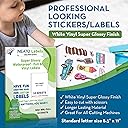
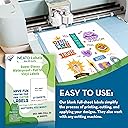
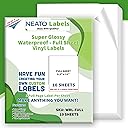
Neato’s Printable Vinyl Sticker Paper offers 10 premium 8.5" x 11" glossy sheets made from waterproof, tear-resistant vinyl. Compatible with both inkjet and laser printers, these strong adhesive labels deliver professional-grade durability and vibrant print quality, ideal for creative projects, labeling, and small business branding.


| ASIN | B01FKXOJOY |
| Best Sellers Rank | #54,936 in Office Products ( See Top 100 in Office Products ) #2,553 in All-Purpose Labels |
| Brand | Neato |
| Brand Name | Neato |
| Color | White |
| Customer Reviews | 4.4 out of 5 stars 2,975 Reviews |
| Finish Type | Super Glossy |
| Ink Color | White |
| Item Shape | Rectangular |
| Item Weight | 22.68 g |
| Line Size | Thin |
| Manufacturer | Neato |
| Manufacturer Part Number | WRL-FULL |
| Material | Vinyl |
| Material Type | Vinyl |
| Model Number | WRL-FULL |
| Number of Items | 10 |
| Number of Labels | 10 |
| Number of Packs | 1 |
| Shape | Rectangular |
| Size | 8.5 X 11 inches |
| UPC | 851127006914 |
| Unit Count | 10 Count |
| Warranty Description | Neato Labels backs our product with a 100% money back guarantee |
D**B
A Great Solution BUT read carefully
I found this, so far, to be an excellent solution to my packaging needs. I carefully read all the reviews as well as the full product description before purchasing and was still not 100% sure I would get good results but I did, sending me into a 10-minute happy dance. For the past 5 years, I have tried almost everything and ended up just using regular labels and laminating them with ultra-thin packing tape. Looked good and didn't smudge BUT any oil or water will get underneath and ruin the paper even if the surface remained smudge proof. I can't afford a Primera printer right now and ordering custom BOPP labels when you have over 100 different products to label is not affordable option to get started on. So this was my last ditch effort. I just ran a test page with my labels and let them dry for about 30 minutes.....yeah yeah yeah, I know, you are supposed to wait an hour or up to 24 hours to let dry but I am impatient and wanted to see how my printer ranked in the scheme of things. Neither water or oil would smudge the ink (I tried coconut and olive). ***Undiluted essential oil takes the ink off but I will retest THAT tomorrow and edit my review IF this changes but I highly doubt it since essentials are strong volatile oils.*** I then applied a piece to a glass container, an aluminum bottle and a plastic jar and all three remained adhered securely. Appearance-wise, these have the same sheen as glossy BOPP labels and the graphics are crystal clear. Simply beautiful. They do NOT have any backslits but they are easy to peel AND they work well with large paper punches HOW TO GET THESE RESULTS: Now, I know others have reported that theirs smudged even after waiting days and days but from what I understand, it is because their inkjet uses dye based ink cartridges. This is usually the key factor with this paper. BEFORE YOU BUY: Check your printer. Look up your ink cartridge description. If it says PIGMENT inks then you are good to go and give it a shot. I have an Epson Workforce WF-4730 which uses 802 cartridges - these are quick drying pigment based inks. I will definitely buy these again.
D**1
AWESOME!!
Finally had the opportunity to sit down and work with these and all o can say is.... AWESOME!!! Very good quality! I used on inkjet printer to make planner sticker and cut it on my silhouette portrait. It worked perfectly well. The printed image was beautiful, with vibrant vivid colors. (Setting on the printer were for glossy paper, photo quality print, vivid colors) The silhouette cut it very well with setting in 2 for kiss cut and 10 for full cut. I will definitely buying it again. Now! Note for those that don’t quite get it! The paper claims to be waterproof. I haven’t tested but what that means is just that. The PAPER is waterproof. That means that if it gets wet it won’t fall apart. That doesn’t mean the paper is magical and will make the ink from your printer waterproof as well. If you print something on this paper and it gets wet it won’t ruin the paper but it WILL RUIN WHAT YOU PRINTED.
B**S
Works great
Other reviews are mixed, but my experience with these has been good. I'm using a somewhat old HP D110 All-in-One inkjet printer and I found these sheets to feed easily (although I only fed them one at a time). The print colors came out vivid and seem to dry almost immediately. I've tried rubbing and even slightly wetting some of them and have not had any ink come off at all. Very professional looking with the gloss finish. The only test that remains to be seen is whether there will be much color fade in the coming months, but I was making case stickers so these aren't going to be out in the elements a lot anyway. I think part of the key to my experience is that I only use quality HP brand inks with my printer. If you use refills or cheap of off-brand ink then your experience may differ a lot from mine. Labels/stickers cut easily to shape with scissors. My only minor gripe is it is difficult sometimes to get the backing to start to peel off.
D**.
Great for printing, won't cut on Cricut
So. The product seems great.... but, I'm having trouble figuring out a proper number of stars. This stuff prints fantastically well. Looks like photo paper! And yet... I bought it to Print then Cut on my Cricut Explore Air 2 machine, and the machine cannot locate the cut lines. It tries and tries, then gives up, suggesting that the material is too glossy, and the error suggests using something matte. So frustrating. I tried six times, and it just couldn't get it done. The idea of trying to hand-cut my crazy shapes is not making me happy. The product seems great, and I hate to knock it because my cutting machine won't work with it... but it *is* advertised as working with home cutting machines like this, and I dare say that Cricut is one of the most common machines out there.
U**N
By far the BEST glossy vinyls...works beautifully with Cricut machines.
I have a Canon pixma and my stickers print beautifully on these glossy vinyl stickers. It makes a world of difference when you see how the colors on your stickers just pop on these vinyls. The colors do not run or smear and the colors are so vibrant!! I pretty much lucked out because these were the first glossy vinyls that I tried and I immediately loved them. I will never go back to matte paper. Yuck! These are the settings that I set on my printer. From the Cricut Design Space - Click send to Printer. Toggle the System Dialog box to "On" and click "Print". The Windows System Dialog box will pop up. Select "Printing Preferences". Select "Photo Printing", "Glossy Photo Paper", "8.5" x 11" (for paper size), "High" (print quality), "Rear Tray" (paper source). Click "OK" and "Print". A lot of people also have difficulties using this glossy vinyl on their Cricut machines but there is a trick to cutting them. Because the gloss on the paper causes a glare/reflection, it prevents your Cricut machine from reading your black registration box. What you need to do is use matte Scotch magic tape (in the green box) and tape over the black registration box. This cuts down on the glare so that your Cricut machine can actually read the box. Once you do that, you will not have a problem with your Cricut machine not being able to read the registration box. A different method (and this is the method that I use) is to put a small piece of tape over the light lens of the Cricut. This is simpler for me since I don't have to keep taping the registration boxes when cutting multiple sheets of stickers. This will also save you a lot of money on tape! When cutting from Cricut Design Space - Material - select "Sticky Note". These are the steps I used to get the perfect stickers every single time. Hopefully these tips will help all of the Cricut users out there. Enjoy!
I**X
Business Owner Approved!
Excellent quality. I've used this paper for almost a year in my Etsy shop for my stickers and I won't use anything else. They are removable. Tend to peel off on edges of heavy use items such as a phone. At times a Cricut Explore Air 2 machine has issues reading registration lines, but this is fixed 98% of the time by applying matte tape over the lines. A dark room also helps. The ink does have a tendency to scratch or rub off, so I laminate all my stickers for extra protection. Otherwise a large laminated sticker has lasted on my car for 3 months (so far) without issues.
K**R
Overall, pretty happy!
This glossy sticker paper prints very vividly and dries quickly using my Epson inkjet printer. I cut them out with my Cricut Maker, on the "sticky note" setting, per a video on Neato's site. There is a bit of residual 'ink dust' after cutting, but it brushes off easily. I need to work on the Cricut setting because it's cutting through the sticker backing a bit. The Cricut cuts out the stickers cleanly otherwise. I ran one of the stickers underwater then dried it with a towel; no damage at all. The stickers are adhering well to my plastic water bottle, only one is pulling up, where there was a sharp curve. They don't stretch at all so make sure your surface is flat. My overall rating is almost a 5. I'm still having a bit of trouble with the sticker backing, but all in all, l will purchase these again. :) Edit: I dropped it to 3 stars... the black has faded to brown. Kind of disappointing.
A**R
Best sticker paper ever, ever, ever!
Best sticker paper ever, ever, ever!!! Printed beautifully on my HP printer with bright clear colors when using the glossy photo paper setting. Cut like a dream on my CRICUT using the “printable waterproof sticker set-white”setting. Pricey product, but SOO0 worth it! No more laminating sheets.
M**.
Great for glossy stickers!!
I purchased these to make glossy labels for my product. I was tired of buying clear adhesive vinyl to put over the matte sticker sheets in order to get the same look. This product definitely does the job in one less step. Just print and cut! The ink dries really fast! It was dry by the time the sheet came out of my ink jet printer with the image printed on it. So no wait time to dry! Will be buying again!
J**N
By far the best print from home stickers
I have a Canon Pixma Pro-100 printer and these are by far the best stickers I've tried printing from home. I've tried stickers with a matte finish and the just never seem to work. The glossy finish on this paper is beautiful and the printout looks amazing!
Trustpilot
2 weeks ago
2 weeks ago