🔒 Elevate your peace of mind with crystal-clear, color night vision security.
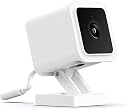
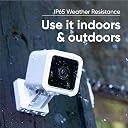
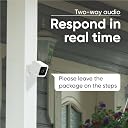
The Wyze Cam v3 is a wired 1080p HD security camera featuring breakthrough color night vision with a Starlight sensor, IP65 water resistance for versatile indoor/outdoor use, and 2-way audio with an 80dB speaker and siren. It offers customizable motion and sound detection zones, works with Alexa, Google Assistant, and IFTTT, and supports continuous recording via microSD. Designed for easy setup and reliable performance, it’s a top-tier affordable solution for modern home security.


| ASIN | B08R59YH7W |
| Alert Type | Audio and Motion |
| Antenna Location | Indoor/Outdoor |
| Are Batteries Required | No |
| Best Sellers Rank | #307 in Bullet Surveillance Cameras |
| Brand | WYZE |
| Built-In Media | Wyze Cam v3 x1, Wall Mount Plate x1, Screw Kit x1, 6 Feet Outdoor Rated USB Cable x1, Quick Start Guide x1, Wall Mount Plate Tape x1, Indoor USB Power Adapter x1 (Wyze Outdoor Power Adapter (sold separately) required for outdoor use) |
| Color | White |
| Compatible Devices | Smartphone |
| Connectivity Protocol | Wi-Fi |
| Connectivity Technology | Wired |
| Control Method | Voice |
| Controller Type | Amazon Alexa, Google Assistant, IFTTT |
| Customer Reviews | 4.4 out of 5 stars 81,496 Reviews |
| Effective Video Resolution | 1080 |
| Enclosure Material | Plastic |
| Field Of View | 130 Degrees |
| Flash Memory Type | Micro SD |
| Focus Type | Auto Focus |
| Form Factor | Cube |
| Global Trade Identification Number | 00859696007806 |
| Indoor Outdoor Usage | Indoor, Outdoor |
| Indoor/Outdoor Usage | Indoor, Outdoor |
| Item Dimensions | 2.51 x 2.24 x 3.93 inches |
| Item Type Name | Indoor/Outdoor Video Camera |
| Item Weight | 98.9 Grams |
| Light Source | Infrared |
| Manufacturer | Wyze |
| Manufacturer Warranty Description | 1 year manufacturer |
| Model Name | Wyze Cam v3 |
| Model Number | WYZEC3X2 |
| Mount Type | Wall Mount |
| Night Vision | Night Color |
| Number of Channels | 2 |
| Number of Items | 1 |
| Other Special Features of the Product | Night Vision,Motion Sensor,Weather Resistant,Starlight Sensor,Two Way Audio |
| Photo Sensor Technology | CMOS |
| Power Source | Corded Electric |
| Recommended Uses For Product | Indoor/Outdoor |
| Room Type | Bedroom, Hallway, Kitchen, Living Room, Study Room |
| Shape | Wyze Cam v3 |
| Special Feature | Night Vision,Motion Sensor,Weather Resistant,Starlight Sensor,Two Way Audio |
| Specific Uses For Product | Surveillance |
| UPC | 859696007806 |
| Unit Count | 1.0 Count |
| Video Capture Format | MJPEG |
| Video Capture Resolution | 1080p |
| Viewing Angle | 130 Degrees |
| Voltage | 24 Volts |
| Water Resistance Level | Water Resistant |
| Waterproof Rating | IP65 |
| Wattage | 24 watts |
| Wireless Technology | 2.4 GHz Wi-Fi, Wi-Fi |
| Zoom Type | Digital Zoom |
B**N
Great video camera for a great price.
I have bought 5 of the V3 cameras so far. I have had them for several months. I give them a 5 star rating. They seem to work great. I have only had one problem lately. 3 of the cameras came up no cloud. They would not shut off or update, but they seemed to still work fine. After about 12 hours 2 cameras showed online. 24 hours later I unplugged the 3rd one for about 2 minutes and it came back online. Checking my emails Amazon sent a message saying they have server trouble for the cameras. Sounds like that was the problem. I think there were server problems all over the country the last few days. For me it wasn’t clear what you received when you paid for the subscription. Without the subscription, you get MOTION alerts only and a 12 second video, stored in the cloud. With a 5 minute (non cloud stored) “cool down” between alerts. An SD card is not needed, but if you install one AND set the camera to continuous record you can scroll through the video until it is over written. Maybe a week? With the subscription, you get unlimited length cloud recording, while there is motion detected, and 23 seconds after. I have notice that if someone is doing something like walking to the front of the house and trying to hook up a garden hose, it may stop detecting motion (or recording) after a while since the person is moving very little. The BIGGEST plus with the subscription to Cam Plus, is the AI detection. It can detect and alert you to a person, auto or pet. Without the AI detection, when motion is detected the camera will send you an alert. Major nuisance. Motion detection will trigger with people, cars, pets AND leaves blowing in yard, sun shining on the ground through tree branches blowing in the wind, lightning flashes, heavy rain, headlights of cars at night glaring at the house. An SD card not needed, but if installed, AND camera set to record continuous, you can scroll through the video to see things that the camera did not detect in the distance. FYIs, Any video that the camera detects you can download to your phone to keep a permanent record. After 2 weeks the cloud will overwrite any videos not downloaded. As far as I know, to download videos on the SD card they have to be removed from the camera. Other reviews said the camera cannot mask areas that they do not want alerts from. To me I just point the camera away from that area. I have used 25 ft USB cables with no problems. Also I seem to keep getting updates about once a week. The cameras can be updated from your phone, just another pop up when you open the app. The Wyze system only works with your phone. There is a work around for your home computer, heard it is glitchy. I have not tried the 2 way yet. Cam Plus subscription right now is $2 a month per camera. If you do an annual subscription I paid $1.25 a month. ($15 a year per camera) Seems to be a great deal for a $35 camera.
C**Z
Very good camera for a great price, better privacy than any of the others
This has been a great camera. The first Wyze Cam I got was for a in-house baby monitor, and it was extremely important to me that I have the ability to have the camera fully off-line. Most cameras require internet connection and the images are fed through their servers. This was NOT what I wanted for my in-house baby monitor. I found Wyze, and purchased it with the peace of mind that my video would remain MY video. I loved how easy it was to set up, and how perfectly it has worked for several years now. So when I wanted to purchase an outdoor camera, it was a no-brainer to get another Wyze Cam. I've had it for about a year, and recently purchased my second. Installation I use these with the light socket adapter, which screws into your light bulb socket, and adds a USB outlet for your camera. (It does NOT take the place of the light bulb - you can still use a bulb as well.) The USB plug fits snug to maintain weather resistance, and there is a sleeve to protect any connections. Connecting I have installed two of these, and they both took around 2 - 5 minutes to install. Download the app, power the camera and follow the voice prompts. You'll need to scan a bar code from your phone, and press a button on the back of the camera (which can be a bit hard to reach if you've already mounted the camera). You do need to have a 2.4 GHz WiFi connection where you install the camera. Camera The night vision is great. I have two 60-watt bulbs for my entire large yard, but with the night vision I can clearly see all corners of the yard in full color. In the dead of night I can see to my mailbox, which is probably 100' from the nearest camera and light bulb. Beyond the mailbox gets pretty dark, but if a car drives by I can still see the car well enough to identify the color, make and model. I would not be able to read a license plate from that distance, though, at night or in the day. The picture quality in my yard is good. It's not movie-quality by any means, but it is good enough that I can get a clear look at people, pets, objects, vehicles and animals. Motion Detection The motion detection is good. Within my yard, it easily detects people and my dog moving around. It also detects when my motion-sensing lights at the far end of the yard turn on. And during major winds, it will also detect the movement of a large bush. You can set notifications in the app. The motion sensing notifications can get a bit much if you have people or pets moving about your yard regularly. For my outdoor cameras, I opted for Wyze's subscription to store motion events for a period of time (you can download them from the cloud if you want to keep them longer). With one of the subscription levels you can adjust the motion sensing so it does not trigger for known people and pets. It has worked well, though there was one event where I had hoped it would have recorded some vehicles driving by but they were too far away to trigger the recording. Recorded events are very easy to access within the app. The subscriptions have some security features including the option to call for dispatch. I have not tried these features so I can't speak to those. Durability I can't speak to cold or snow, but my first outdoor camera has lasted through a year of incredible heat (120º), extreme UV exposure, severe sandstorms, massive amounts of super-fine dust, and the occasional thunderstorm without any problem. It is somewhat protected as it is installed under an eave, but it is otherwise exposed. I need to occasionally wipe off spider webs and dust, but it has lasted beautifully. I've had 0 problems with it in a year. After a power outage, it reconnects without a hitch. Conclusion Overall, I highly recommend this camera for its usability, privacy, quality and durability.
S**A
Really helpful for monitoring health of senior pets
I have been lucky enough to have 3 pets who lived well into their senior years and I had to start monitoring them closely for various health issues. This camera became an important tool in understanding their health, and we actually caught two serious health incidents as a result of using it. We would have had far less information to understand our pets' health without this camera and I am grateful that this is a tool available to us. The video quality is incredible, especially for the cost. If I hear my dog make a weird noise at night, I no longer turn on a light and walk over to check on him, I just look at the video feed on my phone. The quality is so good, I can see if his chest is rising and falling even when the room we are all in is pitch black. The magnetic base also makes setup & adjustments really easy on a metal structure like a crate or a doggy playpen. My only feedback is that it take a while to monitor several hours of activity captured on the camera. It is possible to do so on the app, but it is a little clunky and takes a fair bit of time if you are diligently trying to watch 8 hours of footage.
R**D
Extremely weak speakers, but everything else is good to okay.
I got two of these cameras for the inside of my parents' home (two Wyze Panning cameras will be outside). My 5 siblings and I need to be able to remotely monitor areas of concern in the house, especially the kitchen. I might order a few more of these Wyze Cam V3 cameras because they are relatively inexpensive, very easy to mount and set-up, and small enough to use surreptitiously. My father, who has dementia, still does not know the cameras are there, and they've been set in place for half a year now. My father leaves stove burners on, and doors to the outside open. The video that these cameras provide, with the monthly subscription, is pretty clear. Without the subscription, the video is not clear enough for our purposes, which is safety-related due to my father's dementia. For example, I have a camera mounted on the opposite side of the kitchen, opposite to the stove/oven, and this allows a view of 98% of the kitchen. The video allows us to see the lights on the stove, but it's difficult to discern whether or not any of the stove's dials are in the 'on' positions. This does not get 5-stars for me because the integrated speaker is so weak, you literally have to put your ear almost up against the camera to hear the person who is in a remote location, and trying to talk to you through this camera. This is to be expected, I guess, because the camera's form-factor is so small. Again, I like this product despite the weak speaker. The siren, that you can activate through this camera, can be heard if you're in the same room where the camera is located. I do not believe that it's loud enough to wake anyone in the house who are sleeping in their respective bedrooms, where there are no cameras installed.
O**R
These are nice and for the most part reliable.
I like that they are easy to set up. I have many and have bought some for gifts to friends and family. I have at least one in each room in the house and in the garage. The ones facing inside my house are turned on only when I am away from home and when I on vacation or business. The ones facing outside front and back of the house (from inside my window sill) and the one i my garage are always on. I like that these cams sends a notice almost immediately. They last long and are affordable. Only wish they would make some like this for the outside. The wyze outdoor outside cam in my opinion is limited detection zone and I am not thrilled with it. But the wired inside cams are really good. If you live in a dark area the lighting at night is not that good sometimes; sometimes its good, sometimes not so much. But, I've put solar lights to remedy that problem outside in dark areas of my yard; like the sides of the house and my porch. Also once in a while, but rarely, you may have to unplug it to restart it when I fails to connect to your internet. That will only happen If your still unable to connect after doing a force stop on your phones settings app; and that sucks if your away from home. But like I mentioned in my case that rarely happens. I get a few extra cams most of the time when they are on sale to give out to family and friends birthdays and Christmas. Also cameras have a year's warranty so that's a pretty good deal. Also if you chose to get the subscription, get it when it's on sale.
K**S
The only one that didn't have significant lag time in the live feed!
I like these little cameras! Setup was a breeze, picture quality is amazing, and the live feed is pretty much actually live (less than a 1 second delay for me, which was the best of all the newer cameras I tested - more about that below). Real time live video is important to me for various reasons. For example, one of my dogs keeps peeing in the house (marking), and if I can't catch him just before he pees then he's never going to learn to stop doing that. With a delay of even 3-4 seconds, I would be too late. These cameras are small and light. The base is magnetic and very adjustable, and there are also adhesive and screw-in options for mounting. Low light performance is exceptional - the IR night vision isn't needed until it's pretty much completely dark. The app is so-so.. it is responsive and more or less intuitive, and it does have all the basic capabilities needed. It just lacks some features that I would have liked. For example, you can't fast forward through event videos or continuous recordings. To jump to other points you have to move a bar on the timeline.. it is very difficult to skip just a tiny bit ahead. I keep going too far, then going back too far or not far enough, and it's a pain. You have to guess where to look for things. For this reason, continuous recording was not a great solution for me, because it was too hard to find events. Recording events only is better, but I'd still like the ability to fast forward, or to see the actual video as you move your finger along the timeline. Speaking of recording events only to your SD card: SD card recordings are NOT subject to the 12 second video/5 minute cooldown that you get with the free cloud recordings. If you choose "events only" in the settings, it will break time into 1 minute increments, and it will continue recording until motion stops. This wasn't made clear in any of the documentation I could find, and the live chat agent gave me incorrect information. I almost gave up and returned these before even opening them, but first I decided to message them on Facebook. The Facebook messenger representative gave me the correct information and links to where I could find more detailed information on their website. So, crisis averted. The audio is pretty terrible in recorded events. It sounds like you're talking from across a long tunnel while holding your hand over the microphone. When right up next to the camera outside, I can understand speech, but it still does not sound good. It is slightly better indoors. I don't know what the sound is like for the live feed though, and I don't know how it sounds when I talk through the camera. (I haven't had anyone here to help me test things like that. The dogs won't cooperate, they all want to be in the same room as me all the time). For me, the fact that there is almost no lag in the live video more than makes up for the shortcomings in audio. Plus the price is great -- a lot more than they were before May, unfortunately, but still very competitively priced. As soon as they're in stock anywhere, I'll be adding two pan cameras for inside, and maybe their doorbell, depending on whether or not there is enough space on my door frame. Here are all the cameras I've had/tried, to give you all some comparisons. This will be long, but the summary is that between Dericam, Blink, Eufy, Eufy Solo, LittleElf, and Wyze, I liked the Wyze ones best. I did not test Ring because they are really expensive and have no options for local storage at all. You have to pay for a subscription for each camera if you want to view recordings. I didn't test Arlo because they're expensive and I hadn't gotten to them yet. No need to do more testing now though, I'm keeping the wyze cameras. 1. Original indoor cameras that I want to replace - Dericam 1080P P2, indoor pan/tilt, purchased in 2017. They're old now and are showing their age, but there is virtually no lag time at all in the live feed, and you get all features and local storage without ever paying any fees. The app is kind of buggy and annoying (and slow by today's standards), but these cameras served me well for 3-4 years. They are deteriorating now though, and it's time for an upgrade. 2. Blink mini outdoor, 5 camera kit (ordered on prime day, so I got a really good deal). The Blink cameras were really nice (image quality, sound, features, ease of installation), but I had a consistent 3 second delay in the live feed. (My network is not the issue.) It's really too bad, those seemed perfect otherwise. I tried every single troubleshooting step and anything that other people mentioned having done in message boards. No difference though, I always had a 3 second delay, so I returned them. 3. Littlelf 1080P, pan/tilt etc. Priced around what wyze cameras cost. As far as I can tell this company only makes indoor cameras, so I would have had to get a different brand for outside, and use two apps to keep track of my house. Not really want I want, but Lifflelf promised the ability to see multiple live streams at the same time, so I wanted to try them. That feature does work and is actually really nice. Good image quality (but not as good as the other newer ones), good audio, an app that was a little clunky but definitely usable... but I had a 4 second delay with these cameras, so they went back. 4. Eufy - EufyCam E, 2-cam kit. These were by far the most expensive cameras I tried, but they promise a year of battery life, and I wasn't sure if I'd be able to get power outside at that point. The cameras seem really solid and well made. I had no trouble adding the homebase and camera, although I did have a lot of trouble creating my account in the first place. The app seemed less intuitive than Blink or Wyze - (not a dealbreaker), but worked. Image quality was great, sound was great, but I found that these had a 3-4 second delay. For the price, they would have had to be perfect. 5. Eufy Solo IndoorCam P22 (pan/tilt), and Solo OutdoorCam C22 (which looks like a big eyeball, I really liked the design). The price of the indoor cameras was similar to Wyze, but their outdoor cameras were a lot more. I thought that since these cameras connect directly to wifi and not to a base, they'd be faster. I was wrong though, I had the same 3-4 second delay as with the other Eufy cameras. Video quality is great, but not as good as the wyze v3 in my opinion. Audio quality was really good with these. But the delay was a dealbreaker. The End. I applaud you if you got this far!
S**E
Very impressive for low cost and small size
The Wyze team are killing it with this one. Their low cost products have always been a good draw. My prior Wyze camera was the pan camera - good price for one that I could make spin around and look up and down. I bought two v3 to get my side yards. My primary cameras are nest...traditionally seemed to be the top of the line for this new generation of cloud based IP cameras - highest quality but highest cost. But at least with the nest app I felt I was getting what i paid for. Now those guys at Google made their new cameras not work with their own nest app, only the Google Home, which is crazy to me. The Google Home currently doesn't let you see the *entire* 24 hour history within your subscription time frame, which was always a key distinguisher from Ring and other IP cameras - only highlights! I had ordered a 2 pack of their new cameras on Prime Day but then did some more reading and found out about the lack of nest app support, and found my existing nest cams could not access more than highlights/alerts in Google Home app, and decided that was just not going to be good enough. I want to be able to look through the entire feed in case an alert didn't catch everything. Then I decided to look at Wyze - I'd read their emails and was interested in their skylight night color and decided I would 'try' their $35 camera instead of the nest $120 camera. After all, the new v3 is outdoor rated, has great night vision and has a lower cost, can install SD cards for onboard extended feed coverage (not just alerts) and I'm already using the Wyze app for my two pan cameras so I'm already in the ecosystem in my Google Home. So I ordered 2 Wyze v3 cameras. Installation - First, even the box is small...reminded me of the Blink camera size. I ordered SD cards for the v3 cams to give me that very long look-back ability (very cheap for the sizes needed). When I went to install I realized the USB cable/power line was thin - and I was able to run it inside my window track so as to NOT DRILL into my siding (because lets face it, eventually i may change to something different and who wants to put holes in their siding). Unfortunately I did have to poke the cable through the screen b/c my screen didn't slide up/down. Like I said, the camera is very small and light, so when I mounted I only needed one small screw (provided with kit) to hold it in place. There was a magnet ring around screw area, and that could have helped with the mount, but I didn't use it. The camera has left right and up down hinges so I was able to point it in the place I wanted to. Performance - I am happy with the camera's performance. Its 1080p. One camera is on side with street light, and that area stays color lit with the starlight feature and yes can see pretty well. The other camera is in more shaded part and uses the gray IR feed, and yes I can see what's going on there pretty well. Unfortunately I don't think any of these cameras can "zoom" in and really see someone's face or a license plate, but that's just a limit they all have if you don't have a mechanical zoom presumably like the traditional fully wired camera security systems. But I'd say the picture quality is on par with my $350 nest outdoor v2 IQ camera. I haven't tried the higher level wyze plans with their version of person recognition, so can't comment on the facial recognition aspect, but I'm totally fine with losing that one feature when everything else has the $35 camera totally pacing the $350 camera. What a value difference and its crazy the quality you get for this price point. Wyze is really a super top level choice in the budget to mid-level home camera market. Extremely happy.
J**E
Update Bricked My Camera's Possibly a Hardware Problem
I installed several v3's 7 months ago. They worked well. However, Wyze was constantly requiring me to install endless updates. It seemed like every week or two. Well, the last update bricked all of my camera's. Power cycling did nothing. So I took a couple of the camera's down and reset them. All of them went back on line without a problem. However, as soon as I unplugged them to reinstall them, guess what! Dead again. I reset them again--three times same result. Each time they were power cycled they went into the install mode and wouldn't come out of it so they could reconnect. I called Wyze tech support and they made me repeat all the steps I had already done multiple times. Why? Because the support person doesn't know much about the cameras. They're simply reading from a help desk script, and they have to check off the boxes, or they get in trouble. They tried to convince me it was my fault. The network router wasn't good enough. Too many things were connected to it. On and on. I'm an engineer so I know BS when I hear it. All the cameras worked fine including the previous updates until this last one. Then bricked. That's not a coincidence, and they know it. They've had the brick problem happen numerous times, so tech support has heard it all before. Any little info packet problem, minor power spiking, wifi signal wavering or any other type of interference can cause the flash update to go wrong. All of these things are normal and should be expected with any wifi connected equipment. Wyze finally agreed to replace all of the cameras, but it took about three hours going in circles with them. I've already spent close to six hours taking cameras down, testing them, talking to tech support twice, and now I've got to reinstall all the cameras again. These are good, inexpensive cameras--when they work. Tech support is available, but watch out because every problem is caused by something on your end. They really love to blame the router. Bottom line--they just don't want to replace the cameras if they can convince you everything is your fault. This time they did replace them, which I appreciate. They asked me to return the failed cameras, which I don't mind, but it's just more of my time. Of course, their engineers want to look at them. Really! They'll be sitting in a box somewhere with the other few thousand failures. They'll get to mine around 2026 when someone throws them in the trash bin. They want the cameras back to insure I'm not trying to get over on them, and get free cameras. When the time I've spent is taken into consideration, these cameras aren't very cost effective. My time isn't free, even though Wyze acts like it is. We'll see how long the new ones last. If their "technical team" keeps updating every few weeks like they're doing now, they'll brick some more cameras. It's the risk of e-prom updates. I would skip the updates, but they pop up a nag screen every time I open a camera. It's annoying. Clicking "don't show again" is just another waste of time. Customers aren't sitting around waiting for every minor change in the software. One or two updates a year would be adequate. Let me decide if I want the updates. Oh, that won't work because some of the updates are about taking away stuff like the 12 second videos that originally came with the cameras. What a crock! It takes at least an hour to set up a half dozen cameras. Each camera has to be updated from 1 to 4 times during the setup process, depending on when it was manufactured. That takes a lot of time. Then it will take me another hour plus to reinstall them. In total, this brick update will cost me 9 to 10 hours of my time, at least. Wyze has better tech support than most security camera companies. It's just slow having to go through the help screen over and over no matter how many times something has already been done. One tech support person was willing to sit on hold while I uninstalled one camera from the roof. Ok, let me whip out the ladder, climb on the roof and do that for you. I guess they wanted their lunch break. At least they replaced the cameras, THEY ruined. I took one of the old bricked cameras that I didn't have to send back, and I re-flashed it with a clean update. That failed also, so whatever happened during the update is permanent. That's another design flaw. There's no way to reverse an update and fix a problem. That's also a problem that should be addressed. Tech Support 3 or 4 stars--depending on who happens to answer the phone. Cam V3 (when it works) 4 stars Constant Updates 1 star Camera Software 3 stars Wasting my time 1 star Wifi issues 2 stars I'll use them without EVER updating them again--at least until they force an update which they do from time to time. Maybe they have a hardware problem that needs fixing! When lots of people are reporting their cameras have bricked after updates, or after a power recycle, it's not a random glitch. When I was buying the camera's, Wyze didn't mention anywhere in their advertisements or product descriptions that I needed to have them within 10 feet of my router, or whatever they think the maximum distance should be, for them to update properly. They didn't say I had to have less than X devices connected to my wifi. Smart home devices (especially switches) show as connected even though they don't degrade the wifi signal strength except for the split second when one is activated, and the loss of signal strength is marginal. The problem with their wifi strength argument is if my cameras are in a location where they have a constant, stable wifi connection 24/7 with no problems recording video to the micro SD card, then that should be adequate wifi connectivity for an update. The previous 10 updates completed with no problems. Again, they should be asking a lot of questions about why some updates and a few random power cycling events are bricking v3 cameras. There's a solution to this problem, if they want to find it.
E**Z
Buen producto pero problemas para configurar al salir del espacio y poder verla en la app
La cámara está bien y es fácil instalarla pero no funciona verla en mi celular cuando salgo de casa. Estoy intentando averiguar qué pasa porque en otro espacio las tengo y funcionan bien.
M**G
Wyze
الكاميراجميلة جدا سهلة الاستخدام والتطبيق الخاص بالكاميرا مرتب وواضح انصح بها وبقوة
M**W
Top Quality Camera.. Fraction of the Price
Performs as well/if not better than many security cameras I've used over the years. Great value for money. Keeps continuous recordings for weeks with the Wyze 128GB SD card. Incredible night vision! Still can't believe such an amazing, high quality product is so cheap!
E**A
Dont buy it
If I could I would give it zero stars. This works very poorly. Worked one week then stoped. The light goes down she reboot works one day and no more and then again and again one day and stoped
R**.
GREAT PRODUCT
Love the camera. The customer service is second to none also. Well done, thanks!
Trustpilot
1 month ago
3 weeks ago