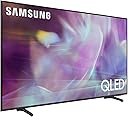
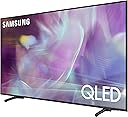
๐บ Elevate your binge game with cinema-level color and smart control!
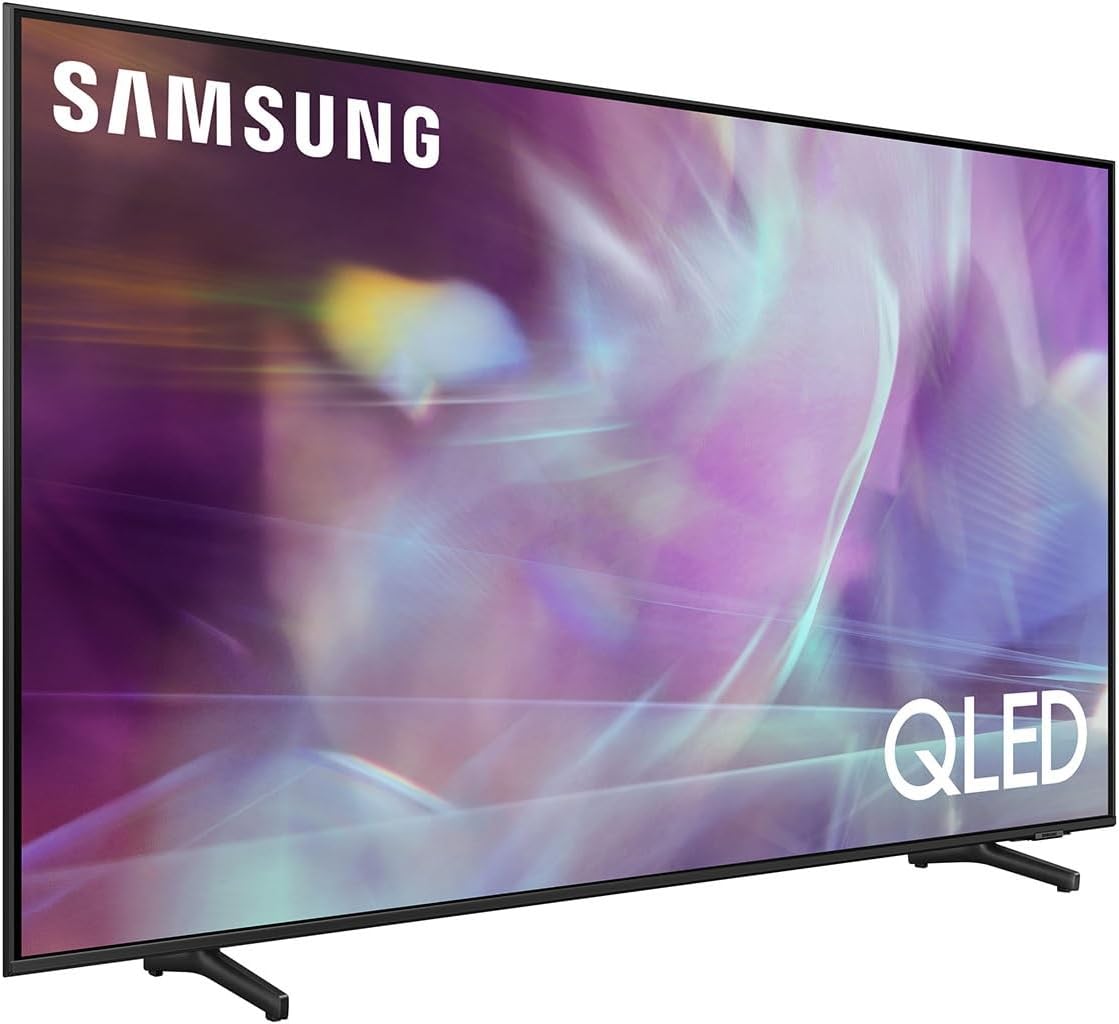
The Samsung 50-Inch QLED Q60A Series TV delivers stunning 4K UHD visuals with 100% Color Volume via Quantum Dot technology and enhanced contrast through Dual LED backlighting. Featuring a sleek Air Slim design and powered by the Quantum Processor 4K Lite, it upscales all content to breathtaking clarity. Built-in Alexa voice control offers seamless smart home integration and hands-free convenience, making it a perfect centerpiece for the modern connected home.


| ASIN | B08VW4GBVJ |
| Additional Features | DLNA, Ambient Light Sensor, Browser |
| Aspect Ratio | 21:9 |
| Audio Input | HDMI |
| Audio Output Mode | Surround |
| Best Sellers Rank | #230,770 in Electronics ( See Top 100 in Electronics ) #259 in QLED TVs |
| Brand | Samsung |
| Built-In Media | Television, Power Cable, Remote, User Manual |
| Color | Titan Gray |
| Connectivity Technology | Bluetooth;WiFi |
| Connector Type | HDMI, USB |
| Content Sharing Direction | Mobile to TV |
| Contrast Ratio | High |
| Control Method | Remote |
| Controller Type | Amazon Alexa |
| Customer Reviews | 4.5 out of 5 stars 2,966 Reviews |
| Display Backlight Configuration | Direct LED |
| Display Backlight Technology | LED |
| Display Language Options | en |
| Display Refresh Rate in Hertz | 60 |
| Display Size Class | 50 inches |
| Display Technology | QLED |
| HDR Format Supported | HDR10 |
| Hardware Interface | Bluetooth, Ethernet, HDMI, USB |
| Integrated Surround Sound Format | Surround |
| Internet Applications | Alexa, Google, Bixby, SmartThings |
| Item Dimensions D x W x H | 9"D x 44"W x 26.9"H |
| Item Type Name | Smart TV |
| Item Weight | 26.9 pounds |
| Line Voltage | 100-240 VAC 50-60 Hz |
| Manufacturer | Samsung |
| Mfr Part Number | QN50Q60AAFXZA |
| Model Name | SAMQN50Q60AA |
| Model Number | QN50Q60AAFXZA |
| Model Series | Q60A |
| Model Year | 2021 |
| Motion Enhancement Technology | Motion Xcelerator |
| Mounting Type | Wall Mount |
| Number of Audio Channels | 2 |
| Number of Batteries | 1 Lithium Polymer batteries required. (included) |
| Number of Component Inputs | 3 |
| Number of Items | 1 |
| Operating System | Tizen |
| Parental Control Technology | V-Chip |
| Picture Quality Enhancement Technology | [YES] |
| Power Consumption | 60 watts |
| Refresh Rate | 60 hertz |
| Resolution | 4K |
| Screen Finish | Flat |
| Screen Size | 49.5 inches |
| Signal Format | digital |
| Size | 50 in |
| Speaker Description | 20 Watts |
| Special Feature | DLNA, Ambient Light Sensor, Browser |
| Total Number of HDMI Ports | 3 |
| Total USB 2.0 Ports | 2 |
| Total Usb Ports | 2 |
| Tuner Type | ATSC |
| UPC | 887276503998 |
| VESA Mount Standard | 100 x 100 mm |
| Video Encoding | HEVC, VP9 |
| Voltage | 120 volts |
| Warranty Description | 1 Year Manufacturer |
| Warranty Type | Limited |
| Wattage | 60 watts |
| Wireless Technology | Bluetooth, Wi-Fi |
J**S
Best TV I Have Ever Owned, Incredible Picture Quality!!
First off, I want to dispell any bad reviews you may read about this TV. The people who wrote them simply don't know how to do an "Expert Setup" on their TV. They obviously think it's "Plug n' Play" and that is NOT the case with any TV, not just this one. All TV's are setup at the factory and are set at neutral settings across the board throughout the TV's range. You MUST know how to properly adjust each individual setting to optimize the picture quality!! These settings are located under >Settings>Picture>Expert Settings, on the TV's menu. Don't be afraid to make some mistakes, this is how I learned! You can always hit factory reset and yes, start all over again!! I know how to do this, I'm very experienced on tweaking TV's. Not to scare anyone, but this one took me the better part of 4 days to fine tune, but man, was it time well spent!! I scanned different channels, waited patiently for facial close-ups, making adjustments, and basically got a good sampling of all types of TV viewing. Doing this, eliminates the need to make minor adjustments with certain programs occasionally. I'm very discerning and picky when it comes to a TV's picture quality. Remember, this is only a one-time fine tuning!! Getting this picky only happens once, it won't be a constant hassle during your TV's lifespan. I have dialed in this TV so well, it's like looking out my picture window at real life action, live. In some scenes the people look lifesize!! Wild!! To the average viewer, you may not want to go as far as I did fine tuning your TV, but if you really want to experience the extreme level of excellence that this TV is most definitely capable of, you will find the time to take my advice and just do it!! I bought the 75 inch screen and mounted it on my living room wall like the masterpiece it is! I'm a firm Samsung believer, their quality and technology is top-notch and world-class!! I bought a full-motion wall mount for my installation. It's rated for TV's up to 130lbs. With a full-motion mount, it makes connecting cables very easy. Just pull it out from the wall and turn it to the left, that's where the USB/HDMI ports are. You can easily get behind the TV by doing this. If you need more USB/HDMI ports than are provided, there are 3, you can buy splitter hubs to turn one port into 2, 3 or more. Just be sure they are 4K splitters. Additionally, I recommend using a Bi-Directional splitter. It allows to either "input one" port, in to "2 output ports," or reverse it to "2 input ports," to "one output port.". (Depending on your specific needs.) These types of splitters are used for connecting other components to your TV. A button on top of the splitter allows you to switch between TV mode, to Blu-ray player or DVR etc. Note: If you're going to mount your TV on a wall, be sure to use a stud-finder to locate the wall studs. DO NOT mount your TV onto just drywall or paneling alone. My wall is thick pine paneling, drywall, and concrete block behind that. I used a 8" concrete drill bit and lag-bolted the mount with lead concrete anchors, directly into solid concrete. It's not going anywhere anytime soon!! I also bought a wireless keyboard and mouse so I can easily access the TV's internet capabilities. With Alexa included, I just say into the voice remote, "Alexa, open the internet." And she opens it to my home page. This is just one example of what Alexa can do, the list is seemingly endless. If you have other smart devices in your home, they can be programmed into this TV and controlled by using Alexa as well. As I write this review I am watching my big-screen as you would a computer monitor or smartphone screen and I have the Pandora music app pumping my favorite music thru my home stereo in the background. For me, this online multi-combination is great for reading/writing emails, playing on Facebook, Twitter, Instagram etc, paying bills, shopping or just browsing the web. And I would be remiss if I forgot to mention the voice remote!! No more batteries to change out! This remote has an indoor solar panel on the back! Bout time someone thought of that! It also has USB charging if you prefer. Its slim design is simple to use and easy to learn. I am simply blown away with this TV! I have it wired into my 1,000 watt per channel home stereo and I'm so glad I live in a cinder block house, not a glass one!! I'm waiting for the day I accidently blowout my picture window!! The combination of the big-screen and my sound system is like sitting front and center at the movie theater. Extremely impressive! For the price, (It was $1497 at the time I purchased this 2021 model,) this TV is an amazing deal if you can't afford the upper class models, such as the Q70's, Q80's or Q90's. One hint for the not so tech savvy. You MUST upgrade your cable box/satellite service to 4K. This TV won't give you a 4K picture thru a cable or satellite box unless you do. Then check your cable box settings to make sure it configures correctly at boot-up and is set to 4K resolution. This upgrade should include using 4K HDR HDMI cables, NOT standard HDMI cables. So consult your cable or satellite service for what you will need to receive a true 4K (3840X2160) UHD picture. One other hint: Double-check your cable box video setting to be sure it configures correctly! Some boxes, even though 4K, will default to standard HD (1080P) or even 720P. If this is the case with yours, scroll to the 2160P setting and lock your picture into 4K. I have deep, rich blacks and bright, vivid colors that explode off the screen and come to life with true to life flesh tones as well. This is the result of the HDR (High Dynamic Range.) Simply put, it enhances brightness, contrast and color levels significantly. I can actually tell the difference between a person in a black suit and a person in a very dark blue one! This tells me my brightness, contrast and color levels are set perfectly. Please don't judge this TV's picture quality by my cellphone pictures and short video! They truly don't do this TV justice. You have to see it in person, and just take my word for it that it's just absolutely incredible! All in all, I am extremely happy with this purchase, and I am sure if you know what you're doing, you can set it up perfectly to your liking. Or if you can't, ask a techie friend you may have, we all know one or two!! Just a quick note: I noticed that it appears that this comment page lists posts from owners with a wide range of TV models and sizes. For the record, I am experiencing outstanding results as I just described with the SAMSUNG 75-Inch Class QLED Q60A Series - 4K UHD Dual LED Quantum HDR Smart TV with Alexa Built-in (QN75Q60AAFXZA, 2021 Model) I can't speak to any other models. I hope your choice is as good as mine was!! Good luck! Jeff Stearns Whitehall, MI.
A**A
Great TV. Great protection. Has payment plan.
I did extensive research to find a good gaming TV for my next generation Xbox. This television is the best hands down for the price. Not only is it great for gaming but the picture quality for movie and shows is great too. Had great audio but after a couple years my TV started having audio issues and started getting dead pixels. I was going to return it because the audio would randomly not work at all on occasion. Luckily I bought the protection plan [ do it, you'd be crazy not to] and they actually credited the 597$ to my Amazon account and let me keep my TV. I was honestly impressed by the protection plan coverage. I expected maybe I'd get it repaired or they'd send me a replacement. Overall the best TV I've ever had. I love everything about it. Even the remote is dope. Great for gaming. Just don't leave it on when it's not being used. I think I payed it off with no interest monthly which was amazing. I had enough to pay for it but it would of hurt my bank account. Being able to pay monthly on this thing was a no Brainerd. Absolutely loved the entire experience with this television.
J**N
Keep on discovering new things about this tv.
I have had this 76 inch tv for 4 months and I use it for everything. It is especially good for gaming. It looks fine with the default settings but I keep on discovering new things about it. When the color temperature is set to standard instead of using a single temperature it combines bot warm and cool, which gives you a more complete light spectrum which not only improves the color, it also makes the screen more brilliant and easier to see. You can use both the internal speaker(which is pretty good btw) and external speakers at the same time, which greatly enhance sound quality, particularly stereo since it gives you a left, right and center like 3 speaker surround sound. The Samsung smart OS is pretty good and supports nearly every app I use except for The CW and PlutoTV, and Samsung TV has an incredible selection of channels and is almost like having cable tv. Game Mode for pc gaming is awesome even though I don't use it myself I can definitely see the advantage to being able to play games in 20/9 or 4/3 aspect ratios. There is no HDR but the color is excellent and you can turn the color all the way up in settings and instead of looking like it is oversaturated it will look just like HDR is suppose to look. All in all I am very happy with this tv and consider it one of the best investments I have ever made.
S**T
3.5-4 stars
Still not sure Iโm keeping the 43โ Q60A for reasons Iโll explain but while I have it, here are my impressions. Sound is HORRIBLE. Near total garbage. I know why - the ludicrous goal of ever thinner units takes out the space for the electronics to drive decent speakers. Plus, knowing most people will be unhappy w/ the crappy sound, consumers will buy a sound bar. Because of how awful the sound is, Samsung is the last company whose sound bar i would consider buying. They should be ashamed. The positive aspect is the picture quality. Itโs very good. All I need anyway. Menu navigation is fairly easy and intuitive. Navigating the menus is done by the remote (or I guess could be done by phone) and the remote is pretty good for that part. But besides that, the remote is nothing to be proud of. Weirdly, uncomfortably small and not backlit. Unnecessarily โsleekโ. Remotes are tactile devices, the buttons on this are far too flush to the surface. All in all, because picture is most important to me, Iโm reasonably happy w/ it but there are other negatives that make it impossible for me to recommend to anyone. Have a sound bar on the way and it that has issues, Iโm returning all of it.
J**N
Ultra thin and excellent picture.
I purchased this Samsung to upgrade our small family room's media setup. The value for the price is excellent. I have read several reviews for TV with a wide variety of opinions on it. Seems like a lot of them are by customers looking for elite quality products at lower end price and are disappointed that it didn't meet expectations. In my opinion this is a quality product. First let's talk about the TV itself. The manufacturers box was delivered with minimal denting to the box. Obviously with a 50 inch flat panel it's difficult to find a shipping box for it so I was prepared for any normal shipping bumps and bruises. The package itself was light enough that my 8 yr old could bring it in with zero issues. Removing the TV from the box and accompanying Styrofoam, I was shocked by how thin it was. You could mount this on the wall and it would be on par with hanging pucture frames. The initial setup was fast and easy. Plug in the power, use the three HDMI spots to hook up your devices and let the setup search for channels. I chose to hardwire mine to my home network using an unmanaged switch because we have a lot of wifi devices running in the house and the demand on the network isn't getting any lower. I don't typically gush over remotes but I will this time. It's small light weight and features a rechargeable battery using solar power or charging port. That's right I said solar, flip this thing over in the light and let it do its thing. It also can be used to control other devices with no problem. There is a bit of a learning curve on using it but it can be quickly mastered. The picture quality is insane. I bought a couple of 4k HDMI cables to try out just how clear the picture could be. During football season I watched a few games on high definition channels and the quality was almost to good and when they switched to high-def cameras during the broadcast it seemed like I was playing a game. I streamed several NHL hockey games and it was like attending a game. I haven't purchased a 4K UHD bluray player yet so I used my Xbox one to try out how it works as 4k player. I had ordered each Star Wars movie in 4k to try them out. The quality was so good it began to approach the level of looking fake. The sharpness and detail during space scenes made it look like models in a special effects shot. In close ups you can actually see the slightest scar or blemish on an actors face. Almost makes you want to lower the quality just to suspend disbelief for a movie. As far as using it for gaming again it just shines. Switching from a 10 year old flat panel to the Samsung 50 inch was like the difference between the original NES and Playstation 5. Playing my sports game was almost like a real broadcast. My kids played Call of Duty WWII and the storming of Omaha Beach was like watching Saving Private Ryan's opening sequence. Almost no lag and the backgrounds were excellent. It's a great gaming experience. Odds and ends: I paired a soundbar with it via Bluetooth and had no problems and great sound. The remote even automatically programed itself to control the speaker. There are some different settings that work with to change your viewing experience but I haven't dived into them fully. The smart TV apps seem to work flawlessly when linked to my Netflix and Amazon prime accounts but I use another device for those as well so haven't tested them fully. All in all if you are looking for a mid-teir TV this fits the bill in every way. If you are a serious videophile or audiophile than this will probably be solid but not what you are looking for. For your 2nd, third, or even fourth setup in your home it will do the job nicely.
A**R
Great picture and nice control
Nice picture
S**.
Great Purchase
After 9 months, We are still completely happy with this tv. Picture is great. The sound is great (before we put on surround sound system). There is a little glitch with Hulu that happens that produces an error, I have to unplug the tv sometimes to get it to load, but I feel this is with Hulu and not the tv, and there is probably something I need to do in the settings to fix it. Its occasionally so I just unplug and forget it.
J**O
TV got stuck in an inescapable boot-loop - had to be returned
I had high hopes for this TV after putting a lot of time into researching the different options around this price point. When I first received it, it worked fine - my first impressions were: good picture quality out of the box, didn't require much optimization at all, Smart features are very comprehensive - I liked the way it aggregated content from multiple streaming services. I liked the neat little solar powered remote. The sound, however, was disappointing vs. the 10yr old LG set it replaced - tinny, with hardly any bass - not particularly surprising given how thin the TV is, but I would agree with other reviews that you really need a sound bar for this TV if you care about good quality sound. I purchased a Samsung sound bar and was pleased to see it integrated well with the TV, operating from the same remote etc. All was well until about 5 days later when I turned on the TV one afternoon and it seemed to freeze after just a few seconds on on-time. I restarted the set thinking it was just a temporary glitch, and was disturbed to see that the exact same behavior occured again.... And again... And again... The TV developed an issue where it stuck in a "boot loop" - it would start up, get to the intro menu, but within a few seconds would completely freeze and then restart. There is absolutely nothing I could do to get it to stop this behavior - it was impossible to get to the Settings menu because the TV would freeze before I could navigate to the menu. I tried everything - powering down the set, switching power cords, scoured the internet for any ways of resetting the set, but absolutely nothing worked. Samsung support was useless - all they could offer was referral to a third party service center that likely would have charged me to come and try the same troubleshooting steps I had already done, so in the end I decided to simply return the set for a refund. I since replaced it with an equivalently priced Sony set which has just as good picture and smart capabilities, but with much better sound and a more robust interface. I was disappointed as I really wanted to stick with the Samsung, but the inescapable boot loop issue destroyed my confidence in it, and for that reason I strongly recommend against buying this particular set.
Trustpilot
2 weeks ago
3 weeks ago