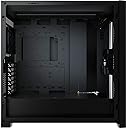
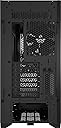
❄️ Build Bold, Cool Confidently.
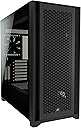
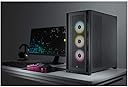
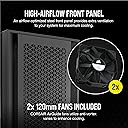
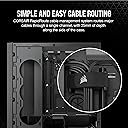
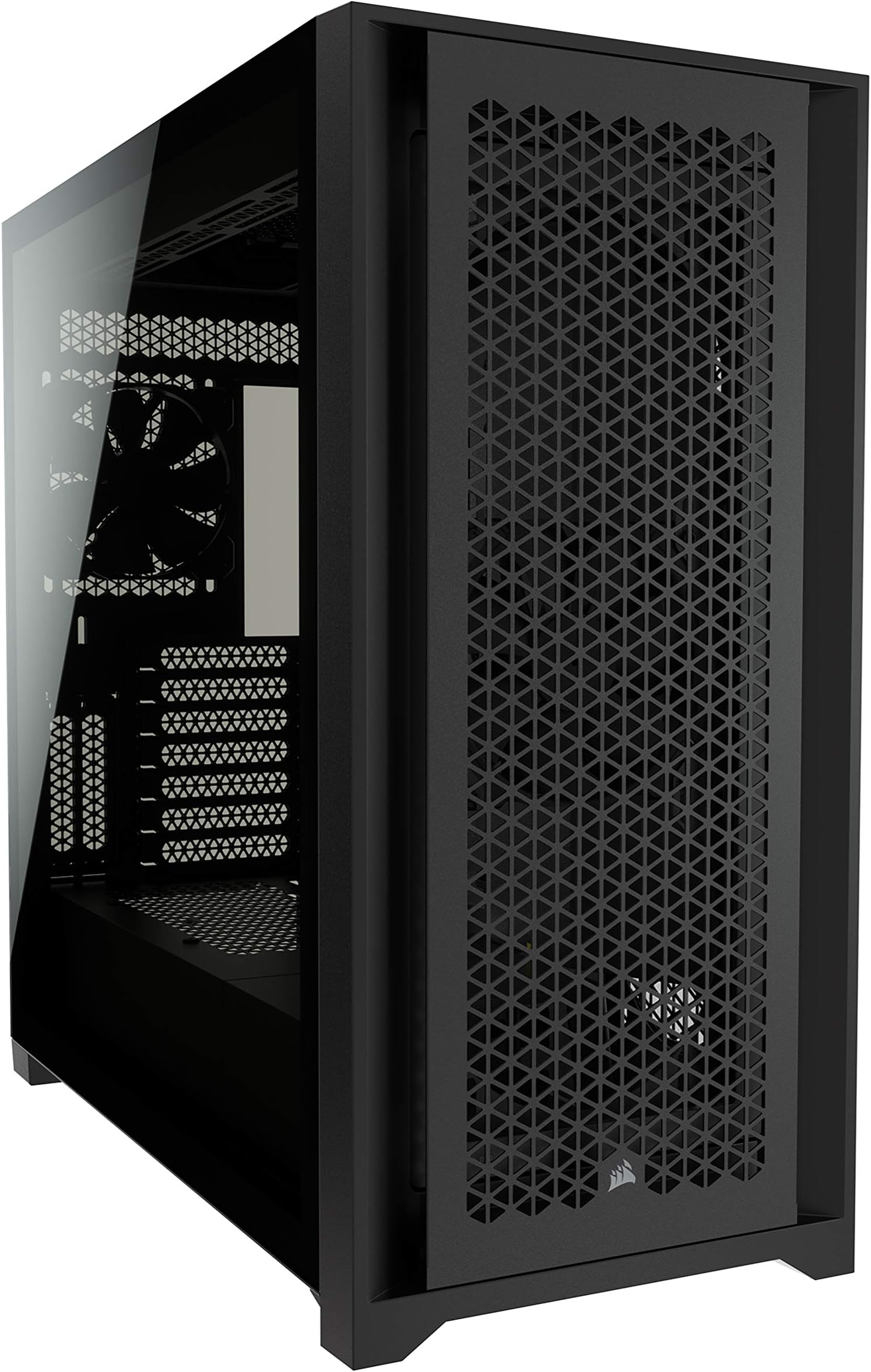
The Corsair 5000D Airflow is a premium mid-tower ATX PC case designed for enthusiasts who demand superior cooling and immaculate cable management. Featuring a high-airflow steel front panel, RapidRoute cable system, and versatile fan/radiator mounting options, it combines functionality with sleek tempered glass aesthetics to elevate any build.


| ASIN | B08M49WW51 |
| Antenna Location | Home Needs |
| Best Sellers Rank | #470 in Computer Cases |
| Brand | Corsair |
| Built-In Media | 2021-01-14T00:00:00.000Z |
| Case Type | Mid Tower |
| Color | Black |
| Compatible Devices | ATX motherboards, ATX power supplies, 3.5" and 2.5" storage drives, PCIe expansion cards, and air or liquid cooling systems with compatible sizes. |
| Cooling Method | Fan/Liquid Cooler |
| Customer Reviews | 4.8 out of 5 stars 5,839 Reviews |
| Enclosure Material | Tempered Glass |
| Fan Size | 120 Millimeters |
| Global Trade Identification Number | 00840006627470 |
| Hard Disk Form Factor | 3.5 Inches |
| Internal Bays Quantity | 6 |
| Item Dimensions D x W x H | 20.47"D x 9.65"W x 20.47"H |
| Item Type Name | Corsair |
| Item Weight | 10.5 Kilograms |
| Light Color | black |
| Manufacturer | Corsair |
| Material | Tempered Glass |
| Mfr Part Number | CC-9011210-WW |
| Model Name | 5000D Airflow Computer Case |
| Model Number | 5000D Airflow |
| Motherboard Compatability | ATX |
| Number of Fans | 2 |
| Other Special Features of the Product | Corsair RapidRoute Cable Management System |
| Power Supply Mounting Type | Bottom Mount |
| Recommended Uses For Product | Home Needs |
| Supported Motherboard | ATX |
| Total Expansion Slots Quantity | 7 |
| Total USB 2.0 Ports | 2 |
| Total USB 3.0 Ports | 2 |
| Total Usb Ports | 1 |
| UPC | 840006627470 |
| Unit Count | 1.0 Count |
| Warranty Description | 2 year manufacturer |
F**A
You won't waste your money.
One of the standout features of the Corsair 5000D is its exceptional airflow design. The front panel features a large mesh surface that allows for unrestricted airflow, keeping my components cool even during intensive gaming sessions. With ample room for additional fans or liquid cooling options, this case excels in thermal performance. The black variant of this case exudes elegance and sophistication. The tempered glass side panel showcases the internal components beautifully, allowing for a clean and organized build. The cable management system is well thought out, keeping the interior clutter-free and enhancing the overall aesthetics. The mid-tower design strikes a perfect balance between size and versatility. It offers ample space for high-end components, including large graphics cards and multiple storage drives. I appreciate the tool-free drive installation, which makes setup a breeze. Additionally, the modular design of the case allows for customization and reconfiguration to suit different build requirements. Corsair has clearly put thought into the assembly process. The case comes with clear and concise instructions, making it easy for both beginners and experienced builders. The well-placed cable routing holes and ample space behind the motherboard tray make cable management a straightforward task. Despite its impressive airflow, the Corsair 5000D also offers a degree of noise reduction. The included high-density sound-dampening material on the side panels helps to muffle internal sound, providing a quieter computing experience. Very good tower, perfect for your computer. I highly recommend it.
P**Y
A perfect BEAST.
Airflow is the word here. It's obviously the focus of this very capable case. If you want maximum fresh air - this is the case. Six intake fans. Four exhaust. The readings speak for themselves. I have a Ryzen 9 5900x that is supposed to stay below 90C. I have yet to see it go above 65. I have a great CPU cooler in the Noctua NH-D15 as well. That is the bottom line. You can keep reading about this build, and what I put in it and why, but you don't need that info to know this is a quality, SOLID case with many options, and lots of attention to detail. Go online and watch ANY review of this case and you can see the accolades from people who evaluate this stuff all day, every day. This is a popular case for a reason. It's a good one. You'll read below about my inexperience with this kind of case and build, yet I had no issues just putting the whole thing together intuitively. The cable management compartment is real nice. You can be neat as you want to, wires showing are wires showing. This case makes it real.easy to hide everything. The single drawback to this case? (If you 2ant to call it that...) It's HUGE. It's just.... Big as hell, and I can't find a piece of furniture made for PC cases that will fit it. It's sitting on the desk right now, while I decide how to deal with this. Make sure you want all this case. It's BIG. 20"X20"X9.5". The rest of this beast is centered around an EVGA RTX 3080 FTW3 10GB, and 64GB 3600MHz, and a Samsung M.2 980 Pro Gen4. The whole package smokes. There are a couple monitors hooked to it now, and I'll buy a proper gaming monitor soon. It will also be used for VR stuff. This is my first gaming rig build. I am an audio guy. I've built many high powered PCs in the past (though it's been a couple years since I have built one for my own house, from scratch,) but nothing like this. The biggest concern I've ever had for graphics is being able to run dual monitors for recording studio software. Memory, processing power and tons of storage is the name of the game in audio PCs. The audio gear that interfaces with those is all outboard, and typically can move from one PC to an upgraded one no problem. The case made this easy. A whole bunch of modern parts I'd never used or installed wasn't an issue or hard. No crazy compromising or going without something I wanted. The case is huge and fits a LOT. This is a whole different thing. I've never built a PC with a case window, lights, or this many fans. I've never had such an insane CPU cooler, or one of these 'second cpu' Graphics Card monstrosities. And I've never had my own machine with an M.2 drive. Oh. And this isn't REALLY for me. It's for my 13 year old son. He is into animation and gaming in these (sandbox?), Minecraft / Roblox user created worlds and characters. The rig he was using was an i3 with a 4GB GPU. Worthless. He is now blown away and I can't keep him off it.. I got the white case and some other white elements, like the side intake fans have white LED rings, and the MOBO has some white and silver elements. I also did one "mod." (Picture/ Video) I put in two chunky, round, white led lights in the case and wired them to the power and HDD LED connections on the MOBO. It's a cool effect. There's lots of room for lights or any other stuff you want to put in for decor.
C**E
Very well executed case. No complaints. Love it.
I have just been so dang happy with this case. The versatility and airflow are fantastic. And it looks soo good. I can't think of anything to complain about. I even have bottom fans feeding my GPU as the base of the case is fully ventilated, as well. Well built, well thought out, refined, and so well executed that I could almost forgive corsair for some of their shortcomings as a company overall.
E**A
Third time is a charm
It took three tries, but I finally received a "Corsair 5000D Airflow Tempered Glass Mid-Tower ATX PC Case - Black" with no damage. First case was used (lower price) but missing many items, second case was new but came with a shattered glass panel. The third was perfect. I wanted to upgrade the review rating ASAP since this is an excellent case and deserves acknowledgement in that regard. I have it assembled with an Asus Rog Strix Z690 E, i9-12900KF, a MSI Suprim X 4090 Liquid GPU with a 240mm rad (top mount) and Arctic 360mm V2 rad for CPU (front mount) with front fans added to achieve push/pull. The PSU is a Seasonic Vertex GX-1200 (strong and quiet). It was a bit tricky but I was able to mount the video card in a normal orientation without inducing any severe bends in the GPU hoses, Consequently, a vertical GPU mounting was not needed. I was able to mount the CPU AIO with with hose end of the rad mounted at bottom. This helps as the air pockets form at the top of rad so with hose at bottom there is never gurgling and the pump never experiences startup cavitation (note pump is lower than that rad top, the highest point). This placement was simplified by (1) arranging the push/pull setup which moves the Arctic CPU rad backwards (a bit closer to CPU) and (2) the large cut out in PSU shroud that Corsair helpfully provides for this purpose. Positioning the CPU rad hoses at bottom allowed for easy installation of the Suprim 240 rad (pull fan orientation) and permitted a total of 3 fans at top. I removed the two noisy/ineffective stock MSI fans from the Suprim rad (I left the original MSI GPU card assembly fan). The system now uses 13 Arctic P12 PST fans which are inexpensive, quiet with excellent airflow. The 64GB of Corsair Vengeance 6600 ram is under a Corsair DIMM fan fixture that uses Noctua NF-A6x25 fans. The Arctic AIO includes a PWM VRM fan and the PSU fan is 135mm PWM. So 18 fans total all PWM. One image shows the system running Cinebench R23 simultaneously with Fire Strike Extreme Stress. The total power draw is 850W which the Seasonic Vertex GX-1200 handles easily. Though there are 18 fans total, the Fan Xpert 4 software in combination with Nvidia bios runs the fans so that in this extreme condition they are relatively quiet. In normal gaming the fans are inaudible. I am not too keen on glass panels in general, so I ordered from Corsair a cable side panel to replace the board side glass panel (Corsair cleverly permits the side panels to interchange). I would have preferred that the board side panel be more fully perforated but it's not needed in this case which provides very adequate airflow. And yes, I paid $15 more to hide the system and the RGB lighting (which is all turned off anyway). The machine is for gaming, not gawking. If what I wanted was to see pretty colors under glass, I'd get a salt-water aquarium. I really don't understand the obsession with glass sides. Even if tempered, if the glass does break it will make a huge mess and will still offer risk to children/pets. A perforated steel cover would be more practical and certainly sturdier. It would allow just as much of the RGB vanity lighting to show through as would the dark glass panel. It should at least be an option. In conclusion, I have learned that buying a used case is false economy. It might be fine to purchase other things used, but considering all the bits and pieces that go into a case, unless you can get a 50% markdown and can tolerate the inevitable missing parts, a new case is the best bet.
E**L
Excellent Case
A great case with lots of room and configuration options. The only issues I have is that it only comes with two fans. That's less money wasted on fans when you swap them out for some nice LED fans, but why include any at all? I doubt many people will use this case with the two stock fans. Another issue is the lack of room around the power supply. If you use the hard drive cage you will have to plug the cables into the power supply before mounting it and then squeeze the HDD cage in. The cage locks into the floor of the case and uses two screws to secure it, but with the power supply and cables in place, you will never reach the one in back. Luckily one is enough. The only other thing I can think of is the clips that hold the side panels on. When the case is empty it is kind of hard to pull the side panels off all at once. Usually you end up popping one clip, then the other, which puts a slight twist on the panel. With the tempered glass on the one side, this makes me a bit nervous, especially with so many complaints about broken glass panels. Once it's built and there is weight in the case, it's not so bad as the case will sit still while you pull evenly on the panel to pop it loose. It would be better if the sides were hinged, but you would have to step up to the 7000D, and I really don't need that much room as I am not doing a custom loop. Other than those issues, it's a great case. Plenty of airflow, lots of options and it's a solid, well built case. It just feels quality. All the air vents have filters except for the rear and if you run the full 10 fans this case is capable of, you can get a nice, quiet, positive pressure system. I added 7 White Corsair ML120 RGB Elite fans and run the 6 in the front at a lower speed to keep them quieter while the one in the back and the 3 in the Corsair iCUE H150i Elite Capellix AIO run a little faster. Seems to do the trick for a quiet case that cools very well unless I am testing and pushing the system to the maximum. But overall I highly recommend this case.
S**N
Good case, but not great
This is a really good case that borders on great. Its a beautiful case that is easy to build in with some caveats that are a bit frustrating. There is a shroud that hides cables to the side of the motherboard. Great idea and makes your final build look good, but running some of the larger cables through it is a pain (24 pin power supply, USB connector). Just a tiny bit more clearance would go a long way. If you need to use the included hard drive tray, working with your power supply just got really tough as well. Luckily, I didn't need it and just removed it. In the grand scheme of things these were minor issue that are workable, but prevent the case from being great. I have no regret with the case, but expected a bit more given how beloved the case seems to be by reviewers. Pros: -Included fan hub was very nice to have -Great cable management support (with a few exceptions) with tons of velcro ties included -Removable front and side fan mounting brackets makes installing fans easier -Lots of mounting locations on the rear of the motherboard trays for SSDs, RGB hubs, etc... -Top of the case designed for flexibility so you can have up to a 360mm radiator with up to six fans in a push-pull configuration if you choose to -Removable door to back of motherboard tray cables allows you to hide the rear cable management -Dust filters at all fan locations except the rear exhaust Cons: -Only two fans supplied in a case designed for high airflow -Hard to remove side fan mounting bracket due to screws placed under the cable management brackets -The shroud to hide the cables only has 1 inch of clearance which made getting some cables through (24 pin power and USB connector) super difficult -The HDD cage mounts directly to the rear of the power supply. I had to remove it to get my power supply cables installed Overall, this is a very good case. Given the price and the hype around this case, I expected a bit more polish and thought in some aspects of it. That doesn't make it a bad case. Just not as great as it could have been.
T**J
Excellent Airflow
First things first... The GOOD: This case has more than enough airflow to keep the latest Intel Chip cool. It's not too heavy even though it's a big case. The air filter screens on the front and top are a nice touch. They seem to be good quality. This case comes with two optional shrouds / guards that you can use to aid in cable management and aesthetics. Nice touch. Keeps everything tidy and neat looking. The tempered side glass panel has a nice dark tint to it. Looks great. The other side has a double side door set up. It keeps the cables snug on that side. Plenty of room for 2.5" SSD drive mounting on the side behind motherboard. This case also has tons of room to mount a CLC cooler on the front or top. You can even mount a push-pull fan set up. The BAD: This case only came with two total fans. That probably won't cut it if you're running a semi-current processor. I had to spend additional money on a set of front fans. The power supply compartment is just a little bit small if you use a 1000 watt or higher PSU. I removed the 3.5" internal HD cage to give more room. Might be a problem if you're planning to install 3.5" drives. Over all this case is a 5/5.
A**Y
Fantastic case
The Corsair 5000D is a fantastic, well designed case with excellent construction and well thought out cable management. It has superb airflow, it's easy to build in, and it looks great. There are multiple, easy-to-clean dust filters, as well as plenty of fan and radiator mounting options. My only criticism is that, like 99% of consumer PC cases today, there's not really a good way to expand beyond two 3.5" spinning hard disk trays. Sure, on gaming rigs, it really isn't needed these days. But it limits the flexibility of the case for those who might want to convert it into say, a NAS server, after the hardware becomes obsolete for gaming purposes. Otherwise, this is among the best ATX computer cases.
A**S
Almost the perfect case.
The 5000D Airflow. I don't think I've ever worked with such a great case in all my years. Honestly this case is full of good ideas and good execution, from dust filters to fan mounting to rad support. I squeezed a thicc 360 Corsair XR7 into the front a 240 XR5 up top and this thing runs cool as ice even when my 3080 is pushing 400W and my 10600K is flying high at 125W. Excellent cable runs in behind and plenty of depth behind the panel make this a dream for cable management. Lots of room to expand, even vertical GPU mounting is possible. If I had to have a gripe or two.... Maybe a fan splitter would be a nice addition, and some more space up top. I really wanted to mount another 360 rad up top, but I just couldn't squeeze it in. If the top was maybe a half inch higher and the case a half inch longer it would fit two XR7s. Also the included Corsair fans are garbage like usual. I swapped them out for some grey Noctuas up top and Cooler Master RGB Sickleflows in the front. Otherwise this case is brilliant. The glass is gorgeous, the paint is good quality, the plastics are slick. Good job Corsair, you earned my money this time.
A**Z
Tour incroyable
Le boîtier est magnifique classe et bien ventilé
タ**ス
思ったより
前面に3個、側面に2個吸気FAN、後ろに排気FAN1個、上方排気で簡易水冷の360mmラジエーター三連FANを取り付けて使用しています。 床から少し離して設置していますが、エアフローが良さそうな反面で埃が気になるかな?と、当初は思っていました。 しかし、目の細かいフィルターが前面側面に付いているおかげで、中には想像したより埃が入り込まず良好でした。 ただ、従来形式の電源を設置するとアクセスが悪く、1000wなどの大きいサイズを設置すると劣悪になります。 設計の思惑通りに、側面にコネクタが配置されている電源であれば、良好なアクセスが期待できる。 それ以外の電源は少し苦労します。
S**N
best airflow cabinet ever
good for high end setup, big size, colourful, everything is perfect.
K**N
Great upgrade over 4000d airflow! Great value and quality for the price!
Rating: 5/5 Price when purchased: £139.99 Pros: - Exceptional value for the price point. - Prompt and secure delivery with meticulous packaging, nestled in foam and safeguarded with transparent foil. - Significant enhancements over the 4000d airflow model, including a glass door feature and an adaptable internal layout. If your initial component arrangement isn't optimal, the flexible inner walls make adjustments a breeze. - Perfectly accommodates the MAG Z790 TOMAHAWK motherboard. - Inclusion of 2 fans and a fan controller enhances its value proposition. - Maintenance is straightforward with easily detachable nets ensuring cleanliness. Cons: - Its weight (13.84kg / 30.51lbs) can be a drawback for those considering mobility. I initially contemplated transporting it from the EU to the UK but ultimately chose to purchase a second unit for the UK. I've always been partial to Corsair cases, having previously owned the 4000d airflow. Transitioning to the 5000d airflow feels like a significant upgrade. This model boasts an array of detachable compartments, increased easy-to-clean airflow nets, and the added functionality of a hinged glass door. The design is accommodating, allowing for greater ease when setting up, particularly when connecting cables and fans. Aesthetically, the case is a stunner—sleek and modern. It's refreshing to see such a refined design at this price point. My initial reservations about fitting the Z790 TOMAHAWK were put to rest—it integrates seamlessly.
Trustpilot
1 month ago
2 weeks ago