Desertcart purchases this item on your behalf and handles shipping, customs, and support to USA.
๐จ๏ธ Print Fast, Print Smart, Stay Ahead of the Pack!
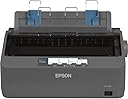
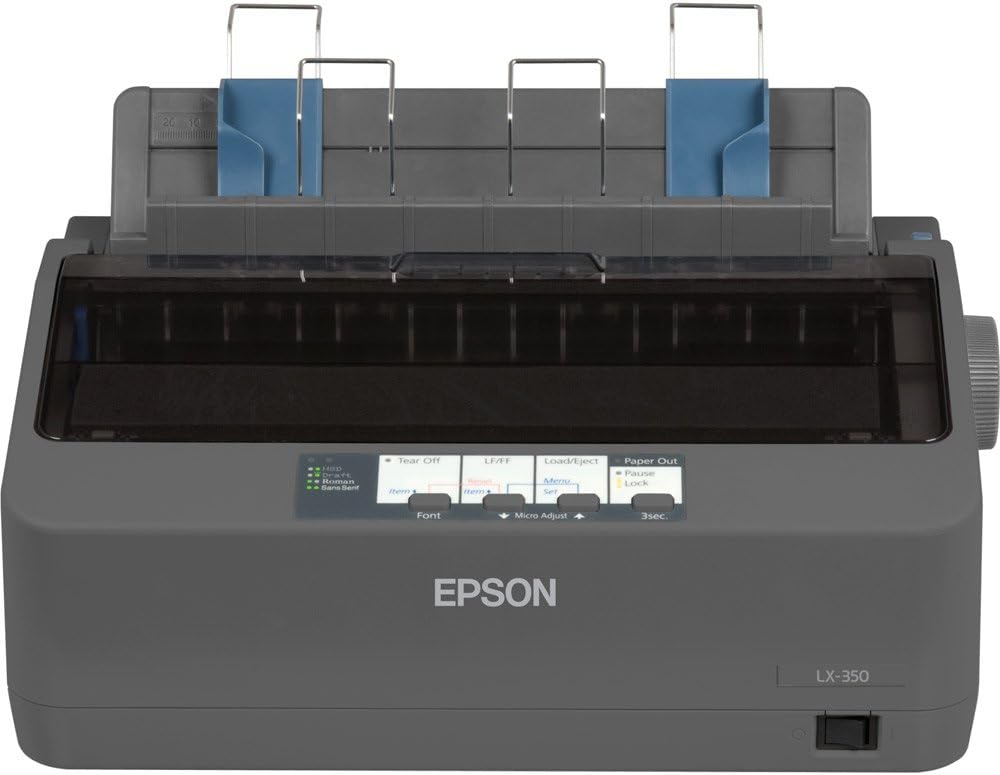
The Epson LX-350 is a robust 9-pin dot matrix printer delivering up to 347 characters per second with versatile USB, parallel, and serial connectivity. Designed for high-volume office use, it boasts a 10,000-hour MTBF for exceptional reliability and an Energy Star rating for low power consumption. Its compact design fits perfectly in professional environments needing continuous or multipart stationery printing.
| ASIN | B00EUEDLWG |
| Additional Printer Functions | Print Only |
| B&W Pages per Minute | 6000 |
| Best Sellers Rank | #5,478 in Computers ( See Top 100 in Computers ) #1 in Matrix Printers |
| Brand | Epson |
| Built-In Media | Power Cable, User Manual, Ribbon |
| Color | # gray |
| Color Depth | 24 bpp |
| Colour | # gray |
| Compatible Cartridge | 4000000 characters Black Draft |
| Compatible Devices | Laptops |
| Connectivity technology | USB |
| Control Method | App |
| Customer Reviews | 4.1 out of 5 stars 89 Reviews |
| Dual-sided printing | No |
| Duplex | simplex |
| Global Trade Identification Number | 08715946522043 |
| Hardware Interface | Serial Interface |
| Ink Color | Black |
| Is Electric | No |
| Item Weight | 4100 Grams |
| Maximum Copies Per Run | 500 |
| Maximum Copy Resolution Black and White | 240 dpi |
| Maximum Media Size | A4 |
| Maximum Print Resolution Black and White | 240 x 240 dpi |
| Maximum Sheet Capacity | 100 |
| Model Name | LX 350 |
| Model Number | C11CC24001 |
| Model Series | LX-350 |
| Model name | LX 350 |
| Number of Drivers | 3 |
| Number of Trays | 1 |
| Other Special Features of the Product | Energy Star |
| Output sheet capacity | 100 |
| Paper Size | A4 [NA] |
| Power Consumption | 27 Watts |
| Print media | Paper (plain) |
| Printer Connectivity Type | USB |
| Printer Output Type | Monochrome |
| Printer Type | Dot Matrix |
| Printing technology | Dot Matrix |
| Processor Count | 1 |
| Resolution | 240 x 240 dpi |
| Series Number | 350 |
| Special features | Energy Star |
| Specific Uses For Product | Office |
| Total Usb Ports | 1 |
| Unit Count | 1.0 Count |
| Wattage | 27 watts |
M**A
Nice product
Nice
A**S
Works great, and works on Mac, but CUPS driver sucks
The printer works on Mac and Windows, but it's a little quirky to get working through no fault of the printer. On the mac you have to manually set it up as Epson 9 pin, which uses the cups drivers (from linux). For windows, it includes a driver disk. You then need to set the highest resolution in the printer settings advanced options. I had no problem getting it printing on the mac, but found if I printed directly from chrome, the quality was terrible..not readable. If I printed directly from a web browser on windows, the print was garbed and page size completely wrong, even WORSE than on the mac. This has nothing to do with the printer and everything to do with the applications. Saving an image to the desktop and printing with the system dialog showed much better quality for both mac and windows. Printing plain text directly to the printer (bypassing the device) using lp -o raw filename.txt shows that the print quality is actually very good. Printing from applications such as notepad or textedit worked fine and the text was crisp and clear. So there are some issues with some applications which prevent it from printing as well as it could. To be fair it's not claimed to be supported on the mac, so I am happy just to be able to print to it. I print a lot of code, manuals, etc and don't want to waste toner on my laser printer for temporary printouts. For printing large amounts of data cheaply which doesn't need to look pretty you can't beat a dot matrix. Attached is a photo of raw text printing using lp -o raw filename.txt and also a photo of the same text formatted by the print driver using lp filename.txt. You can see the raw print is much smaller and sharper. One other issue is that you cannot print PDF labels correctly because the bar codes are unreadable. This is the fault of the CUPS driver, which seems to be trying to print greyscale by dithering even when the image is monochrome. I've tried converting the image to black and white (1 bit) TIFF, and still when I print, the bars are dithered and not solid. This is pretty frustrating because it's the only thing holding this printer back from being my daily driver printer. If I could just print labels correctly I'd safe myself a ton on Laserjet cartridges. The printer has the resolution but the cups drivers (in this case Apple's version) prevents it from working correctly. Tested in MacOS High Sierra, Catalina, Big Sur, and Windows 7.
L**O
Golpe
Golpe
R**N
Great printer
Have a vintage computer system and needed an old school printer to go with it. Most new printers only have USB and I needed old school parallel port connection. This one works great. Ribbon was dried out but sewing machine oil can be used to revive it back to work again. I love this printer! Has tractor feed for continuous paper.
L**E
Works Great! Using it with Python and Linux.
Printer works great! I am controlling it using Python on Linux to print out line-by-line within a program using the Epson ESC/POS commands (with the python-escpos library). Commands are easily sent over the USB interface and the printer works excellently for text. Not as sharp resolution as the old 24 pin dot matrix systems, (so graphical items aren't great) but the built in text/font options are very legible. The biggest trick to getting good text out of it is using the built-in fonts (Linux GUI on its own was not doing this out of box, so blurry text results).
A**R
Excelente producto..!!! El envio tarde demasiado, deben mejorar ...!!!!!
Producto original de gran calidad, lo que deben mejorar son los tiempos de envio. ademas hice una compra por 04 impresoras y la rechazaron sin explicacion alguna.
Trustpilot
1 month ago
1 month ago