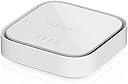
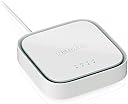
🚀 Stay connected, stay ahead — never miss a beat with LTE backup!
The NETGEAR LM1200 4G LTE Broadband Modem delivers reliable internet via LTE with download speeds up to 150Mbps. Certified for AT&T, T-Mobile, and Verizon, it supports automatic failover to keep your WiFi always on. Featuring two Gigabit Ethernet ports, it easily integrates with any router or device, making it ideal for professionals needing uninterrupted connectivity at home or remote locations.


| ASIN | B08R813HLW |
| Best Sellers Rank | #22,973 in Computers & Accessories ( See Top 100 in Computers & Accessories ) #86 in Computer Networking Modems |
| Brand | NETGEAR |
| Built-In Media | Ethernet cable, LM1200 4G LTE Modem, Quick start guide, USB Type-C cable, USB power adapter |
| Color | White |
| Compatible Devices | Laptop |
| Connectivity Technology | Ethernet, Wi-Fi |
| Customer Reviews | 4.0 out of 5 stars 1,206 Reviews |
| Data Transfer Rate | 150 Megabits Per Second |
| Internet Service Provider | LTE |
| Internet service provider | LTE |
| Item Type Name | Modem/Wireless Router |
| Item Weight | 0.39 Pounds |
| Manufacturer | Netgear |
| Maximum Downstream Data Transfer Rate | 150 Megabits Per Second |
| Maximum Upstream Data Transfer Rate | 150 Megabits Per Second |
| Mfr Part Number | LM1200-100NAS |
| Model Number | LM1200-100NAS |
| Modem Type | DSL |
| Number of Ethernet Ports | 1 |
| Number of Ports | 2 |
| UPC | 606449152166 |
| Unit Count | 1.0 Count |
| Warranty Description | 1 year warranty |
W**A
LTE only, but works great!
My wife works from home 100% now. That means it's MY job to make sure she has100% uptime. Our cable is very reliable, but it does sometimes go out at the most inopportune times so I was looking for a backup to get us through a day or so if we lose wired connectivity. Enter the NETGEAR 4G LTE Broadband Modem (LM1200). Right out of the box it worked with a T-Mobile hotspot SIM that I picked up at my local store. There's no WiFi on the LM1200 which is great, because it's not what I was looking for. If you want an LTE WiFi hotspot, there are a ton of other choices out there for you. Think of the LM1200 more as a cable modem with some very rudimentary routing capabilities (which can be turned off.) We're using Ubiquiti equipment on our network at home so I needed something that would interface with that. The Unifi Dream Machine (UDM, non-pro version) doesn't offer failover capability so the LM1200 fits in perfectly by slipping in between our cable modem and the UDM router's single WAN port. When the cable goes down, the LM1200 kicks into action and seamlessly changes the connection from our cable modem to its built-in LTE modem. When the cable comes back up, it switches back. Exactly what a UDM owner wanting failover is looking for. Having said that, the LM1200 also works well with the Unifi Dream Router 7 (UDR7) that I recently installed. The UDR7 does include failover capability between its two WAN ports and takes care of the switching on its own. In this use case, you would turn off the failover function on the LM1200 and simply attach it as another modem on the UDR7's second WAN port. Of course you still have the option of letting the LM1200 do the failover for you as mentioned above and then switch that second WAN port on the UDR7 to be another LAN port. Your choice. My only gripe with the LM1200 is that it's LTE-only. Don't get me wrong, that's fine. I knew that going in so I'm not going to take away anything from its rating. But this is 2025 and it's about time for NETGEAR to have an upgraded version that has the same capabilities but using 5G. I'm pretty sure NETGEAR knows that which is why the LM1200 is being sold for a reasonably low price. I'm perfectly happy with the LM1200 while I wait for its successor.
J**R
Fully Off Grid
So first I'm fully off grid out here, the nearest utility is a mile or more down the road and that's just power and a phone line. Everything I have comes through an larger/upgraded antenna whether it be TV, FM, LTE, ham radio. So I know an thing or too about how to get the most out of the signals in the air around you. Pros: Price Wall mountable(86mm hole spacing) Small Easy web interface Easy setup External ant ports if needed Cons: -Uses USB C as a power source. (Needs a wall adapter vice a normal 12volt source like most routers and my booster, ideally I would wire it directly to my campers 12 volt system which remains powered if ACpower to the camper is lost.) -Internal antenna doesn't do well in low signal environments. -you must connect directly to it via Ethernet to view the settings menu on a computer. Can't connect from PC>router>lm1200. Has to be PC>LM1200 It just happened that I was on a hill that can just about get decent service from band 13 LTE on a tower 5km away from me even know the cell tower antenna barely faces my direction. So I got a booster that can boost that band. All good. Great useable speed from my phones hotspot buuuttt I needed a wired connection, I wanted Ethernet for some equipment I have so enter the lm1200 Netgear cell booster. Very cheap at 110 dollars. Picked it up from an Amazon locker in town and walked right into Verizon store without even taking it out of the box. They scanned the IMEI number and confirmed that they could probably set up a SIM card even though he had no idea what I had in my hand and had never done it before. Probably 5 minutes later we were powering up the unit with a new SIM card and it was online 2 minutes later after initializing a connection. I ran home and powered it back up and bam, connected to cell tower(via my booster) and I ran a temp line directly to my PC and it worked perfect. Pings range from 40-100ms for me so you ain't gonna game on this bad boy but anything else not time sensitive will do fine. So in my video you see I run it into a normal wifi router, this allows me to have multiple ethernet ports for multiple things and it allows me to have both a 2.4 and 5.0 Wi-Fi band like a standard household would, which allows visitors without cell service to still connect to something. The same thing that you would do if you went to a friend's house and you didn't have cell phone service. So my first impression is that the internal antenna of the LM 1200 is fairly terrible because I can only get up to around 10 megabytes per second when testing(in my signal environment), I thought about getting a splitter and connecting the TS9 ports on the back of this directly to the same antenna that my cell phone booster uses, but I'm willing to try the $7 whip antennas you can buy for this that just plug right into the back and I'll update this and let you know how much speed I get just by adding those two little whip antennas. If those don't work, they sell a coax type f to ts-9 splitter that I can use to connect this lm1200 directly to my cell phone booster antenna you see in my video. So the data for the nerdy people: -I can get near full bars which means -70db signal on my pixel 6 when located at the same spot as this product and this product gets 70 db(viewed on the web portal) - With my cell booster OFF, I get about -115db on my phone and -115 on this device. -So the cheap Amazon booster works great when set up properly even with stock antennas. That translated to about 20-30 down and 5-10 up on my phone using the boosted LTE. -BUT when doing speed test on my computer when using this product I only get around 6 down and 2-5 up at the time of testing These speeds change with network/tower traffic of course but I think its interesting that the speeds can be so different from 2 devices that are using the same carrier and cell band and have about the same signal strength so I'm going to call my carrier and present this data as i suspect they are messing with my speeds. Other details, 70 bucks added on my bill for this extra "line" and 150gb of data...
G**H
Web user interface is in HTTP and available from public IP address, a serious security concern!
Infrastructure engineer here (I work with large-scale computer networks and servers) so I apologize in advance that some of the terminology used may be beyond layman's terms. Firstly, I should state that my "Wifi signal" rating in this review was reflective of the LTE wireless connectivity for this device. It has no other wireless connectivity. I am using the LTE modem with an external dual-interface antenna, and the signal is still terrible when compared to the USB LTE modem this replaced, from the same location, using the same antenna. Secondly, I will state that I am not utilizing or depending on the "LTE fail-over" functionality of this device at all, it is only being used to supply a second internet connection to a second WAN on my firewall which is handling the fail-over itself. I am writing this review after having spoken with Netgear support at length regarding the concerns I will describe below. Needless to say, their first "answer" for my concerns was that "this is a home product, not a business product." To explain why I purchased this product, it was meant to replace my existing, soon to be retired Sprint EVDO Netgear LTE modem that was already connected through USB to my firewall to provide LTE fail-over in case of loss of connection through my primary internet. Yes, with Sprint having been purchased by T-Mobile, it was decided they would retire the Sprint EVDO network in favor of the GSM network. As such, my novel solution (since there appear to be no LTE USB modems for my current carrier) was to purchase the LM1200 and attach it to a data-only SIM on my wireless account. A simple enough solution in theory, or so I thought. But that was before I received, updated, and configured my LM1200. Given that the LM1200 is designed to be placed in front of your router/firewall, I would have expected the LM1200 to have the ability to configure the web GUI to use HTTPS rather than the HTTP that it operates in (you cannot). I also would have expected the ability to disable web GUI access from the LTE and WAN interfaces, you know, to prevent people from logging into the LTE modem management interface from the public internet. I think the chat transcript from my Netgear support sums this up the best: Bradley F: May I ask what is the purpose of enabling https only? Me: To prevent my configurations and credentials from being passed to or from the device in clear/plain text? Bradley F: I see, for home modem they are only with Http and for prevention, you must keep your credentials as secret as possible Bradley F: We do not have business equivalent for a LTE modem Me: Really. What is the solution then for a business who needs an LTE modem to place on a secondary WAN interface of a firewall for fail-over? Bradley F: We only have BR200/BR500 and Orbi Pro NOTE: These are firewalls, and do not list LTE connectivity as options. Me: If I tried to install this product in that way for a business, I would get fired if they understood how insecure it is! Bradley F: but those are already routers Me: Yes, and I need specifically an LTE modem to augment the business-class firewall I already have. Bradley F: Unfortunately we don't have business LTE modems Me: Wow... Bradley F: Sorry about that Let me explain it to you another way. You can login to the LM1200 device using its public IP address assigned to the WAN or LTE interfaces. Because the LM1200 uses HTTP instead of HTTPS, data sent to or from the LM1200 is not encrypted. When you login to the LM1200 from anywhere, the interface is presented entirely in HTTP, meaning your config and password are sent in plain text (clear text), and could potentially be "sniffed" by anyone who is also on the same . I don't think you will be able to see my image names when this review is posted, but there will be only a few. Look for the one that is a list of public IP addresses. That image shows a network scan of the /24 subnet to which my public IP address belonged. Ideally, you should not be able to scan for and find the addresses of other devices on your ISP's network, but in my case, you could. This also means others on the same network can scan/monitor you and possibly capture your credentials when you enter them. "Screen Shot 11-03-21 at 04.47 PM.PNG" I feel, given their choice to make the user interface HTTP, that users should be able to disable or enable the ability to login from any interfaces to prevent such snooping. It is bad enough that Netgear has already saved invaders the trouble of guessing a username (there is none, only a password). As an edge device, the LM1200 should have been released with security in mind, regardless of being a "home" product. I myself have not encountered a network device that offered only HTTP for its configuration interface since the early 2000s. Here we are in 2021 with Netgear's latest offering for an LTE modem, and it appears to have been designed with less security in mind than a Chinese government-issued web chat client. Is it that Netgear doesn't think home users are subject to hackers, script kiddies, and identitiy theft? I assure you, they are, and Netgear should have better security on this from the start. I would also point out that there are some concerning entries in the config file if saved from the LM1200. There is only one account on the device so far as I was able to discern from the web interface. However, even though I changed that one password on my device, there existed still the following line stored in the unencrypted config. Take that as you will: "webd.ownerPassword=1234" As such, until Netgear adds the ability to enable an HTTPS user interface (as they have on mose of their other home/business firewalls and routers) and the ability to limit or disable login access to the LM1200, I cannot in good conscience advise any home or business user to purchase or use this LTE modem as it now exists. Even if a user also intend to place the modem behind another firewall, it would only protect you from would-be hackers for your Ethernet WAN interface (and only while that WAN interface is active). There is no way to protect yourself on the LTE modem public interface!. My device details are listed below, and I will revise this review should Netgear correct these security concerns. Firmware Version: EC25AFFDR07A09M4G App Version: NTG9X07C_20.06.09.00 Web App Version: LM1200-HDATA_03.03.103.201 Hardware Version: 1.0 2021-11-15 Addendum, I had asked the question of the manufacturer, "Will Netgear allow users to prevent login from public ip interface? since the gui is only http, this is a security concern. looking for mfg answer." and received the reply back same day, "Remote access to the modem is off by default, so the admin Gui would not be accessible from the public IP address." I am not entirely sure how to respond to the manufacturer's reply, but I have some screenshots (see attached) from my own modem that would indicate remote management IS possible from the public IP on the LTE interface. I did nothing that I know of to enable this, and if there is an undocumented way to disable it, I would really like to know how.
C**S
It is good at what it does. You will need to research first.
Seeing a lot of reviews saying this didn't meet expectations and people returning the LM1200, such as not broadcasting Wi-Fi or not working with this and that carrier. I'm about half and half on that, I can see why some would be frustrated but I also feel like this is a product that before you sink money in to you need to do your homework first, and know exactly what you are wanting to do with it. My use case is utilizing the failover feature on my Tp-link ER605 handled by my Omada controller. The LM1200 does have built in failover but I'd rather have my gateway handle that, and my ISP has me set on a public static IP so I wouldn't be able to get an address through DHCP like many consumer Internet lines anyway. For this it works perfectly if my primary fiber WAN goes down - averaging around 25 - 30 seconds, I'm back up with Internet no problem. Once the ER605 is utilizing the LM1200, my LAN equipment (switch, access points) continue on like nothing happened. Phones, computers and servers just plug away. At first I had some issues with using a Verizon SIM pre-pay card in bridge mode, spent half a day trying to figure out why that wasn't working until finding documentation that Verizon does this intentionally with that mode, allowing one endpoint only and killing the connection any time another device is introduced. However on the LM1200, there is a router mode. Turning this on, turning off DHCP and telling my gateway to utilize the next WAN at so-and-so address when fiber dies, everything works as expected. Bridge mode can differ from other carriers, such at a T-Mobile card I tried worked just fine in bridge mode. Sadly, one objective I wanted to accomplish was utilizing Dynamic DNS to my purchased domain name, and having my VPN available from outside to connect in to my network if fiber went down. Indeed VPN works as expected on fiber, but in order to make bridge OR router mode work the LM1200 introduces Double NAT and even though there is a built in port forward, DMZ feature etc. it seems like connecting in is not possible. At least with my Verizon card that is the case. I've heard you can start a business, provide Verizon with a tax ID and pay $500 for a static WAN IP, but I think I'm good on that end. I also tested this with T-Mobile as well specifically in bridge mode, but still could not connect in. You can take a chance if you are a business and are willing to pay for a static IP, but at that point carriers likely have a sales rep that want to sell you their gear and will plug their ears before you can say the word "Netgear". I could go buy the best, most expensive LTE modem and still run in to this issue, so I'll stick with the LM1200. Plugging in a $20 antenna set and setting them near my window, I get full bars on Verizon. This device is 4G sure, but I'm still pulling speeds around 50 - 60 Mbps which is great considering this is a pre-pay SIM and I'm not on some crazy post-pay plan. I intentionally tested failing over during a work Zoom meeting, about a second of people talking sounding "glitchy" and the LTE kicked in just fine, conversation carried on as normal. I could see this being a God send for mobile / remote users. Grab a SIM with the best frequency in your area or cost per GB, get a proper antenna and go to town. In the city I have choices with carriers and Verizon happens to be my best one here, and this gives me peace of mind that in an emergency or my fiber line going out I can continue working from home as needed.
T**0
Pretty good, but the firmware lacks some features
Been working fine with Visible (Verizon) for the past 8 or so months of constant use. The connection seems about on par with my old Pixel 3, but I haven't done any detailed analysis on that. The internal antennas seem to work fine, so I have yet to try external ones. The status lights could be a little better. I've had a bit of a hard time telling orange from red at a quick glance and it can be a little annoying when trying to quickly find a decent spot for it. Using in bridge mode is a bit annoying due to the IP changing constantly, so its usually in Router mode despite a double NAT. The firmware settings are not that great compared to a regular cable/DSL modem, but way better than a phones hotspot settings. Thankfully it doesnt require any accounts to use, unlike some routers, which shouldn't be a feature but now is. Would buy again.
D**L
Great addition
Works great, wanted something to separate my wife’s work computer onto a different network on ethernet. Originally I had an eero network connected to my deco but the extra wifi waves made my 2.4ghz unstable. This really separated my network really well. For wifi my wife uses the guest network on only 5ghz. Now my IOT network is a lot more stable. Couldn’t really find anything like this and the prices made it even sweeter. Loved it so much, bought a second to actually use as a back up. Works really well. Just make sure you actually have a sim or else it doesn’t work. Almost returned mine because of that.
S**O
Works as Intended, but SIM Compatibility Ruined It for Me
The device itself works exactly as intended and seems well built with stable performance. Setup was straightforward, and I have no complaints about the hardware or functionality. Unfortunately, it does not support my SIM carrier, which makes it completely useless for my situation. This is something buyers really need to double-check before purchasing, because carrier compatibility is critical with a device like this. It’s a good product if your carrier is supported — but for me, it ended up being a waste of money.
E**K
Switches quickly from wired to 4G
I use this modem as a backup service in case the router in a second home goes down and I can't restart it. I have a Raspberry Pi connected via a VPN to our primary house so I can SSH into the Pi for a backup connection. It detects that an outage has occurred in less than 1 minute and turns the LAN port on and off so the computer gets a new IP (as is needed when the connection switches). Even when everything is working on the local network except the router is not connected (tested by releasing the IP on the router WAN side) it still detects the connection is down. The speed is not fast being just 4G (didn't reach 150 Mbps with a good connection), it's fine for a backup SSH connection. I'm using a data only SIM from Google Fi so the connection costs me nothing and I also don't expect much bandwidth to be transferred since it defaults to the cable connection when it's up.
R**V
Publicidad confusa
Es una porquería, la publicidad es engañosa te hace creer que este producto genera una red wifi para conectar tus dispositivos inalámbricos pero no, sólo ofrece un puerto ethernet. Es un modem 4G yo lo uso en México con un chip de axios y si funcionó, sólo tuve que añadir el APN del proveedor y funciona muy bien. Lo malo es que tienes que pagar por otro dispositivo router que genere la red WIFI y puedas conectar todos tus dispositivos de forma inalámbrica. Este modelo LM1200 no trae batería ni botón de apagado/encendido tienes que dejarlo conectado siempre a la corriente eléctrica, no lo recomiendo.
D**O
Works on Bell 4G - Awesome backup to Rogers cable internet
Totally plug and play. This shouldn’t be your your primary router. It’s router features are super slim and basic. You use this in bridge mode to act as modem to connect to Bell (or Rogers) 4G for cell internet when needed during an outage of your wired (fiber, dsl or cable). You want a carrier for 4G that is different than your wired ISP. It’s a fantastic hot standby and automatic failover solution if your wired internet goes down. Or your house fiber, phone line or cable line is cut. Imagine voip, wifi, TVs, security, voice assistants, alarms, house automation all working when main internet goes down. It’s a whole house internet backup solution. Super simple to setup - get a nano sim card and ask your cell data provider to unlock it and register the IEMI # of this modem and 5 mins later you are online. You configure it with a PC via an Ethernet cable to the modem. You then connect it your primary router’s spare Ethernet jacks (that you designate as wan fail over in your router setup). You need a router that has WAN failover and preferably failback like many Asus routers. Failover is about 30 seconds and automatic once your primary internet goes offline. Nothing in your house will notice the difference - no rebooting of anything or trying to hotspot to your phone in an outage. Failback on your primary router watches for your wired internet to come back online and auto switch back to avoid costly cell data charges. Failback also happens in 30 seconds or less. This modem also has sms alerts to your phone to let you know you are on backup internet and alerts when data exceeds a set threshold. This plus notifications from your 4G provider that require exception approvals protect you from surprise high cell data bills. In standby mode, a router like Asus sends no data over the lan Ethernet cable to this modem So zero data charges, means you can get a basic $10/mth standby package for 4G online backup. (It will also hunt for 3G if no 4G but those speeds aren’t really useable - so set it to hunt for 4G only). (An Asus primary router could also use this in an actIve wan load sharing mode to increase bandwidth- but that would be super expensive data charges). Speed on this for about a 2 bar reception to cell tower is 50-70 Mbs down and 15 MBs up. There are jacks for extra antennas that don’t make much of a difference unless you put the remote antenna outside. When’s it’s in failover mode, you can logon onto to the admin interface from any lan device or phone to see real time data bandwidth downloaded. Monthly testing is as simple as unplugging the wan Ethernet cable to your wired internet modem from your router.
N**R
Best value 4G modem. Great performance for the price.
This 4G modem works surprisingly well and is affordable. I use it for remotely monitoring a camera system and basic home automation. The area has poor reception and this thing manages to get a usable signal even with the built in antenna. It provides decent performance even at low reception (2-3 bars). It works well enough for viewing camera feeds and PTZ controls.
C**R
works fine but need to change settings
I am giving this one less star because it took me along time to get it to work. The current app version of the router works just fine. I inserted my fido sim card from my phone into the router and it automatically detected the apn settings and connected to internet. I didn't need to change any apn settings however everytime I tried to update the app I got an error, so I decided to manually update the app as the automatic update was giving errors. I went to netgear website and downloaded the latest firmware then uploaded it to router and it automatically update itself however the newest version is not any better as the previous version automatically detected apn settings whereas the new version requires manual input of apn settings, so the upgrade was more of a downgrade, and I advise against it. the previous version also allowed me to connect to sim card using the bridge mode whereas the new version of the app wouldn't work in bridge mode and it has to be in router mode only. the manual says wan doesn't work now and it will be available in app upgrade, this was the reason I updated it; there is no way for me know if wan works in the new updated version of the app, however I did see failover settings displayed in the new version (not sure if this has anything to do with wan functionality) but there is no wan settings in the new version. after spending so many hours playing with settings I figured out how to get eiotclub (esim card) to work with the device. esim cards are great options to save money on data. eiot esim card worked fine after I changed some settings. I did the following to get eiot sim card to work: the router has to be in router mode (not bridge mode) and you have to allow connection to accept roaming by changing the settings from connect all the time (except roaming) to connect all time (with no exception). once these two settings are changed and you add the apn of eiot esim card, you restart router, and it will automatically work. I am going to use this router in my car for my car security systems like wifi cameras, door sensors, and vibration sensors. so if I get an alarm from my car like someone opening the door or hitting my car, I will be notified and I will check the cameras remotely so I can see if a robber is about to do the deed. I could do all that without a monthly subscription, because with eiot esim card I can activate the card remotely with as much as 5 to 10 dollars whenever needed. esim will remain inactive until someone steal my car then I could activate the sim card remotely to see where my car is going and who stole it. one thing to keep in mind is that this device doesn't have any wireless functionality, which means you have to connect it to a router. I do have a pocket size router from tplink that I used with it and it works just fine. initially my tplink router didn't work with it except with the fido sim card, so when I used my eiot sim card it didn't work however after I changed the settings on netgear router from bridge mode to router mode, my tplink router started to work just fine.
G**D
Works with Telus IoT Corporate APN in Canada
After seeing a lot of reviews saying that the Netgear LM1200 [LM1200-100NAS] does not work with Telus in Canada I decided to test it for myself after checking that I could return the device if it did not work. The LM1200 works great with the SIM's I have for a business APN I manage using Telus IoT. I can only assume that the LM1200 does not work with the Telus residential service or that people don't know how to properly set up the device, usually an issue when you have to set a custom APN which is what I had to do to get the modem working with my Telus IoT account. The modem has been working great for me for several days as a failover device and I really like that it can be set to bridge mode which is something that most devices don't offer as a feature. The SIM I'm using in this device has a static IP. I'm not using external antennas and the modem gets 20 Mbps upload and download (all I need) from inside a building with less than ideal signal strength. Since I have no need for WiFi or any router functionality on the modem it makes for a perfect solution for my needs. I can't believe it is so difficult to find devices with these features.
Trustpilot
2 weeks ago
4 days ago