Buy anything from 5,000+ international stores. One checkout price. No surprise fees. Join 2M+ shoppers on Desertcart.
Desertcart purchases this item on your behalf and handles shipping, customs, and support to USA.
⚡ Elevate your workspace with power, speed, and stunning visuals — the dock that means business.
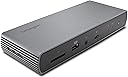
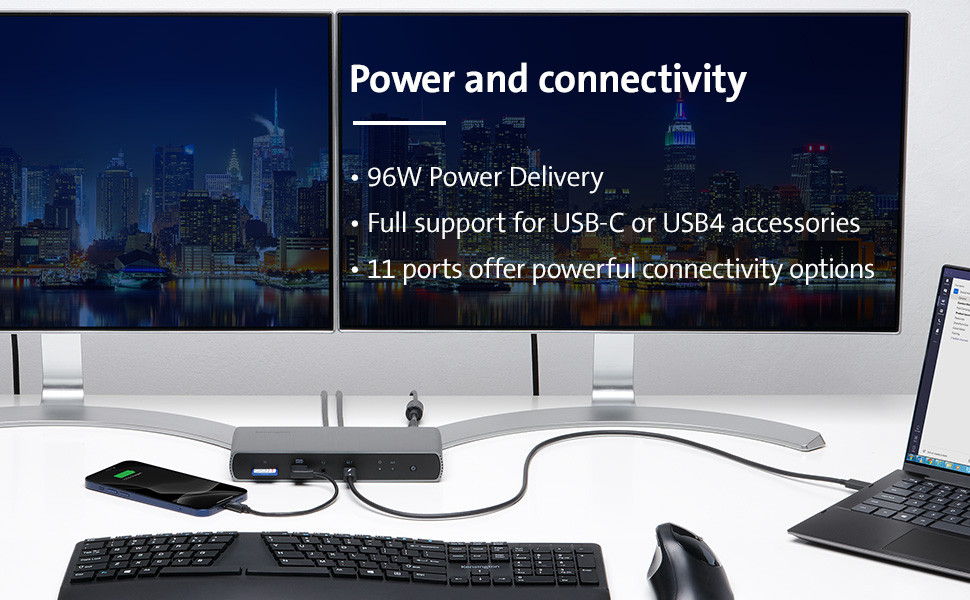
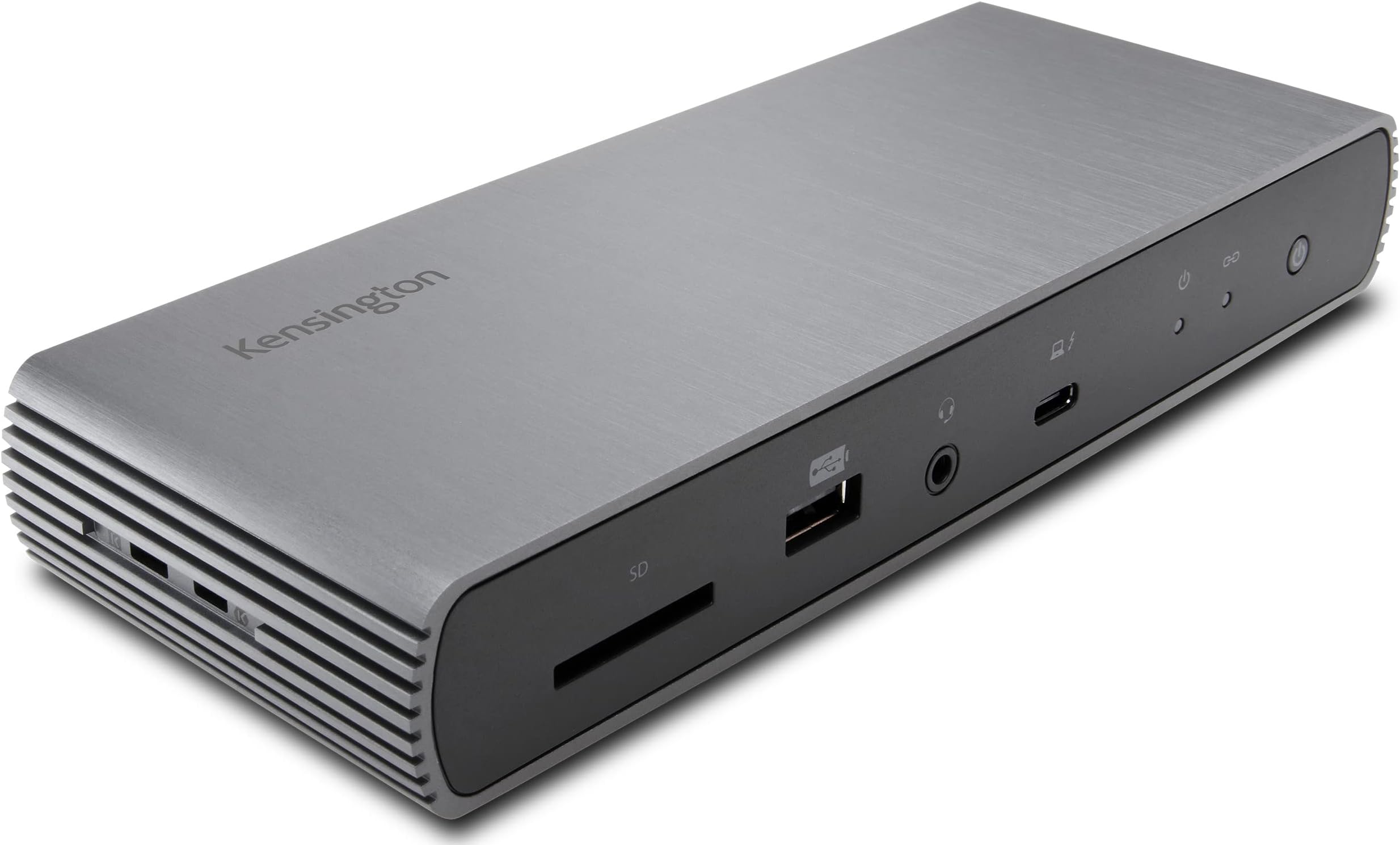
The Kensington SD5700T is a premium Thunderbolt 4 docking station designed for Windows and Mac users, delivering 90W power delivery, dual 4K@60Hz or single 8K video output, and ultra-fast 40Gbps data transfer. With 11 versatile ports including Thunderbolt 4, USB-A, SD card reader, and Gigabit Ethernet, it supports seamless multi-device connectivity and enterprise-grade security features, making it the ultimate hub for professional multitasking and future-ready setups.


| ASIN | B08KRTKX9V |
| Best Sellers Rank | #40,635 in Electronics ( See Top 100 in Electronics ) #471 in Laptop Docking Stations |
| Brand | Kensington |
| Built-In Media | sd5700t dock, thunderbolt 4 cable, power supply |
| Color | Black |
| Compatible Devices | MacBook, PC, Windows |
| Customer Reviews | 3.9 out of 5 stars 442 Reviews |
| Global Trade Identification Number | 00085896351757 |
| Hardware Interface | USB Type C |
| Item Dimensions L x W x H | 9"L x 6"W x 4"H |
| Item Type Name | Kensington SD5700T Thunderbolt 4 Docking Station, Dual 4K, 90W PD - Window and Mac OS (K35175NA) |
| Item Weight | 16 ounces |
| Manufacturer | Kensington |
| Mfr Part Number | K35175NA |
| Model Number | K35175NA |
| Number of Ports | 11 |
| Product Dimensions | 9"L x 6"W x 4"H |
| Smart Home Compatibility | Not Smart Home Compatible |
| Total USB Ports | 8 |
| Total Usb Ports | 8 |
| UPC | 085896351757 |
| Unit Count | 1.0 Count |
| Warranty Description | 3 year |
| Wattage | 90 |
K**.
This dock has no problem when going sleeping mode. Well waked. 180W power enough to supply current.
Today, i got sd5700t, and test all round, i was worried about sleep mode problem, who wrote this. Don't about this problem, I try to make unpleasant environment to meet this problem, for hibernate mode. Well wake up. 180-watt power is for itself operation 90 watt and supply for connect to devices 90watt. The power is enough than other same products, etc. The OWC,. small than 130W. I was fully tested the OWC counterparts, the test scores is thunderbolt 3 controller with extern storages, a little lower for writing speed. OWC score higher for writing speed. but a littler. Yes OWC counterparts also good things, but have no control for sleep mode, so it powers on states, connected all device have consume Energy even no signals. Notebooks goes power off. the Doc work continues. Now only use 1 days. If i find a problem, Tell here. Currently, I find a problem when using USB A port which is located back, three usb port, which speeds 10gbps. When i test speed, very slow and disconnected when testing, the device separated. So i have to initialized. for hardware problem, i will test same H/W dock. Kensington sent another dock, i will compare each docks. I test the dock from exchanged same another dock, find same problem. The problem is related power suppled USB port A, about 900mA. Tested device is extern SSD disk, with 512GB, i guess, USB A port is only used low power devices, for keyboard, mouse, printer, small usb device. I move to the SSD disk to thunderbolt port, then no problem from now. SD5700t have three thunderbolt port 2 port for dual monitor, last for other device for high speed, more power device, extern SSD device. I accept this problem to avoid use USB A port. Thanks. finally, i test LG S8 27inch, 4k monitor to connected DP-ALT mode, Well operate, So I conclude All my tesing is mostly Good, USB A ports a little unstable, but it is the Extern Disk have much eats current more 900ma. thanks again to give me a chance to another same Dock to compare it's operating. More over back to a little money, The Dock discount when i test. I will back to another dock because i finished test. Thinks for Amazon.` My system, notebook is Lg gram 2022,17inch, Intel 12gen, with thunderbolt 4 included. Windows 11 home, Korean. Recently i find this device is unstable and weak at USB A port are, backpanel 3 port and flont one usb 2.0 port, total 4 usb A port have problems, i have to buy new one, i recommand that DONT USE STRESS USB A port if so do lan port will dead,
P**K
Professional pass-through rates with straightforward connectivity
This dock just works. The aluminum body dissipates heat to the point I’ve never felt it. Multiple devices can charge quickly, and it interfaces well with my Studio Display. As far as compatibility goes, each device I have connected gets sufficient current to charge and connect to any peripheral devices. I never notice delays when waking my computer, though there seems to be some lag when connecting an iPad or iPhone to the external display. The included bracket makes this easy to mount in a concealed spot, though it looks nice enough to leave on your desk. Also, it’s compact that the protruding cords take up far more space. My one gripe is the power brick that is larger and heavier than the dock itself.
A**7
Not Mac compatible (read this if you have a Mac)
I have a MacBook Pro Silicon. The Kensington SD5700T device fails to connect to my 2 standard 1080 monitors when the computer wakes up from sleep. I have to turn the dock on and off several times, lift my laptop lid, close it, etc... And then it MIGHT connect. When it finally connects, half of the time the keyboard/mouse aren't working. Forcing me into yet another cycle of turning it on and off. It's really frustrating and a big time waster. Everything works flawlessly when the monitors are connected to the laptop directly, proving the fault lies with the dock. And now for the worst part, the manufacturer does not stand behind the product at all. I've been in contact with their India-based customer support center for the past WEEKS and they give me the run-around. Every e-mail comes from a different rep and they don't read what the previous rep said. They make me go through the same stupid troubleshooting steps every day, asked me and received my invoice several times, feigned misunderstanding the problem, etc. I've explicitly asked for a refund several times and their answer is a new set of troubleshooting steps. So now I'm stuck with an expensive paperweight and I have to buy another brand. If you have a Mac, steer clear of this dock and try the Caltech (I've heard good things about it but opted for this one as it is cheaper- mistake). I'm thinking of asking Amazon to remove that Mac designation because it's clearly not been tested with the Silicon Macs.
T**T
Works great with 2019 iMac
I wanted to add some additional TB ports to my 2019 27" iMac. This unit works great for that use. The unit does not get very warm and has no high pitched whine sound as others have noted. All ports work as designed. The card reader and headphone jack is handy. The port speeds are very close to speeds if a drive was connected directly to my Mac. I would prefer that the front input TB port was at the side or back. Also I wish the power button on the front was in another location as I have hit the button by accident turning everything off then getting the message that the disk was not ejected properly. I did find one odd issue. If I connect my Apple Bluetooth keyboard to a rear USB port for charging the keyboard becomes inoperative. I guess just use the iMac port or the front USB-A port of the hub to prevent this issue. Also you must be using Big Sur or later for this hub to function correctly. I had the CalDigit TS3 plus before but that was not as reliable as this unit is for stability and disconnects and did not have as many TB ports. Update 06-03-2010: I have noticed that the rear USB ports cannot handle much load. When I try to connect certain SSD's in an enclosure they will disconnect or not even be recognized. The same drive connected directly to my iMac USB port works fine. I guess Kensington assumes most will just use the TB ports and leave the USB ports for very light load accessories (e.g. flash drive, etc.). Update 9-13-2021: Now connected to my new Mac Mini M1 and it works fine just as it did with my 2019 iMac.
T**R
Excellent Docking Statioin
I've used many docking stations. Most recently Dell 6000 and Dell WD19 docks. The D6000 uses an internal DisplayLink chipset and driver, and WD19 passes USB-C alternate mode video like this dock. Docks are buggy. They just are. I see the negative reviews about this dock not handling systems waking from sleep mode. Sorry, docking stations just don't handle this well. Full shut downs and restarts allow all the devices to properly initialize, sleep/wake does not. Docks like the Dell D6000 use the computer's CPU to render video to the onboard Displaylink and the signal is compressed. They tend to slow down systems because the dedicated GPU isn't used - however they are truly universal. The WD19 was great (and is direct-competing product) until Dell's May 2022 firmware update broke it. It won't pass video now and Dell hasn't fixed the problem. And I constantly fought with it not initializing, having to restart my Dell laptop again and again. The Kensington Dock is great. It doesn't require any specialized drivers, it has more than enough expansion ports - in fact, I was able to eliminate my USB 3 hub because now I have plenty of ports. At 90 watts, this provides plenty of charging power (although Dell systems will only recharge at 65 watts from non-Dell docking stations). My only gripe about this is the metal case. The edges are sharp. The moment it came in contact with my monitor base it scratched it. Be careful or you could end up with a scratched desk, scratched equipment... The metal enclosure keeps it cool, which is the point, but the corners will tear your stuff up. But this is an effortless docking station. I'm in IT - I'm using a 38" QHD wide screen monitor and diverse equipment, and have tried four different laptops (three Dell and one HP) and it just works.
J**E
Works well witth M2 Macbook
I'm using this with an M2 Macbook to make an easy 1 wire connection to monitor, charging, external drives and other peripherals. I'm not exactly a power user, but this hub does exactly what I'm looking for. Fast connect/disconnect, everything working within specs. Nothing to complain about. Things I like about that are missing from many other hubs: - 3.5mm audio jack (this is a must for me) - power button - charges from usb ports when computer isn't connected (my work hub does not do this - WTF?) Speaking of the work computer - this works just as well with my Windows 10 laptop as the Macbook. The only negative I'll say about this hub is that the dedicating USB "charging" port on the front of the unit actually charges very slowly. Both the USB-C and USB-A ports on the back charge normally, but somehow the dedicated charging point on the front is useless. Not a big deal, but I will mention it. My only concern (as with all modern electronics) is longevity. If this thing breaks, I'll update the review, but until then, I'm happy with this product.
D**N
Versatile and Perfect!
I love this unit. Right out of the box and onto my desk; I plugged in a bunch of stuff and everything worked perfectly. I was nervous about this because, like when tuning up an old car, you never do all of the spark plug wires at once, so that if there's a problem, you know immediately what it is. You would do only one at a time. Luckily, it didn't matter here. I bought all new stuff and wanted to see if the technology would work for me. I plugged in two new monitors using usb type-c male to HDMI type-A male cables, an ethernet cable for my internet, a mini-usb for my new wireless mouse and keyboard, a usb type-A for my printer and then ran one Thunderbolt-4 cable to my new Lenovo Windows-10 notebook computer. I plugged the power cable for the Kensington docking station into my power strip and held my breath. I haven't felt so relieved in years. Everything fired up and I was ready to start working. I did have one anxiety causing issue with one of the monitors blacking out randomly for a few seconds at a time, but it turned out to be a defective usb type-C to hdmi type-A cable. Again, that's why we did one spark plug wire at a time back in the day. Through simple trial and error, I was able to isolate the problem to the defective cable (which was brand new) and Amazon replaced it. I'm glad I shopped as long as I did to locate this one. I highly recommend this docking station.
G**E
Issues with MacBook Pro M3 Max
I've been experiencing frustrating issues with my Kensington SD5700T docking station randomly disconnecting during critical workflows. My setup includes a MacBook Pro M3 Max, an Apple Studio Display, and a Samsung 4K monitor. Specifically, while working in Lightroom, the SD5700T would disconnect, causing my monitors to go dark for 30 seconds before rebooting. This also resulted in all my RAID drives disconnecting, leading to data loss since I was actively working with them. After troubleshooting each component, I determined the SD5700T was the culprit. I contacted tech support hoping for a firmware update, but their solution was disappointing. They advised me to boot the devices in a very specific order every time: first power the SD5700T, then the MacBook, then connect the MacBook using the Kensington Thunderbolt cable, followed by the Apple Studio Display, and finally the other peripherals. When I asked if I'd have to repeat this sequence every boot, they confirmed it was necessary. Furthermore, they stated there were no plans for a firmware update in the near future, which was disappointing news. This situation has significantly impacted my workflow in Lightroom and other applications. I hope Kensington will reconsider releasing a firmware update to address these issues soon.
M**Z
日本向けの品番の商品との違いはプラグだけ
本体は同じで電源プラグの形状が日本仕様になっている別の品番の商品より、こちらの方が安価で10,000円くらいお得です。 1,000円程度の日本国内向けの変換プラグを別途購入すれば、問題なく使えます。 会社とかでよく見る3ピンタイプの電源タップがあれば、変換プラグすらも不要でそのまま使えるはずです。 ただし説明書等は全て英語です。 サイズは大きすぎず、電源供給も安定していて、この商品のおかげで配線がすっきり整理できて満足です。
T**S
Excellent performance
I have used other docks that have had reliability issues with thunderbolt connecting sometimes and not others. This has been flawless so far. I am evened using a thunderbolt 2 monitor with a thunderbolt 3 adapter without issue. Everything seems high quality including the cable which has a thunderbolt 4 label. Design is sleek and fits in with the rest of my setup. Daisy chaining off of my thunderbolt monitor has worked flawless. SD reader write/read speeds seemed to be on par with my internal reader on my MacBook Pro. I haven’t tested the gigabit Ethernet yet but everything else is A+.
N**U
Good Product
Good product, meet all described specifications. All provided ports are working as per the Spec.
V**O
Superb
Got exactly what was prescribed
H**1
Thunderbolt 4
Leider war defekt, umgehend wurde zurückgeschickt!
Trustpilot
1 month ago
3 days ago