Desertcart purchases this item on your behalf and handles shipping, customs, and support to USA.
🎵 Elevate your space with sound that speaks your style!
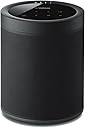
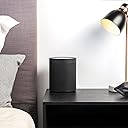
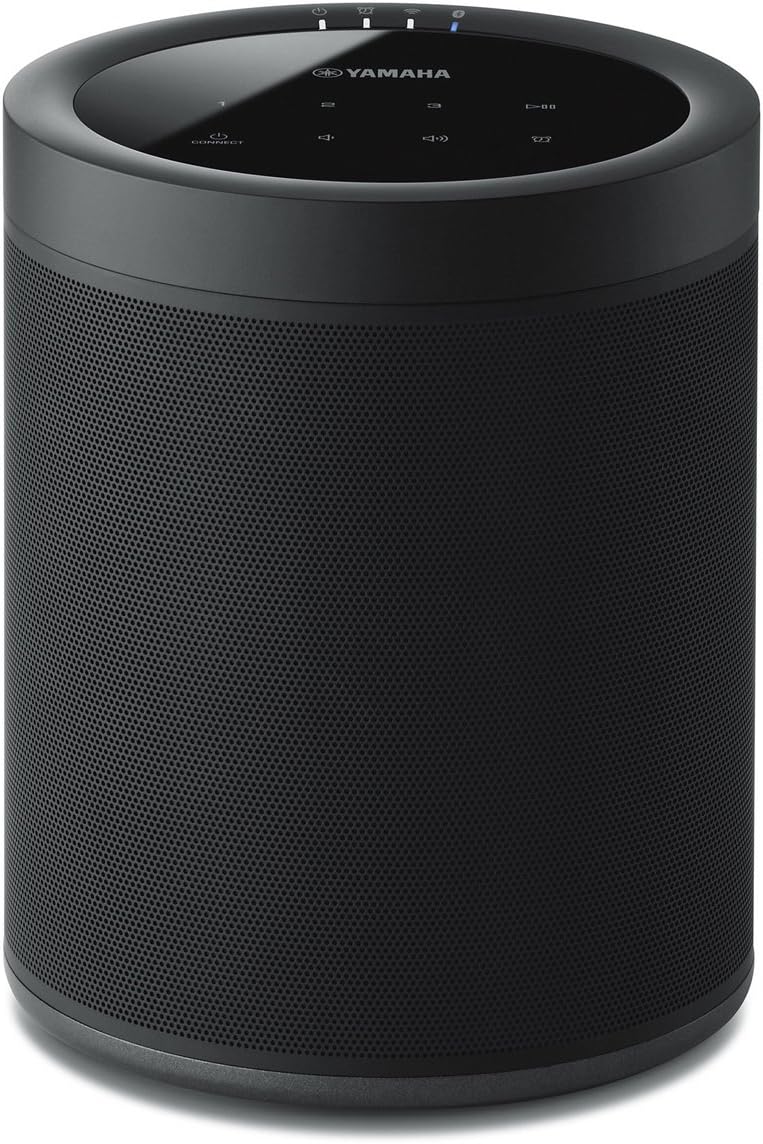
The Yamaha MusicCast 20 WX-021BL is a versatile wireless speaker designed for modern living. It supports multiple streaming protocols including Wi-Fi, Bluetooth 4.2, AirPlay, and Spotify Connect, and integrates seamlessly with Alexa voice control. Its compact, wall-mountable design fits any room aesthetic, while the MusicCast app enables multi-room audio and stereo pairing. Ideal for both standalone use and as part of a 5.1 surround sound system, it delivers rich, dynamic sound with a 4W output and up to 32 feet wireless range.


| ASIN | B07CK93ZZF |
| Additional Features | Bluetooth, Wireless |
| Age Range Description | Adult |
| Antenna Location | For Computers, For Home Theater Systems, For Smartphones or Tablets, For Stereo Sound |
| Audio Driver Size | 20.07 Centimeters |
| Audio Driver Type | Dynamic Driver |
| Audio Output Mode | Stereo |
| Audio output mode | Stereo |
| Battery Average Life | 10 Hours |
| Best Sellers Rank | #127,341 in Electronics ( See Top 100 in Electronics ) #2,643 in Portable Bluetooth Speakers |
| Bluetooth Range | 32 Feet |
| Brand | Yamaha |
| Built-In Media | 2 units |
| Color | Black |
| Compatible Devices | Laptop, Smartphone, Tablet |
| Connectivity Protocol | Bluetooth |
| Connectivity Technology | Bluetooth, Wi-Fi |
| Connectivity technology | Bluetooth, Wi-Fi |
| Control Method | Voice |
| Controller Type | Amazon Alexa |
| Customer Package Type | Standard Packaging |
| Customer Reviews | 4.1 out of 5 stars 340 Reviews |
| Enclosure Material | Plastic Metal |
| Frequency Response | 40 Hz |
| Frequency response | 40 Hz |
| Global Trade Identification Number | 00027108957302 |
| Is Waterproof | False |
| Item Dimensions D x W x H | 13.2D x 15W x 20.1H centimeters |
| Item Type Name | • Yamaha MusicCast 20 Wireless speaker for Streaming Music. Black. Works with Alexa. |
| Item Weight | 4.8 Pounds |
| MP3 player | No |
| Manufacturer | YAMAHA |
| Maximum Range | 32 Feet |
| Model Name | WX-021BL |
| Model Number | WX-021BL |
| Mounting Type | Wall Mount |
| Mounting type | Wall Mount |
| Number of Audio Channels | 5.1 |
| Number of Items | 1 |
| Number of Power Levels | 1 |
| Power Source | Corded Electric |
| Series Number | 21 |
| Speaker Maximum Output Power | 4 Watts |
| Speaker Size | 20.07 Centimeters |
| Speaker Type | Multi Room |
| Speaker maximum output power | 4 Watts |
| Specific Uses For Product | Music, Home Theater, Wireless Surround |
| Subwoofer Connectivity Technology | Wireless |
| Tweeter Diameter | 1 Inches |
| UPC | 027108957302 |
| Unit Count | 1.00 Count |
| Water Resistance Level | Not Water Resistant |
| Wireless Technology | Bluetooth, Wi-Fi |
| Woofer Diameter | 8.89 Centimeters |
P**S
Quality Product
The Best one from Yamaha
T**G
Improvements
I heavily invested in Yamaha MusicCast not long after it was launched. I purchased the RX-V681 receiver, six wired speakers, two WX-010's and two WX-030's. I mostly listen to SiriusXM and music I've purchased. I emailed Yamaha a couple of times asking them to include Amazon Music as a source, because I have Prime. They always said "we're working on it." Well, last fall they made it available, but only for their latest equipment. So I spent over a thousand dollars on Yamaha products, and none of them got the firmware update that added Amazon Music. I seriously considered ditching everything and switching to a competitor's system after that. Instead, I finally decided to buy an Echo smart speaker. I have the two previous generation Echo Dots, but based on my experience with them I've never been a fan of Alexa. (My favorite thing about her is reading the 1 star reviews written by frustrated users, which is always good for a laugh.) Even though the speaker sounded good, I ended up returning it. Using a Kindle Fire with the smart speaker didn't work well, but the bigger problem is Amazon's music service, which constantly disconnects and has major issues with volume level. But as a classical music lover, it seemed like I was cheating myself by paying for Prime and not using the music service. Even though the selections on their stations aren't that great, a lot of albums stream with Prime, e.g. many of the Naxos recordings. So, even though it's substantially more expensive, I decided to purchase the WX-021. The unit is larger than I thought it would be, measuring about 6 by 7.5 inches. Sound quality is good, and there is a basic equalizer built into the app. Although I've had some issues in the past with music being interrupted, either Yamaha or Sirius (or both) seem to have worked out the problem. The speaker holds the most recently played Sirius channel in memory, so if you listen to the same channel a lot you can just use the power button to turn it on and off. This unit also allows you to save three favorites and access them by touching buttons on top of the speaker. The MusicCast app actually works really well when you need it, and the WX-021 includes Amazon Music as a source, even allowing you to search for recordings included with Prime. Unfortunately, none of my other MusicCast equipment has this capability, but it's possible to link the WX-021 to other units through the app. Another caveat is that even when using Amazon Music within the MusicCast app, the service still stops unexpectedly. I know this is an Amazon issue, because I sometimes listen to Sirius all day without stopping. The only other downside to MusicCast is that Sirus on demand is not included. The speaker has to be wirelessly connected to a phone or tablet running the Sirius app for that to work.
B**.
Subtle surround speaker
Surround speaker, unobtrusive!
S**N
Steps to add Speakers to 5.1.2 Surround Sound
Great speakers once you get them connected, the problem is that was a huge headache for me (at first). So much so, that I spent 3 days tinkering with these and my wireless network settings to no avail, only to box everything up in frustration with the intent on sending it all back. Fortunately, once I cooled off and waited for the holiday weekday to pass I called Yamaha, and thankfully they got me working. Initially, I could only get one speaker to add to my wireless network, but the second speaker simply would not add. I thought maybe it was a bad speaker, so I exchanged it at the store, but sure enough the new speaker also would not connect. After 3 days of trying, I finally called Yamaha, and they said it was common, and that a better method was available (though not in any manuals or guides). SO, if you are pulling your hair out trying to get your receiver and two speakers to connect for rear surround sound, here is the EASY way (using a receiver and two speakers): 1) HARD WIRE the receiver over ethernet and add it to the Yamaha Music Cast app. 2) Temporarily HARD WIRE the first speaker via ethernet as well, then add the device in the music cast app (give it a specific name like “Surround Left”) 3) Click on the SPEAKER in the music cast app, and go to information > network settings (then notate the IP address) 4) Open a browser on your PC, and go directly to the IP address of the speaker 5) Click on network settings 6) Click on "wired" and it should let you change it to "wireless" 7) Enter the SSID, security type, and password of your wireless network, then click OK 8) Disconnect the ethernet cable, & reboot the speaker (it should connect on its own over wireless now) 9) Now REMOVE the speaker from the music cast app altogether 10) Since the speaker is still connected to your wireless network, you should be able to reconnect it back into the music cast app by holding down “connect” on the top of the speaker for 5 seconds. 11) Repeat steps 2-10 with the second speaker 12) Once the receiver and two speakers are showing up in the app, CLOSE the music cast app completely (swipe up on an iOS device) 13) Re-open the app, click on the receiver, choose "music cast surround speakers" and now add the two speakers. 14) Once you see the “successful” message you should be set with wireless surround. Why these speakers have so much trouble being added wirelessly, or why Yamaha does not add the above steps in their manual is beyond me, but now that everything is connected properly they work great! ALSO: While the advertisement of the Yamaha Receiver and these speakers say they only work in 5.1 setups, the receiver DOES allow adding two extra "front presence" (i.e. height) speakers, making it 5.1.2 ....... (which is basically like 7.1), FYI ****** 8/6/19 UPDATE ***** I noticed after a while the speakers began going "in and out" occasionally. To fix this (which may have been overkill, but it worked for me) I moved everything wireless in my house to my 2.4Ghz "N" network, and reserved my 5Ghz "AC" network for nothing but these speakers. I also put a network extender in the room where these speakers are, so that the signal was uninterrupted through walls. Once I did those two things they've never once sounded choppy. Hope this helps others =)
R**A
Expensive but worth it
I bought the soundbar yas 408, a month back and was very impressed with the sound quality. However I was missing the wow factor. Now added the two music cast speakers and I am pleasantly surprised with the amazing surround sound experience. The only downside is that these are very expensive. I suggest all owners of the music cast sound bars to invest in the surround speakers to enjoy the high quality immersive experience
Trustpilot
5 days ago
3 weeks ago