Buy anything from 5,000+ international stores. One checkout price. No surprise fees. Join 2M+ shoppers on Desertcart.
Desertcart purchases this item on your behalf and handles shipping, customs, and support to USA.
⚡ Power your productivity and play with Ripjaws V – speed that keeps you ahead!
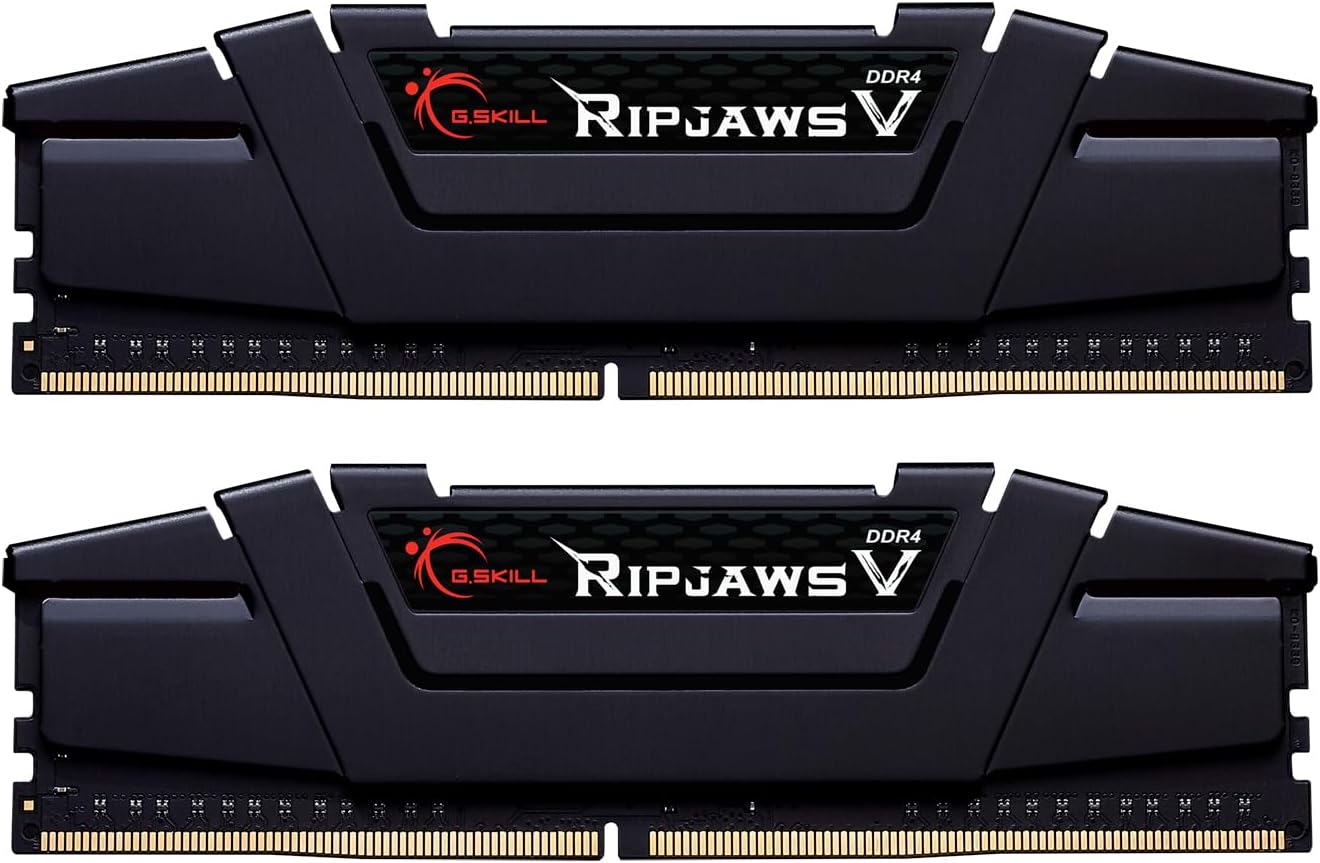
The G.Skill RipJaws V Series 16GB (2x8GB) DDR4-3600 CL16 memory kit delivers high-performance, low-latency dual-channel desktop RAM optimized for AMD Ryzen 3000/X570 and Intel Z390+ platforms. Featuring XMP 2.0 support and a sleek black heat spreader, it ensures reliable, fast, and stylish upgrades for gaming and professional workloads.


| ASIN | B07X8DVDZZ |
| Best Sellers Rank | #73,530 in Computers ( See Top 100 in Computers ) #580 in Computer Memory |
| Item model number | F4-3600C16D-16GVKC |
| Manufacturer | G.SKILL |
| Product Dimensions | 13.72 x 1.4 x 0.43 cm; 113 g |
J**E
Bought to match existing RAM. Fast, robust and easy to install. Looks good through the side panel as well. Reliable brand and a good price.
K**.
Good item. Does what it needs to do. Nothing more to say
S**N
I bought this pair of DDR4 RAM modules in June 2021 for £81.67 with free shipping. This review is based on about 1 month of use. Thaiphoon Burner App reports this as Hynix D-die 1Rx8 single rank which may or may/not mean anything to you. G.Skill didn’t use any RGB in its construction and they rock the all black solid feeling heatsink that I like a lot. Overall, I am happy with my purchase but I am the kinda person who loves to fiddle with settings and experiment a lot. I have a lot of experience building my own PCs but I am not a professional by any stretch of the imagination. Your experience will depend on your hardware. For new builds, installing and running this RAM should be easy. The Ripjaw 3600MHz CL16 (F4-3600C16D-16GVKC) memory DIMMs was a much needed upgrade from my aging (and cheap) RAM at 2400MHz with timing 16-16-16-39 1.20v. I have put this upgrade off for a while now but I’m glad I finally got it. This RAM, which is not only faster with lower latencies, has twice the capacity of my old RAM from 8Gb to 16GB. To be honest, what I really want to upgrade is the graphics card but with prices like they are…well it’s a non-starter. Placing the modules in my motherboards A2 and B2 slots (as indicated in the MB manual) is important for using any RAM in dual channel mode. Fortunately it booted successfully first time except BIOs detected my RAM at 2400MHz (or 2133 I forget now but certainly) not 3600MHz. This is fine and I expected this. I also expected this RAM to not reach 3600MHz with my current processor – a first gen Ryzen (the R7 1700) and yes I plan to replace the processor to a 5000 series Ryzen soon. I hope. So this RAM is future proofing my system. After some fiddling in BIOs and a whole lot of stability testing, I finally settled on 3200MHz 16-16-17-28 at the recommended DRAM voltage of 1.35v. In windows, I ran stability tests for 2hrs with these settings and got zero errors. I should probably let it run overnight but meh. I’m going to go through all this again when I upgrade my CPU anyway. Note that I tried hard to get CL less than 16 but couldn’t achieve it. During testing, I noticed a weird Twrrd auto setting with channel A and B at different values. Never seen this before but setting this manually wasn’t an issue. Not sure what to make of it (see pic). As an experiment, I managed to get my Ryzen 1700 system to boot at 3600MHz RAM speeds with relaxed timings but oh boy did it not like it. I tried upping the voltage and changing other settings but I kept getting RAM errors with random crashes occurring. Oh well. Someone with more experience than me might have stabilised it at 3600MHz (i feel like it’s really close) but I’m happy with 3200Mhz for now. I have no doubt that this will be stable at 3600MHz with a newer processor. Summary I wouldn’t recommend this for a person that is new to RAM speeds and timings unless all your hardware supports 3600MHz (in which case a couple of clicks in BIOs with DOCP/XMP and wham you’re at the RAMs designed specs). In my case, 3200MHz was relatively easy to set but required a personal touch to get the timings right. I suspect this RAM is aimed for higher frequencies rather than lower timings for those willing to overclock but for the price I think it is good value. As of this writing 3600MHz Cl14 RAM is better but quite a lot more expensive. This is a mid point RAM kit with G.Skill and other branded 3600MHz Cl18 (or worse kits) only slightly cheaper. So good value. In games there isn’t much of a change in average FPS but it does seem to improve the lows. Game play seems smoother and I haven’t even reached the recommended 3600MHz yet due to hardware restrictions. Then again I’m probably GPU bottlenecked as I’m using an old Nvidia GTX 1060 3GB card. Your mileage may vary with this RAM but I highly recommend it. Hope you enjoyed the review.
J**Y
In case anyone has the same issue I had with the monitor staying black after booting with installed ram, in my case it was because my motherboard supports up to 3200 Mhz and this product has 3600 Mhz, but an easy fix is to go into your BIOS and enable XMP. Now everything works perfectly and my pc has an extra 16 gb of ram
B**D
Ram has been working for years and had no complications. Will definitely buy this brand again.
Trustpilot
1 month ago
1 month ago