Desertcart purchases this item on your behalf and handles shipping, customs, and support to USA.
🚀 Upgrade your workflow — never settle for slow storage again!
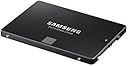
The Samsung 850 EVO 500GB 2.5-inch SATA III SSD delivers premium performance with up to 540MB/s read and 520MB/s write speeds, powered by advanced V-NAND technology. Its compact design fits most desktops and laptops, offering a reliable, secure, and fast storage solution ideal for professionals seeking a seamless upgrade from traditional hard drives.


| ASIN | B00P73B1E4 |
| Additional Features | Internal^Operating temperature range:0 - 70 °C^S.M.A.R.T support^Security algorithms:256-bit AES^TRIM support |
| Brand | Samsung |
| Built-In Media | Solid State Drive |
| Cache Memory Installed Size | 512 |
| Color | Black |
| Compatible Devices | Desktop, Laptop |
| Connectivity Technology | SATA |
| Connectivity technology | SATA |
| Customer Package Type | FFP |
| Customer Reviews | 4.8 out of 5 stars 31,705 Reviews |
| Data Transfer Rate | 750 Megabytes Per Second |
| Digital Storage Capacity | 500 GB |
| Digital storage capacity | 500 GB |
| Enclosure Material | Flash Memory |
| Form Factor | 2.5-inch |
| Global Trade Identification Number | 04053162537590, 04056203064819, 08806086523035, 08809321845657 |
| Hard Disk Description | Solid State Drive |
| Hard Disk Form Factor | 2.5 Inches |
| Hard Disk Interface | Serial ATA-600 |
| Hard disk form factor | 2.5 Inches |
| Hard disk interface | Serial ATA-600 |
| Hard-Drive Size | 500 GB |
| Hardware Connectivity | SATA 6.0 Gb/s |
| Hardware Platform | PC |
| Installation Type | Internal Hard Drive |
| Item Dimensions L x W x Thickness | 6.4L x 6.4W x 6.4Th centimeters |
| Item Part Number | MZ75E500BEU |
| Item Type Name | 850 EVO 500GB 2.5-Inch SATA Internal SSD,2.5-inch size is designed to fit most desktops, PCs, and Laptops |
| Item Weight | 45 Grams |
| Manufacturer | SAMSUNG |
| Media Speed | 300 |
| Mfr Part Number | MZ-75E500B/EU |
| Model Name | MZ-75E500B_ 850 EVO |
| Model Number | MZ-75E500B/EU |
| Number of Items | 1 |
| Read Speed | 540 Megabytes Per Second |
| Special features | Internal^Operating temperature range:0 - 70 °C^S.M.A.R.T support^Security algorithms:256-bit AES^TRIM support Special features Internal^Operating temperature range:0 - 70 °C^S.M.A.R.T support^Security algorithms:256-bit AES^TRIM support See more |
| Specific Uses For Product | Sotrage |
| UPC | 723856121971 758399113213 |
| Warranty Description | 1Year |
J**N
You'll never go back to a hard drive and you'll only ever buy Samsung again!
I've been using SSDs for years now and once you've used one you can never go back to having a hard drive as your boot drive. I paid £160 for my first SSD which was a 128GB Crucial M4 in October 2011 and since then I've used lots of other SSDs in personal and client builds from SanDisk, OCZ and Samsung mainly. I bought the M4 because at the time it was one of the fastest drives available and crucially it had one of the most stable SATA controllers, which was important at the time because a lot of drives had fairly unstable controllers and often caused a lot of problems such as blue screens of death and system crashes. A few years later and after having used SanDisk and OCZ SSDs, the Samsung SSDs had become extremely popular especially when the 840 was launched in 2013 or 2014. I bought my first Samsung SSD in July 2014 to replace the SSHD that I bought for my ThinkPad which was an 840 EVO 250GB and since then I have only bought and recommended Samsung SSDs. After that I bought an 850 Pro 256GB for a build I did in November 2014, then an 850 EVO 250GB in March 2015 to replace the 128GB OCZ Vertex 4 in my desktop and recently this 850 EVO 500GB to replace that 840 I had in there previously. I used to be very active on an online forum and I've recommended these 850 drives to hundreds of people and I've never had anybody come back and say the drive failed or that they were disappointed with it. The 850 is a truly stellar drive - well-priced, fast and easy to setup. The chances are that you'll buy one Samsung SSD and then only buy them without looking at the other brands. The speed is great. This is probably the fastest SATA SSD on the market, when used on a SATA 6GBps connection you're pretty much guaranteed to get at least 500 MB/s read and write speeds with this drive. These drives were and still are exceptionally popular with members on the forum I used to post on and most people on there were able to get between 500 and 550 MB/s read and writes with these. For comparison's sake, the Crucial M4 I bought in 2011 achieved around 400 MB/s read and write and the OCZ Vertex 4 I purchased in February 2013 when it was the fastest drive available could achieve around 450 MB/s read and write, so for those upgrading from an older SSD this is a little bit faster. Most desktop boards manufactured since 2012 will have SATA 6GBps and most laptops made since 2012 or 13 will also have SATA 6GBps, but even on the older SATA 3GBps connection you're likely to achieve around 250-300 MB/s read and writes which is reasonable. Those upgrading from hard drives will notice a huge difference. A 5400 RPM disk usually found in laptops typically reads and writes between 90 and 110 MB/s and a good 7200 RPM disk typically reads and writes between 120 and 150 MB/s. An SSD like this is the best single upgrade you can do to increase general performance of your system and it's fantastic that these days it can be done quite cheaply - certainly a lot cheaper than it was in 2011 when I first bought an SSD. If you plan to stripe two of these in a RAID-0 configuration you're likely to get around 1GB/s read and write with these drives. Several users on the forum had these in RAID-0 and got these kind of speeds. I've presently got the 250GB 840 EVO and 250GB 850 EVO in a RAID-0 stripe set in my desktop and I get something like 1GB/s read and 990 MB/s write. The 840 and 850 are so similar that you can quite happily stripe them and the two drives typically get 500 MB/s read and write speeds in single drive configurations so you won't be losing performance by doing so. The speed is of course phenomenal but for day-to-day use I can't really see the difference between one and two of these drives, but for things like writing Adobe Media Cache and copying files there is a benefit to using RAID-0 on these drives. Of course, the benefits of this SSD are the same as using any other SSD. Compared to a hard drive everything is instantaneous, everything loads faster and the speed of your OS in general just improves dramatically. You'll never go back! You actually won't be able to, the speed of an HDD will drive you mad if you go back to having an OS installed on your HDD. In a laptop it can improve the battery life too, but I didn't really notice this when I replaced the SSHD in my ThinkPad with the 840. Speaking of SSHDs, if you're thinking about an SSHD instead of a large SSD like this because it's cheaper then think again. I had a 1TB SSHD, of which only 8GB was solid state storage for operating system cache, which meant that the OS would cache files to the 8GB solid state storage so it would boot and shut down quickly. but programs were ran from what was essentially a 5400 RPM HDD and the OS ran as if it were on a 5400 RPM HDD, so the benefits of the SSHD were minimal and it died on me after only a few months, luckily by which point I had replaced it with an SSD. When I bought my 128GB Crucial M4 a 500GB drive like this was way out of most people's reach - it would probably have cost close to £1,000. Even a 256GB SSD was out of most people's price brackets, but now with a 500GB drive costing around £140 and a 250GB drive costing about half that, there's no reason to buy an SSHD really especially if you own a desktop computer and can have a large hard drive to store data on. Even if this is your only drive, 500GB is probably big enough for you. Who really has more than 500GB of data? So, you'll never go back to having a hard drive as your boot drive and you'll also only buy Samsung SSDs after you've bought one.
C**C
EVO oder PRO, meine bisherigen Erfahrungen in verschienen Notebooks.
Vor ca. 3 Jahren habe ich unsere Laptops mit unterschiedlichen SSD aufgerüstet: - eine riesige Intel in dem Toshiba Qosmio mit Intel i-7-Prozessor und 16 GB RAM - eine Samsung 840 PRO mit rd. 500 GB i dem Asus N56V, ebenfalls mit Intel i-7 - 2 oder 3 andere Samsung mit 256 GB in einem Medion Akoya und zwei Toshiba Satellite, die wenig benutzt werden. Generell würden die Rechner enorm schnell, so bootet z.B. den Qosmio mit Windows 7 in weniger als 45 Sekunden mit SSD und braucht um 3 Minuten wenn er von der Toshiba 1TB HDD hochfährt. Allerdings hat die sehr teuere Intel SSD nach ca. 2,5 Jahre schlapp gemacht und ich habe sie jetzt durch diese 850 EVO mit rd. 500 GB ersetzt. Auch die Software wie MS Office, Corel Draw oder PaintShop Pro X8 wird ohne Wartezeit geladen. Ohne SSD dauert es bei Corel bis zu fast 10 Sekunden. Man muß natürlich sagen, dass die Toshiba 1 TB HDD nicht die schnellste und daher kein Referenz für einen Vergleich ist. Ähnliche Erfahrungen habe ich mit dem Asus N56V gemacht. Hier erscheint der Windows Desktop mit allen Ikonen nach ca. 15 Sekunden und nach weiteren 10 Sekunden ist alles betriebsbereit. ------------------------ PRO oder EVO Die Samsung PRO läuft jetzt seit ca. 2,5 Jahre täglich absout einwandfrei und die gestrige Prüfung mit der Software Magician zeigte einen guten Zustand. Sie hat auch 10 Jahre Garantie, die halb so teuere EVO dagegen nur halb so lange. Trotzdem habe ich mich beim Ersetzen der defekten Intel SSD im Toshiba Qosmio für die preiswertere Samsung EVO entschieden, weil der Laptop bereits 3 Jahre alt ist und ich brauche keine Festplatte, die garantiert 10 Jahre läuft für den doppelten Preis. --------------------------------------------------- SSD EVO mit 500 GB ab 108 Euro, NEBENKOSTEN Für diese 850 EVO mit ca. 500 GB habe ich regulär bei Amazon 138 Euro mit Prime Versand ausgegeben. Eigentlich kann man eine SSD selber einbauen und konfigurieren. Man muß aber in der Beschreibung darauf achten, dass die Migrations-Software dabei ist. Bevor ich mich stundenlang Kenntnisse über Bootsektoren und -Software aneigne, die ich nie wieder brauchen werde und Notebooks mit labile Plastik-Abdeckungen auseinander schraube, lasse ich lieber Fachleute ran, die das jeden Tag machen. Den Einbau, die Migration der Software von der klassischen Festplatte und eine komplette Hardware-Reinigung durch einen lokalen Dienstleistler schlagen mit weiteren 80 Euro zu Buche wobei der Laptop Nachmittags abgehohlt und am nächsten Morgen zurückgebracht wurde. Ohne Express-Service kostet diese Leistung inkl. Reinigung i.d.R. um die 60 Euro bzw. um die 50 Euro ohne Reinigung. Ich würde bei der Gelegenheit eine Reinigung für jeden Laptop, der länger als 6 Monaten im Betrieb ist, empfehlen, weil man glaubt es nicht, wieviel Staub ich im Innere ansammelt und die Kühlung beeinträchtigt. .Mein Qosmio hatte sich vor diesen Umbau wegen Überhitzung abgeschaltet. Daher bietet den Einbau einer SSD eine gute Gelegenheit für eine gründliche Reinigung von Innen. --------------------------- SELBSTEINBAU ? WAS BEI EINER NEUINSTALLATION ZU BEACHTEN IST ! Eine Festplatte zu ersetzen ist total einfach: Alte rausziehen, neue reinstecken. Das Problem ist eher den Zugang zum Steckplatz, weil manchmal gibt es keinen Deckel sondern das Ganze Gerät auseinander genommen werden muss. In dem Fall würde ich es persönlich nicht riskieren. Bei der Software-Überspielung braucht man eine spezielle Migrations-Software, die nicht immer mitgeliefert wird. Daher Beschreibung sorgfältig lesen. Am einfachsten geht es, wenn man vom Hersteller Installations-DVDs hat und alles auf die SSD neu instaliert. Bei Toshiba kann man z.B. für rd. 30 Euro einen kompletten DVD-Satz für sein Gerät bestellen. Der hilft auch wenn die Festplatte irgendwann den Geist aufgibt um eine komplette Neuinstallation durchzuführen. Ich habe solche Sätze vorsichtshalber für unsere drei Toshiba im Schrank, nur für den Fall... Auch wenn man sein Laptop verkauft kann man ihn damit im Neuzustand zurück versetzen. Der Einbau einer SSD ist eine gute Gelegenheit eine komplette Software-Reinigung durchzuführen. Mein Qosmio war nach Jahren vollkommen überladen mit Dutzende mehr oder weniger sinnlose Software und das machte sich im täglichen Betrieb negativ bemerkbar. Eine komplette Neuinstallation auf die neue SSD vom DVD-Laufwerk aus ist eine gute Gelegenheit reinen Tisch zu machen und den Rechner zu bereinigen. Danach läuft er erstaunlich flotter und stabiler ! Man muß lediglich das Passwort für den W-LAN und die Lizenz-Nr. bereithalten und viel, viel, Zeit ... weil Windows 2-3 Tagelang ständig neu startet und Unmengen Updates herunterlädt und installiert. Auch sollte man vorher möglichst viel Software bei bestehede Internetverbidung desinstallieren. Vieles von Microsoft wie z.B. Publisher darf nur einmal installiert werden und man hat u.U. umsonst bezahlt, da hilft keine Hotline oder e-mail. Das gilt auch z.B. für den BluRay-Player von Mac für Windows oder die Anti-Vren Multi-Lizensen von f-secure, sie müssen erstmal online abemeldet werden, wenn man sie auf die neue SSD-Festplatte erneut verwenden möchte. ------------------------------------------------------------------------------ DIE GÜNSTIGSTE SSD mit 500 GB FÜR z.Z. 109 EURO Nun habe ich 2 weiteren SSD Samsung 750 EVO mit 500 GB für 108,69 Euro / Stück als Blitzangebot bestellt um weitere Laptops umzurüsten. Das ist sehr günstig und damit werden die Rechner in etwa doppelt so schnell sein, selbst ein Aldi-Laptop für wenige hundert Euro wird damit richtig flott. ------------------------ HALTBARKEIT Nach 2-3 Jahren Erfahrungen mit 4 SSDs erscheinen mir persönlich die Samsung PRO und EVO als zuverlässiger und preiswerter als die teuere Intel. Sie werden auch durch die Fachpresse ebenfalls sehr positiv beurteilt, wobei es ebenfalls andere gute Fabrikate woanders gibt (Sandisk, Toshiba, Crucial, Plextor, Kingston...) Die PRO 500 GB läuft nach über 2 Jahren täglichen Einsatz wie am Ersten Tag. Die EVO auch, aber da die entsprechende Geräte (Medion, Acer, 2 Toshiba Satelitte) viel seltener gebraucht wurden, kann ich das nicht wirklich vergleichen und beurteilen. Fundierte und aktuelle Informationen, Hintergrundwissen, Tests und Tipps findet man z.Z. u.a. bei pcgameshardware.de --------------------------------- WELCHE GRÖSSE ? Bei der Grösse habe ich mich prinzipiell auf 500 GB festgelegt, weil die Software (Windows-Betriebssystem, umfangreiche Bildbearbeitung,.Videoschnitt, Office-Paket und ein Dutzend Utilities z.B. um BluRay abzuspielen etc.) zwischen 90 und 140 GB - je nach Laptop und Windows-Version belegen. Dazu sollte man noch reichlich Platz für Wiederherstellung / Sicherungen, Dateien (auch Videos) und Oversizing budgetieren und 256 GB könnte knapp werden..Eigentlich sind 256 GB ausreichend, aber 500 GB-SSDs sind pro GB meistens etwas günstiger, kosten nur ein Paar Scheinschen mehr, sind etwas scheller und bieten massig Reserven. Daher wäre das meine Empfehlung, egal ob der Laptop ein oder zwei Plätze für 2,5-Zoll-Festplatten bietet. ----------------------------- PREIS-LEISTUNG Die aktuellen Preisen zwischen 110 und 140 Euro für eine 500GB-SSD finde ich recht akzeptabel, Preise über 400 Euro für eine 1 TB-SSD finde ich abschreckend und absolut nicht notwendig. Mit 500 GB hat man mehr als genug für Betriebssystem, Software, Sicherungen / Wiederherstellung und jede Menge Dateien in der aktuellen Bearbeitung, auch Videos in 4K-Qualität. Alles was fertig ist kann man in kassischen HDD-Festplatten archivieren, 1TB-Grössen kosten inzwischen unter 100 Euro, es macht einfach keinen Sinn schneller und teuerer SSD-Speicher für bereits bearbeiteten Dateien bereitzustellen. Daher stellt die 500 GB-Grösse m.E. das optimale Preis-Leistungs-Verhältnis. Er liegt auch z.Z. (Sommer 2016) bie 28 cents pro GB. Hinzu kommt, dass SSDs ab 500 GB mehr Chips und bessere Controller haben und schneller sind als die kleineren Modellen. ----------------------------------------------- PARTITIONIEREN ODER NICHT ? Früher habe ich die SSDs in C: für die Software und D: für die Dateien partitionniert. Das mache ich jetzt nicht mehr, weil das schon eine Einschränkung, z.B. beim Schneiden von grossen Video-Dateien, oder wenn ich verschiedenen Versionen installieren oder testen möchte, ist. Stattdessen bearbeite ich alles in C: und auslagere die fertige Datei in D: bzw. eine klassische, interne Festplatte mit 1 TB. --------------------------------------------- ARBEITSTEILUNG SSD / HDD Schließlich benutze ich neben der Auslagerung auf interne HDDs noch eine kleine Seagate Expansion Portable Drive mit 2 TB als Datensicherung. Diese Festplatte, ist völlig unkompliziert und zuverlässig und enorm preiswert. Mit der Auslagerung auf eine interne HDD und Datensicherung auf eine externe, preiswerte HDD 2 TB ist die bzw. sind die SSDs mit 500 GB ausschliesslich dazu da, das zu tun, was sie am Besten können, nämlich dafür zu sorgen, dass die Rechner optimal und ausserordentlich schnell arbeiten, und das für eine sehr geringe Investition von knapp über 100 Euro pro Rechner. ------------------- FAZIT Es gibt verschiedene, aber wenige Möglichkeiten einen Rechner / Notebook zu tunen, z.B. den Arbeitsspeicher zu verdoppeln. Aber keine macht sich so krass bemerkbar wie den Einbau einer SSD als C:-Festplatte. Andere wie den Anschluß eines externen BluRay-Laufwerk mögen noch etwas bringen, aber alles andere wie schnelleren Prozessor (mit Hitzeprobleme), Display, Grafikchip usw. ist praktisch ausgeschlossen. Insofern sehe ich das als die einzige sinnvolle Ausgabe ohne gleich ein neues Gerät anzuschaffen. Ich würde diese SSDs wieder kaufen und einem Freund mit gutem Gewissen empfehlen.
K**T
Stellar Performance and Reliability – Samsung 850 EVO 250 GB SSD is a Game-Changer!
The Samsung 850 EVO 250 GB 2.5-Inch Solid State Drive has been an outstanding upgrade for my system. If you’re looking to boost your computer’s performance, this SSD is an excellent choice. From the moment I installed it, I noticed a significant improvement in boot times and overall system responsiveness. The speed of this SSD is impressive; programs launch almost instantly, and file transfers are much faster compared to traditional hard drives. The 250 GB capacity is perfect for my needs, providing ample space for essential applications and files while keeping everything running smoothly. The reliability of the Samsung 850 EVO is another highlight. Samsung’s reputation for quality is well-earned, and this SSD lives up to that standard with exceptional durability and consistent performance. The included software, Samsung Magician, is a nice touch for managing the drive and keeping it in top condition. Installation was straightforward, and the drive fit perfectly in the 2.5-inch slot of my laptop. It’s also worth noting that it operates quietly and generates minimal heat, which is a bonus. Overall, the Samsung 850 EVO 250 GB SSD offers excellent performance, reliability, and value. It’s a fantastic upgrade for anyone looking to enhance their computer’s speed and efficiency. Highly recommended for both casual users and power users alike!
D**.
⭐️⭐️⭐️⭐️⭐️ Top SSD – blitzschnell, zuverlässig und ihr Geld absolut wert!
Ich habe mir die Samsung 850 EVO mit 250GB als Upgrade für meinen etwas älteren PC gekauft gehabt, um ihm wieder neues Leben einzuhauchen. Und ich bin Positiv überrascht! Die Lieferung war wie gewohnt schnell und unkompliziert. Schon beim Auspacken merkt man, dass es sich um ein qualitativ hochwertiges Produkt handelt. Die SSD ist sehr sauber verarbeitet und wirkt robust. Der Einbau war kinderleicht – einfach die alte Festplatte ausbauen, die SSD anschließen und das Betriebssystem neu aufspielen. Dank der mitgelieferten Samsung-Software konnte ich die Daten problemlos klonen, was den Umstieg noch einfacher gemacht hat. Nach dem Upgrade merkt man sofort einen riesigen Unterschied: ✅ Startzeit: Mein PC braucht jetzt nur noch wenige Sekunden, um hochzufahren. ✅ Programme: Anwendungen und Dateien öffnen sich quasi sofort, kein nerviges Warten mehr. ✅ Multitasking: Auch bei mehreren gleichzeitig laufenden Programmen läuft alles flüssig. Die beworbene Lesegeschwindigkeit von bis zu 540 MB/s wird definitiv erreicht (je nach System), und auch die Schreibgeschwindigkeit ist beeindruckend. Besonders lobenswert ist außerdem die hohe Zuverlässigkeit dieser SSD, die durch Samsungs bewährte Technologie und den TurboWrite-Modus unterstützt wird. Auch nach mehreren Monaten täglicher Nutzung läuft die SSD noch wie am ersten Tag. Kein einziges Problem, keine Einbrüche in der Performance – genau so, wie man es sich wünscht. Ich kann die Samsung 850 EVO 250GB uneingeschränkt empfehlen, sowohl für ältere Geräte als auch für den Aufbau neuer PCs oder Laptops. Eine Investition, die sich wirklich lohnt!
R**O
Excellent
Livraison très rapide, plus rapide que ce qui était prévu. Ensuite le SSD est sans surprise, j'ai pris un 240Go, il fonctionne très bien, je l'ai acheté pour faire un dual boot Windows/Linux sur l'un de mes PC portables. Au final c'est incroyable la vitesse de chargement du système d'exploitation comparé à un disque dur mécanique Sata. En 15 secondes Windows est chargé, on lance une page Internet, c'est immédiat, en moins de 20 secondes on peut surfer sur Internet. J'attends que les prix baissent un peu et je vais équiper mes autres portables en SSD. Mon choix s'est porté sur Samsung car il est livré avec le logiciel de migration des données, quelques logiciels équivalents et gratuits se trouvent très facilement en faisant une recherche sur Internet, donc ça ne devrait pas être le seul critère à prendre en compte. Surtout je connais la marque Samsung et je sais que c'est du sérieux, je ne connaissais pas Sandisk mais j'ai lu quelques mauvais commentaires et Kingston j'ai cru comprendre que ce n'était pas encore leur fort les SSD... Vu le peu de différence de prix en même temps, le choix à été facile et rapide. Ce disque a une puce MLC (je rappelle TLC<MLC<SLC) ce qui est déjà très bien et la technologie SLC étant plus chère.
Trustpilot
3 weeks ago
1 month ago