Desertcart purchases this item on your behalf and handles shipping, customs, and support to USA.
🎞️ Elevate your analog memories to digital perfection—don’t let your slides gather dust!
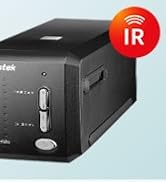
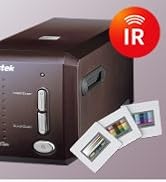
The Plustek OpticFilm 8200i SE is a professional-grade film scanner delivering ultra-high 7200 dpi resolution with advanced LED illumination and CCD sensor technology. Featuring built-in infrared channels, it intelligently detects and removes dust and scratches from negatives and slides, ensuring pristine digital reproductions without manual editing. Paired with intuitive SilverFast software, it offers a guided scanning experience compatible with both Windows and Mac systems. Compact yet robust, this scanner is ideal for discerning professionals and enthusiasts eager to preserve analog media with exceptional clarity and ease.


| ASIN | B008ASJ2Z8 |
| Best Sellers Rank | #73,498 in Computers ( See Top 100 in Computers ) #38 in Slide & Negative Scanners |
| Brand | Plustek |
| Built-In Media | Television |
| Color Depth | 48 |
| Connection Type | USB |
| Connectivity technology | USB |
| Customer Reviews | 4.1 out of 5 stars 1,736 Reviews |
| EU Spare Part Availability Duration | 1 Years |
| Global Trade Identification Number | 00808035087603 |
| Item Dimensions D x W x H | 12D x 27.2W x 11.9H centimeters |
| Item Type Name | TELEVISEUR INTELLIGENT |
| Item Weight | 1.6 Kilograms |
| Light Source Type | LED |
| Manufacturer | Plustek |
| Media Type | Negatives, Photo, Slide |
| Minimum System Requirements | Operating System: Windows 7 or higher and Mac OS 10.7.x or higher |
| Model Name | 8200I SE |
| Model name | 8200I SE |
| Optical Sensor Technology | CCD |
| Product dimensions | 12D x 27.2W x 11.9H centimeters |
| Resolution | 7200 dpi |
| Scanner Type | Film, Handheld, Film and Imaging Scanner |
| Scanner type | Film, Handheld, Film and Imaging Scanner |
| UPC | 808035087603 736913891366 |
| Unit Count | 1 Count |
M**E
A sophisticated scanner which produces incredibly fine results.
Positives: 1. Scanner is rugged, well-made, sophisticated, and neat. 2. The SilverFast software is easy to learn with every step of the process has accompanying PDF and Movie files for help. The PILOT option automatically steps the user through each image processing step with the option of manually changing settings as you go. The infrared dust scan and intelligent dust removal features are outstanding. Dusty and dirty slides from 1987 produced beautiful scans. The software is easy to learn with help at every step. Negatives (sorry for the pun): 1. The 8200i came with only European plug options on the power pack. Why would an adapter for Australia not be included for an Australian customer? No matter, I found I had an adapter to convert the German plug to Aussie. 2. The final save window for choosing filename and file format is far too small and quite difficult for a 67 year old like me to see. Why do software developers seem unaware of this issue? 3. I was however most unhappy (in fact really angry) with the perfunctory manner in which the scanner was "repacked" and only partially resealed by the Australian Border Force after their Customs inspection. Fortunately, as yet, no damage appears to have resulted, but what a disgraceful way to treat someone's property! Overall, I am very happy with the 8200i and recommend it without reservation (and this comment is unsolicited and unpaid). Garry R Stone B.App.Sci.,Dip.Ed.,M.A. Melbourne
L**N
Super scanner, avec le logiciel Silverscan AI. Grande résolution, grande qualité.
J’ai un vieux Minolta Dual Scan (la qualité d’une autre époque et seulement 14 MP pour du 35mm) et j’ai eu un Imacon Flextight (super scan pour le 35mm et le moyen format). À titre de comparaison, ce scanner est très facile d’usage. Les fichiers jusqu’à 70 MP en 35mm d’une qualité remarquable. Seul bémol : je n’ai pas encore réussi à me servir du logiciel pour enlever rayures et poussières. enlever les rayures et poussières. Il faut sûrement un temps d’apprentissage. Je recommande vivement.
S**F
highly recommended if you look for a professional setup at reasonable cost
I waited a while to test it and write the comments. so in the beginning, I read reviews for many scanners and spent weeks on my decision. about this one, there were comments on the complexity of the software and some users claimed to have sent it back just because of that. It was my impression the first time I curiously started to use it. the software was indeed complicated and I couldn't get a good scan no matter how much I tried with different settings. I was about to send it back but then I decided to do a smarter thing and once read the software manual. Everything changed right after that. The software has an autopilot feature which helps you to decide on the settings step by step and the quality can be seen in the attached photos (negatives Ilford iso 125 and 400). Obviously, if you need to scan with higher dpi and resolution, it takes longer. but I feel satisfied with 1/4 of the max resolution and I can scan 1 roll of films (36 shots) in about 4 h while doing other stuff. the only hassle is that you need to change the negatives into the holder, adjust its frames and feed it intermittently (the holder has slots for a 6-piece cut of the negative). but if you want to have a high quality scan without spending so much money to outsource it (as I had done before ranging from 9-19 euros per roll), it is certainly worth it. I am very happy about this product and even started already to scan many old negatives that I had in order to have a better quality back up.
A**Z
8200 Ai - Scelta quasi obbligata.
Avevo già un altro scanner per diapositive (i famosi Nikon della fine anni 90, inizio anni 2000), su interfaccia SCSI. Quindi mi arrogo il diritto di dire che "ho una certa esperienza". Come qualità di acquisizione è molto superiore (l'avverbio molto deve essere preso con giudizio dato che anche quello vecchio era assolutamente ottimo), la velocità di digitalizzazione è comunque soddisfacente. Considerando che la risoluzione è di 7200 dpi (e non ha senso abbassarla in fase di acquisizione) su un quadratino di ben 35mm, significa comunque avere un file con una risoluzione finale sul lato lungo di oltre 3700 punti. Ci mette del tempo a fare tutte quelle passate. Non è certo una fotocopia sgranata a 100 dpi. Consideriamo quasi due minuti per ogni diapositiva. Purtroppo e sottolineo mille volte il purtroppo, questo scanner non opera in automatico. Al contrario di altri più economici ma di più bassa qualità oppure altri molto più costosi, non ha il caricatore automatico, per cui è necessario stare sempre davanti al computer ad attendere che abbia terminato il lavoro. Lungo e noioso. Molto lungo e molto noioso. Però la soddisfazione è enorme! La qualità finale è stupefacente. Chiaro che poi le immagini vanno rielaborate con un buon programma (io uso Adobe Lightroom), ma è anche vero che nella stragrande maggioranza dei casi, trovate le impostazioni e le regolazioni standard, potete applicare il filtro automatico e rivitalizzare le immagini in un sol colpo. Vanno ritoccate a mano solo quelle "venute male". Quelle che anche dalla fotocamera digitale ritocchereste comunque. Il software incluso ha anche una funzione di rimozione dei graffi. Su questa funzione non posso che parlare bene. Solo in pochissimi casi ho dovuto rifare a mano, con risultati più credibili, anche se qualitativamente inferiori. Consideriamo comunque che in casi come questo, si tratta di "inventare" informazioni nascoste da pulviscolo di sporco oppure eliminato da un graffio. Lo ricomprerei? Sì. Vale il prezzo che costa? Sì. È un prodotto per tutti? Sì. Lo consiglio a chiunque? No, ci vuole molta pazienza, passione e tanto tempo, soprattutto se avete migliaia di diapositive. Però ne vale la pena. visualizza meno elementi
M**B
Excellent scan quality, good even for non-expert user with a little patience
I have about 100 sets of negatives between 20 and 40 years old, and wanted a good quality scanner because some of the pics are family and therefore important. Scanner was easy to plug in to a USB hub but you should follow the installation instructions carefully. Don't skip this! You may need to download drivers etc. before plugging the scanner in. The software is high quality and includes per-set tasks that can be customized, extra or fewer image correction stages included in the scanning process and so on. The most impressive feature is the infra-red scan which can detect dust and scratches and remove them automatically. For sure, it won't remove severe damage but I was surprised how well it worked on removing white spots and other problems. To get the best results you might need to fiddle with color balance settings but I just selected the film type, and already the quality varies between OK and excellent with no more effort. Files can be a bit large so you should experiment with resolution and compression to optimize the size. I found with photos from a cheap-ish SLR there was little advantage from using any more than 1200dpi or 1800dpi. Impressive, not cheap, but does a good job if you have the money.
Trustpilot
1 week ago
2 weeks ago