Desertcart purchases this item on your behalf and handles shipping, customs, and support to USA.
📡 Elevate your workspace with Wi-Fi that works as hard as you do!
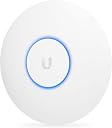
The Ubiquiti UniFi AP AC Lite is a dual-band indoor wireless access point delivering up to 1200 Mbps via Wi-Fi 5 (802.11ac) with 24V passive PoE support. Designed for professional environments, it features advanced RF optimization technologies like band steering and airtime fairness, scalable management through the UniFi Controller software, and a sleek industrial design for seamless integration. Ideal for high-density client deployments, it offers enterprise-grade performance without the enterprise price tag.


| ASIN | B016K4GQVG |
| Antenna Location | Home |
| Antenna Type | Internal |
| Best Sellers Rank | #60,044 in Computers ( See Top 100 in Computers ) #223 in Wireless Access Points |
| Brand | Ubiquiti Networks |
| Built-In Media | Ubiquiti Networks UAP-AC-LITE WLAN Access Point |
| Color | White |
| Compatible Devices | Devices with Wi-Fi |
| Compatible devices | Devices with Wi-Fi |
| Connectivity Protocol | Wi-Fi |
| Connectivity Technology | Wi-Fi |
| Control Method | App |
| Controller Type | Push Button |
| Coverage | Indoor |
| Customer Reviews | 4.6 out of 5 stars 6,177 Reviews |
| Data Transfer Rate | 1000 Megabits Per Second |
| Frequency | 5 GHz |
| Frequency Band Class | Dual-Band |
| Frequency band class | Dual-Band |
| Global Trade Identification Number | 00810354023521, 08103540235214 |
| Has Internet Connectivity | Yes |
| Is Modem Compatible | No |
| Item Dimensions L x W x H | 16L x 16W x 3.1H centimeters |
| Item Type Name | Access Point |
| Item Weight | 0.3 Kilograms |
| LAN Port Bandwidth | 1000 megabits_per_second |
| Manufacturer | Ubiquiti Networks |
| Maximum Upstream Data Transfer Rate | 1000 Megabits Per Second |
| Mfr Part Number | UAP-AC-LITE |
| Model Name | UAP-AC-LITE |
| Model Number | UAP-AC-LITE |
| Model name | UAP-AC-LITE |
| Number of Ports | 1 |
| Operating System | Linux |
| Other Special Features of the Product | Access Point Mode, WPS |
| RAM Memory Installed | 120 GB |
| Router Network Type | wireless |
| Security Protocol | WEP |
| Special features | Access Point Mode, WPS |
| UPC | 810354023521 053926218196 |
| Unit Count | 1 Count |
| Voltage | 24 Volts |
| Warranty Description | 1 Year Manufacturer Warranty |
| Wi-Fi Generation | Wi-Fi 5 |
| Wireless Compability | 802.11a/b/g/n/ac |
| Wireless communication standard | 802.11a/b/g/n/ac |
A**I
Small and nifty!
Excellent AP capable of good performance for great value. Came with old firmware so I had to manually flash each AP to update. Comes with POE injector and wall mount. Hooked 8 of these up to US-16-150W and ER-4. This is not a plug and play solution so only buy this if you are familiar with computer networks.
Q**R
Too expensive for what it offers
Far from good wifi AP for the money.. Mandatory to use app on the phone or windows to configure it, web interface was hard to develop!???? Android app sometimes doesnt even want to connect to it via qr code after multiple resets to factory default, etc. For the money you pay it is better to get some cheapo old router and make the wifi AP from it, functionalty for small home usage with 10-20 devices is the same...
H**A
USED product received
The product received was a USED not a new one: the hardware had a small side chipped and when I plugged it, it was already preconfigured with a wireless network called “home-new” I had to do a hardware reset.
A**N
Recommended dual radio access point.
Works like charm even after 2 years after purchasing. The quality of connectivity and throughput is amazing. If you are into modularizing your network gear to delegate each specialized functions of your network to its own specialised units (which inturn improves efficacy and simplify problem-solving) you may start your journey here.
A**Z
Spoko sprzęt
Świetny sprzęt - robi robotę - stabilny i niezawodny.
H**.
Amazing quality.
I love it all. Nooit geen problemen mee. Werkt super goed en snel. Wifi van mijn eigen modem heb ik uitstaan. Gebruik enkel wifi van acces point.
J**O
Confiables
Tecnología y Manufactura de total confianza
A**R
Cannot say enough great things about these WAPs!
There are not enough good things I can say about these access points. It deserves more than 5 stars. I chose this AP over the Pro primarily due to the price. I would consider the Pro you need to insert the WAP along an existing network run or need a network run near where the WAP terminates. Otherwise, the performance of the 2x2 radio on the AP is more than sufficient for most installations where cost and a working WiFi network are the primary concern. I started with this access point about 3 years ago by installing 2 of these in my home. I went from a two mid-level TP-Link router/APs configured to be used as APs and I had nothing but issues for years, to using two of these APs with zero since switching. The only reason I ever have to power cycle these APs is to install a firmware update, or the power went out for an extended period of time. They are that rock solid / reliable / stable. At a previous job, after an unnecessary amount of pleading with my manager, I was permitted to install 3 of these APs in the office. We went from having constant issues with the WiFi and poor coverage, to no reported issues. For a side job, I installed 3 of these for a business that was very dependent on WiFi for the 30+ wireless devices they used for their operations throughout the day. The issues they had previously had with their 3 home-grade router/wireless devices went away overnight, dramatically simplified their network setup, and they have been very happy for 2+ years with no WiFi issues! Detecting a pattern yet? These WAPs are nothing short of amazing. They cost as much as a decent mid-level router/wireless device, but offer better coverage and many more features over a standard router/wireless combo. All without having to hack and install open source firmware. Ubiquiti regularly release firmware updates to improve performance, stability, and address security vulnerabilities. All firmware updates are provided free of charge, and do not require a monthly/yearly subscription like many vendors are doing these days. They also support their devices with firmware updates for many years. Even their "legacy" products still have current firmware updates as of March 2021. It's refreshing to see a company support their products, and in turn their customers, for many years without gouging them for support or forcing obsolescence by abandoning the software on perfectly good hardware. When the AP is installed on the ceiling or a wall, it looks like nothing more than another smoke detector if the status LED is turned off in the management settings, though I like to leave the status light on in most cases to know if the access point is powered on and working. I have also seen some "installations" where the AP is setting on a shelf, but this doesn't seem to affect performance much if at all. If there is a "con" to the UniFi line of products, it is that there is a bit of a learning curve to figure out how to install and use the UniFi management portal software and configure the devices, but any network or systems administrator shouldn't have too much trouble getting everything up and running in a matter of an hour or two at most. It is best to install the software on a server that is always on. You may also consider installing the controller on a Raspberry Pi, or you can use the Cloud Key as the controller. Though the controller is not necessary to use the WAPs after they are configured, it is advisable to keep the controller running to quickly make configuration changes, and you get a large amount of visibility into the connected devices, signal levels, data sent/received and also provides logs that can be used to troubleshoot issues. I continue to preach the greatness of these access points, and all of Ubiquiti's products really, to anybody that will listen. The price to performance ratio is out of this world in my opinion, and you can easily spend 4 to 10 times the money on the big guys' equipment, and get very little more to show for the money besides the name, and maybe a few specialty features which all home and almost all small/medium business just don't need.
S**I
Excellent, Affordable enterprise grade AP for home use
Got this a month ago to cover my 1200 sqft house, was tired with bad performing consumer grade wifi routers. The unifi AC Lite gives excellent coverage with near full signal in every corner. It's easy to setup and forget - just keeps working!. The POE power supply is a good feature as you can avoid having a power adapter near the AP and can mount the AP at the centre of the house. I now have the consumer router just doing routing (wifi turned off) and this AP just does wifi, the AP is connected to a gigabit port so, my MAC backups over time machine run super fast over the 802.11AC wifi, The AP also helps move from 5ghz to 2.4 and vice versa depending on signal strength, In my use case The AP servers traffic to a chromecast, Apple TV and a few other devices with no signal drops and excellent streaming experience. Not many people know that you can run this in a mesh kinda setup with multiple APs across your home, clients can freely roam between APs. I am planning to get one for our ground floor to ensure better coverage and having a single SSID across the home. P.S - This is just a wifi AP, so you should have a router to which you can connect this to.
Trustpilot
3 weeks ago
3 weeks ago