Desertcart purchases this item on your behalf and handles shipping, customs, and support to USA.
🎨 Unlock your creative edge with precision and style!
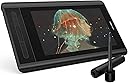
The XP-PEN Artist12 is a compact 11.6-inch FHD IPS drawing display featuring 8192 levels of pen pressure sensitivity, 6 customizable shortcut keys, and a battery-free stylus with eraser. Designed for professionals and creatives, it delivers vibrant colors with 72% NTSC gamut and supports Windows and macOS platforms. Ideal for digital art, animation, photo editing, and 3D sculpting, it enhances productivity with programmable controls and a natural pen feel, backed by lifetime technical support.


| ASIN | B07GNK18VJ |
| Active Surface Area | 65.93 square inches |
| Additional Features | Pen |
| Best Sellers Rank | #15,897 in Computers ( See Top 100 in Computers ) #62 in Graphic Tablets |
| Brand | XPPen |
| Built-In Media | Digital Pen |
| Color | Black |
| Compatible Devices | laptop, desktop |
| Connectivity Technology | USB |
| Connectivity technology | USB |
| Customer Reviews | 4.4 out of 5 stars 11,615 Reviews |
| Display Type | LCD |
| EU Spare Part Availability Duration | 1 Years |
| External Testing Certification | nao |
| Item Dimensions L x W | 36.4L x 21.9W centimeters |
| Item Weight | 907 Grams |
| Manufacturer | XP-PEN |
| Mfr Part Number | Artist 12_SML |
| Model Name | Artist 12 |
| Model Number | Artist 12_SML |
| Model name | Artist 12 |
| Native Resolution | 1920x1080 |
| Operating System | Windows 10, Windows 8, Windows 7, macOS 10.10 and higher |
| Operating system | Windows 10, Windows 8, Windows 7, macOS 10.10 and higher |
| Pressure Sensitivity | 8192 Levels |
| Pressure sensitivity | 8192 Levels |
| Screen Size | 11.6 Inches |
| Special features | Pen |
| Specific Uses For Product | Drawing, Photography, Animation, Fashion, Sketching, Image Editing, 3D Sculpting, Art Painting, Architecture Design, Note-taking |
| Target Audience | Teacher |
| UPC | 758232357309 |
C**O
My Personal Fav Tablet
If you're looking for a decent price drawing tablet with display this is one of my top choice. Easy to set up and very good color display. Downside: Lots of cable and its short too. The pen isn't really sync well with the screen, i.e let's say that you pressed on something, the cursor will show a few millimeter away from where you're pressing. Last but not least, this isn't really a con, but what is displayed on the tablet will not be the same as to what is displayed on your PC/Laptop screen due to different screen color resolution.
M**D
جودة عالية
جودة عالية مقارنة بالسعر تغليف ممتاز توافق تام مع جميع البرامج
J**.
Product serial number not working
I cant register the product to get the free software. The serial # number of the product was not working on the xp-pen office website. The online support regarding with this this issue only respond once, I had many followup and get no response from it till to day since I requested the support. Now my tablet was not useful from the day I recieved the product.
B**E
Artist
best
H**1
good product
perfect
M**N
Great
Great
A**D
Screen issue
I used it for 1 month and now the screen turn on and off
A**.
اسلاك كثيره
صعب توصيلها مع الهاتف
J**Z
Bueno pero...
Para el precio y calidad, esta bien Lleva el lápiz, puntas, un trapito para la pantalla, un guante, la tableta, cables conectores y manuales Problemas Prisión, siento que debes presionar mucho para que salga la línea lo que da menor naturalidad Pantalla: colores un poco brillantes y brillo de base alto Lapiz: se vuelve un poco inútil el único botón que tiene y que no tiene relieve Puntos buenos Accesos rápidos: Muy cómodos Visualización: obviamente el ver lo que hace ayuda en rapidez Tamaño: No ocupa demasiado espacio en escritorio Pantalla: Practicamente no refleja luz Precio: Barato en comparación a sus competidores además de que es bastante completa Extra: Acostumbradote a los problemas igual se le puede sacar mucho probecho, así que no estamal
J**L
Ótimo
Muito bom, produto perfeitamente embalado e protegido sem nenhum arranhão ou dano, com um tempo de envio bem rápido e um produto que atende suas expectativas
M**O
Prima tablet
Ik heb deze tablet gekocht voor mijn vrouw. Ze wilde eigenlijk een "blinde" van Wacom maar tijdens onze zoektocht liepen we tegen deze aan die voor een vergelijkbare prijs een scherm biedt. Ik teken zelf niet, maar kon me voorstellen dat dit veel en veel fijner werkt. Dus we hebben de gok genomen, na wat reviews te hebben bekeken, en deze tablet gekocht. Ik ben niet bekend met de concurenten, ook niet met Wacom, dit is onze eerste tablet voor tekenen maar hij is erg prettig en mijn vrouw is er dolgelukkig mee. Ik raad hem dus ook zonder meer aan voor mensen die een keer willen proberen of digitaal tekenen iets is voor ze. Het werkoppervlak is groot genoeg en het scherm is erg scherp en mooi van kleur (al ben ik geen kenner en zal er natuurlijk voldoende op aan te merken zijn als je gaat kalibreren en zo, maar ok, in deze klasse (zowel van tablet als artiest :+ ) doet dat er niet zo veel toe. De pen zelf ligt lekke rin de hand en zelfs ik kon er prima mee schrijven, het is echt net of je op papier werkt.
L**O
Para trabajar con soltura y calidad incluso en los viajes
Como usuaria anterior de otras soluciones de tabletas gráficas basadas en monitores (trabajar sobre el dibujo), puedo decir que esta solución de XP-Pen es una opción muy buena para cuando tengas de dibujar en viajes, acabar trabajos en casa o demostraciones en la casa del cliente. Qué recibiremos con el pedido? Dentro de una cuidada caja muy trabajada nos espera la tableta en todo su tamaño, detrás tendremos el cargador con los adaptadores para 3 diferentes enchufes, manuales, garantía y tarjeta de fidelización, puntero dentro de un estuche redondo con varias puntas de repuesto y todos los cables necesarios, a saber: Un complejo cable que, en el extremo de la tableta es conexión USB C y en el otro extremo una conexión triple (HDMI, USB para el táctil y USB para alimentación (para el cargador incluido)). Además un extensor de cable USB para poder tener funcionando la tableta a mayor distancia del enchufe y por último, un adaptador de HDMI a MicroDP (Mac). Os dejo una fotografía (4ª) con el montaje completo ordenado con un par de bridas de velcro. Preguntado al fabricante, no existe la posibilidad de una conexión directa USB C a USB C. La tableta, al ser un monitor de 12" FullHD LED IPS, necesita al menos 5V y 2.5 Amp que no es capaz de alimentarse directamente del portatil. Una vez todo conectado, Windows 10 detectará y dejará funcionar la tableta sin añadir driver alguno, si bien el fabricante insiste en utilizar los últimos drivers descargados de su web, estos nos facilitan la configuración de los botones adicionales (parte izquierda de la tableta) con las funciones que nosotros queramos. Funcionamiento Para Windows 10, la tableta es, y así se comporta, un monitor externo adicional, que podremos configurar a nuestro gusto. Por defecto se configurará con su resolución de 1920x1080 (FullHD) y será el monitor nº 2. Podremos configurarlo a la resolución y posición que nosotros queramos, windows se adaptará a nuestro gusto. El lápiz interactua como un ratón con su botón derecho incluido. También es compatible totalmente con Windows Ink. En las pruebas realizadas con el simple SketchBook Pro (disponible en la Windows Store) hemos sido capaces de probar que el programa reconoce los niveles de presión y escribe más grueso o más fino dependiendo de la fuerza con la que actuemos contra la pantalla. El puntero no necesita alimentación alguna. Con su tamaño de 12" nos cabrá perfectamente en el mismo maletín del portatil, el puntero viaja dentro de su estuche redondo con las puntas adicionales. Tal vez la conexión directa por USB habría simplificado enormemente la complejidad del cableado y el cargador, espero que tomen nota para futuras versiones.
A**R
Beginners Beware!
This drawing monitor is insanely good for the price. I’ll have to admit that I’ve only used it for a week or so at the time of me writing this. Yet the one thing I wanted to point out was something I found to be quite inconvenient and possibly challenging/ impossible for beginners as they set up their new drawing monitor. I started out by deleting my previous tablet driver and downloaded the one that my computer needed on the XP-PEN website. It was a walk in the park, super simple. The thing was when I rest my computer and connected the cables it wasn’t working. I turned on the monitor and it gave me an error message, then enabled battery saver mode. Long story short I had to fidget around with my cables for about 30 minutes and reset my computer a dozen times to actually get it going. Once inside my program I found that even though the cursor was popping up on screen once it went over the canvas it was going haywire. I went into the driver and calibrated it a bunch, then reset it again. Then I ended up having to change my virtual monitor set up so that the XP-PEN monitor would mirror my main one. After all that I came a across a slight problem, in multiple programs that I had tested I was seeing that the lines were coming out pixel-y. It actually wasn’t a problem with the monitor that time but just the custom DPI settings I had on all my programs, so keep that in mind if you come around a similar issue. Anyways, it took me about 15 resets before it was working functionally, then another one when the stylus went haywire again. Right after reset 16 I started to question my purchase but once I got into the rhythm of things with the touch bar, shortcut keys and the really great screen quality, my doubts just went away. The inclusion of the pen case and smudge guard plus cloth were nice but also incredibly practical. The drawing monitor didn’t give me any problems from then on, the only thing would maybe be that I have to disconnect and reconnect the HDMI to USB adapter cable every time I turn on my computer, this isn’t new to me though, I’ve had similar issues with that adapter when using other monitors, but hey maybe another reset would be necessary! All in all I would consider it easy to use but not easy to set up. There were a few aforementioned issues I encountered which weren’t from the monitor itself but instead as a result of the monitor such as the DPI and HDMI adapter, which is important to differentiate between as it helps better find the solution. If this were my first encounter with drawing virtually then I would love using it but maybe find it impossible to set up. If you’re planning on buying this product specifically for someone who doesn’t know anything about computers, drawing programs, or tablets in the slightest then it’s better to either A. Have it set up for them by someone who either knows about it or has the extreme patience and time to learn about it, or B. Buy a simpler type of drawing TABLET as it would most likely be 10 times easier to set up than a drawing monitor. Though they are XP-PEN’s competition, Wacom, and the Wacom Intuos tablets are really awesome for beginners, I had one starting out and at that time they even included drawing and animation programs ( all be it not very good ones). A Wacom tablet would be a better choice if choice A isn’t possible. Yet I understand the interest with this particular monitor with its size and price point. I highly recommend it regardless of my initial problems.
Trustpilot
1 month ago
1 week ago