Buy anything from 5,000+ international stores. One checkout price. No surprise fees. Join 2M+ shoppers on Desertcart.
Desertcart purchases this item on your behalf and handles shipping, customs, and support to USA.
โจ๏ธ Elevate your workspace with precision, style, and unstoppable productivity!
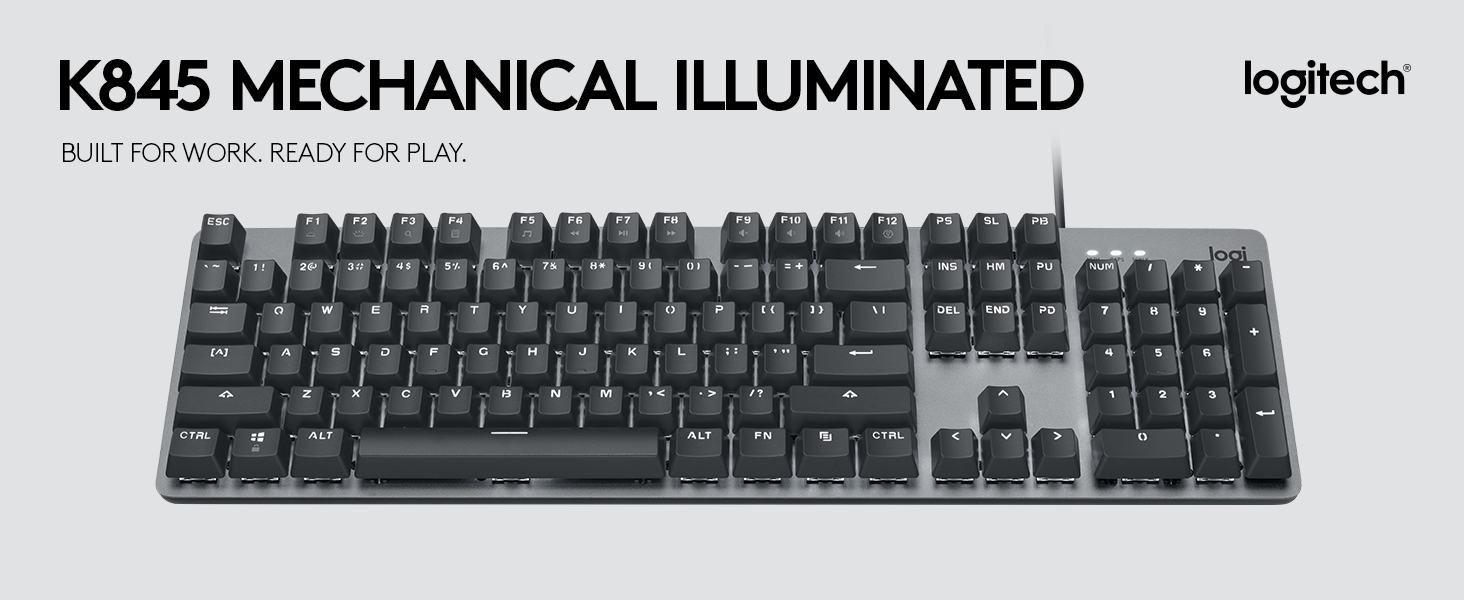
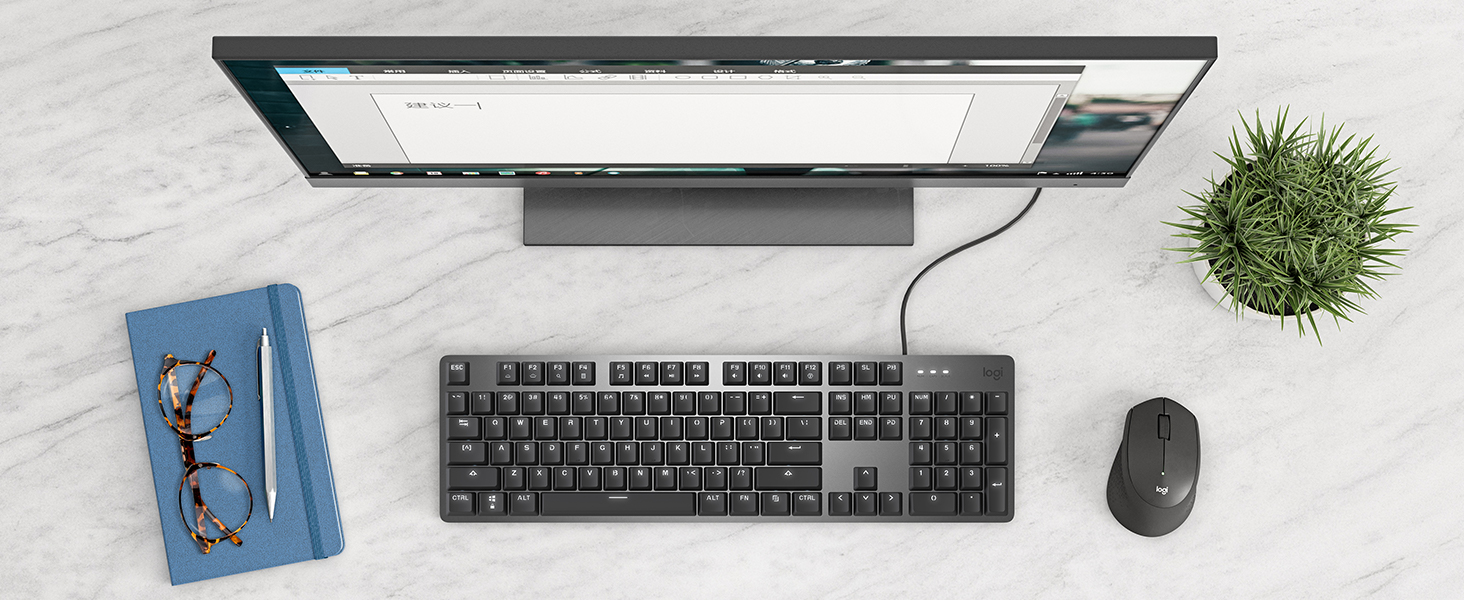
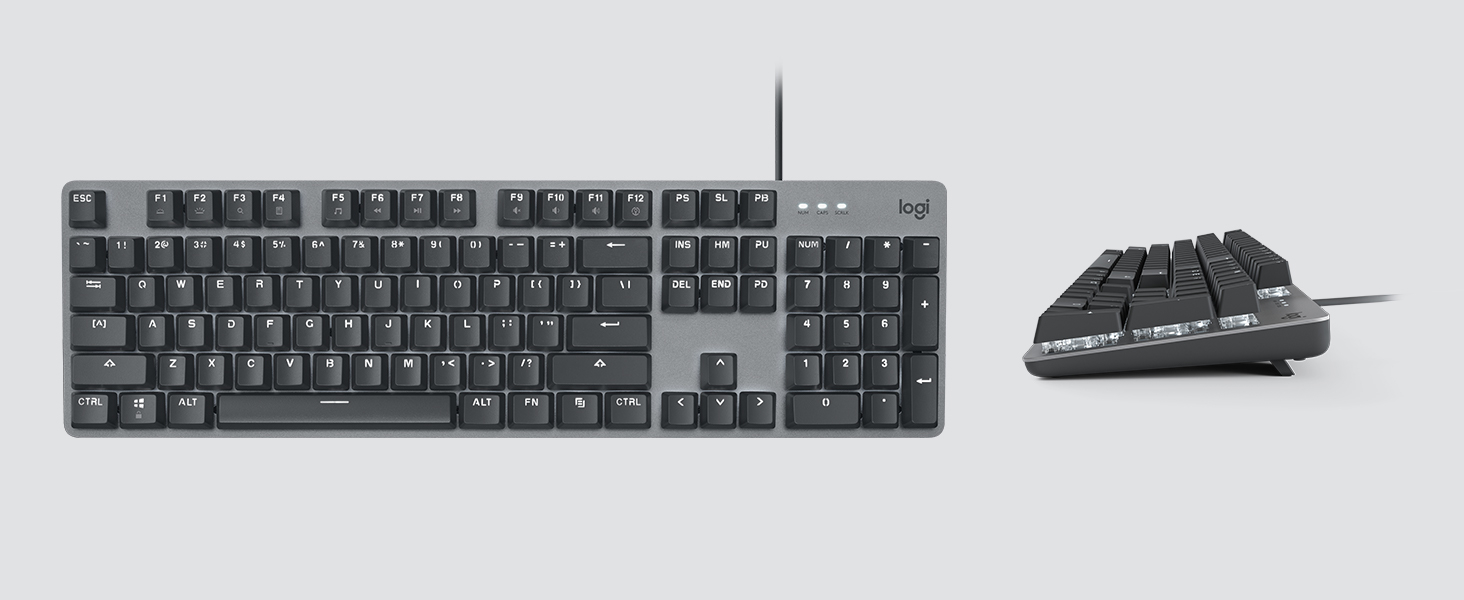
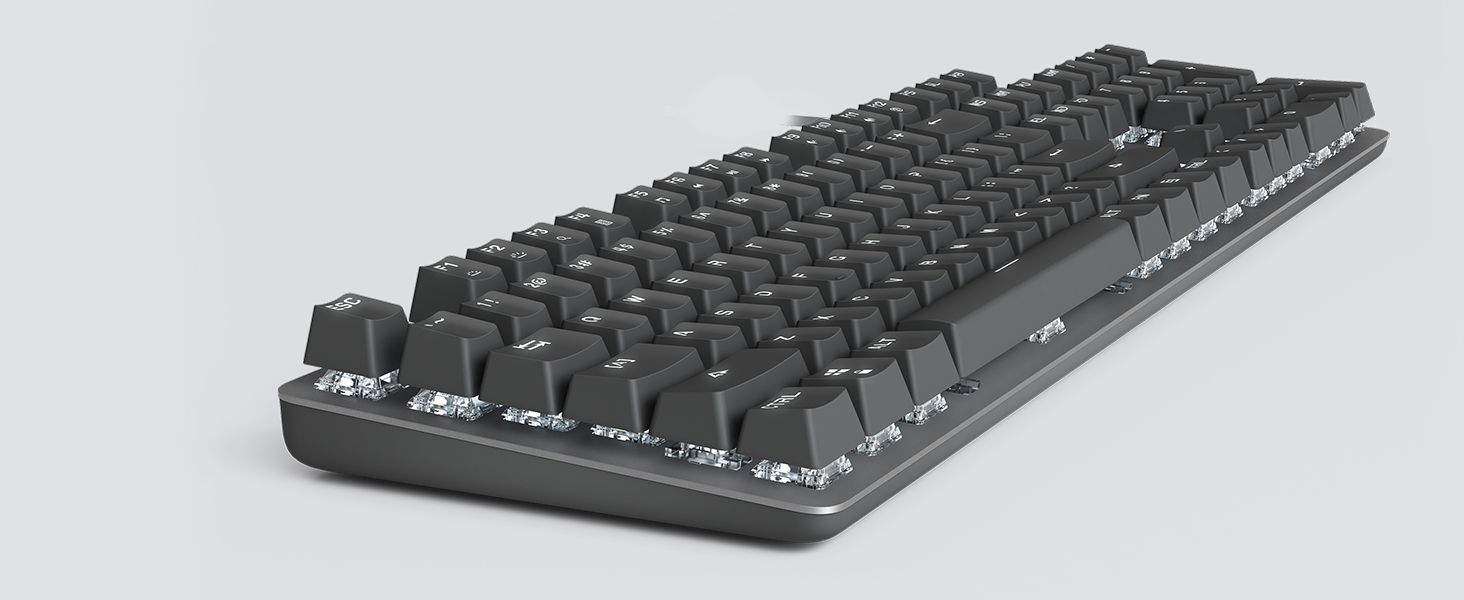
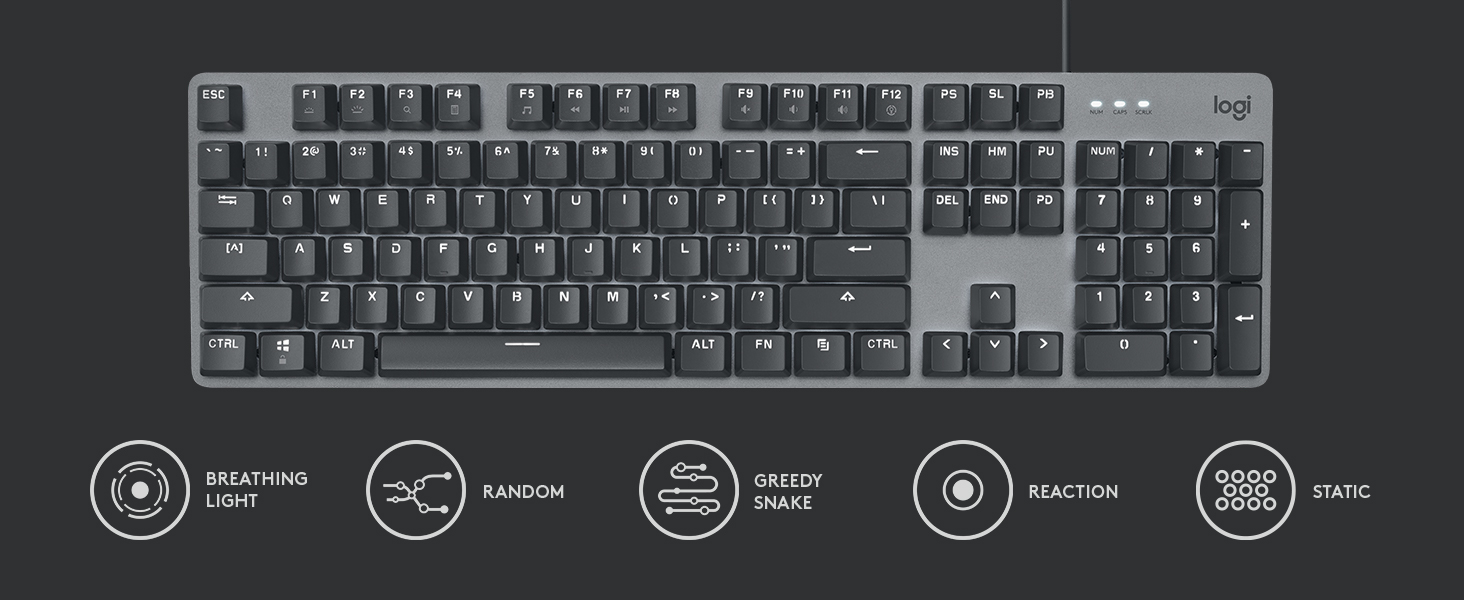
The Logitech K845 Mechanical Illuminated Keyboard is a full-size wired keyboard featuring 104 TTC Blue mechanical switches for tactile, clicky feedback. It offers an adjustable 4-8 degree tilt for ergonomic comfort, a durable aluminum top case, and customizable white backlighting with 5 illumination patterns. Designed for Windows users, it balances professional-grade build quality with sleek aesthetics, making it ideal for both office productivity and focused late-night work sessions.


| ASIN | B088KRJ28T |
| Additional Features | Adjustable Height, Adjustable Tilt, Backlit, Curved, Full-size Keyboard, Illuminated |
| Antenna Location | Gaming |
| Best Sellers Rank | #72 in Computer Keyboards |
| Brand | Logitech |
| Built-In Media | Cable, K845 Mechanical Illuminated |
| Button Quantity | 104 |
| Color | TTC Blue |
| Compatible Devices | Computer, Laptop |
| Connectivity Technology | USB |
| Customer Reviews | 4.4 4.4 out of 5 stars (3,950) |
| Enclosure Material | Aluminum |
| Hand Orientation | Ambidextrous |
| Item Dimensions L x W x H | 17.12"L x 5"W x 1.43"H |
| Item Type Name | Wired Keyboard |
| Item Weight | 35 Ounces |
| Keyboard Backlighting Color Support | Single Color |
| Keyboard Description | Standalone |
| Keyboard Layout | QWERTY |
| Manufacturer | Logitech |
| Mechanical Keyboard Switch Model | TTC |
| Model Name | Logitech K845 Mechanical Illuminated Corded Aluminum Keyboard |
| Model Number | 920-009860 |
| Number of Keys | 104 |
| Number of Sections | 3 |
| Power Source | Wired |
| Series Number | 920009860 |
| Style Name | TTC |
| Switch Type | Clicky |
| Theme | Computing, Gaming |
| UPC | 097855161635 |
| Unit Count | 1.00 Count |
| Warranty Description | 1 Year Limited Hardware Warranty |
A**N
Better than other Windows-based mechanical keyboards
UPDATE (Aug. 24, 2025): In my original review I said the Keychron C2 was better but I'm sticking with this Logitech because the keys on the Keychron are labeled for a Mac. But a few weeks ago I've switched to the Keychron (and I already threw away the swappable Win and Alt keys, so I have "option" instead of Win (or the "Start" symbol), and the Command symbol (โ) instead of Alt. But I'm so used to where these keys are that I don't need them labeled, and it doesn't bother me that they are for Macs). Also Print Screen, Scroll Lock and Pause/Break are labeled with unrelated symbols (like a microphone and brightness symbol), but I only use Print Screen and I know where it is. So while the Logitech is OK, I really like the look, feel and sound of the Keychron better. ORIGINAL REVIEW: I gave this keyboard 5 stars because it is well built, does the job fine and satisfies all my needs. But ideally Keychron would make a keyboard specifically for Windows (they provide replacement keys for Option->Windows and Command->Alt, but they don't for PrintScreen, ScrollLock and PauseBreak. And even though I rarely use those keys, it would bother me not having them properly labeled). I'm typing this review on the Keychron C2 Full Size Wired Mechanical Keyboard for Mac, which also uses red switches, and I like it more in several ways. The keys make a nicer, softer sound than the Logitech's keys. And the secondary functions of the F keys (like media/volume controls) are backlit, which they aren't on the Logitech. Though that's not a big deal because I only use Volume Down (Fn+F10) and Volume Up (Fn+F11). Also the Keychron's NumLock and CapsLock LED indicators are a nice, soft blue color, whereas the Logitech uses very bright, white LEDs (they are so bright & distracting that I covered most of them in black tape). And the Keychron has some nice touches like different colors for the letters & numbers vs. all the other keys, and a nice effect where the LED of each key slowly fades out and back in whenever you press them. So if the lack of proper labeling for the PrintScreen, ScrollLock and PauseBreak keys doesn't bother you, I recommend the Keychron over this keyboard.
C**A
EXCELLENT KEYBOARD
Life with the new keyboard is really awesome. I mean, I loved my Logitech G510, but it died after many long years of good service. I wasn't sure the keyboard would work, since it wasn't shipped as I would have expected. It was like someone took the keyboard off the shelf (in the product box) and slapped a shipping label on it. No outer packaging and protection other than how the manufacturer boxed it. I do more office related work at home these days and less gaming that requires the cool features and bells and whistles, and wanted to go to the mechanical keyboards for efficience with typing. I like the feel of the keys beneath my fingers, perfectly spaced for fast typing without having to pound the keys. The simple backlighting is perfect as well. No frills, just a simple efficient white light. The characters on the keys are unimportant to me as I don't look at the keys when I type, BUT... looking at the keyboard, I find the "font" of the key characters to be perfectly readable and very attractive looking. As for the "quietness" of the keys, it would depend on your definition of quiet. I chose the red because I'm a fast typist and like the smoothness of flow, so rather than going for the brown and quiet, I'm satisfied with my choice. The sound of the keys is not much louder than my old keyboard. Since I always use a wrist pad regardless of the keyboard, there was no adjustment to the height of the keyboard, which I actually found not as high as many complain that it is. I can use it comfortably without a wrist pad. I've had no issues with the lighting -- yet. So far so good. I couldn't see where to adjust the lighting. It didn't come with a manual so I had to go to the Logitech site to get that information. Not a biggie. For the price? It's well worth it. UPDATE: October 18, 2021. I noticed for the first time this morning when cleaning off my desk that the "M" key and the "ALT" key no longer light up. In fact the text is now dark gray. Not a big deal for me, since I don't need to look at the keyboard to type. I suppose this is what typing 95 wpm does to the keyboard. I'm still loving the keyboard and would definitely recommend! UPDATE: January 26, 2021. I've got a couple of keys that have "died". That is, they still work, but the key itself feels "dead" and you have to pound it with your finger harder to make it type out the letter. I'm going to be doing a good cleaning this weekend and hopefully that will help. Otherwise, I'll be reaching out to the manufacturer on this issue.
W**D
Works as expected. Good Quality. Good Price.
It's rare you find quality and price in the same item. Usually it's a diametric scale and as you decrease price, you decrease quality, but this keyboard is exactly what I wanted. A decent mechanical feel, shine through backlight so I can "hunt" for keys in the dark (or typical low-light conditions) and a traditional spacious layout, so keys are where my fingers "remember" them, without a significant investment. I didn't feel like that was that big of an ask, but after returning three completely unsuitable keyboards, I can say I am very satisfied with this one.
Y**G
I had a Hyperx Cherry Blue keyboard that was way too loud for the people in my house. So I bought the Cherry Red version of this. When researching this product, the review videos I found were mostly not in English. But it's a Logitech product, and its well-priced, so i gave it a shot. After receiving this product, I plugged it in, and was at first not used to the lack of "click-clack". I feared that I didn't receive the right product, or for some reason this one was a dud, because the response felt much closer to a cheap office keyboard, and it sounded closer to one too. But after a couple days, I fell in love. It's much quieter than Cherry Blue, and even though the response is softer, typing still feels light and bouncy. I haven't seriously wrote anything for a while, so writing this review is actually the real test. Every key is a little further to reach than I thought. Maybe it just takes time to get used to. I saw someone complain about the font they use to label the keys. I am fine with the funny looking font, Logitech is trying to do something different. The only thing I'm not fully satisfied with is the weakness of the backlight. The light is in white, which compliments the grey keyboard well, but the lights arent bright enough to justify using any lighting pattern other than "always on." My red backlit black hyper-x is much more visually stunning in this regard, but really, it looks good, and the backlit does the job. It looks stylish and nice. The base I believe is plastic, which makes the body much lighter than my aluminum hyperx which feels like a weapon. So, for $100? For someone new or interested in mechanical keyboards that live with family? Get this.
R**O
Teclado muito bom. Atendeu as expectativas. A iluminaรงรฃo ajuda muito em momentos de pouca iluminaรงรฃo e o barulho das teclas sรฃo suaves. Nada irritante. O acabamento tambรฉm รฉ impecรกvel.
T**Q
This is the most expensive and high-quality keyboard I've ever owned and it is a delight to type on. The keys have the perfect amount of travel and make a delightful, positive clicking sound. The keyboard is finished in a matt aluminium and has a heft that makes it feel like a premium quality device. The backlighting is perfect for me, shining through the characters and numbers so typing is easy in low light or even in the dark. Three levels of brightness are controlled with the function key and there's no obnoxious RGB, only white light that can be made dim, bright, in-between or tuned off. The keyboard is tightly manufactured so no creaking sounds from moving it and the feet are a solid rubber with the perfect amount of grip to keep the keyboard fixed while being typed on, yet easy enough to overcome to reposition the keyboard. The keyboard is a compact size, taking up only as much desk space as required for the keys with a small perimeter of about a third of a key height. No software to install, just a well-made device that's great to use. As somebody who has always had cheap keyboards of less than ยฃ10, I was reluctant to spend ยฃ65 on a keyboard, but I had long wanted one with mono backlighting and this seemed to offer the best confluence of characteristics for me. When you consider that there are keyboards that cost upwards of ยฃ200, this is pretty reasonably priced for the quality.
M**T
The keychrone k5 is a beautiful keyboard. The wireless function is great, it's brilliant to re map keys. The slim keycaps are a joy to use. I got the banana switches and they are amazing. Great tactile feel and wonderful thanks. I type at 70wpm with high accuracy so keyboard is important. I've had a lot over the years and this one definitely stands out. I never write reviews but I noted when I purchased this it had no reviews so figured mine might actually help people decide. The software for rebi ding keys is great and easy to use, and the keyboard comes with multiple replacement keycaps so you can customise to your needs if needed.
N**S
I initially resisted paying that bit extra for a Logitech keyboard, instead choosing a slightly cheaper RGB keyboard form another major PC peripheral manufacturer. It was a mistake - I sent it back immediately. Unless you buy their lowest price products, Logitech never lets you down. This keyboard has a subsantial all aluminum body, actual mechanical key switches (clicky, but not overbearingly loud) and single colour illumination (in white) that helps you see the keys in dimly lit rooms, not an RGB light show that dances, flashes and distracts more than being of actual help. Spending $10 less on something you interact with as often as a keyboard is a foolish choice. Don't be dazzled by the RGB in their ads, it's primarily there to impress ten-year-old children. Adults will be impressed by this keyboard, it actually feels like you got your money's worth. My one gripe is that you can't turn the illumination completely off, as it would certainly extend the lifespan of the LEDs. This is a surprisingly high quality, professional device that does exactly what you hope it will. I'd buy it again without hesitation.
Trustpilot
5 days ago
1 month ago