Buy anything from 5,000+ international stores. One checkout price. No surprise fees. Join 2M+ shoppers on Desertcart.
Desertcart purchases this item on your behalf and handles shipping, customs, and support to USA.
🎨 Elevate your digital canvas—where precision meets portability.
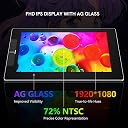
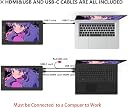
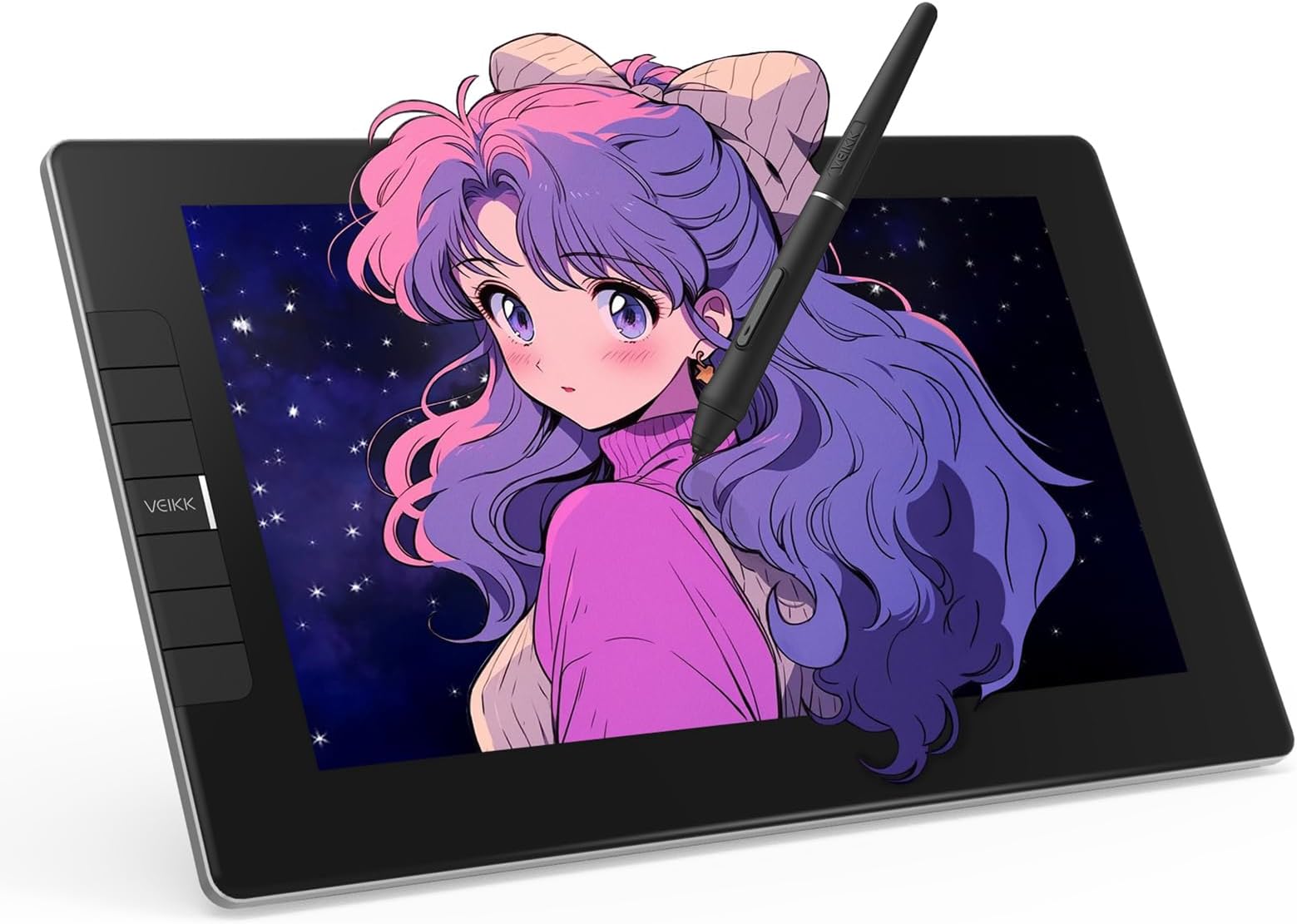
The VEIKK VK1200 V2 is a professional-grade 11.6-inch full-laminated drawing tablet featuring a 1920x1080 IPS display with anti-glare glass, dual battery-free pens with 8192 pressure sensitivity and tilt function, six customizable shortcut keys, and a streamlined single USB-C connection. Designed for Windows, macOS, and Linux, it offers a compact, stylish, and ergonomic solution for creative professionals seeking precision and portability.


| Active Surface Area | 11.6 inch |
| Additional Features | Full Lamination, Extra-Slim, Shortcut Key, 60° Tilt Support |
| Asin | B08G8CKSWK |
| Best Sellers Rank | #58 in Computer Graphics Tablets |
| Brand | VEIKK |
| Built In Media | Digital Pen, Pen Nibs, Pen stand, Glove, HDMI Cable, Quick Start Guide, USB Cable |
| Color | black |
| Compatible Devices | Desktop, Laptop |
| Connectivity Technology | HDMI, USB |
| Customer Reviews | 4.3 4.3 out of 5 stars (1,264) 4.3 out of 5 stars |
| Display Type | LED |
| Item Dimensions L X W | 12.52"L x 7.4"W |
| Item Type Name | Drawing tablet with screen |
| Item Weight | 809 Grams |
| Manufacturer | VEIKK |
| Mfr Part Number | M4-VK1200 |
| Model Name | VK1200V2 |
| Model Number | VK1200 |
| Native Resolution | 1920x1080 |
| Operating System | Windows 7 or later , Mac OS 10.12 or later, Linux |
| Pressure Sensitivity | 8192 Levels |
| Screen Size | 13.3 Centimeters |
| Specific Uses For Product | Designing |
| Target Audience | Teacher |
| Upc | 601707036486 |
| Warranty Description | 1 year |
User
Very Beginner Friendly!
Very good beginners Drawing Pad!!! I got it to start out after drawing with my finger on a 2013 iPad fo several years, and it was great, and at a very decent price! Everything came nicely packaged and it was very easy to set up and get going. It only took me 10 minutes to get everything setup after getting it unpacked. It does require base minimum tech knowledge as you may have to go to your files, but other than that it included a very helpful guide. 10/10 would reccomend to another beginner
User
A GGreat Product, Well Worth the Money.
Originally, I was going to buy a much cheaper drawing tablet as a treat to myself for Christmas, but my husband looked at it and convinced me to look at the VEIKK instead, and I'm really glad that he did. I was only looking for a digital drawing tablet to play around with, but the VEIKK does so much more than that. For one thing, the screen can lay flat in front of you as a work surface, and you don't have to constantly look up at uncomfortable angles to work. (It can also stand upright as a screen if necessary) But, flat, I can use it to take notes, or write handwritten personal notes to friends, as well and using it to draw. It also brings the screen closer to me, so that I can read books and articles, as well as seeing my email and on line shopping sites better - without enlarging the screen so much that I can no longer see a whole page. A surprisingly valuable addition to my productivity. I'm sure that with time I will find many more advantages, but so far, I have only touched on what the tablet can do. It is not dependent on battery, so none of the worry of having to find a new battery in the middle of a project, and the brightness is easily adjustable to suit personal criteria. One additional advantage that I have found is the well written on line manual. As I said, I have probably only touched on all it can do, but I love using it.
User
Best upgrade to my workstation.
My wife and I own a home business making promotional products, this also includes making logos and other artwork. I had been using a smaller drawing tablet, but knew I needed a larger one that was a display. I have spent months looking into drawing displays, pricing them, watching reviews, and yes pondering how big of one can I get away with before the wife gets mad. The price on this was perfect with the $50 coupon it was right in my price range and only $20 more than the 16" units I was looking at.The pros for me was the size, hotkeys plus 2 dials, plenty of extra bezzle for hand rest, every review I saw showed it coming with 2 pens, and to top it all off it has visa mount. The only cons I could find before ordering was issues with photo shop, well I don't use adobe so that was a non issue.The unit showed up in great condition, in a box, that was in a box, that was in yet another box. So much care and design went into the packaging that even ups and fedex will be hard pressed to damage. Don't get me wrong they can damage anything, but this will be a challenge.I can't say much about the stand as I put mine on a monitor arm. The image quality is great too, I have heard in reviews about pixelization but on my rtx 2060 powering 3 screens it is clear. The software is easy to use but I wish it had some tool tips. All in all I give it 9/10.
User
Great display tablet for it's price
Let me first start off by saying how impressed I was by the packaging. The box is very sturdy (the lid has padding to protect the tablet) and everything was packed neatly inside. When you first open the box, the VK1200 is the first thing you see and I have to say that I'm loving the minimalistic design. Super sleek! Once you lift the tablet, there is a paper and underneath that lies all the other accessories.Just like the listing says, this product comes with: the VK1200 tablet display, hdmi cable, usb cable, replacement pen nibs, pen holder, nib remover, artist glove, cleaning cloth, 2 pen pockets, and 2 pens.For someone who had been contemplating getting an ipad pro because I've been wanting a display tablet to draw on. I think the VK1200 is an excellent alternative because of the price, even if it is not a standalone product and needs to be plugged into a computer, but also because of the size. Personally, I haven't been outside due to Covid restrictions (besides for essentials) so the VK1200 is perfect for me since I simply keep it on my desk and draw when I need to.Set up was a bit confusing at first (after the initial installation), but I think that was mostly because I am using a dual monitor set up and so the VK1200 is my third monitor and it messed up my settings a bit. With a bit of tweaking in the VEIKK tablet settings, however, I was able to map my VK1200 so that it is an extended monitor rather than mirroring one of my other monitors.One issue I did run into was after I set that up, the pen calibration wasn't functioning correctly (on Windows 10). To fix the issue I had I needed to uninstall my old driver and then install the newer driver on the VEIKK website.This is the first time I've had a display tablet so I'm still getting used to it, but so far I love it. It is so convenient to be able to see what I'm drawing directly instead of starting at a second screen. It gives me the sense of drawing traditionally since I can see my art coming to life right underneath the pen in my hand instead of just under a cursor on my screen. Another thing I've noticed is that the tablet itself seems to have a slight texture to it and that was a pleasant surprise because I fully expected there to be super smooth glass (which I don't really like). This was great since I'm used to my tablets having a slight texture to mimic a 'paper' feel.The tablet also comes with six keys which can be customized to any shortcut you want (I changed mine to undo and redo. Haha as an artist you'll always need that ctrl+z!). You'll just have to go under the VEIKK tablet settings to change them.Would I recommend this to others who have been looking for a display tablet? Definitely.
User
Good quality and budget-friendly. Perfect for travel or beginners.
I had been looking for a decently sized tablet to travel with and I'm really glad I came across this product! I've used a lot of different tablet brands in the past and this is on par with the expensive big name ones. It's portable, budget-friendly, and perfect if you're looking for a good starter for tablet monitors.What you need:1 desktop or laptop computer1 USB port1 HDMI port.That's it! :D- Lightweight but thick enough that I feel safe traveling with it.- No power outlet needed! Power cords also tend to be rather bulky so I'm glad this tablet doesn't need it.- Setup and driver installation was easy. You only have two cords to plug in and the driver is available to download directly from their website.- Pen is very light. I prefer a heavier weight for my stylus so I'll be seeing if I can find a grip to add onto this. (Plus Ergo Grip for Wacom Pro/Pen Stylus does *not* work for this stylus. The pen is too thick to get the grip on.)- Screen has a smooth matte texture! I prefer drawing on matte instead of glossy because it's got a better feel to it. It has the resistance similar to drawing on paper and helps control my brush strokes.- Shortcut buttons can be programmed in multiple ways and you can even set different button functions for different programs!- Battery-free pen!!! All my previous tablet pens required charging and I remember that feeling of waiting for your stylus to charge while your body demands to draw. I'm so happy this pen doesn't need to be charged and works right out of the box. Also, there's two of them :)- Parallax is not as noticeable. From a top view, as you're using the tablet normally, there is no visible gap between the pen nib and the screen.Things to keep in mind:- The USB cord they give you has a black and red connector extension. Make sure to insert the black one into your computer, not the red!- The driver program will not display settings if your tablet is not connected.- If you have another tablet driver installed, uninstall it first or some functions won't work properly.- Remember to calibrate your tablet! :D
User
Wonderful Monitor Tablet!
If you're looking for an affordable monitor tablet, I would definitely recommend the Veikk VK1200. While it is not their largest model, it keeps true to the quality I've come to expect from Veikk products. It would be absolutely perfect for a budding artist, or professional/hobbyist looking to upgrade from a standard tablet without burning a hole in their wallet.The VK1200 comes perfectly packaged. Inside the package is a glove, cleaning cloth, power + HDMI cord, two pens, and a pen stand that will also hold some of the extra nibs. In fact, this tablet comes with so many nibs that I don't expect to run out any time soon!The tablet itself feels very sturdy, and it is overall just incredibly pretty and sleek. I love that the screen has a matte feel to it opposed to just glass. It makes drawing on it feel more natural, and creates just enough resistance that my pen doesn't slide everywhere.The hotkeys are easy to program and an absolute time saver. I couldn't live without them. I like to program not only an undo and redo button, but a flip button as well so I can flip my screen horizontally with ease.The power cord is a USB, so be sure you have enough USB ports, or that you purchase a dock. The HDMI cord is, of course, an HDMI cord. I work from a desktop, and I didn't realize I only had one HDMI port so I ended up having to purchase an adapter, but that was fine!It does not come with a stand at this price point either, which is also fine. I found a relatively inexpensive tablet stand on Amazon, and it works great!There is hardly any parallax with this monitor (Meaning that the cursor isn't directly aligned with the tip of the pen). The only time I notice the parallax is when I try to tap on a setting/tab/option within clip studio, but that is only if I'm holding my pen at too much of an angle.Which brings me to the pen. It is very light and battery free. I love it. It's big, but feels comfortable in my hand. Let me not forget that the nib seems to have a bit of bounce to it when you press down, which I also like.Over all, this tablet is amazing. I really enjoy drawing on it. I've drawn the picture included in here with this tablet and I had absolutely no issue. I could not recommend Veikk products more. I will definitely be using this little guy on bigger projects that my iPad cannot handle!
User
Less than 1 year tablet lifespan, but still good for budget
I got this tablet less than a year ago (it broke in February), and immediately started having issues with it connecting. Firstly, the HDMI wouldn't connect properly from tablet to laptop without me having to restart my laptop. After setting up the driver and configuring pen settings for my comfort, I had noticed that half of the screen on the left side would stop picking up any pen activity. The only way I could temporarily fix that is by un-plugging and re-plugging the power cable, and it would happen often (about every 25-30 minutes).Pros:- Low budget friendly- Comes with lots of extras- Low screen parallax- Lightweight and portableCons:- No heat vents, creates a lot of long term problems for the internal components and also can potentially burn your hands- The color settings aren't very accurate, even after a while of trying to tweak the settings they couldn't match my main monitors.- There are pen deadzones mainly on the corners and edges of the tablet screen, which makes selecting things quite difficult.
User
Great overall!
Solid 9/10This is my first pen display tablet (which needs to be connected to a pc), and I like it very much.I did watch a couple of unboxing videos about VK1200 so I did know what to expect. They have TWO pens + pen sleeves! Honestly, I got too excited at first that I almost forgot about the tablet itself. Kidding aside, I love this pen design more compared to the one included in the A15 Pro model. Personally, it just has a more comfortable grip than the straight design the A15 Pro pen has.Next up is the set up. It was fairly easy to set up. Setting up the driver went smoothly as well. I’m still playing around with the settings and the function keys, but so far, so good.Moving on to the tablet itself:- First thing I would like to discuss is the size. This always comes down to personal preference. However, for someone who currently has a small working space, this is a great size! Even when I decide to upgrade my working space, this is still a pretty good size.- The design is 9.5/10. It’s very simple, light, thin, and portable. I love it, but i would also love a stand. However, I do understand that this is a smaller tablet that is meant to be light and portable. Also, stands are very easy to find here on amazon lol.- Display. I’m still trying to work out the settings but there are brightness and color settings so yay for that!- Lastly, the touch/pen pressure. I’ll say that it’s a solid 8/10. It’s not perfect, but workable. Personally, I am not bothered much about it. The tilt function is bothering me a little bit though, but I’ve seen somewhere that I just have to adjust the settings to fix that so I guess it’s not a problem after all!Overall, i think VEIKK VK1200 is great! Just like every other tablet, it’s got its pros and cons. I will say, it’s great for beginners, the price is great, and I still cannot get over the 2 pens that comes with it. I’m so excited to work with it more!
User
Todo excelente
Genial! Todo perfecto solo que tiene muy pocas puntas de repuesto diría yo.
User
precio calidad muy buena
tenia mis dudas por el precio, pero resulto una grata sorpresa, es bastante buena
User
Una buena opción.
Es una tableta muy buena por el preció. Incluso sin el driver funciona como un segundo monitor más pequeño.La caja venía con bastantes visitas y muy bien surtida de puntas de repuesto.Los drivers funcionan muy bien en Linux y ofrece la ventaja de trabajar con una laptop es que solo se necesita el cable usbc, aun así es más como trabajar en PC con todo y los cables extra.El único inconveniente fue acostumbrarme a que el de requiere aplicar un poco más de presión para que se registre como click (me había acostumbrado a que tan pronto el lápiz tocaba la superficie se consideraba como uno), pero no es difícil acostumbrarse.
User
Studio VK1200 pen display
Drawn with the Veikk Studio VK1200 V2 screen tablet !!VK1200, this was my first time using a tablet from Veikk, and I just want to mention how kind and patient they’ve been with me throughout this entire process. Thank you so much.The tablet was incredibly easy to set up, which I absolutely love. I am normally used to cable heavy setups, I was very happy when I found out that my laptop could power up the tablet on its own.The manuals provided clear and easy to follow instructions. Big bonus that it comes with two pens, which is suuper useful.My favorite thing about the tablet is its sleek, compact design, making it very portable. I took this tablet on a week-long solo trip, and it proved to be 100% travel-friendly. I had zero issues and managed to finish my artwork at the hotel stay :DThe only minor drawback I experienced was the initial low brightness, but I later discovered it to be easily adjustable.Stand needs to be purchased separately.Overall, my experience with the tablet has been solid, and I’ll definitely be taking this tablet with me whenever I’m away from my home setup. It’s a recommendation for artists looking for a quality tablet at an affordable price.
User
kızım fare klavye kullanmayı bırakacak az kaldı :)
ürüne bayıldım. kızıma almıştım. çok kaliteli çok kullanışlı. bir de süpriz oldu. takip ettiğim YouTube kanalı olan tasarımcıdayı bu ürünü yeni başlayan ve orta düzey kullanıcılara tavsiye ediyormuş. çok hoş bir süpriz oldu.
Trustpilot
3 weeks ago
1 week ago