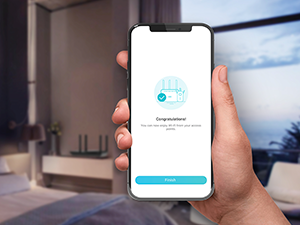
Desertcart purchases this item on your behalf and handles shipping, customs, and support to USA.
🚀 Elevate your home network — speed, security, and smart control in one sleek package!
The TP-Link Archer AX21 AX1800 WiFi 6 Router delivers dual-band speeds up to 1.8 Gbps with advanced OFDMA technology, 4 high-gain antennas, and beamforming for extended coverage. It features robust WPA3 security, VPN server support, and seamless compatibility with Alexa and all major ISPs. Designed for modern homes, it offers easy setup, expert 24/7 support, and a 2-year warranty, making it a top-tier choice for secure, high-performance wireless networking.


| ASIN | B08H8ZLKKK |
| Antenna Location | Home |
| Antenna Type | Fixed |
| Best Sellers Rank | #5 in Computers & Accessories ( See Top 100 in Computers & Accessories ) #1 in Computer Routers |
| Brand | TP-Link |
| Built-In Media | Power Adapter, Quick Installation Guide, RJ45 Ethernet Cable |
| Color | Black |
| Compatible Devices | Gaming Console, Personal Computer, Smartphone, Tablet |
| Connectivity Protocol | ethernet, wi-fi |
| Connectivity Technology | Ethernet, Wi-Fi |
| Control Method | App, Voice |
| Controller Type | amazon_alexa, vera |
| Coverage | Wide and reliable WiFi coverage |
| Customer Reviews | 4.4 out of 5 stars 24,476 Reviews |
| Data Transfer Rate | 1200 Megabits Per Second |
| Frequency | 5 |
| Frequency Band Class | Dual-Band |
| Has Internet Connectivity | Yes |
| Is Modem Compatible | Yes |
| Item Dimensions L x W x H | 10.28"L x 5.3"W x 1.61"H |
| Item Type Name | WiFi Router |
| Item Weight | 1.1 Pounds |
| LAN Port Bandwidth | 10/100/1000 Mbps |
| Manufacturer | TP-Link |
| Maximum Upstream Data Transfer Rate | 1200 Megabits Per Second |
| Mfr Part Number | Archer AX21 |
| Model Name | Archer AX21 |
| Model Number | Archer AX21 |
| Number of Antennas | 4 |
| Number of Ports | 5 |
| Operating System | Internet Explorer 11+, Firefox 12.0+, Chrome 20.0+, Safari 4.0+, or other JavaScript-enabled browserCable or DSL Modem (if needed)Subscription with an internet service provider (for internet access) |
| Other Special Features of the Product | Beamforming |
| Router Network Type | hybrid |
| Security Protocol | WPA/WPA2, WPA/WPA2-Enterprise (802.1x), WPA3 |
| Smart Home Compatibility | Smart Home Compatible |
| Special Feature | Beamforming |
| UPC | 840460604901 845973072155 |
| Unit Count | 1.0 Count |
| Voltage | 12 Volts |
| Warranty Description | Manufacture's 2-year warranty |
| Wi-Fi Generation | Wi-Fi 6 |
| Wireless Communication Standard | 802.11ac, 802.11ax, 802.11b, 802.11g, 802.11n |
| Wireless Compability | 802.11ac, 802.11ax, 802.11b, 802.11g, 802.11n |
U**N
It works and is secure!
I wanted a more secure WiFi router while also saving money on the rental from my cable provider, so I was suggested to purchase this by a very experienced tech and cyber security wiz. Now, I personally don't feel that I know much about anything technical these days, but I have really enjoyed this so far. Performance wise, but more than anything I REALLY love the security of the back-office type of controls the TP-Link gives you. PERFORMANCE Now, my current home is 1500 sq ft and a split level home, so most of the areas I use WiFi at home are never too far from the router. I placed the router right on the TV stand underneath the TV so that certainly is as close as it gets. When I'm upstairs (technically 1.5 levels up from the router) I still seem to get fine enough WiFi when I'm browsing on my phone. I will say that the WiFi randomly cuts out for me, but, this is definitely an issue I had with my previous equipment so I don't blame the router itself, it is my provider. Or the wiring outside my house.. not really sure. I have noticed however that when the service does go out, ever since changing to the TP-Link, the service returns much faster and I never have to reset it. With my old provider-provided router, it would be out for hours and I always seemed to have to manually reset the equipment. So in summary, the service and performance for me has been exemplary! SOFTWARE The primary reason I got this was to make sure nobody could hack into my WiFi. With other routers, I am not sure if the same service is available, but this was the first I've ever seen it. Yes... we all know that WiFi is password protected. BUT. Someone can easily hack into it, right? Well not with the TP-Link! You can access the router security through the routers IP address, and you set a password for that as well. The user interface is pretty simple for even a dolt like myself to understand. You can control who can access your WiFi by using a blacklist or a whitelist. A blacklist means that all who have the login details *except* for specific IP addresses you've blocked can access. A whitelist means that ONLY the IP addresses you have added to your list can access the WiFi. I am using the whitelist, since I do not want anyone random or unwanted accessing my service. Let me tell you, it works perfectly! Sometimes I forget that I have this setup, and I have tried many times with many different devices to try and access the wifi... heck, even the guest network, that I thought was specifically setup for this, doesn't seem to let random users access it. It also shows you who is currently accessing it, although I find that feature doesn't seem to be totally accurate sometimes. I give the software 5 stars for the simple fact that it is so easy to control access through it. SUMMARY Overall I am very happy with this purchase. It does what I want it to do, very securely. Setup was a little confusing because if I recall correctly, nobody could access it until we were able to get into the back-office software and setup password first. Other than that I really have had no issues and enjoy using it. When I need to change a setting it is super easy to get in and make any adjustments.
F**E
Easy Setup and Reliable Performance
I was pleasantly surprised by how easy this router was to set up. The TP-Link Archer AX21 connected quickly and provided a strong, stable Wi-Fi signal throughout my home. Streaming videos, browsing the internet, and connecting multiple devices all worked smoothly without interruptions. The Wi-Fi 6 technology helps improve speed and performance, and the sleek design looks great as well. Overall, this is a reliable router that offers excellent value for the price. Highly recommended for anyone looking to upgrade their home network.
M**E
A Spectrum Internet Customer's Point-Of-View
As A Spectrum Internet Customer I had a Spectrum Advanced WiFi router that does 2G and 5G on the same WiFi network. There is not a way to split the networks in two. If you have a cell phone that is compatible with device steering and you use to connect your 2G devices to, you can call or chat with their Internet Repair support team to set up a feature on your cell phone that may allow the 2G devices to connect but it can be a hit or a miss and it's too much of a hassle to keep calling/chatting to set this up with as the feature is enabled for only sixty minutes. If the 2G device is connected before the hour is over, it will remain connected but if it's not, you'll need to reach back out to try again and you'll also need to reach back out for other new 2G devices only that don't automatically connect to the 2G network. This is a major flaw for an "Advanced" WiFi router. Customers paying a monthly $5 fee to lease their routers should be able to either split the networks in two or leave them as a single network for band steering. Outside of this, the Spectrum routers are fine. However, it's just better to get your own router. It would be great if they offered more advanced routers with more features such as VPN's, hiding network SSID, splitting the 2G and 5G networks, guest network and more. I'd pay $5 more a month on top of the already $5 charge for this. This way customers can select which router they need for their home and still get customer support for it. As A New Customer For Echo Dot's This is the reason why I purchased my own router. I purchased four Echo Dot's, 5th generation, '22 release. All of them connected to the Spectrum WiFi router without issue and individually they operated great. However, the Echo Dot's have a "multi-room audio" feature where you can play music all throughout your home. This was my entire reason for getting these in the first place. This feature was a hit or miss. Sometimes it would work but most of the time only one or two would work and trying to get them all re-paired so I could say, "Alexa, play Discover Weekly from Spotify everywhere," was a huge inconvenience and took too much time. After going online and reviewing forums such as Quora and Reddit, I could see what the issue was. The Spectrum WiFi router would switch them between 2G and 5G based off of interference and signal strength throughout the day and if even just one Echo Dot was on a different network than the others, it would throw off the multi-room audio so that it wouldn't work. So the hunt for a dual band router began. TP-Link AX1800 WiFi 6 Router (Archer AX21) Review The TP-Link AX1800 Router has been amazing so far. It arrived on the same day that I ordered (Thank you Amazon and of course, most of all, the delivery drivers). When it first came in, the first thing I noticed was how ridiculously light it was which kind of made me nervous about the purchase. The router itself came very nicely packaged, nothing was damaged. I followed the instructions to the letter but the router was not showing any lights on there after plugging it in once the Internet modem came back online. I re-read the steps again and re-checked the power connections and tried unplugging from both ends but not luck. I honestly thought I got a dud. I looked on the back of the router and saw a button and pressed it in; all the lights began to show and I could begin the setup process. I use an iPhone and when I pulled up the TP-Link App to set up the router I couldn't help but notice its low star rating so I opted not to download the app and instead login using the IP address (the instructions provide you with this information and how-to as well). This is my first time ever logging into a WiFi router without the use of a mobile app and I have to say, it is significantly better and heavily preferred. I was able to turn off TP-Link Smart Connect so that I could have two separate SSID's for the 2G and 5G network. I could also see there was a whole new host of features that I did not have prior such as hiding your WiFi networks from neighbors and having a guest network. I also did a speed test and they all came back higher than normal and my computer noticeably moves faster when browsing the Internet and streaming video despite being roughly around the same speeds (before it was around 310mbps download/9mbps upload; now it is at around 360mbps/13mbps upload). Maybe the 50mbps DL and 4mbps UL makes a huge difference. I'm not entirely sure. I believe the difference really comes from the router provider a more stable/stronger connection than the Spectrum router. The signals itself are just healthier now. I also like that the TP-Link router has antennas, four of them to be exact, that you can see. The Spectrum routers don't have these and if they do, they're within the router itself. I believe routers with antennas that you can visibly see operate better and send stronger signals. Did This Resolve My Issue With The Echo Dot's? It absolutely did. I re-connected all four Echo Dot's to the 2G network, which was kind of a pain as well to do (but well worth the time and effort; it would've been significantly easier to do if I originally connected them to a dual band router in the first place) and ever since then I have had no issues with multi-room audio. Anytime I want to play music from all four Echo Dot's at the same time, they all play without issue. Which is great because I plan on purchasing more for a more surround system environment. Final Notes If you need a dual band WiFi router that is able to split the networks in two so that you can sign into them separately, this is it. And honestly, if you have a Spectrum router, this is a major upgrade for a fraction of the cost. Just make sure you keep it clean of dust, and keep it in a well-ventilated and cool area of the home and this will easily last you 2+ years. It saves you money and it works better. It's honestly a no-brainer. There is also a common misconception with spotty/slow Internet speeds. The majority of signal issues do not come from cable lines (confirm with your ISP provider first though that the signal levels look healthy coming into and from your Internet modem) but come from the equipment itself (modem and/or router) or from the devices you are using (assuming it is only occurring on one or two devices). Which is why upgrading your WiFi router and/or Internet modem can resolve the issues. I honestly don't have any issues with the Spectrum Internet modems. I think they're fine. They all come pre-built, meaning, you can't change any settings on them. Not a deal breaker for me. However, honestly, if I didn't have a Landline service with them, I would've purchased my own modem as well and long-term wise I will definitely consider it. The Spectrum Internet equipment are fine for the majority of homes. However, there is no one size fits all and if you're having issues with your equipment whether due to the lack of features available or signal issues (and confirmed with their Internet Repair team that there are no signal issues coming from the lines), this TP-Link router is an exceptional purchase.
R**Y
affordable, customizable, intuitive, great app, what's not to like?
I would consider myself a novice when it comes to routers and networking. I can do simple tasks (network set up) adding removing devices..etc changing passwords etc. For the past few months, i have been on the fence about replacing my ISP provided router, so i took the plunge and orderd this model (archer ax21). my old netgear router (supplied by my ISP (charter spectrum) died back in november and I called customer service and they sent me a new "advanced wifi" router. that router was complete garbage, ISP's don't even let customers go in and modify their own home wi-fi networks. if you type the ip address for the router, it directs you to a page that says "login using the spectrum app". well, their app only allows you to change the SSID name and password..NOTHING ELSE. very frustrating. ISP provided routers now combine the 2.5ghz and 5ghz bands, and many of my devices are older and ONLY use the 2.5 ghz band. so, natrually there were conflicts and frequent disconnects. I also own a accurite iris 5 and 1 weather station. in all my years of using a pc and wireless networks.. I have never seen or had a device that is so tempermental. I needed to be able to isolate the 2.5ghz and 5ghz bands so that i could assign specific devices to each band. the older things go on the 2.5ghz, and newer things like ipad, smart tv, xbox one..go on the 5ghz band. setting this up was very straight forward. simply power down your ISP modem, and reboot. wait for everything to reboot and ensure you have internet connectivity through the modem. then plug ethernet cable from back of modem into the WAN port on the Archer X21 router. then power up the router and wait for all the lights to turn green. takes about 1-3 minutes tops. you can set up either via APP (which is what i did), or you can set up using pc with ethernet cable. I have a chromebook, so it has no eithernet jack. i actually ordered one on amazon, it's a usb to ethernet adapter. works like champ. but for most people you should be able to set up just using the app.. if you want to do more advanced things (dchp customizations, etc) i would set it up on the webpage through the ethernet connection. simply follow the instructions from the app, enter your new network name and new password and you will be good to go. the app shows each device connected on each network as well as real time uploads/downloads so you can see if there is a issue with a particular device. if you are having issues with devices disconnecting/reconnecting/slow speeds etc. i would suggest at the start that you DISABLE the 5ghz band. after you get everything connected and confirm that the devices are working, then go ahead and re-enable the 5ghz band. for some reason, (not sure why) on inital setup there can be conflicts. there are tons of options for this router, far to many to get into much detail for this review. go ahead and download the manual prior to purchase, so you can read up on what this router can/can't do before you purchase. you can actually update the firmware over the air by hitting the update button, or you can speciify a certain time of day for the updates to be installed. a good rule of thumb would be set it to sometime after midnight that way, you will be asleep more than likely when the updates happen. out of the box, mine needed a firmware update. took less than 5 minutes. i've had/currently have other tp-link products (smart bulbs/cameras) and they all work as expected. the app is very intuitive and straight forward. i didn't have to have any special settings from my ISP, i just plugged in the router, went through the setup, and everything connnected flawslessly on the FIRST attempt. no errors/timeouts etc that i was getting with my ISP supplied router. the router is sleek and has 4 antennas. my range is about the same as with my previous isp supplied router. currently have a linksys re6300 extender out here in the living room to boost the 5ghz band. my house isn't that big but is very old. (its a single wide from early 70's with A-Frame roof). so i think my signal loss has alot to do with the aluminum siding on my house. your range/results will obviously vary. I currently have 16 devices on my network and all are staying connected flawlessly and seem faster than with the ISP supplied router. there is also a option for guest network. I'm using that for guests and my accurite weather station. hoping this will help me troubleshoot the accurite when the inevitable disconnects start. also wanted to mention that the accurite iris 5-1 weather stations are full of problems. if your considering one, go with another brand. it's not worth the headache. the only reason i took a star off was becase the antennas on the back of the router were wrapped in plastic that was hard to take off. other than that, i think this router is perfect. it's affordable, has tons of options and doesn't have performance issues that ISP supplied routers do. pick one up today, i'm sure glad I did. ***update 9/24/24*** 1 year and 8 months later, router still performs PERFECTLY! no issues at all, adding static ip addresses to devices is very easy, and great connectivty. never had one single issue with this router. i have multiple devices across both bands (2.5ghz and 5ghz) and i haven't had any problems, even my nightmare accurite weather station works perfectly. the key to that device, was connecting it to the 2.5ghz guest network by itself. may want to keep this in mind for devices that are giving you trouble, i have found by isolating troublesome devices, they tend to stay connected when connected by themselves. this router offers many options, lots of them i don't even use. even after multiple power/interent outages, once power/service returns, everything reconnects in less than a minute. every tp link product ive ever owned has performed perfectly. great job tp-link! update 3/27/25*** so nice, i bought it twice! my nephew has moved in next door to assist me in caregiving for my 77 year old mother with dementia. they have charter spectrum service over there just like I do at my house. the charter spectrum supplied routers, continue to be complete trash. I needed to be able to assign security cameras and other devices to the 2.4GHZ network, and for some stupid reason, charter spectrum doesn't allow you to do that with their equipment. not sure why but it is what it is. so i got another one of these routers 2nd hand. plugged it in, added to tether app, no problem. however, it would only stay connected for about 8-12 hours and then drop the connection. turned out, charter spectrums POS supplied modem was the issue, technician came out and replaced the modem. for some reason, if your router is set to FASTER bandwith speed, then charter spectrum modem will just randomly disconnect. looking around on some forums, i found that i could adjust the bandwith settings on the router. I changed the settings to 100mpbs (the speed tier plan on the account). that, in combination with the new modem seems to have worked. i never had this issue with the 1st router i set up at my house, and it's the same ISP. very weird, but in the end, it all worked out.
H**M
Easy to setup if you have basic computer skills. Works well. Speedy wifi for newer devices.
Setup was easy for me using the web browser based interface. I chose not to use the "Tether" app after reading the privacy notice on the sign up page for it. The AX21 does provide a measurably stronger wifi signal to the most distant part of my house than the older router it replaced. This was measured with a late model Android tablet. You may not see this same improvement with older devices and wifi adapters, since your connection speed is limited by the slowest device making the connection.
M**R
Back online no problems
Excellent router, easy setup, works well (especially smart connect). Have had good luck with this brand, they make good routers. Plus, decent support if you need it
C**.
Works Very Well with TP-Link RE600X OneMesh Range Extender
Functions as advertised. Being advanced user I would prefer a little more granularity in the advanced configuration menus but the bottom line for this router is that is the best bang-for-the buck (i.e. value for your money) you are going to find in a WiFi 6 dual band router, taking into account stability of operation. There may be some competitors in the price range but check the reviews for user comments about stability such as need for rebooting every so often. This AX21 has gone over 30 days without reboot and is performing as perfectly as it did right after that last reboot. Now, I did have an issue initially that caused me to down rate this router initially, but that turned out to be a rather dumb error in configuring it right out of the box. Once I caught that I meant to update my review but got sidetracked and so am now just updating it to give this router the credit it deserves. House is a single level 1800 sq ft living space plus approx 800 sq ft three and half car attached garage. The garage floor is sealed and the exterior walls and overhead doors insulated to make the garage usable as extra space for the home in add'n to containing vehicle and motorcycle (seal coated floor). My point here is the AX21/600X combo covers the entire structure both living space and the garage with garage featuring a streaming client (4K TV). The signal strength admittedly is down to approximately half at farthest point in garage but that is still impressive at the price point of this Wifi 6 mesh network setup using only one extender (the RE600X). Other side of the kitchen wall (exterior wall) that the 600X is plugged into is a small in-ground pool area and the AX21/RE600X mesh network signal is no less that about 75% strength out there. These results are nothing short of phenomenal in my opinion at the price point, but admittedly I got both for around 20% off each during Holiday season discounts by the TP-Link Store here on Amazon. And again, the stability is commendable-- these two devices working together in the OneMesh configuration just keep on keeping on, with no throughput or latency issues in over 30 days on un-rebooted use. If you saw my RE600X review you may note comment on long reboot time and think my statements are not consistent, but take heart: that observation was during the initial setup of the RE600X and is not relevant to my statement that the pair have not required a reboot since. One caveat: The household consists of just two persons, and device load on the network is rarely more than 3 or 4 devices actively using wifi data at same time. Your mileage may vary with higher device load on this same setup. One final note about the AX21 WiFi 6 router. It accepts prime number Beacon Intervals without issue. I am currently using a Beacon Interval of 167 and DTIM of 1 and have found this to be the sweet spot between throughput, latency, and client battery drain for this router. My previous router was a TP-Link Archer C7 Wifi 5 and 127 was it's sweet spot for Beacon Interval. I utilize a prime number Beacon due to local crowding on the 2.4ghz medium in my neighborhood. Hard to go wrong with the AX21/RE600X combo if you have a small to medium living space !!
M**K
TP-Link Archer AX21 (AX1800)
Pros: –Nice design and good price on recent sale –Redesigned housing has lots of ventilation slots on top and bottom so overheating should not be an issue. However, I did elevate mine off the shelf a few inches using a modified metal bin. After one week, cool to the touch, no overheating issues others have mentioned with the AX20 unit. –The four external high-gain antennae help hardware at the rear of my house maintain a stable wifi signal. Internet service plan is 500/500 up/down, I’m currently getting 520-585Mbps. Not everyone should expect an increase in speeds and I’m not certain mine with continue, but you will notice stronger and more stable connections further from the router --I only have internet service with router, stream TV service with Roku Ultra/SlingTV combo, no modem. If you can’t get the AX21 to operate as your main router, it works equally well as an Access Point to connect multiple pieces of hardware. Remain flexible, try different configurations if necessary and don’t write a very negative review the AX21 is junk because it isn’t –The TP-Link Tether app was an easy install but it initially had issues until I figured out how to finally configure the AX21, so I cannot comment on what a first, smooth installation looks like. In the end, it’s configured, easy to use and seems stable. Won’t know until later how the “remote reboot” works. --Firmware updates. TP-Link site offers download of firmware version 1.2; AX21 arrived with v1.26; Tether app updated it further to v1.31 released May 21, 2021 (with numerous bug fixes), so make certain you update the firmware, the entire process is an automated download and installation–click “firmware update” nothing intimidating about it. –Both video doorbells went from 80% wifi signal using Frontier router to 100% with AX21 –Upgraded to wifi 6 router because I’m building new PC with motherboard and CPU supporting wifi 6 and upgrading ethernet PCIe card with wifi 6. Contrary to what some say, I future proofed RJ45 cables from CAT 5e to CAT 7 and 8 even though 5e might be usable. –Would definitely purchased this same router again but so impressed, seriously thinking of upgrading to the recently released TP-Link AX55 router. Cons: –During initial setup, connected to the Frontier router as an Access Point, then connected all hardware (cell phone, two video doorbells, two Roku players, tablet, laptop and desktop–they all quickly recognized the Archer AX21. Most items are connecting on the 5Ghz band while others only compatible at 2.4Ghz also connect–none of my hardware refused to communicate with AX21. Next, notified Frontier I purchased my own router for their approval. However, when I finally moved the RJ45 CAT8 cable from the original router’s WAN port to the TP-Link, this device did not connect to the internet. Tried multiple troubleshooting trips, still nothing. I’m using the AX21 as an access point, still connects to dual bands, stronger signals/more bars and Excellent versus Good signal strength. In the end, did not get rid of Frontier router, it’s still the main routing device for the internet signal handing off to AX21, but will continue trying to understand whether I missed something small but important. In the end, I’m pleased and can live with current configuration.
Trustpilot
4 days ago
2 months ago