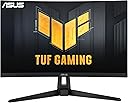
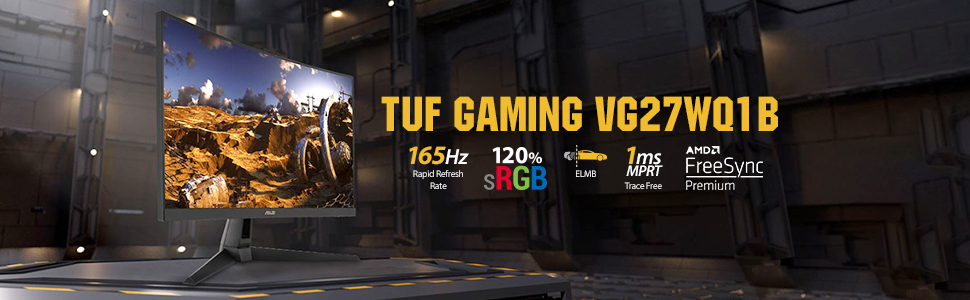
🎮 Level up your game with ASUS TUF VG27WQ1B — where speed meets stunning clarity!
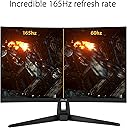
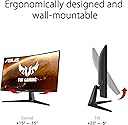
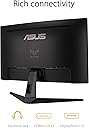
The ASUS TUF Gaming VG27WQ1B is a 27-inch curved WQHD (2560x1440) gaming monitor featuring a blazing 165Hz refresh rate (supports 144Hz), 1ms response time with Extreme Low Motion Blur, and Adaptive-sync/FreeSync Premium for tear-free gameplay. Designed for immersive, professional-grade gaming, it includes Eye Care technology, Shadow Boost for enhanced dark scene visibility, and versatile connectivity with dual HDMI and DisplayPort. Bonus: a 3-month Adobe Creative Cloud subscription enhances creative productivity. TÜV-certified for flicker-free and low blue light comfort, this monitor balances performance and eye health for marathon gaming or work sessions.


| ASIN | B088MKHW7M |
| Adaptive Sync | FreeSync Premium |
| Additional Features | 165Hz Refresh Rate, 1ms Response Time, Built-In Speakers, Eye Care |
| Aspect Ratio | 16:9 |
| Best Sellers Rank | #11,080 in Electronics ( See Top 100 in Electronics ) #350 in Computer Monitors |
| Brand | ASUS |
| Brightness | 1027.8 lm |
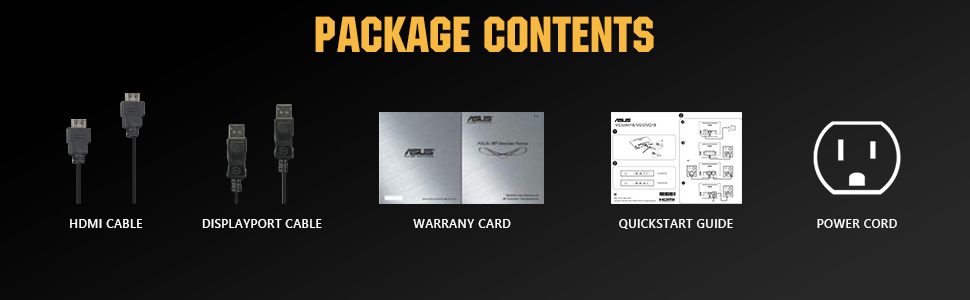
| Built-In Media | DisplayPort cable, Power cord, Quick start guide, Warranty Card |
| Color | BLACK |
| Color Gamut | 120.0 |
| Compatible Devices | Computer, Desktop, Gaming Console, Laptop |
| Connectivity Technology | wired |
| Contrast Ratio | 1000:1 |
| Customer Reviews | 4.6 out of 5 stars 2,685 Reviews |
| Display Resolution Maximum | 2560 x 1440 |
| Display Technology | LCD, LED |
| Display Type | LED |
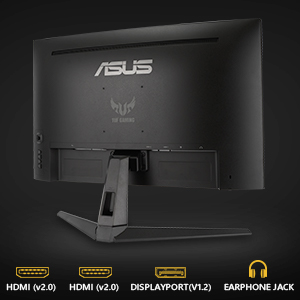
| Hardware Connectivity | DisplayPort, HDMI |
| Has Color Screen | Yes |
| Image Contrast Ratio | 1000:1 |
| Item Dimensions D x W x H | 18.71"D x 24.03"W x 8.42"H |
| Item Type Name | ASUS TUF Gaming VG27WQ1B 27” Curved Monitor, 1440P WQHD (2560 x 1440), 165Hz (Supports 144Hz), 1ms, Adaptive-sync/FreeSync Premium, Extreme Low Motion Blur, Eye Care, HDMI DisplayPort, HDR10 |
| Item Weight | 12.13 Pounds |
| Manufacturer | ASUS |
| Model Name | VG27WQ1B |
| Model Number | VG27WQ1B |
| Mounting Type | Wall Mount |
| Native Resolution | 2560x1440 |
| Number of Component Outputs | 2 |
| Picture Quality Enhancement Technology | TÜV Flicker-free TÜV Low Blue Light AMD FreeSync Premium |
| Power Consumption | 28 Watts |
| Refresh Rate | 165 Hz |
| Resolution | QHD Wide 1440p |
| Response Time | 1 Milliseconds |
| Screen Finish | Matte |
| Screen Size | 27 Inches |
| Screen Surface Description | Matte |
| Specific Uses For Product | Business, Gaming, Personal |
| Total Number of HDMI Ports | 2 |
| Total Usb Ports | 2 |
| UPC | 192876761786 |
| Voltage | 100240 Volts |
| Warranty Description | 3 years |
M**E
Good 1440p monitor for the price. "Issue with flickering/white flashing - refresh rate issue fixed"
You get what you pay for. This is a lower price point monitor for upgrading from 1080p to 1440p and higher refresh rate. Overall, it's a good monitor for the price point if you're looking to get into the 2K 1440p game experience with a decent and noticeable improvement when gaming with the higher refresh rate. The packaging was great, it's a nice-looking monitor, but with time and use I started noticing a subtle white flickering and it was quite annoying. I immediately recognized the flashing was most likely in reference to a refresh rate issue or adaptive frame syncing. It would consistently flash white, and it was not too noticeable, but yet still annoying. I looked into the issue and found some old forums and other complaints about the same issue going back 4 years. With some troubleshooting I was able fix the issue. I'm using an AMD card so in order to correct the issue you have to go into the AMD Adrenaline software>click on settings>Display and disable the AMD Freesync Premium which enables AMDs software driving refresh rate which obviously does not align with this monitor. I have attached a screenshot for reference for future possible buyers. If you are running an Invidia card I would look for any settings in reference to v-sync, adaptive refresh and anything pertaining to refresh rate syncing. Since correcting the issue I'm very happy with the quality and performance of the monitor. The higher refresh rate at 165hz is a world of difference and gives you an edge of response when playing any game. Even with consideration to a little tweaking of the settings this is a great monitor for the price and would suggest it if you looking to spend less but still get the 1440p experience with the higher refresh rate.
L**Y
Amazing display, vibrant color and great contrast. Well built.
This monitor is many times better than even the best 1080p screen I've ever owned. It's got great color, amazing blacks, lots of customization in it's settings, and is nice and bright even in a well lit room. I wasn't sure what to expect at it's current price point, but I'm pleasantly surprised at how good of an image it displays and how great my games look on it. It did take me a little bit to find the right color settings to suit the way I like, but even right out of the box it looks good. It's stand is metal, fairly beefy, and not flimsy feeling like most of the other monitors I've had. It does have tilt adjustment but does not have a height adjustment. For me that's not too much of an issue, but I figured I'd mention it. I did a lot of comparison between brands and even models of the same basic screen and this one had more of the things I was looking for in a monitor than it's competition for the price range, and I have to say I'm happy with my purchase.
J**Y
Superb Quality
Beyond excellent. Picture quality has been gorgeous, setting it up took no more than a few minutes, the viewing angle is great, and the color is beautiful. Connecting it to my computer was so easy it isn't even worth mentioning (choice between a DVI and HDMI cable), and it features a decent amount of adjustability. My only complaint is the integrated audio quality. Even at 100, it's quite quiet. Fortunately I use speakers that are loud even at a low volume, so this works well for me when I don't want my volume blasting. It's a little choppy, but nothing terrible. Overall, excellent monitor choice for the quality:price ratio.
S**M
Great monitor
Pros: High Refresh Rate: The 165Hz refresh rate is fantastic for smooth and responsive gameplay, especially in fast-paced games. Curved Design: The 1500R curvature provides an immersive viewing experience, making it feel like you're surrounded by the action. Adaptive-Sync Technology: With FreeSync Premium and G-Sync compatibility, you get tear-free gaming with reduced stuttering. Low Motion Blur: The Extreme Low Motion Blur technology helps eliminate ghosting and motion blur, making fast-moving objects look sharper. HDR10 Support: HDR10 enhances the contrast and color range, delivering more lifelike visuals. Ergonomic Stand: The stand offers tilt, swivel, and height adjustments, allowing you to find the most comfortable viewing position. Connectivity: It has multiple connectivity options, including DisplayPort and HDMI, making it versatile for different setups. Cons: VA Panel Drawbacks: As with many VA panels, there can be some minor issues with viewing angles and color consistency. Response Time: While the response time is decent, some users might notice slight motion blur in very fast-paced scenes. Initial Setup: Adjusting the settings to get the best picture quality might take some time and tweaking. Overall, the ASUS TUF Gaming VG27WQ1B is a great choice for gamers looking for a high-refresh-rate, immersive curved monitor with excellent features for its price range.
S**.
I didn't know what I was missing
This monitor is awesome. I got the 1440p 27inch curved variant. Picture/screen: Before this I had a basic 1080p 24inch Asus monitor, and let me tell you the upgrade was very much worth it. The color on this screen just pops. WAY more color coverage then my old monitor. I hadn't realized just how many colors I was missing until now. That being said I did try the HDR because it does advertise it, but I would say that its just not quite there. The screen is brighter , yes, but I would say that you lose at least 20% color coverage if not more. Frankly HDR is bland. I wouldn't recommend it at all if that's a big sale point for you. I also have a decent amount of back light leak, so blacks aren't as dark as they could be (part of the reason HDR isn't that great on this unit). For those 2 reasons I knocked of a star. Gaming: This is the main reason I bought the monitor. Playing on here has been a dream. I mostly play Apex and again the color coverage is out of this world. The contrast is RICH, like batman rich. It's easy to overdo to the point where you cant see people in dark areas. Although some fiddling around in the settings fixed that right up. On that point factory setting are okay but ounce you calibrate it, its twice as good. The curve and upgrade in size and resolution took me some getting used to but once I got used to it again, gaming has been nothing but spectacular. I have had no screen tearing, practically no motion blur and input lag is non existent. That being said I stay consistently around 100-110 FPS, so I haven't maxed it out. Ergonomics: This is where I can't really say to much. I didn't even unwrap the stand, instead I immediately mounted it to my own desk top stand (VESA 100mm x 100mm). I did this because the factory stand seems to be a pretty basic one. No height or swivel adjustment, just tilt. In conclusion Picture good. HDR bad, gaming fun. Stand doodoo.
T**Y
Love it
As a console player getting a monitor for the first time, I did A LOT of research. My findings all kind of pointed me here. I knew I wanted a curved 1440p no<120hz display to match my Xbox Series X and that's exactly what I got. I already have a 4k 120 hz TV but I was tired of the constant eyestrain and overall lack of immersion. I was told a 32 inch would be a smoother transition from my 55 inch TV however in person I hardly noticed the difference between a 27 and a 32 inch. It doesn't help that my living situation isn't the most stable and a smaller monitor would be better for moving quickly and portability. And so the choice was made. No regrets. Out of box it did try to put me on 1080p so I quickly had to navigate the user interface to get her going on 1440p and after that I didn't notice any pixilation whatsoever. Stand is sturdy, it gets BRIGHT especially for a VA panel. Which I darker settings so that's perfect for me. So yeah, overall user friendly, high quality, great bang for your buck! 10/10 would recommend
I**R
Incredible Monitor.
This Monitor is absolutely incredible. The build quality, picture quality, refresh rate, etc. are amazing. Going from 60hz to 120hz feels unreal. It is very smooth and so much more responsive. To be honest, I did not expect this Monitor to be this big, and I was very surprised when it arrived. The only thing that is bad about this Monitor is the built in speakers. They sound very like muffled and bad. But, they are good enough for me. Also, the fact that it is not height adjustable does bother me a little bit, since the Monitor is pretty high, but I can easily just adjust my chair. Overall, I give this Monitor a 9/10. Incredible Experience. Highly Recommend.
H**A
Great 1440p choice
Wonderful quality and is a great choice for 1440p. It’s got a good refresh rate and is easy to set up. The curve isn’t too much and it’s a very minimal design that fits any setup. Good brightness and crisp quality.
M**E
Amazing Monitor
I recently got my hands on the ASUS TUF Gaming 27" 1440P HDR Curved Monitor (VG27WQ1B), and let me tell you, it's been a game-changer for me. The first thing that caught my eye was the stunning QHD resolution of 2560 x 1440—it's a noticeable step up from the usual Full HD experience. Coupled with the 27-inch screen size, every detail in my games and videos pops with clarity and vibrancy. But it's not just about the resolution—the 165Hz refresh rate takes gaming to a whole new level of smoothness. Whether I'm racing through intense action sequences or exploring vast open worlds, the fluidity of motion is truly immersive. And let's not forget the HDR support, which adds depth and richness to colors, making every scene feel more lifelike. One of the standout features for me is the curved design. It might seem like a minor detail, but it actually enhances the viewing experience by wrapping the screen around me, pulling me deeper into the game. Plus, the thin bezels create an expansive field of view that's perfect for multi-monitor setups or just maximizing screen real estate. In terms of performance, this monitor doesn't disappoint. Thanks to ASUS's TUF Gaming pedigree, it's built to withstand long gaming sessions without breaking a sweat. The build quality feels solid and durable, and the stand offers plenty of adjustability options to find the perfect viewing angle. Connectivity-wise, it's got everything I need: DisplayPort 1.2 and HDMI 2.0 ports ensure compatibility with a wide range of devices, while the built-in speakers provide decent sound quality for casual gaming and multimedia playback. Overall, I couldn't be happier with my purchase. The ASUS TUF Gaming 27" 1440P HDR Curved Monitor (VG27WQ1B) delivers an exceptional gaming experience that's hard to beat in this price range. Whether you're a hardcore gamer looking for a competitive edge or just want to elevate your entertainment setup, this monitor ticks all the right boxes.
S**M
Avoid buying ASUS monitors
It lasted only a few years before it breaks down.
N**F
الاداء ممتاز مقابل السعر
الشاشة جميلة وممتازة جداً وتناسب استخدامي الوانها جميلة ووضوحها ممتاز سواءً اذا اتابع فلم او اللعب الشاشة va يمكن ما تناسب بعض الاشخاص لكن بالنسبة لاستخدامي الي هو كونسل اعتبرها ممتازة جداً دائم شوف وش استخدامك والي يناسبك والسعر الي يناسبك قبل تشتري شيء
C**N
Buen monitor, aunque con HDR malo y con un poco de sangrado de luz
Tenía un monitor de 24 pulgadas 1080p de 75 Hz, por lo tanto comentaré que tanto vale la pena hacer el salto a un monitor de este tipo. Es mi primera vez con un monitor curvo, se ve raro, pero al mismo tiempo se siente bien, lo notas al trabajar o al ver videos, etc, sin embargo a la hora de jugar te adentras en el juego y no te das cuenta que el monitor es curvo. De la calidad de imagen muy bien, tiene 7 modos de imagen, 3 de ellas tienen algunas restricciones pero las otras 4 se pueden configurar por completo, es suficiente, yo he configurado un modo para jugar de día, otro de noche, otro para ver youtube o videos de noche, otro para trabajar con fotografía de noche y el modo rgb calibrado que es muy brillante lo uso de día para trabajar con fotografía. Tiene un poco de sangrado de luz que solo se nota en la noche, jugando no se nota mientras la imagen tenga zonas brillantes y otras oscuras lo cual es el 99.9% del tiempo, solo lo he notado si veo youtube con algún concierto donde la imagen tenga bastantes zonas oscuras y seguramente se nota también viendo películas o series, personalmente no me afecta, yo suelo ver películas, series y conciertos de youtube en mi TV en la sala por lo que realmente no me afecta el tema del sangrado. Sí tú vas a usar el monitor para ver Netflix, etc y conciertos de youtube quizás sí te convenga investigar y optar por un monitor sin problemas de sangrado de luz. Con sangrado de luz me refiero a que cuando la pantalla debe ser completamente negra no muestra un nivel de negro uniforme sino que se ven zonas principalmente de arriba y de abajo de la pantalla más brillantes, al ver películas o conciertos donde se muestren imágenes con zonas completamente negras se notará este efecto y puede ser molesto, para trabajar no se nota y para jugar en forma práctica tampoco se nota porque los juegos no suelen mostrar imágenes con grandes zonas totalmente negras, creo que la mejor muestra es Hollow Knight, por el tipo de gráficos se requiere que la pantalla tenga niveles de negro muy buenos, es decir que sean muy oscuros y que tenga un buen contraste dinámico, y realmente se puede jugar a Hollow Knight sin problemas, los negros sí son bastante profundos y el contraste dinámico es muy bueno, en este juego a veces sí se nota el sangrado de luz pero en el 90% del tiempo no lo notarás y en el restante 10% lo notarás a un nivel muy bajo, nada molesto, por cierto Hollow Knight puede correr a 1440p a 165 Hz y uffff que chulada jugarlo así, super responsivo. La resolución y tamaño yo los considero la mejor opción, se siente muy bien el salto desde 1080p, creo que 1440p tiene un grado de confort ideal, siento que 4K es un tanto innecesario para monitores, definitivamente prefiero este monitor 1440p a 165 Hz que uno 4K a 60 Hz. El monitor es compatible con Gsync con el Display Port, funciona perfecto con mi 2070. Hay videos en youtube donde hacen experimentos y han comprobado que entre más Hz tenga un monitor se reacciona más rápido al jugar online, personalmente yo solo juego single player, por lo que el salto de Hz solo afectaría a mi confort de ver todo más fluido, en mi experiencia, sí se aprecia el salto de fluidez, pero realmente no aumenta mucho el confort, jugar a 75 Hz ya se siente bastante fluido por lo que realmente no se siente el cambio tan abismal como saltar de 30 a 60 Hz, yo tengo una 2070 por lo que la mayoría de los juegos los corro a 90 o 100 Hz y algunos pocos a 120 o 165 Hz, pero por ejemplo, Red Dead Redemption 2 lo corro a 60 Hz y siento que corre super bien, super fluido, claro que depende mucho el tipo de juego, juegos en tercera persona o en general casi todos los juegos se benefician poco al correrlos por encima de 75 Hz, incluso los FPS, si juegas con mando el aumento de Hz no se siente tanto, sin embargo si juegas con mouse y teclado ahí sí es donde sí se disfruta el aumento de Hz porque la mira gira muy rápido y ahí sí se nota mucho la diferencia de jugar de 60 Hz a 100 o más Hz. El HDR es basura, al usar HDR con algún juego no se puede calibrar la imagen si no que entra en ajustes fijos predefinidos del monitor, son 3 pero no hay mucha diferencia entre ellos y todos son muy brillantes y hace imposible de jugar en la noche a menos que quieras que se te quemen los ojos y en general, no puede ser posible que no te permita calibrar los colores, etc. El HDR de playstation con una TV Sony o Samsung se ve mil veces mejor que en este monitor porque ahí sí puedes configurar la imagen al gusto. En conclusión, creo que el monitor es excelente, estoy muy satisfecho, la resolución y tamaño para mí son ideales, el diseño curvo se siente bien, los modos de imagen y calibración de colores etc muy bien, para mis necesidades está perfecto, es decir, para trabajar y jugar single player, no me quejo de poder jugar a muchos Hz pero realmente no lo he sentido como algo super revolucionario y super necesario, estaría casi igual de cómodo con 75 Hz. Que el HDR sea malo no me afecta porque realmente el HDR es útil para mostrar imágenes con un degradado de tonos muy sutiles, lo cual es muy útil al ver películas o series en HDR sobre todo en escenas oscuras, pero en los juegos por lo general no hay muchas escenas oscuras, casi siempre la imagen de los juegos tiene cierto nivel de contraste alto que no permite apreciar las diferencias sutiles de los tonos de colores. Si buscas un monitor para trabajar y jugar single player con mando, es una buena opción pero tal vez te convenga mejor buscar un monitor que igual tenga buena calidad de imagen, que sea 1440p y 75 Hz que son más baratos y que no tenga el sangrado de luz para que también puedas utilizarlo para ver películas y series. Si buscas un monitor para trabajar y jugar multiplayer, el monitor está excelente, la diferencia de costo contra un 1080p no es tanta y aquí tienes casi el doble de pixeles y jugar FPS con mouse y teclado por encima de 100 Hz se siente muy bien comparado contra jugar a 60 Hz. Si quieres un todo en uno pues este no es el monitor ideal, por el problema del sangrado de luz será molesto al ver películas y series y las opciones del HDR son muy malas, realmente jugar en HDR con la luz apagada te va a quemar los ojos. Edit. Nex Machina se juega super bien, para correrlo bien lo tengo en Ventana Sin Bordes y con el V Sync del juego desactivado y corre superbien a 140 Hz en promedio sin screen tearing gracias al G Sync, con la configuración de pantalla completa se activa el HDR lo cual no me gusta porque la imagen es muy brillante y así no puedo jugarlo de noche, además así solo corre a 60 Hz. Nex Machina es el juego donde más se nota el cambio de 60 Hz a 140 Hz, en este juego la pantalla se llena de balas y enemigos y a 140 Hz todo se ve super fluído, realmente parece otro juego al jugarlo así, se ve precioso. Super satisfecho con el monitor. Después de un par de meses de uso ya estoy muy satisfecho con este monitor, ya he podido jugar varios títulos a más de 120 Hz, PES2021, Dirt 4, Dirt Rally 2, Project Cars 2, GTA V, Doom, etc y la verdad estoy muy contento de jugar con tanta fluidez, algunos otros juegos lo he podido jugar a 80-100 Hz como los Assassin, Nier Autómata, Red Dead Redemption 2, Horizon Zero Dawn, etc y se sienten muy bien; sigo considerando que en 60 Hz ya se tiene un buen nivel de confort pero a más de 100 Hz la fluidez se siente muy bien. Con respecto al sangrado de luz, ya vi a qué se debe, al ser monitor curvo, para ver todos los pixeles perpendiculares al monitor hay que verlo a 40 cm de distancia aprox, de esta forma la uniformidad del negro es muy buena, no perfecta pero sí muy buena, de esta manera perfectamente se pueden ver películas o conciertos de youtube con un nivel de sangrado muy muy bajo nada molesto, sin embargo, al ver el monitor a 1 m de distancia, por la curvatura, solo el area central está perpendicular al monitor y en los extremos es como ver un monitor plano ligeramente de lado, por eso desde esa perspectiva muchas zonas de la pantalla empiezan a tener sangrado de luz y la uniformidad del negro es muy mala, lo cual es lo que pasa cuando vemos una película o concierto en youtube que normalmente nos alejamos del monitor, si nos volvemos a acercar a esos 40 o 50 cm la uniformidad del negro vuelve a ser muy buena, es decir, por el diseño del monitor curvo, la calidad de los negros está calibrada, por así decirlo, a la distancia de 40 o 50 cm, si nos alejamos mucho de eso es cuando se tiene el problema de uniformidad mala de negros.
M**E
The only issue in the screen is its a VA panel
The screen is very good but goes black screen regularly High refresh rate Wide angel It comes with HDMI and Display port cables The only problem for being a VA panel is color density
Trustpilot
2 days ago
5 days ago