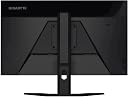
🔥 Level up your workspace & game zone with the Gigabyte G27Q — where pro performance meets sleek style!
The Gigabyte G27Q is a 27-inch QHD IPS gaming monitor featuring a 2560x1440 resolution, 144Hz refresh rate, and 1ms response time. It covers 92% DCI-P3 and 120% sRGB color gamuts for vibrant visuals, supports AMD FreeSync Premium for smooth gameplay, and offers ergonomic height and tilt adjustments. With DisplayHDR400 certification and multiple connectivity options including HDMI 2.0 and DisplayPort 1.2, it’s designed for professionals and gamers seeking high performance and immersive color accuracy.


| ASIN | B08DL3QVD9 |
| Are Batteries Included | No |
| Batteries | 1 Lithium Ion batteries required. |
| Best Sellers Rank | 70,671 in Computers & Accessories ( See Top 100 in Computers & Accessories ) 1,139 in Monitors |
| Brand | Gigabyte |
| Colour | Black |
| Customer Reviews | 4.6 4.6 out of 5 stars (381) |
| Date First Available | 24 July 2020 |
| Guaranteed software updates until | unknown |
| Item Weight | 6.7 kg |
| Item model number | G27Q EK |
| Lithium Battery Energy Content | 2 Kilowatt Hours |
| Lithium Battery Packaging | Batteries packed with equipment |
| Lithium Battery Weight | 2 Grams |
| Manufacturer | GIGABYTE |
| Number Of Lithium Ion Cells | 5 |
| Number of HDMI Ports | 1 |
| Number of Lithium Metal Cells | 5 |
| Number of USB 2.0 Ports | 2 |
| Number of USB 3.0 Ports | 3 |
| Processor Count | 1 |
| Product Dimensions | 61.9 x 20.3 x 51.89 cm; 6.7 kg |
| Resolution | 2560 x 1440 Pixels |
| Screen Resolution | 2560x1440 pixels |
| Series | G27Q-EK |
| Standing screen display size | 27 Inches |
| Voltage | 240 Volts |
J**R
Great monitors
Originally bought 2 of these and some 2 years later looking for a third monitor still couldn't find anything significantly better for the same price range so bought a third. If you're looking for a 1ms 1440p IPS panel you really can't go far wrong with it, only thing I'd recommend is set overdrive to speed as it's not set by default and is significantly better than the other options.
T**S
Great value monitor for high framerate gaming
I spent a lot of time researching 27" 1440p monitors and decided this Gigabyte offered the best value. I'm happy with the decision. Colour reproduction was decent, if a bit oversaturated, out of the box. Contrast is pretty good and the consistency of the backlight is OK. It's basically as I'd expect for an IPS monitor. 144hz makes a big difference in the games that I can run at higher framerates and in general the smoothness in windows is also a big bonus. G-sync seems to work well with my 3070. The monitor was easy to attach to the stand and it offers the height and tilt adjustments you'd expect. Recommended if you're looking for a budget gaming monitor.
S**Y
A league of its own
In terms of what you get for your money compared to other products with the same spec, this is fantastic. I’m not a huge gamer but this is primarily what I got it for and it does not disappoint. The colour and sharpness of the image is fantastic. I honestly wasn’t expecting much of a change between HD and QHD but this really delivered. And as a bonus, despite telling me it would be in stock on the 15th, I received it after just a few days. So I’m actually writing my review before I was expecting it to be delivered. The one very minor criticism I have is that the power button is on the back. This wouldn’t be a problem but the power button is also the control panel button for the monitor (it’s like a mini joystick) so it’s slightly awkward to adjust the monitor settings. Oh and the speakers aren’t great. But considering they’re in built and were a complete bonus, I really don’t care. It’s a brilliant monitor and I couldn’t be more pleased with it.
G**O
A great upgrade from a bad 1080p monitor
The Gigabyte G27Q is a 27 inch, IPS, 1440p, 144hz monitor. Lets first talk about what that means. The first thing to keep in mind is that 27 inches is pretty big. I cannot imagine getting a bigger flat screen monitor and being able to easily use it for gaming without it being much further away than a typical on-desk setup. The second thing to look at is that IPS (a type of panel with the other prominent type being VA) monitors like this one are well known for having black colours appear as grey. In isolation I do not notice this; but if intending to play in a dark room with the light off it could become noticeable. (It is worth noting that although VA monitors have a wider range of black colours they can also suffer from smearing with blacks during onscreen movement such as scrolling or in-game rotation which can be a huge pain.) IPS monitors are also well known for having back light bleed where corners and edges of the screen may appear lighter due to the backlight behind the screen bleeding through the sides. I have not noticed this being a problem with this monitor at all. The 1440p resolution used is the standard resolution of 2560 x 1440; it's a higher resolution display with the same dimensional proportions as a 1920 x 1080 screen. Coming from a 1080p screen it will typically appear to have more detail but if coming from a 1080p screen that is much smaller this may be slightly less obvious. The refresh rate of 144hz means that the display updates the screen 144 times a second, over twice as often as a typical 60hz display. This can make animation appear a lot smoother in games. The downside of this is that it will require a good graphics card to make full use of this as the game will need to be running at at least 144 frames per second to fully make use of this. It is important to note that because of this high refresh rate you will need a particular type of cable to make full use of this monitor, such as a DisplayPort 1.2 or HDMI 2.0 cable. (it may come with a cable, I cannot recall and have made use of my own.) The G27Q is both FreeSync (AMD) and G-sync (Nvidia) compatible. This means that if using an AMD or Nvidia graphics card these settings can be turned on in their respective graphic card control panels to attempt to synchronise the refresh rate of the monitor with the framerate of games in order to eliminate screen tearing (roughly, where sections of the screen load new frames at different speeds). My experience with the G27Q since buying it has been great. I use it mostly for internet browsing, watching videos/tv and occasional gaming. It's a sharp, high resolution display with smooth animation and does not suffer from glare despite my bad lighting setup. The larger size and higher resolution have both been a delight. It also comes with plenty of pre-set picture modes for various uses, some are: Movie, Reader, RPG and FPS. The FPS one in particular apparently raises the gamma level which can help with It was very easy to setup, though I had to use my own DisplayPort cable as one was not provided. Its stand has adjustable height and vertical tilt which were also easy to adjust. The only issue that I have had with this monitor turned out to not be caused by it. The issue was awful screen tearing in the game Overwatch. Crisp, vertical building edges, during movements, will load in a chunk at a time resulting in an ugly, jagged movement. AGAIN, THIS WAS NOT DUE TO THIS MONITOR. Instead, this was due to settings and was resolved by changing the vertical sync settings for nvidia to Fast from default (possibly not needed, next bits were more imporant), disabling Windows Game Mode and disabling fullscreen optimisations, again a Windows setting. Others online have mentioned an issue with ghosting/motion blur. This has not been noticeable in my normal usage but my previous monitor was quite bad so this might be something to at least lookup, as many people seem to have this issue. Overall, I strongly recommend this monitor. It was well worth the price and is a great upgrade from a 1080p monitor so long as you have a graphics card good enough to make it work for you. IMPORTANT NOTE: this is a review of the G27Q monitor, please do not assume that this is similar to the M27Q or G27QC as they are both very different monitors to this once. The G27QC is a curved VA monitor. The M27Q is similarly an IPS monitor but uses a BGR subpixel layout (contrary to the normal RGB) that can lead to some problems with blurry text rendering; if considering that monitor then please look that up first.
R**L
Best value for money monitor
A 27" 1440p 144hz monitor that has little to no ghosting as well as having some 4k capabilities and having speakers and a adjustible hieght is perfect. Great for those who want a next gen/premium experience at an affordable price
L**R
Exceptional Quality
Got to say it’s one of the best quality and colourful screens I’ve ever used! Also a little side note this can also run at 2K and 4K UHD and to say it’s a 1440p panel 4K content looks nice without any blur! Would highly recommend!
A**Y
Perfect
Upgraded from a 1080p monitor, can definitely see and feel the difference when playing games. Well worth the money but the controls leave something to be desired. The only control on the monitor is a power button, which can also be used as a directional switch.
J**R
Great product, none better for 1440p gaming
Great product, no better for 1440p gamingOnly issue is the bezels have 0.5cm of dead screen on left and right side, however after 2 hours of usage I completely forgot about it
S**E
Super Monitor vorallem für das Preis Leistung verhältniss. Gleichmässig ausgeleuchetet angenehm zum arbeiten eine menge Einstell möglichkeiten Von 60 bis 144 Hrz, zu kalibrieren. Ob für Normale Arbeit oder für das Gamen, Shooter usw Spiele. Es gibt nichts auszusetzen Display ist entspiegelt Standfuss angenehm schwer und sorgt für stabilität und Höhen-justierbar. Top
K**A
Bir hafta önce ürün indirime girdiğinde almıştım. Şu anda fiyatlar uçmuş. monitörü almadan çok araştırtım. en çok ölü piksel çıkmasından endişe ediyordum. Hemen test yaptım ölü piksele rastlamadım. hosting ışık süzmesi çıkmadı. Hem 27 inç hem 144 hz hem ıps panel hem 2K biraraya gelince muhteşem bir görüntü elde ediliyor. Monitörün malzeme kalitesi 10 numara prenyum hissi veriyor. Ben 19 inçten bu monitöre geçtim. Önceki kullandığım monitörden buna geçmek ben daha önce monitör kullanmamışım dedirtiyor. Ben eğitimciyim monitörü oyun amaçlı almadım ama çocuk da oyun oynasın diye ileriyi düşünerek yenileme hısı yüksek olsun istedim. Şu an en fazla 120hz alabiliyorum ama bu monitöden değil benim ekran kartımın eski olmasından kaynaklanıyor diye düşünüyorum yukarı aşağı öne arkaya hareket ediyor Sağa sola dönme ve pivot özelliği özelliği yok ama sorun yapılacak bir eksiklik sayılmaz. Bağlantı seçeneklerine gelince 2 tane 2.0 HDMI 1 TANE DP var. Çok kullanacağımı sanmıyorım ama 2 tane 3.0 usb girişi var. Ayrıca hoporlere gelirsek. Beklentiyi karşılayacak düzeyde değil Tek olumsuz yanı hopörleri diyebilirim. Sesler net geliyor, Ama sonuna kadar açtığımda ses düzeyi yetersiz kalıyor. Yüksek ses almak için harici monitör kullanmanız gerekli. Monitörü aldığınızdan pişman olmazsınız Parasını fazlasıyla hakeden bir ürün almış olursunuz. İyi ki ıps almışım. Görüntü, renkler çok sıcak çok canlı ve parlak. Hiç düşünmeden alabilirsiniz pişman olmazsınız
M**Z
Preso wu warehouse, e devo dire che è ben mantenuto, qualche graffietton leggero sulla scocca posteriore, ma di qualità non posso lamentarmi, preso a un prezzo molto contenuto, qualità top, 144 hz, li prende sia su windows che sui giochi, quindi ottimo sia da gaming che da lavoro.
C**N
bien
R**Y
El monitor tiene un problema, el HDR, es bastante malo y ya de por si en windows apesta con el que trae este monitor es mejor desactivarlo y obtendrás mejores resultados. Los altavoces incluidos son una porquería, no sirven para nada en absoluto. luego otro problema que he tenido es el panel que me ha venido con unas fugas de luz bastantes notables y he pedido reemplazo y este está muy bien. dicho esto es un buen monitor para jugar el ser ips le da un plus y se ve realmente bien, tiene varias opciones de serie para el gaming por no hablar de la resolución y la tasa de refresco que son muy buenas. lo dicho, quitanto el hdr y los altavoces el monitor es recomendable aunque por los 300 y pico que cuesta hayan alternativas mejores aunque IPS y con un diseño atractivo como el de este no he visto y por eso me decanté por él.
Trustpilot
2 weeks ago
1 month ago