

ZOTAC ZBOX Core i3 3120M 2.5GHz Dual-Core Barebone System with No Memory, No Hard Drive and No OS ZBOX-ID83-U
Product ID: 2238165
💻Intel Core i3 2.5GHz
📦Dual-Core Barebone
🔌Multiple Connectivity Options
🚀 Unleash Your Creativity with ZOTAC!
The ZOTAC ZBOX Core i3 3120M is a compact barebone system designed for versatility and performance. Featuring an Intel Core i3 dual-core processor, it supports up to 16GB of DDR3 memory and offers multiple connectivity options, including HDMI, DVI, and USB ports. With built-in Wi-Fi and Bluetooth, this system is perfect for both home and office use, making it an ideal choice for professionals seeking a reliable and expandable computing solution.
C**N
Impressive and capable piece of gear
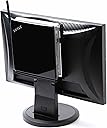
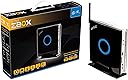
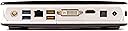
If you what you want is a capable midget computer ready to run then this is not for you, since you have to acquire some additional hardware, do some simple hardware assembly, and acquire and install all software, including the OS. On the other hand, what you get for that effort is a rather powerful and very small computer that has none of the bulk of the typical desktop. Size-wise it is not much more so than a paperback book.I was a bit skeptical when I ordered this, but am happy to report it is far better than I expected. The unit is as powerful as a really good laptop, but with better connectivity. You have to supply both memory and hard disk, the installation of which took me less than 5 minutes. For my unit I installed 8Gb of memory ( Crucial 8GB Kit (4GB x 2) DDR3 1066 MT/s (PC3-8500) CL7 SODIMM 204-Pin Mac Memory CT2K4G3S1067M ) and a 250Gb SSD ( Samsung Electronics 840 EVO-Series 250GB 2.5-Inch SATA III Single Unit Version Internal Solid State Drive MZ-7TE250BW ), all available on Amazon Prime. That's not a budget package, but if you already have monitor, keyboard, and mouse, you are getting a full-fledged, tiny, and powerful system for your investment (in my case, about $600). I selected those particular components since in both cases I knew there would be no qualitative or compatibility issues. The system is too small to have an optical drive, so you will also need a USB DVD drive for installing the OS and drivers (drivers are supplied on DVD for Win 7 and 8). If you don't already have a USB DVD drive, a good one won't cost more than about $35.What else? In addition to having a solid Intel Core I3 CPU with accompanying chip set, the system has 4 USB2 ports, 2 USB3 ports (double the typical laptop), HDMI and DVI monitor ports, ethernet port, and even an S/PDIF optical port. Wireless and blue tooth are also built in. That's an incredible amount of connectivity for such a small box.Physically the unit is mounted on a metal framework with heavy gauge plastic top and bottom, the design of which is impressive. Remove two thumb screws, slide off the case cover, pop In the memory, release the retention screw for the hard drive and insert, reassemble, and it's ready for OS install. It takes longer to get the stuff out of their boxes than to complete the assembly. If you are going to use wireless, I suggest you install the antenna while you have the lid off the case, since I had to reopen mine to get the antenna firmly connected. The unit comes with a VESA compliant mount should you want to attach it to the back of a TV, plus a nicely designed stand for vertical orientation (which was my choice). It is also set up to use horizontally as pictured. An IR remote and USB dongle are supplied if your intention is to control it from a distance - I haven't tried that particular feature.In operation, the unit is very quiet. The lid of the unit has a large "signature" circle on it that lights as a soft blue, a "feature" that is easily disabled in the ROM BIOS. In initial software installation, stick to the USB2 ports for DVD, keyboard, and mouse, as the USB3 ports require a driver, and you don't have drivers installed until you have an OS in place.I installed Win 7 on my system, which went smoothly. Performance is a potent 6.4 on the Windows experience index, no doubt helped by my choice of using an SSD. That means the system will run almost any app short of high end games with ease. If your need is for a lot of disk space, you should think in terms of an external USB3 drive enclosure for those really big files since there is no room for anything additional in such a small box.Any downsides? The only issue I had in assembly was getting the wireless antenna secured. I've only had the system up a short while, so I don't know yet how durable it will prove to be. Some users have reported issues with fan durability, for example. I'll amend this review later if I encounter any of those kinds of issues and address what the fix entailed. In any event, the unit should be placed where it has good air circulation to limit any possibility for heat build up. I find my unit to be surprisingly cool, with only a slightly warm spot on the case about where the CPU is located. I'm sure using an SSD rather than a mechanical drive also helps.Overall, my experience so far with this unit has been about 98% positive (the wireless antenna being the negative 2%). When I reflect on other systems I've put together, this one has been easily the most trouble-free to get fully up and running.
D**R
Very impressed with this Zotac.
I hesitated to spend a bit extra on this Zotac versus a similar barebones micro PC with an Atom or AMD processor. I am extremely glad I did. the i3 Core CPU in this runs at 2.5 ghz and very much feels like my desktop machine with a larger i core CPU. Very easy to install the SoDimms and SSD using only thumbscrews. It has a flexible Bios - not lightweight - and is quiet even though it has a fan. I would say if your room is silent, you could hear the fan, but for me, I had to get pretty close to the unit to hear it - I am in my 50s, so take my fan assessment with a grain of salt - although louds fans totally annoy me and this one doesn't annoy me at all. It is warm to the touch directly over the CPU, but not hot. The WiFi works way better than another micro PC I have. It seems Netflix @ 1080 fine over WiFi, but I should point out that this PC is within 20 feet of my wireless router. It comes with a cool Media Center remote, but I haven't tested that yet. I really am not fond of Windows 8 so I bought a Win7x64 Home Premium operating system which installed a bit slowly since I was using an external USB2 DVD that I had laying around. But no issues at all with the installation. After the OS install, I used the CD that came with Zotac to install the drivers (simple menu). Rebooted a few times, ran Windows update three times, installed my favorite antivirus by Trend Micro, installed my HD Homerun TV receiver drivers, pointed Media Center libraries to my inexpensive Iomega network attached storage device, and I am done. Executive summary: I am brand indifferent, but in my opinion, this Zotac is simply very well designed and constructed. Well worth the extra few dollars. It has none of the sluggishness of my Atom Micro PC and can use up to 16 GB of memory - I used G.Skull F3-10600CL9D-16GBSQ memory (comes with 2X8GB SoDimms). This Zotac's PC has an HD4000 graphics capability (a similar Zotac comes with a slightly faster CPU but it has an HD2500 on board display capability - I would very much recommend get the version with on board HD4000 graphics adapter. In my opinion, this PC is definitely worth a few extra dollars over the less expensive options that I could find. The Windows experience ratings are Processor 6.9, Memory 7.4 (at stock settings), Graphics 5.9, Gaming Graphics 6.4 (at 1920x1080 resolution and 6.5 at 1600x900 resolution), and Primary HD 7.9 (a Kingston Hyper X 120DB). I hope I covered the questions that you may have.
Trustpilot
5 days ago
2 weeks ago