We remain fully operational. Our teams are working around the clock to ensure your deliveries continue safely.

DOWNLOAD THE APP


Customer Services
Copyright © 2025 Desertcart Holdings Limited
DOWNLOAD THE APP
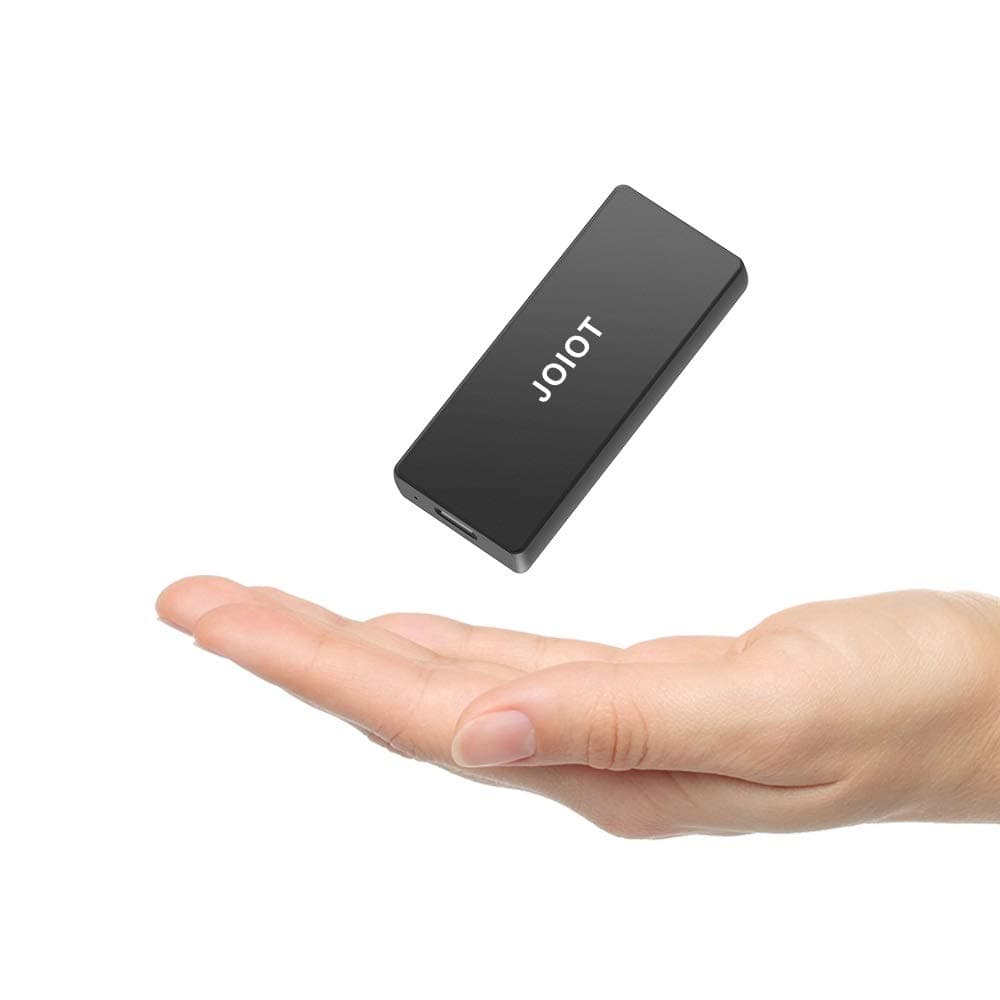
🚀 Carry Speed & Strength in Your Pocket — Don’t Get Left Behind!
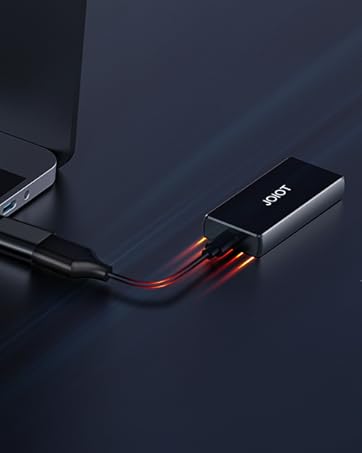
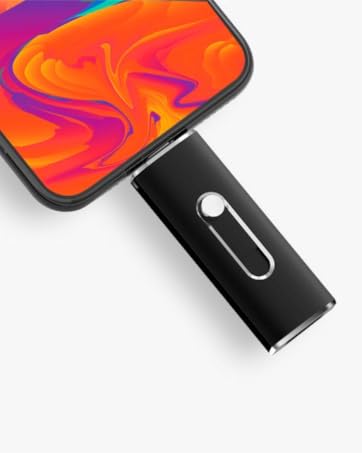
The JOIOT Portable SSD 120GB combines a rugged aluminum alloy design with ultra-light portability and USB 3.2 Type-C connectivity, delivering up to 400MB/s read speeds. Compatible across Mac, Windows, Android, and Linux, it’s engineered for professionals who demand fast, reliable, and shockproof external storage on the move.






| ASIN | B08F36DTXY |
| Additional Features | Portable, Shock Resistant |
| Best Sellers Rank | #159 in External Solid State Drives |
| Brand | JOIOT |
| Built-In Media | Portable SSD hard drive, Type-A to Type-C cable |
| Cache Memory Installed Size | 120 |
| Color | Black |
| Compatible Devices | Laptop |
| Connectivity Technology | USB |
| Customer Reviews | 4.2 4.2 out of 5 stars (711) |
| Data Transfer Rate | 200 Megabits Per Second |
| Digital Storage Capacity | 120 GB |
| Enclosure Material | Aluminum |
| Form Factor | 2.5-inch, Portable |
| Hard Disk Description | Solid State Drive |
| Hard Disk Form Factor | 2.54 Inches |
| Hard Disk Interface | USB 3.0 |
| Hard-Drive Size | 120 GB |
| Hardware Connectivity | USB 3.1 Type C |
| Installation Type | External Hard Drive |
| Item Dimensions L x W x Thickness | 2.54"L x 1.1"W x 0.39"Th |
| Item Weight | 23 Grams |
| Manufacturer | JOIOT |
| Media Speed | 200 Megabits Per Second |
| Model Name | X4 Black |
| Model Number | X4-Black-120G |
| Number of Items | 1 |
| Read Speed | 400 Megabytes Per Second |
| Specific Uses For Product | backup, storage |
G**S
Speedy, will not boot RPI4, but can be used as rootfs. Is a 4k drive
This drive is pretty speedy! I'm running my Raspberry Pi 4 from it, and I'm quite happy. Note that you can't BOOT the pi from it, but you can have the next best thing.... You can run your RPi from it, but you do have to do the initial boot from the SDCard. Once booted, though, all the disk access is on the SDCard. A couple of things to be aware of: 1) This drive is a 4k sector drive. This means just burning an sdcard image with RPI Imager or Win32 disk imager WILL FAIL. They seem to expect 512 byte blocks. It just writes a corrupted filesystem to the drive. 2) It works fine after boot. 3) I tried everything I could think of, but the RPI4 will NOT boot from this device for some reason. 4) Not all is lost - you can move your / filesystem to the SSD and gain the speed and durability advantages. You will have to book from the sdcard, however. I tried every way possible to boot from it, but could not get it to work. I even manually created a FAT32 boot partition and a copy of a root ext4 filesystem by hand, and it would not boot. Here's how I got it to work. Steps taken on the Raspberry Pi: delete original partition on the SSD and create new ext4 partition with gparted (gparted usually needs to be installed) mount the SSD ext4 partition (I used /mnt/target) copy the current OS partition to the newly created on on the SSD. (I used "sudo rsync -axv / /mnt/target"). This takes about 5 minutes on my pi4B get the PARTUUID of the SSD ext 4 partition you just copied. (I used "sudo blkid" and found the PARTUUID for the partion on /dev/sda) backup /boot/cmdline.txt to cmdline.sd edit the /boot/cmdline.txt, replacing the PARTUUID with the one you just found for the partition you created on /dev/sdaX edit the fstab **ON THE SSD** and replace the PARTUUID for / with the SSID you just put in cmdline.txt. (I used "sudo vi /mnt/target/etc/fstab") Don't edit the regular /dev/fstab! Because of the change above, it will never bee seen. Again! Edit the fstab ON THE SSD filesystem you just created. reboot. You can confirm the device is running on the new SSD by using "findmnt -o -n SOURCE /" and it should show a partition on /dev/sda Has been running OK for me for a while. Search raspberry Pi Forums for more information and detailed instructions.
M**K
What do you do with your old M2-SATA afffter you upgrade...🤷♂️ Get this little guy😉
After upgrading to a 256 from a 128 I needed something to store my old SSD. Well this is just what I wanted & needed. Yes, its USB 3.0 🤷♂️, Yes, its ALL-METAL housing, YES it fits 25 & 50mm M2.-SATA. "AND" it's no bigger than a zippo! 😉 Its great. All you need is in the packaging you take care of business. The only thing I needed was a case to travel with it and any mini earphone zipper case is perfect. After installing the old SSD in the enclosure there is even enough room to put some thermal pads, 0.5mm over the chips and NOT interfere with closing it up. While the USB 3.0 speeds might not be what USB-C is it works just fine for travel Laptop storage. IF you have a phone that supports OTG get the USB-C ver' Considering this is somewhat older tech by todays standard... you could... buy an SSD + this enclosure + a case & have a portable storage for less then say a 'WD 1tb mechanical' drive...😁😘 All in All I have 2 of these and they both work just fine for what they are. A place to store data on the go and fit in a pocket/bag then move on. PS yes... they do get a little warm after LARGE file transfers. But that's normal for silicon chips inside a metal box🤣
J**A
Drive is what it says that it is.
I bought this JOIOT 500GB SSD drive to hook up for an additional backup drive. I never heard of this brand and the price is quite a value. I ran H2testw to verify that this drive is a real 500gb as they claim, the test passed. I then ran benchmark test to see if the speeds were close to their claims of: Up to 450MB/s read and 350MB/s write. Some benchmark and utility software have issues identifying the JMicron chipset used for this JOIOT drive. My initial benchmark testing came back terrible. I ran it again to confirm. I then decided to try and switch out the cable and use a different cable then what comes with the drive, huge difference. Using a different cable, the drive performs close to the advertised speeds. Using a better cable as you can see in benchmark picture attached, is about 2X-3X faster. Not sure why they would include a cable the under performs so much. The included velvet draw string bag really is a waste to include, samething you can get at any craft store. They should have included a better cable and skipped the pouch. The drive does run cool, has a small blue light. I'm going to hook this up for an additional backup drive and I'll adjust my review as I see how this drive performs over time. This drive is great value (so far). At the moment, I don't trust this drive with any data that I cannot lose. I'm just using it as an additional backup. That could change in time, but so far so good.
D**N
Small, quick drives - fantastic customer support.
I mostly use this to edit video off of. Store the files on it, and it feels about as fast as my internal SSD. Highly recommend. Purchasing another! (250gb version) ---update--- The above purchases were great, so i gave them to friends and bought the bigger version for myself. As soon as I plugged it into the computer, I've been having issues. Froze up my computer, crashed it. Super weird, because that's never happened by plugging in an external drive. I reinstalled my version of windows after, because everything got a little funny. I exchanged it for another 1tb version, and I'd say it works about half the time. I don't know if it's quality control, or the smaller sizes just work better, but really confusing. ------------------update again---------------- After getting into contact with the manufacturer, I believe issues are resolved! Bonus points added back for customer service, and day 1 of testing replacement drive things seem to be working as they should. Pretty stoked again!
M**O
Bueno, funcional, barato compacto y perfectamente portable. Justo lo que yo queria
Trustpilot
3 days ago
3 weeks ago