Desertcart purchases this item on your behalf and handles shipping, customs, and support to USA.
🎮 Relive Retro Glory on Modern Screens — Don’t Miss Out!
The Hyperkin Controller Adapter (Model M07412) enables seamless connection of standard N64 controllers to Nintendo Switch and PC via micro USB. Featuring a compatibility switch for easy toggling between console and PC modes, this lightweight adapter (45.36g) offers plug-and-play convenience, bringing classic gaming nostalgia to contemporary platforms.


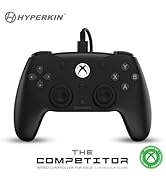

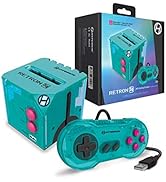
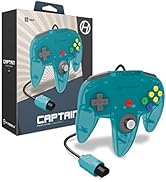
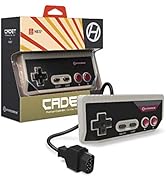

| Asin | B082N7K8QS |
| Item Model Number | M07412 |
| Product Dimensions | 20 x 30 x 10 cm; 45.36 g |
| Rated | Unknown |
| Release Date | 13 Dec. 2019 |
C**Y
Easy to use
It was easy to use good fir Mario kart
A**Y
Good adatper
No issues no input lag (for PC use) and easily connects to emulators like P64 and RetroArch
A**C
コントローラパックが入っていると動かない
ものはいいのですが、一つだけハマった点があるので書いておきます。 コントローラパックを入れたまま使おうとしたら、PC・Switchいずれも全く動きませんでした。 外したら問題なく動きました。
M**.
Très fonctionnel et à recommander
Cet adaptateur fonctionne sans problème sur votre ordinateur. Il faut une application tel que JoyToKey pour qu’il fonctionne car cela permet à votre Manette N64 d’agir comme votre clavier, mais si vous jouez sur Émulateur, la manette est détecté comme une manette et vous pourrez jouer
S**N
Extremely happy with this purchase! Great value! Does the job
Extremely happy with this purchase! I wanted to play n64 games on my computer. I initially purchased one of those cheap third party n64 USB controllers that plugs directly into the computer.. that was a mistake. I ended up throwing it out because the analog stick was so cheap and made controlling characters impossible. Then I found this adapter! It lets you plug your actual Nintendo n64 controller in to use via usb. No fuss and super convenient. I wish I had just purchased this in the first place! It's awesome. Highly recommend this adapter. Great price too.
C**T
Justo lo que necesitaba para la PC
Lo compré para poder usar mis controles de n64 originales en la pc. Al usarlo con Windows 10 lo reconoce inmediatamente sin instalar nada. Al entrar a ver las propiedades del mismo desde el panel de control los botones tienen una configuración un tanto extraña, pero que no afecta en lo más mínimo a la hora de jugar. Con el emulador PROJECT 64 la configuración es sencilla y bastante intuitiva. Con el emulador RETROARCH las cosas son algo tediosas, pero con calma se pueden solucionar. En primer lugar el programa no lo reconoce hasta que los configuras manualmente, para ello necesitas tu teclado y dar de alta cada botón. Posteriormente al usar CORES de Nintendo 64 te darás cuenta que no esta bien configurado. Con un poco de calma y paciencia puedes configurarlo correctamente y después de un rato tienes una grata experiencia. También puedes jugar otros CORES de Retroarch como de ARCADE o PSX con tu control de N64 sin problemas, siempre y cuando todo este bien configurado.
Trustpilot
2 months ago
3 weeks ago