Desertcart purchases this item on your behalf and handles shipping, customs, and support to USA.
🔥 Power, speed, and style in a compact powerhouse!
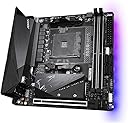
The GIGABYTE B550I AORUS PRO AX is a premium Mini-ITX motherboard designed for AMD Ryzen 3000, 4000, and 5000 series processors. It features an advanced 8+2 digital power phase design, dual M.2 slots with PCIe 4.0 support, WiFi 6, and 2.5 GbE LAN for superior connectivity. With integrated thermal armor, an I/O shield, and Q-Flash Plus BIOS update, it offers a robust, user-friendly platform for high-performance compact PC builds.


| ASIN | B089FWWN62 |
| Best Sellers Rank | #22 in Computer Motherboards |
| Brand | GIGABYTE |
| CPU Model | Ryzen 5 |
| CPU Socket | Socket AM4 |
| Chipset Family | AMD B550 |
| Chipset Type | AMD B550 |
| Compatible Devices | Personal Computer |
| Compatible Processors | AMD Ryzen 3000 Series , AMD Ryzen 4000 Series, AMD Ryzen 5000 Series |
| Customer Reviews | 4.3 out of 5 stars 1,673 Reviews |
| Graphics Card Interface | PCI Express 4.0 |
| Item Dimensions L x W x H | 6.69"L x 6.69"W x 1.7"H |
| Item Weight | 1 kg |
| Main Power Connector Type | 24-Pin |
| Manufacturer | GIGABYTE |
| Memory Clock Speed | 3200 MHz |
| Memory Slots Available | 2 |
| Memory Storage Capacity | 128 GB |
| Mfr Part Number | B550I |
| Model Name | B550I AORUS PRO AX |
| Model Number | B550I AORUS PRO AX |
| Number of Ethernet Ports | 1 |
| Number of Items | 1 |
| Number of Ports | 10 |
| Platform | Windows 11 |
| Processor Socket | Socket AM4 |
| RAM Memory Technology | DDR4 |
| Ram Memory Maximum Size | 128 GB |
| System Bus Standard Supported | SATA 3 |
| Total Number of HDMI Ports | 2 |
| Total PCIe Ports | 1 |
| Total SATA Ports | 4 |
| Total Usb Ports | 5 |
| UPC | 889523022986 |
| USB 2.0 | 2 |
| Warranty Description | 3 Years Manufacturer |
W**N
Excellent Hardware with Exceptional Support
The Gigabyte B550I Aorus Pro AX is one of the most affordable B550 ITX motherboards on the market at the time of this review, yet it is also extremely solid with all the latest features that an enthusiast may want in an ITX motherboard. Pros: For myself personally, the reasons for choosing this motherboard or a B550 board in general, is to have better/sooner support for the Ryzen 5000 series, along with things like PCIe 4.0, USB 3.2, and 2.5 Gigabit Ethernet. This board also features a very handy Q-Flash feature for flashing the BIOS without having anything aside from a power supply and a USB stick, so no need to worry about having a Ryzen 3000 series chip on-hand to flash the latest BIOS. The board also features a backplate that really makes it feel like a properly premium and sturdy product. Compared to its X570 sibling, this board is around $30 less expensive but does not lack anything notable in my opinion, aside from the M.2 slot on the back of the board being PCIe 3.0 whereas the X570 version has PCIe 4.0 on both M.2 slots. The B550 also does not have a chipset cooling fan, which to me is an advantage over the X570 because it eliminates a potential source of noise and premature failure. It’s also worth noting that the chipset fan on the X570 version takes up one of the 3 fan headers, whereas all 3 headers on this board are usable. The X570 version also appears to only have USB 3.1 Gen 2 and 1.0 Gigabit Ethernet. Cons: This board does not have any provisions for front panel USB-C ports, so beware if your case features any USB-C ports that will need to be connected to the motherboard. Officially, the B550 chipset only supports Ryzen 3000 series out of the box, with Ryzen 5000 support enabled via a BIOS update. On the other hand, the X570 version will support Ryzen 2000 series as well, so in that regard the B550 board does lack a bit of flexibility. Additional Notes: I picked up this motherboard with the intention of using it with a Ryzen 5000 series chip when I get around to buying one sometime next year. The reason for buying this board now is mainly because availability for this board has been very inconsistent until recently, so I figured it would be wise to buy one while it’s readily available. I’m currently using a Ryzen 2700X which isn’t officially supported by the B550 chipset, so I was originally going to leave this board on the shelf until I got a Ryzen 5000 series CPU. I saw a few reports of people getting 2000 series CPUs to work in B550 boards, though they were few and far in between. However, I was going to go ahead and flash this board to BIOS version F10 to enable Ryzen 5000 support, so I thought it wouldn’t hurt to check if my 2700X will post in this board while I’m at it. The board was probably preloaded with the F1 or F2 BIOS out of the box, and I got nothing but a black screen when I tried to boot. However, after flashing to the F10 BIOS, I was massively surprised to see that it was able to post, and everything seemed to function normally in the BIOS. I proceeded to go a step further and installed my boot drive to see if it will boot into Windows, and I couldn’t quite believe my eyes when it reached desktop without any noticeable issues, and without reinstalling Windows or any of the drivers. Fast forward to today, and I’m running the F11b BIOS from October 19 with “additional optimizations” for Ryzen 5000 series, which actually enabled XMP for me, something that wasn’t working on the F10 BIOS. I have now reinstalled Windows and have been fine-tuning all the details without any problems whatsoever. I couldn’t be any happier with this board, everything from its features and construction to the unexpected support for older chips like mine. I would also like to add that the F10 BIOS which enabled Ryzen 5000 support was released on September 18, before the Ryzen 5000 series was even announced. I don’t see how Gigabyte could possibly have been further ahead of the curve when it comes to product support, and they have done a truly excellent job with this board.
M**W
Fantastic little mobo with a good power phase and great features
After my old motherboard (ROG Strix X570i) started malfunctioning I bought this and I might say my SSFPC has got a new thriving life ahead and it's so far working like a charm. Using SteamOS and pretty happy with it. Only complaint is the box had a bit of a bruise but nothing to complain about on the motherboard itself.
S**Z
Nice mobo...
I got this to throw onto a Hydra Mini chassis build. I am running a Ryzen 3600 with a Scythe Big Shuriken 3, GTX 1080 Founders, G.SKILL Trident Z Neo F4-3600C16D-32GTZN, Samsung 790 EVO PLUS, Samsung 970 EVO, and a Corsair SF600 PSU. Everything went together good. I obviously don't need front panel C with a Hydra Mini so this worked out great for me. I updated to the F2a UEFI update before even trying to install windows. When I turned on above 4g decoding in the UEFI I lost everything connected to the chipset in Windows. Oddly enough I just had this happen on my Asrock Taichi Ultimate with the latest update on it too. I'm thinking there must be a bug in the latest code from AMD because I've always used that setting in the past. Once I turned it off both systems ran normally with all devices detected. Another thing that hung me up for a minute was the M.2 mounting on the front. I took the cover and heatsink off and at first, couldn't figure out why the drive wouldn't lay flat. The post was too high and I was thinking does this thing have to be pushed down beside it then the heatsink put on? After closer examination, I noticed that the top part of the post unscrews and then you put the drive in and screw that down over the drive, then lay the heatsink down and screw it in, and then reattach the cover over all of it. Also, be careful because the heads and threads look and feel easy to strip. I've been running for a couple of days now with no problems and so far would recommend this board. I plan to install one of the next series of Ryzen CPUs and whatever the best upcoming GPU turns out to be. I'll be sure to come back and update if I have any problems.
B**A
Good motherboard
Very solid the only complaint I have is the bluetooth issue. I literally had to buy a separate dongle to make it work. After updates installed and BIOS update as well it will simply no work properly have this in mind if planning on buying it
C**J
Works But has flaws
This motherboard seems to be working well except for the fact that the WIFI doesn't work at all, the settings don't even show that the pc i put this motherboard in even has wifi, it only offers Ethernet. Even then, it's weird; it seems to be able to see the network. Still, when it attempts to identify it, it falls on its face. I tried to update the Wi-Fi drivers, and it seems to have had no change or worse, causing it not to even connect to the Ethernet like it normally does after a few tries. Update got it fixed with most recent drivers was a gigabite problem,
M**D
If you like to overclock don't buy this.
The ram slots are crunchy like they have sand in them. It's probably why I've had a lot of trouble getting the ram to seat properly. Trying to reset the bios is like pulling teeth. It doesn't work. It takes me literally hours and the only reason it works sometimes is because I'll make a hardware change like changing the ram or something. Right now I'm trying to reset the bios because I did an unstable CPU overclock and it freezes on the motherboard logo screen (just after post). I've tried everything, flipping the PSU switch and unplugging the power cord (just to be extra sure) and waiting a few minutes, and I've tried holding the pins jumped for varying amount time between 5 seconds and 1 minute. I'll be damned if I have to completely disassemble my PC just to get to the cmos battery. If I can get the bios reset I'm just going to enable XMP and set my custom fan curve. I have zero confidence in overclocking on this board because I can't reset the bios. On all my previous systems, there was no fuss. You just turn it off, disconnect power, jump the pins for about 10 seconds and boom, you can start tinkering again. Not on this board. The drivers for the wifi and bluetooth don't install very well. Windows pops up a prompt asking if they installed properly and I don't know until I restart my system. Luckily they work. I regret buying this board. It's got a few cool features but the bad outweighs the good for me.
W**I
Awesome Mini-ITX Motherboard for SFF Builds.
I actually find this motherboard solidly built with plenty of power headroom. I had returned an ASRock B550m-ITX/ac motherboard because if was having fits with Power Reporting Deviations in HWInfo64 that were constantly in the RED, and just wasn't comfortable using it with my Ryzen 7 5800X CPU. I find this motherboard to be much better than their X570 ITX motherboard in that the little BIOS button on the rear I/O of this B550 motherboard is for BIOS Flashback, and not for CMOS reset, something I find very irritating on the X570 motherboard, because I inadvertantly hit this button every time I move that PC.
L**D
Bluetooth stops working intermittently, poor implementation
You have to read the reviews here about this same issue. Also numerous posts on Reddit about Wifi/Bluetooth issue that still plague this motherboard and Gigabyte has not fix it yet since its release. I have the B550I AORUS PRO AX (rev. 1.3). Out of the box, Wifi and Bluetooth are the only two that don't work on a fresh Windows 10 install. Since it's rev. 1.3, it comes with the "Realtek Wi-Fi 6E RTL8852CE" Wifi/Bluetooth hardware. The official Wifi and Bluetooth drivers from Gigabyte only made the Wifi work, but Bluetooth remains a "Generic Bluetooth Adapter" in Windows' Device Manager and it will not find other Bluetooth devices when you try to pair--this means it's not even working, bad driver. Even after downloading a third-party driver from Station-Drivers (6001.16.127.0 WHQL), the Bluetooth works, but will intermittently stop working after a while (e.g. Bluetooth mouse, keyboard, etc.). Connecting something to one of the rear USB ports makes Bluetooth work again. How bizarre is that? There is some interference with the Wifi/Bluetooth signal coming from this motherboard, as my wireless mouse using a USB dongle skips signal from time to time (plugged in one of the USB 3.2 ports), and sometimes freeze up the computer. I have disabled the Wifi and Bluetooth on this motherboard so I could move on from this. Also contacted Gigabyte support about it, but they gave me the generic book response. I'm bummed out for such a full-featured board like this, only to have this kind of problem, and Gigabyte is doing nothing to fix this common issue.
N**S
Bluetooth galère
La MAJ bios semble réduire les évènements de déconnexion mais il y en a toujours, chaque fois la souris et le clavier sont deco donc redémarrage manuelle et ca remarche. Ça fait ieche quand même car j'ai prévu un wake on lan pour éviter toute interaction physique avec le pc mais bon ca marche quand même la plupart du temps. Pour le reste bas j'attendais des températures plus élevée avec le 3200g (qui fonctionne dès la sortie de boîte sans maj d'ailleurs). La carte est solide et le heatsink du m.2 de devant a l'air de tres bonne qualité malgré que je ne l'ai pas encore testé. Globalement pour le prix ce serait un excellent produit (5 étoiles) s'il n'y avait pas de problème bluetooth.
K**様
"Simple is best"を体現する万人向けマザーボード。他社製よりもお勧めできるMini-ITX
約2.1万円で購入し、2020/08/12のレビューです。*2020/11/01に追記 <総評> 他社製よりも癖が少なく、幅広い層にお勧めできる製品です。B550らしくチップセットやVRMにファンがついていないため静音性重視の人にはうれしい設計です。ヒートシンクが立派なため冷却面にも抜かりはありません。パッシブな冷却方法を採用しているためトップフローのCPUクーラーの相性が良いと考えられます。 減点部分としてはフロント用のUSB Type-Cヘッダーがない点と水冷ポンプ用のヘッダーがない点と光デジタル端子がない点です。逆に言えば、水冷・光デジタル端子を使用せず、ケースにType-Cがない人の場合欠点がないです。シンプルで優れた構成を可能とするMini-ITXマザーボードです。 <主な特徴> ・Mini-ITXマザーボード(170mm×170mm) ・B550のチップセット ・CPUの互換性:Ryzen 3000シリーズ(末尾がX,XT,無印)、Ryzen 4000Gシリーズ、Ryzen 5000シリーズ ・6+2の電源フェーズ設計(90Aの電源フェーズのため性能的には十分) ・一体型のIOパネルとマザーボードのバックプレートの装備 ・パッシブな冷却機構(マザーボード上に冷却ファンがない) ・2つのメモリスロット(2×DDR4 DIMM)と1つのPCIE×16スロット ・2×リア側USB3.2 Gen2(Type-A×1個、Type-C×1個) ・6×USB3.2 Gen1(リア側USB Type-A×4個、フロント側×2個) ・WiFi6機能(2020/8/21時点で最新の無線LAN)(Wireless AX 200) ・Realtekl製2.5ギガビット有線LAN(2.5GbEの場合Intel製よりおすすめ) ・Realtek ALC 1220ベースのオーディオチップ(音質はそこそこ良い方です) ・リア側に3.5mmオーディオジャック×3個 ・2個×HDMI2.1、1個×DisplayPort1.4 ・2つのケースファンコネクタ ・Q-Flash Plus機能(BIOSをCPU/メモリ抜きで更新する機能で、新CPU発売/メモリで詰んだときに重宝する。) ・4×SATA3.0端子(排他利用制限なし) ・2×M.2スロット(表側にPCIE4.0×4/SATAのM.2、裏側にPCIE3.0×4/SATAのM.2) *Ryzen 4000Gシリーズの場合、M.2とPCIE×16スロットがPCIE4.0から3.0に置換される <BIOSバージョンごとの対応CPU> Ryzen 3000シリーズ→全てのバージョンで対応(セキュリティ更新のためF2以上がおすすめ) Ryzen 4000Gシリーズ→F2以上(メモリ互換性向上のためF3以上がおすすめ) Ryzen 5000シリーズ→F10以上 <詳細な評価(ハードウェア面)> VRMフェーズ数自体は多くないが1フェーズ当たりの性能が高いため、実は強力な電源設計をしています。IOパネルが一体型でマザーボードにもバックプレートが備えているため、自作初心者にありがちなIOパネル取り付け忘れやボード裏を傷つけて故障の原因になることを防げます。 ストレージ面としては裏と表に1個ずつM.2があるのでPCIE4.0対応のM.2 SSDの導入を考えている人にはうれしいです。 音質面について記します。Realtek ALC 1220ベースのチップが採用されているので、音質に不満はないです。ただし、見た感じオペアンプがないので音質面に過度な期待は禁物です。試していませんが、高インピーダンスのヘッドホンを使うには不向きと考えられます。しかしながら、この音質で不満に感じるならサウンドカード/ユニット(Sound Blaster X3など)を使用した方が満足すると思います。 IO関連も充実しています。内臓グラフィックスで3画面出力対応し、USBの個数は合計で6~10個です。内臓グラフィックスによる画面出力数の多さは強みの一つです。 マザーボードのレイアウトに関して、標準的なレイアウトで癖が少なく、ケースとの相性を問うようなレイアウトではないです。 欠点に関してもMini-ITX用のケースを使用して、水冷やフロントUSB Type-Cを使用する人は少ないでしょう。Mini-ITXという規格上、シンプルな構成になりやすいので、純粋な性能を追求した良い設計です。 逆に水冷(240mm以上)とType-Cを活かせるMini-ITXらしい小型ケースはかなり限られます。私が知る限り、今のところFractal DesignのEra ITXくらいです。 <詳細な評価(ソフトウェア面)> Ryzen 5 3600を装着したときは問題がありませんでしたが、Ryzen 5 PRO 4650Gを使用したとき、F4-3200C16D-16GTZRX(DDR4-3200のOCメモリ)のブルースクリーンが発生しました(2020/08/12時点)。仕方がないのでCMK16GX4M2B3000C15(DDR4-3000のOCメモリ)に交換したら正常に動作できました。 某有名オーバークロッカーも述べていましたが、Ryzen 4000Gシリーズはまだまだメモリ互換性の最適化ができておらずエラーが起きやすいようです。実際Ryzen 5 3600のときは問題がなかったので、この推測は正解だと考えられます。 AMDの新作CPUの発売直後にはよくあることですので、おそらく今後のBIOSアップデートでメモリ互換性が向上すると思います。DDR4-3200が動作しなくても、新しいBIOSが公開されるまでは動作周波数を落として使用することをお勧めします。仮にBIOSが原因で、PCの起動がうまくいかなくてもQ-Flash PlusボタンでBIOS更新できます。BIOSで手詰まりになった場合、ぜひ試してみてください。 BIOSの設定項目の種類はROG Strix X570-E Gamingと比べると劣りますが、必要十分な項目があります。GigabyteのBIOSのデザインが新しくなっており、スタイリッシュでした。 Gigabyte製の付属ユーティリティーはいつも通りの完成度です。Gigabyte製の特徴としては様々な種類のユーティリティーが充実しており、OC、ハードウェア監視、RGB機能等と色々できます。初めて購入する人にとってはユーティリティーが多くて煩雑ですが、とりあえずAPP Centerをインストールすると良いです。ちなみに光らせる機能としてはASUSやMSIには劣ります。 (2020/11/01追記) F11dのBIOSバージョンにてブルースクリーンになったメモリが使用できました。F3のアップデートでメモリ互換性の向上があったからだと思います。 <デザイン> 好みの問題ですが、デザインは秀逸です。派手さがなく、上品なデザインに一目惚れしました。芸術的です。 <その他> 細かい点ですが、バックパネルI/Oの2つのアンテナコネクタ間距離が近すぎるため自分で用意したアンテナが装着できない可能性があります。付属アンテナは問題なく装着できますが、結構大きいので気になります。アンテナのベース部分にマグネットがついているので、鋼製のケースと相性が良いです。 2つの4ピンケースファンコネクタについてですが、片方のコネクタの形状が通常の規格でないです。梱包された変換ケーブルがで通常の規格にできます。 <所感> 個人的に他社製のMini-ITXマザーに気に入らなかった点(X570なら許容できるがB550にファンが付いている、iGPUの画面出力数が相対的に少ない、価格が高い等)が多かったため、B550I AORUS PRO AXを購入しました。正直Gigabyteには良くも悪くもない印象を持ってますが、この商品に関しては大変素晴らしいと思います。 <使用環境> マザーボードのBIOSバージョン:F11d(Amazonから届いた時点(2020年8月上旬)はF2) CPU:Ryzen 5 PRO 4650G グラフィックス:内臓グラフィックス(ドライバはAdrenalin 2020 10.1を使用) メモリ:CMK16GX4M2B3000C15(8GB×2枚、XMPで3000MHzで使用) 電源ユニット:KRPW-TX300W/90+ <参考ベンチマーク> Cinebench R20(全コア):約3500点 ドラクエ10(最高品質、フルHD、ウインドウ):約10300点 *マザーボード自体に問題はなさそうです。
K**N
It works but still it is THE worst decision i have ever made
A llllot of problems with thia motherboard with no fixes. We talking about unstable under/overclock, Bluetooth disappearing from the system entirely without clear reason with weird fixes like unplugging the power cable and pressing on the start button which fixes it (i know how wired) and all of sudden the PC crash and when it auto restart it wont it get stock at the logo screen u need to force stop it and start it agin and when it turn on guess what? Bluetooth gone agin. Just go pick up ASUS or MSI.
J**A
Excelente opción para cualquier procesador AM4
Es una excelente opción si deseas armar una PC mini itx con buenos componentes, la combine con un R7 5800X3D y una RX 6950XT y no he tenido ningún problema con esta motherboar.
D**I
Great for am4 itx build, no problems had for 2 years now
Perfect for my itx build with 5800x3d.
Trustpilot
2 weeks ago
2 weeks ago