🚀 Rocket your productivity with SABRENT’s ultra-fast, ultra-reliable 8TB SSD!
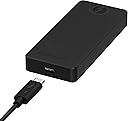
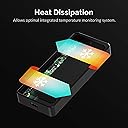
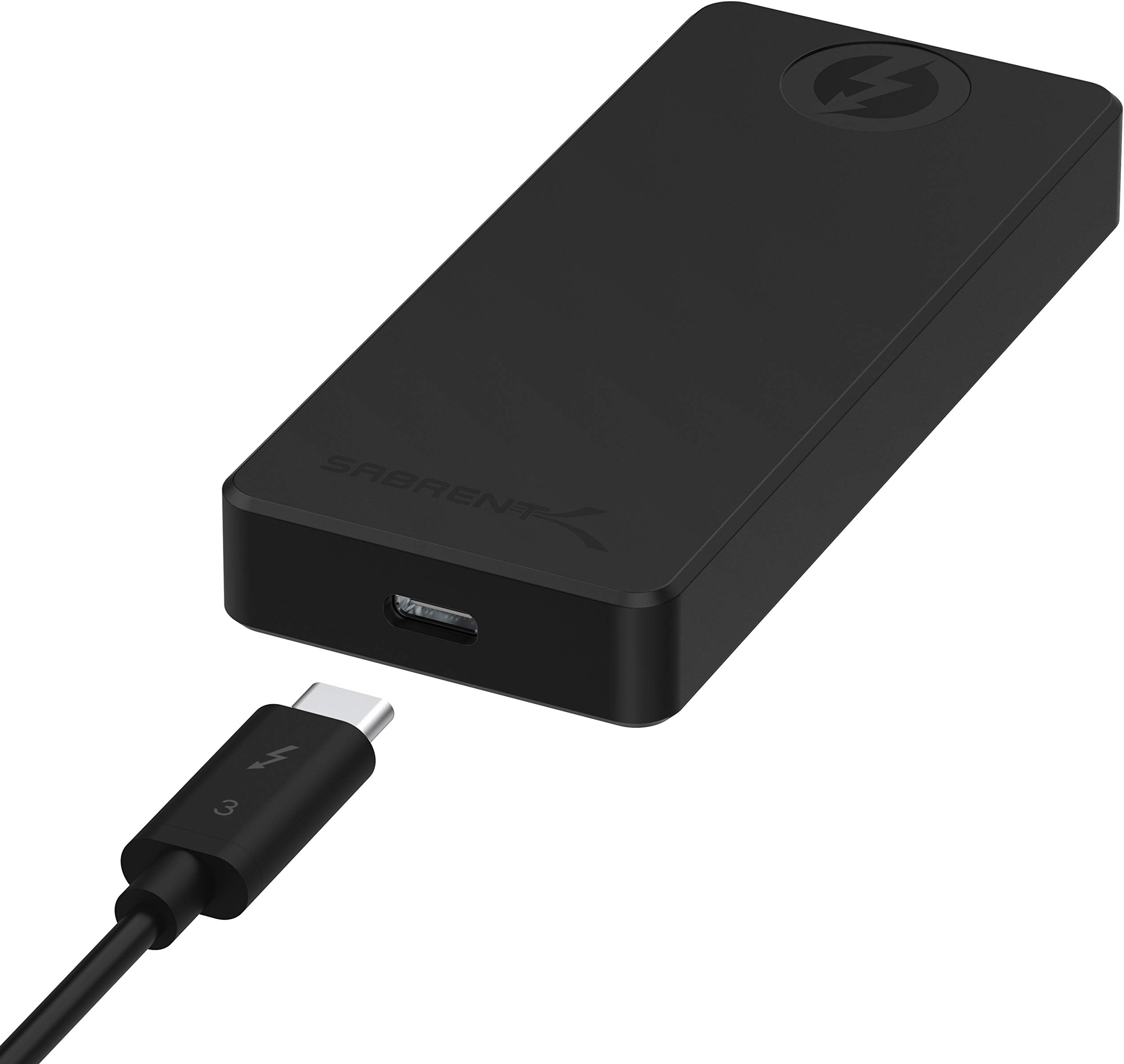
The SABRENT Rocket XTRM-Q 8TB External SSD combines cutting-edge Thunderbolt 3 and USB 3.2 technology to deliver blazing transfer speeds up to 2700 MB/s. Its solid aluminum build ensures durability and efficient heat dissipation, while integrated health monitoring safeguards your data. With plug & play convenience and massive 8TB capacity, it’s the ultimate storage solution for professionals demanding speed and reliability.


| ASIN | B08BZ2Z65B |
| Additional Features | • Automatically detects USB or Thunderbolt 3 connections.• Thunderbolt 3 mode transfer speed up to 2700 MB/s (Actual performance varies by capacities, host device, user applications, and other factors).• USB mode transfer speed up to 900 MB/s.• Solid aluminum construction for durability and maximum heat dissipation.• Integrated temperature and health monitoring system.• Plug and play. No drivers a… |
| Best Sellers Rank | #1,243 in External Solid State Drives |
| Brand | SABRENT |
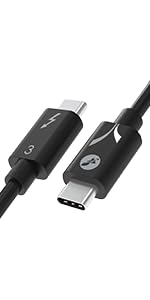
| Built-In Media | • Rocket XTRM-Q 8TB External NVMe SSD.• Thunderbolt 3 cable.• USB Type-C to Type-A cable.• Quick user guide. |
| Cache Memory Installed Size | 8 |
| Color | Black |
| Compatible Devices | Most USB Compatible Devices |
| Connectivity Technology | USB |
| Customer Reviews | 4.4 out of 5 stars 461 Reviews |
| Data Transfer Rate | 2700 Megabytes Per Second |
| Digital Storage Capacity | 8 TB |
| Enclosure Material | Aluminum |
| Form Factor | Portable |
| Global Trade Identification Number | 00840025250222 |
| Hard Disk Description | Solid State Drive |
| Hard Disk Form Factor | 2280 Centimeters |
| Hard Disk Interface | USB 3.2 |
| Hard-Drive Size | 8 TB |
| Hardware Connectivity | USB |
| Hardware Platform | Mac |
| Installation Type | External Hard Drive |
| Item Type Name | external-solid-state-drives |
| Manufacturer | SABRENT |
| Media Speed | 2700 |
| Mfr Part Number | SB-XTMQ-8TB |
| Model Name | SB-XTMQ-8TB |
| Model Number | SB-XTMQ-8TB |
| Number of Items | 1 |
| Read Speed | 2700 Megabytes Per Second |
| Special Feature | • Automatically detects USB or Thunderbolt 3 connections.• Thunderbolt 3 mode transfer speed up to 2700 MB/s (Actual performance varies by capacities, host device, user applications, and other factors).• USB mode transfer speed up to 900 MB/s.• Solid aluminum construction for durability and maximum heat dissipation.• Integrated temperature and health monitoring system.• Plug and play. No drivers and no external power supply needed. Special Feature • Automatically detects USB or Thunderbolt 3 connections.• Thunderbolt 3 mode transfer speed up to 2700 MB/s (Actual performance varies by capacities, host device, user applications, and other factors).• USB mode transfer speed up to 900 MB/s.• Solid aluminum construction for durability and maximum heat dissipation.• Integrated temperature and health monitoring system.• Plug and play. No drivers and no external power supply needed. See more |
| Specific Uses For Product | Business, Gaming, Personal |
| UPC | 840025250222 |
| Warranty Description | 1 Year Limited. Register your product at Sabrent.com for an extended 5 Year limited Warranty. |
P**D
A lot of drive in a small space and fast!
If you read the description of the drive then you have a pretty good idea why this drive is becoming popular. It is not cheap but it is also not expensive for what you get. Excellent warrantee, speeds come close to the suggested numbers in their adds and as expected, it does get a bit warm. The silicon (?) case they offer is definitely worth using. As many know, the higher speed ssd type of offerings do tend to get warm and in some instances, people have said their computers too suffer heat increase. This drive, attached to a Mac Mini M1 did get a bit warm but not overly hot. If you need a good backup drive or drive needed for speed (such as for art, movie making etc.) this is one drive you may want to investigate and ultimately, buy. In terms of thickness, the drive is much thicker than some external SSDs. With the silicon case on, it is at least 3x that of a T5 Samsung. For me, that is a trivial matter but some have their tastes of "sleek." I expect I will be buying more from Sabrent given the warrantees on some of their products and the speed.
A**R
Awesome device.
I was looking for a portable backup drive. I had been using the WD My Passport Ultra which came with the USB-c cable but was NOT Thunderbolt! That was a fake out. USB 3.2 is so slow compared to Thunderbolt. When using a USB-C connector with Thunderbolt protocol make sure you buy the CORRECT CABLE. The current version is Thunderbolt 3.0 on my computer but I bought the Belkin's TB 4.0 certified cable to ensure the highest transfer rates. It MAKES a difference to take advantage of the "SS" Super Speed ports. Make sure you use the SS or Thunderbolt Logo'd ports for the correct speeds. With this drive I am seeing 2,200 Read speeds and 186.7 write. I TURN OFF the W10 caching in the Device Manager. I want my drives to push the data through right away, even if it appears slow, not have MS play games using my system memory and cache to make the drives SEEM faster. Small files, sure use cache, but with backups no help from caching. (edit: added the ratings with cache on). I do all my Acronis TI and W10 (using w7 Backup tool) to this drive and it is fast. Yes it gets hot enough to burn your fingers, but it comes with the rubber cover which helps protect you from it. I am happy with the purchase. I may buy a second or go up to the 8Tb once they become available again and I am a solid Samsung SSD Pro guy, but found this was perfect for the cost and purpose.
D**J
Fast and capable. Runs hot.
The 16TB version contains two 8TB drives inside. The drive works well for what it does. It's very fast and (as far as I can tell in limited usage) reliable. It requires an external power brick (included) which is a bit less convenient than bus power. The drive runs very hot, especially if you use both internal 8TB drives at the same time (in RAID for example) -- almost hot enough to burn you. Note that it does NOT WORK with USB (maybe some of the lower capacity variants work with USB, but this one does not). You MUST have Thunderbolt, and most likely you must have Thunderbolt 3 (I can't test earlier versions). I believe this product is discontinued; the replacement product is a portable Thunderbolt dock which includes a hard drive but also the rest of the ports that make up the dock, for a cheaper price.
J**H
Update: Sabrent came through
I think the only fair way to edit a review, when the original review itself is accurate, is by appending to it rather than replacing it. To that end, the original title of this review was "Drive lasted a total of two hours; no longer recognized by any computer." Its full text is below, following the update. UPDATE: I received a call from Sabrent. They made a generous goodwill gesture and made arrangements to have the failed drive overnighted to them for failure analysis, and for a replacement to be dispatched my way. As the owner of many of Sabrent's 4TB XTRM drives and someone who obviously has a need for a large volume of portable storage, I simultaneously decided to purchase another 8TB XTRM-Q, figuring that if there was actually some hardware problem or incompatibility I would simply return it. Well, I can't yet report on the replacement drive from Sabrent, but I can comfortably say that XTRM-Q #2 is performing as expected, and I expect/hope for the same with XTRM-Q #1's replacement. I will update this if anything changes. Note for those curious: this drive uses a Phison controller. 8/19 update: Sabrent has had the failed drive for nearly two weeks and there is still no sign of its replacement. It seems that they are having an issue with this model or product line. Hopefully it's something they can resolve through a firmware update. Revised to three stars. I can't reasonably keep at four stars a product that I haven't been able to use the majority of the time I have owned it. Yet another update: Replacement works, as does the second 8TB XTRM-Q I bought. Realistically, for my purposes, which require portable storage capable of handling fairly frequent multi-TB transfers, direct-to-QLC speeds are just too slow. That’s not Sabrent’s fault; it’s the technology. Just know that you are not going to get sustained writes much (if anything) over 300 MB/s. On the flipside, the TLC 4TB XTRM is sufficiently snappy, routinely moving data at transfer rates in excess of 1.8 GB/s. That’s damn fast. But my use case is probably not yours, and most people will be more than fine with this monster-capacity portable SSD. A final note regarding power draw: the 8TB XTRM-Q routinely pulls in the neighborhood of 1.5 amps, rarely but occasionally spiking near 2 amps. That practically means that on most laptops, you shouldn’t get too comfortable plugging in two drives at once. Doing so on a 2019 MacBook Pro inevitably leads to the laptop cutting power to one of the drives, which could be catastrophic to whatever it is you are working on. INITIAL REVIEW (ONE STAR): I hope to be able to update this review to something positive, but my experience with this $1700 8TB drive warrants zero stars if that were possible. 16” MacBook Pro running 10.15.6. First time plugging in the drive it appeared to work. I formatted it in Disk Utility from ExFat to APFS, then tried to clone my 8TB internal SSD to it. (Prior to doing to I ran DriveDX and BlackMagic Disk Speed Test on it. Everything looked fine.) After writing for ~40 minutes at a much slower transfer rate than I expected, my computer crashed. During that time the SSD enclosure's aluminum shell reached temperatures as high as 171 F. On restart I got a notice about the drive having been disconnected and an alert in Carbon Copy Cloner that the XTRM-Q had a read error, which I confirmed in DriveDX. Reconnected it successfully, tried again. Drive was intermittently disconnecting regardless of the cable I used... then my computer crashed after ~an hour. Since then, the drive hasn't been recognized in Disk Utility at all, though it does show up in System Profiler under Thunderbolt. No idea what's up. I thought it might be a computer-side hardware issue some others were also experiencing, but when I tried the drive on a 15" 2019 MBP running Mojave it still wasn't recognized... other than in System Profiler. I have since tried multiple other computers. Verdict: the drive worked for a total of maybe two hours. It’s been dead since. I had my assistant call Sabrent customer service, where a recorded message told her someone would be with her soon... for an hour. Not cool.
B**R
Great solution for older, non upgradable Macbook Pro's
I love this little drive. I have a 2017 13" MBP with 256gb built in SSD, non-upgradable (thanks a lot Apple). Bought a cheap shell (https://www.amazon.com/gp/product/B07SSRT9RZ/ref=ppx_yo_dt_b_asin_title_o07_s00?ie=UTF8&psc=1) for my MBP and velcroed this drive and some cable management guides to the shell and now I have an extra TB of storage. This thing is screaming fast! I copied 100gb in a couple of minutes. I have most my apps and my dropbox files all on this drive. Everything runs with no problems. Be aware, if you want sync it to Dropbox on Mac, you will need to reformat it to either HFS+ or APFS first, so do this first before putting anything on this drive if you plan on using it with Dropbox. It does get kind of warm, but not hot enough to melt the adhesive that holds the velcro and not too hot to touch, so I wouldn't worry about the heat. It weight close to nothing. I will definitely buy more if needed.
P**Y
Can’t hit claimed speeds, and serious throttling issues
I was super excited to be able to purchase an 8TB version a couple weeks ago with a lot of hope that it would be the storage answer I badly needed. I have a 16” MacBook Pro with the fastest i9, 64GB RAM and 8TB of super fast internal storage, yet I’m constantly finding myself needing more storage during long filming trips. When I received the Rocket I instantly hooked it up and did a speed test. The results were a maximum speed for read or write of 1800MB/s. That was clearly not the 2700MB/s they claimed, but it would still be better than most options that max out at 1000MB/s. The more serious problem came when I tried to copy a large folder. As noted by other reviews here, once you get close to 1TB of transfer, this thing does. It goes from 1800MB/s down to 200 or even well under 100. In fact, after MANY tests, I was able to confirm that on a large transfer of several TB, this drive is not hardly any faster than a standard mechanical drive. That’s obvious not acceptable. After talking to Sabrent support, they claimed it was likely my computer. I went and tried on another computer, then an i7, same results. Sabrent then said maybe the claimed speeds were only capable with a new M1 computer. Well my wife had just got a brand new M1 Mac mini at work, so I went and tried it there, exact same results. Also in the midst of this I also ordered a new Anker Thunderbolt 3 cable to make sure it wasn’t a faulty cable they shipped with the drive, same results. Finally Sabrent admitted that the drive must be bad. They sent a ground shipping return label and then advised me to purchase another one from Amazon and then when they got this first one back, they would immediately refund me. So I spent another $1500 and bought another 8TB. Received it and it was identical max speeds, same throttling issue on large files. I had this drive for less than an hour before getting another return shipping label from Sabrent and shipping it back for a full refund. I had to deal with Sabrent directly because Amazon couldn’t help as this was a “3rd party vendor”. In the process I did get Sabrent to admit they are actually this Store4PC storefront, apparently just dodging the need to pay Amazon to be the Prime seller by creating their own 3rd party business to act as the seller. I then called Glyph and talked to a very helpful person who admitted that their 8TB Atom drive is in fact also using the same Sabrent Rocket chip inside. After explaining my issues he admitted that they were experiencing the same slowness and failures on many of their 8TB models due to the Sabrent chips not being capable of their claims. They are convinced that the issue is not thermal, it’s a power issue where it causes the computer to send less power and results in the crazy slow transfer. Sabrent has now had both of my drives for at least a week, one of them for a week and a half, claiming that they are doing verification processes before they can give me my $3000 back. It literally takes 1 minute to confirm the drive, 2 USB cables and rubber covering are all there, so this is more of a stall tactic or they are straight up lying to me. Either way, absolutely no way I could ever suggest that someone buy a Sabrent product after super sketchy treatment like this. I really wish that the drive was capable of their claimed performance, but at this point I just want my money back as promised, but at this rate I think that Amazon will have to get involved. UPDATE: After posting this review, of course I immediately received notice from Amazon that I had been refunded for both drives. The money hasn't actually shown up yet, but I'm hopeful now. Still, the false advertising of a product and the run around I got throughout the process is not representative of an honest company.
H**D
Works with new M1 MAC - Fast and Cool
My disqualifier is that I have only had the drive a few days so this is nothing more than a first impression although I have put it through quite a bit. It came with a nice little shock proof case and 2 cables, a Thunderbolt 3 (USB-C) to Same and USB-C to USB-A. The first thing I did was simply copy my main work drive (a 1tb USB-C SSD) to this new drive. The drive was 80% full and I expected it to take over an hour since the MAC's initial estimate was 1 hr 45 min. I was shocked when it took half that time or less. I wish I had timed it. Using the included TB3 cable connected to a TB3 port on a TB3 dock I got, Black Magic Read speeds around +-2600 mb/s, Write is about 1500 mb/s Connected to a USB-C port on the same TB3 dock I got, Black Magic Read speeds around +-600 mb/s, Write is about +-600 mb/s Mine runs slightly warm and seems much cooler than my other drives so I don't know why others are saying it gets hot. Of course the M1 Mac stays cool to the touch and my office stays cool.
F**O
Very Fast and Very Hot
This drive is great. It seems as fast as the internal SSD on my MacBook M1 Pro. However, it gets very, very hot. It gets hot enough to burn skin. Once it gets hot enough I have to shut down my computer, or I'm pretty sure the external drive will fail.
E**Z
Bin nach dem Kurzzeittest sehr zufrieden.
Zum Kurzzeittest: Ich habe auf die Sabrent Rocket 16 TB mein Fotoarchiv mit über 8 TB schrittweise (nicht mehr als 500 GB je Schritt) geladen. Nach ca. 500 GB ist die Festplatte heiß und ich habe sie zur Abkühlung jeweils abgeschaltet. Einige Male wurde während des Transferierens der Daten die Verbindung zum Notebook unterbrochen. Das könnte aber auch am Notebook liegen. Ansonsten lief die Festplatte einwandfrei. Ich habe die Festplatte bei Amazon US gekauft und am 21. 10. 2021 erhalten. Das Netzteil hatte einen US-Stecker, sodaß ich mir ein neues Kabel besorgen musste. Man könnte aber auch einfach den Strecker austauschen. Unverständlich ist mir weshalb ein so teures Produkt in einem einfachen Sendungsumschlag versendet wurde. Dadurch war die Originalverpackung an einer Ecke beschädigt worden. Getestet habe ich die Sabrent Rocket 16 TB nur 1 Woche lang. Ich benutze diese Festplatte nur zum Archivieren von Fotos. Bis jetzt funktioniert sie und ich bin sehr zufrieden.
R**N
Very fast but...
I use it on a MacMini i7 Intel 6 core processors, connected to a Thunderbolt port. I'm impressed by the speed, but the enclosure becomes so hot that I can't even touch it!!! So I'm worried about how long it can handle such high working temperature and how long it will last. I'm afraid soldering inside will start melting... Otherwise it works as expected. UPDATE: it becomes very hot during a very large file transfer like a complete backup to another device, and then it cools off after a while. So it should not be a problem I guess. I change my evaluation to 5*.
や**や
過去全ての経験的には、こんなものでしょう
SABRENT ROCKET XTRM-Q THUNDERBOLT3 8T SSD exFAT(初期のまま) 保存ファイルの移動 iMac 2020 3.6 GHz 10コアIntel Core i9 64 GB 2667 MHz DDR4 AMD Radeon Pro 5700 XT 16 GB 室温26℃ 2022.4.8 1.87T(すべて写真ファイル) 49分12秒 = 2,952s 633.5MB/S(初めは約700MB/S) T7Touch 1 Thunderbolt3 より XTRM-Q Thunderbolt3へコピー iMac2020 Thunderbolt3 保護ラバー装着した 発熱はかなり熱い T7 Touch 1 exFAT 2022.4.8 2回目は1回目の後15分経過後 多少冷えてからスタート 1.9T(すべて写真ファイル) 2時間56分43秒 = 10,603s 179.2MB/S(初めは約300MB/S) T7Touch 2 Thunderbolt3 より XTRM-Q Thunderbolt3へコピー iMac2020 Thunderbolt3 保護ラバー装着せず裸 発熱はかなり熱い T7 Touch 2 exFAT 1回目のファイルコピー保存終了後、SSDは数時間はバックグラウンドで作業しているようで 最初からずっとかなり熱い状態のままだった 2回目のコピースピードが遅いのは、そのせいと思われる 重要な追記: 熱くなったSSDを添付の写真のようにファンで途中から冷やすと、コピースピードに顕著な違いが生じ、 数十MB/sの状態が、数百MB/sにコピースピードが上がります。 ちなみに平静時で XTRM-Q SSD アプリBlackmagic Diskスピードテスト mac用 書き込み 約1700MB/s 読み込み 約1900MB/s
C**N
Ultra rápido
Lo he usado para tener una instalación externa de Windows en un MacBook Pro del 2018 y va perfecto casi tan rápido como el interno se calienta lo normal pero en ningún momento a perdido rendimiento por lo menos en mi caso. Recomiendo si necesitas velocidad de transferencia y tienes thunderbolt 3 es un producto 10😉 Además me regalaron una funda de goma
V**Y
Works well.
Runs quite hot
Trustpilot
1 week ago
2 weeks ago