📸 Capture Moments, Share Memories!
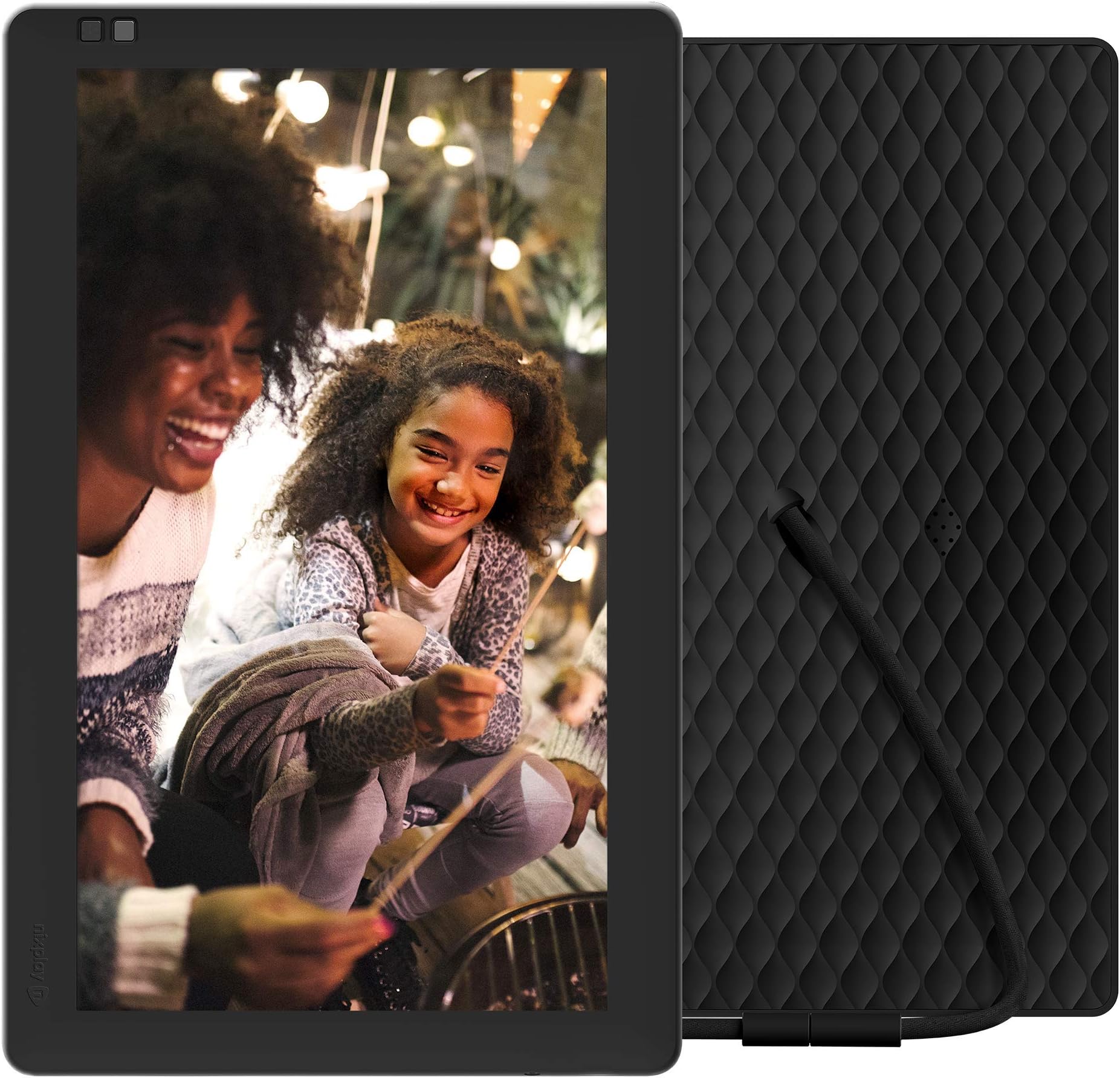
Product Description Nixplay Seed is a connected, Wi-Fi enabled digital picture frame that allows you to share and display your memories from your phone and social media with your loved ones. The Nixplay photo frame can be controlled through the Nixplay iOS/Android mobile app as well as through the Nixplay web app and Alexa. From the Manufacturer
| ASIN | B012FRC3PA |
| Batteries | 1 Lithium Metal batteries required. |
| Best Sellers Rank | #1,308 in Digital Picture Frames |
| Customer Reviews | 2.7 2.7 out of 5 stars (976) |
| Date First Available | July 24, 2015 |
| Is Discontinued By Manufacturer | No |
| Item Weight | 1.08 pounds |
| Item model number | W10PM |
| Manufacturer | Feeke |
| Product Dimensions | 9.37 x 0.91 x 7.13 inches |
J**R
Nixplay? More like NixPAY
Bought this frame to share photos with grandparents. Wasn't the best interface to use, but workable. When purchasing the frame, it came with unlimited storage and Google Photos integration. Now, the company is removing the Google Photos functionality and dropping our storage limit to a measly 500mb unless we start paying a subscription. (I have about 1200 photos on the frame, and that's about 4GB, so I'm 3.5GB over their new free tier limit) What an absolute garbage move. I could understand moving new frame purchasers to the subscription model and keeping existing customers grandfathered in, but Nixplay chose otherwise. Nixplay isn't the only frame in the game, and I'm already moving to a new one.
D**.
The NixPlay seed was the perfect solution. Photos can be uploaded to the frame ...
My wife and I wanted to get picture frames for both sets of parents that we could upload photos to while out and about. Other digital photo frames in the past essentially became static devices that required you to remove the SD card and upload photos manually. Unfortunately, we don't live in a world anymore where we are storing our snapshots on PCs and transferring them to SD cards.The NixPlay seed was the perfect solution. Photos can be uploaded to the frame by the owner or invited "friends" of the owner. Frame setup is easy - upon initial power-up it displays discovered WiFi networks and you can input the PSK using the included remote - the frame then displays it's activation code. You then go to the NixPlay website and create an account, and then add the frame to the account. Once the frame is activated, you can start adding pictures to it either using photos from a local library on your PC, linking from popular social media platforms, or by getting the NixPlay app from the Android or Apple App Store and uploading photos that way.One important detail that I was not able to find until I went through setup the first time is that you can completely set up the frame by creating a free Nixplay account using your own email, get some photos on it, and then after the frame has been gifted and set up for your recipient - the account can then be transferred to the frame's new owner. This is handy as you don't want to create an account for someone who you may be gifting the frame to using their email - they'll get a Nixplay welcome message, and you won't be able to confirm the account. (I could not find this information anywhere - so I wanted to make sure that it was out there somewhere.)On the Nixplay 10, the picture quality is maybe a 6 out of 10. If I understand correctly, the native resolution is 1024x768, so if you can - resize your photos to the native resolution for best results. Larger photos will not be scaled by Nixplay, but the frame will move the photo around so most / all of the photo is displayed during it's on screen duration. It does detect orientation automatically, and I thought we'd end up using the frame in landscape mode most of the time, but portrait actually seems to work better with most photos.Others have mentioned that the power cord/connector being part of the stand for the frame is troublesome - with both frames we purchased and gifted we did not find this to be the case.If I could make one change to the frame - it would be to use a better display. Display technology has gotten so much better in the past few years - a nice high-res OLED display would be outstanding and worth a few bucks more to me.Overall - if you want to have that gift that you know someone will use all the time and get the big reaction at your birthday/holiday - this is it. Fill it full of sentimental photos and you're well on the way to getting the waterworks going for the recipient!
M**R
Now charging a subscription fee
This frame was great for years... Until Nixplay start a charging a subscription fee. Now, you can add a few photos, but not that many. Unless you pay for one of their subscriptions. Wasn't like this when I bought this frame and a few others.
L**S
Great photo frame, best picture quality I’ve ever seen
I have owned many photo frames over the years and this is the best yet.The picture quality is incredible. The colors are vibrant and extremely accurate with no banding. I shoot with a SLR and love how accurately the photos are displayed. It does have a glossy screen with a little bit of glare.This is a cloud managed frame. You access the Nixplay website to add and remove photos and change frame settings. (You can also change the settings with the remote.) It an easy site to use, updated and has a lot of power/options. You can add photos to an album, put it in a play list and assign the play list to a frame. You can add friends to your account and they can use the Nixplay app or your Nixplay email address to send photos to a given play list->frame. The Nixplay account has a safety feature that will allow only friends you specify the ability to send photos to the frame.I really like the motion detection on/off – When I approach the frame it turns on and will remain on for x minutes. (A time you set.) When it turns back on it can continue the current playlist. You can have it shuffle a playlist with a transition time up to 1 hour.The most important feature is the “Photo fit”. You can select “fit to screen” or “fill screen”. In the “fill screen” it will pan left, right, up or down to display the photo in its original size. (This will depend on the resolution and size.) I much prefer the “fit to screen. It does a great job to make sure the entire photo is displayed in the best resolution possible. I have not had to edit or resize any of my photos. The frame takes care of that for me. Of course, if the photo is portrait and you have the frame in landscape mode it will display black bars on the left and right sides of the photo and vice-versa. (The frame works in both landscape and portrait modes with auto-rotation.) Very cool. Note to Nixplay: When I rotate the frame it advances to the next photo. I would like to keep it on the same photo.A few minor issues:The USB cord is also its stand. I tried to get the stand to stay upright but it kept wanting to lean back too far for viewing. You may have to prop it up or keep it more upright so it balances. Being forceful and shaping the cord helps. Not a good design.Corporate firewalls may have issues. When you first use the frame and connector your Wi-Fi it will want to do a firmware update. Our firewall at the office seemed to have issues with this. I took the frame home, did the setup there. When I brought it back to the office the next day it worked without issue. From what I can tell the frame uses ports 80, 443 and 125.The 10” size works well on my desk at the office and I’m glad I did not order a smaller one. Now I want a 15” for home.
Trustpilot
1 week ago
2 days ago