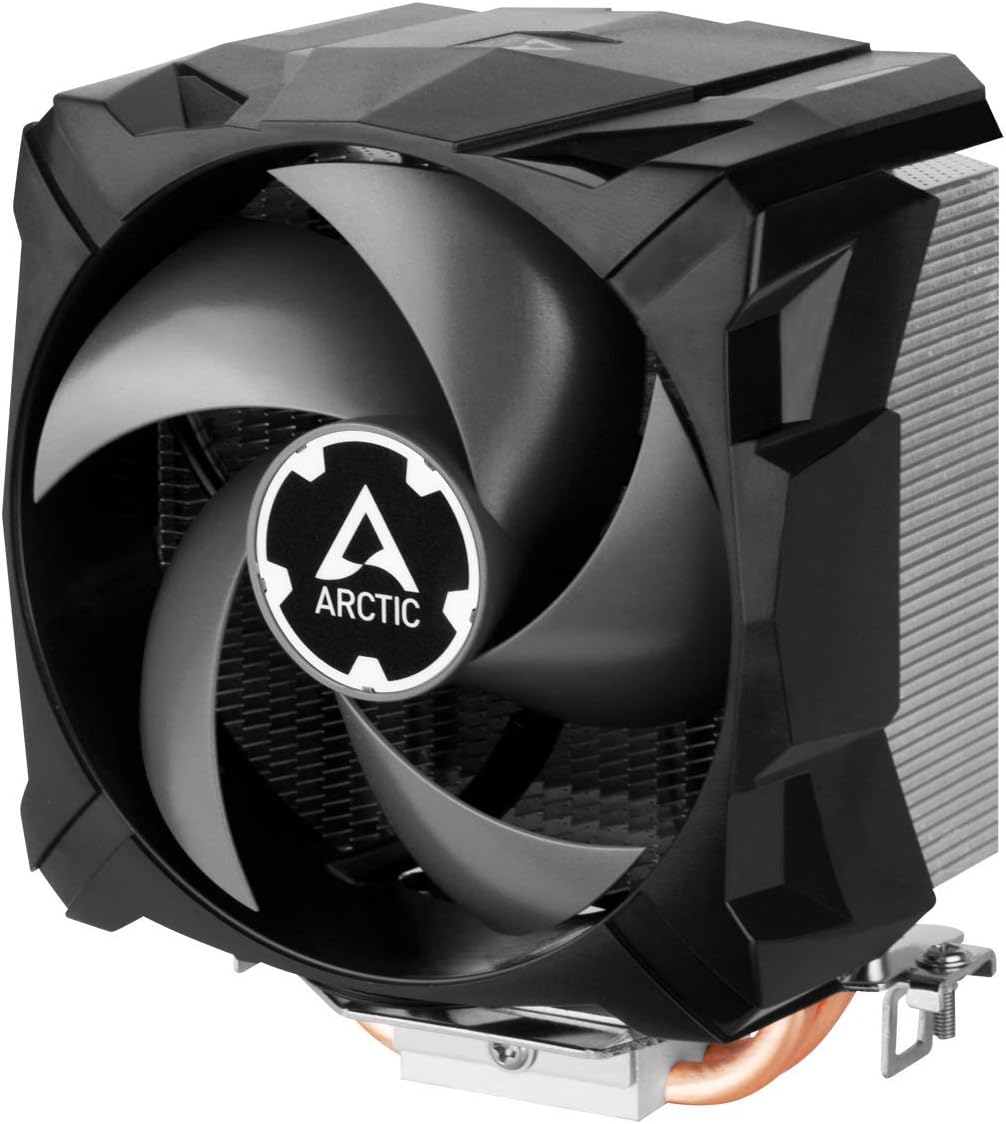


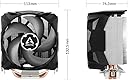
Freezer 7 X CO
Product ID: 205450165
Details
- Product Dimensions2.93"L x x
- BrandARCTIC
- Power Connector Type4-Pin
- Voltage12 Volts
- Cooling MethodAir
- Compatible Devices115x 1200 1700
⚡300-2000 RPM
🔧Multi-Compatible
❄️100mm PWM Fan
Buy anything from 5,000+ international stores. One checkout price. No surprise fees. Join 2M+ shoppers on Desertcart.
Desertcart purchases this item on your behalf and handles shipping, customs, and support to USA.
❄️ Chill Out with the Ultimate CPU Cooler!
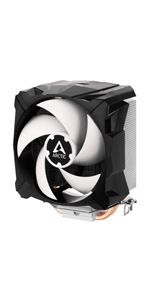
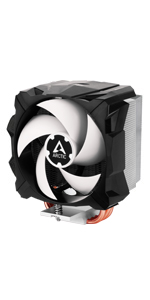
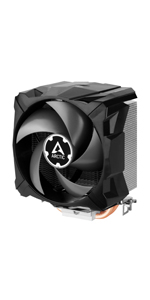
The ARCTIC Freezer 7 X CO is a compact CPU cooler designed for continuous operation, featuring a 100mm PWM fan, efficient heat dissipation with dual copper heatpipes, and compatibility with a wide range of Intel and AMD sockets. It comes with pre-applied MX-4 thermal paste for immediate use and operates quietly while saving power.




| ASIN | B085RWK2Z6 |
| Air Flow Capacity | 1200 Cubic Feet Per Minute |
| Best Sellers Rank | #427 in Computer CPU Cooling Fans |
| Brand | ARCTIC |
| Brand Name | ARCTIC |
| Compatible Devices | 115x, 1200, 1700, AM3(+), AM4, AMD Socket: AM5, Intel Socket: 1851 |
| Cooling Method | Air |
| Customer Reviews | 4.5 out of 5 stars 1,139 Reviews |
| Included Components | Freezer 7 X CO |
| Item Dimensions L x W x H | 2.93"L x 4.35"W x 5.22"H |
| Item Weight | 425 Grams |
| Manufacturer | ARCTIC |
| Material Type | Copper |
| Maximum Rotational Speed | 2000 RPM |
| Model | ACFRE00085A |
| Noise Level | 0.3 Sones |
| Number of Items | 1 |
| Part Number | ACFRE00085A |
| Power Connector Type | 4-Pin |
| Product Dimensions | 2.93"L x 4.35"W x 5.22"H |
| UPC | 840033400367 |
| Unit Count | 1.0 Count |
| Voltage | 12 Volts |
| Warranty Description | 6 years |
B**B
Excellent upgrade for old systems
TLDR: I installed this on an old FM2 system (A10-5800k) and it works great! Excellent value at regular price, and a steal at its $18 sale price! It's quiet, looks great, fits great, and installed easily! Highly recommended! *** After almost 13 years, I finally replaced the stock cooler on my A10-5800k with a Freezer 7 X. My PC instantly transformed from a destroyer of ears into something I'm comfortable using for more than just browsing Reddit and checking email. My PC's actually quiet while gaming now! Installation was easy once I realized that I needed to unscrew one of the screws a bit so that the latch could reach far enough to lock on. The installation process would have been even easier if I'd taken the motherboard out of the case first so that I could see and maneuver better, but I think 99% of us are too lazy for that. I can't recommend this cooler highly enough if you want to rescue an old system. A quiet CPU cooler, a decent-sized SSD, and a cheap old GPU like a 1050 Ti will turn an old junker you pulled out of the trash into a solid budget gaming PC. Don't forget to make sure the GPU you buy also has a decent cooler! The partner tax mostly disappears on old used GPUs, and a reasonably quiet model like an MSI Gaming X will often cost less than some single-fan monstrosities that never stop screaming.
T**7
Somebody said it was Freezy, Your CPU really needs this part
This bad boy is pulling away all the heat generated by my new pc. With the prices of computer components rising, finding the right CPU Fan is crucial. I am writing this a year from building my pc with it, and it is going strong. My cpu levels are very nICE. Easy to Mount, works great under gaming pressure. Worth every penny spent. This is the CPU Fan you are looking for.
T**R
Quiet as a mouse
For the last 6 years, ever since I built my first computer. I made the mistake of purchasing an INTEL fan instead of AMD fan for my computer, so it didn't fit and forced me to use the stock fan that came with the AMD 8350-black edition. FOR 6 YEARS, I used that fan and assumed that the JET level noise that came from it was a normal thing. The reason why I didn't get a new CPU fan for such a long time, was because I spent 8 HOURS, trying to get the stupid Intel Fan to fit an AMD motherboard. I felt so stupid when I finally decided to double check the box and figured out the problem, that I just decided to leave it be and just be thankful I had a working computer. AND God help you, if you were playing an intense game like FF15, because that fan would be so loud...but I got use to it over time and learned to ignore it with headphones. But I finally decided nearly a month ago to try and purchase a new fan, since some of my compotents were getting on in the years and I wanted to add some new thermal paste to my CPU to keep it running optimal. Well, lo' and behold, I put this 7x Artic Freezer fan in my CPU and I freaked out for a second, thinking I didn't install it right, because I couldn't hear anything from it. But after 10 minutes of leaving my computer on and checking the fan, nothing was wrong... the fan was working, it was just quiet as HELL compared to the stock fan I'd been using for so many years. So yeah...this fan is amazing, and I'm upset with myself for not purchasing this sooner. I really am an idiot.
J**N
i11 Cooler and Freezer 7 Pro Rev 2 Reviews
Arctic 11i Review: Please note a number of reviews say the Arctic Freezer can be mounted top side for Intel CPU, this is not the case for the 11i and was a deal breaker for me. I have a highly customized rig and would have had to re-strap everything in the system. All in All this looks like a great fan and heat sink for new mainboard installations. A reviewer had said this one was custom built for Intel CPU, however you will need to work with back side of mainboard for the install which was too much hassle in my case to be worth it for a slight cooling improvement. If I do clean from scratch build in the near future I will likely use this cooler though with its slightly lower profile which fits in a number of cases. I docked 1 star since this was not mountable for top side installation. **Update: Arctic Freezer 7 Pro Rev 2 Review: I purchased the 7 Pro Rev 2 Artic Cooler which is working great. Drops temps another 10-15C from stock Intel. After boot up I was sitting pretty at 28C with Overclock to 4.4GHz on G3258. Using Intel Burn in test at this OC temps were around 55-60Average with a few spikes to the low 70's as Fan speed increased it dropped down and the extra fans along with the Corsairs 380T airflow really work well with this setup. Getting the back screw tight took a thin screwdriver in my case at an angle but was manageable. I recommend watching a YouTube video of the install before doing your own, after doing that this puppy installs in about 5min flat if you take your time with cleaning old thermal paste so its a very simple install and holds well. I don't like that the fan is proprietary, however for the money spent 20$ at time I purchased this is a phenomenal deal. Fan was barely audible as it throttled up when I put the CPU though Intel torture test. I could push this system harder but I like that even when gaming the CPU core temp is usually less then 55 which should give many years of solid performance. If you just want to run a little cooler or want a mild over clock this tower cooler is well made for the small fee. I do not think its worth spending more then this price range for the average Joe or you might as well have gone with the next best processor. Excellent choice for the budget shopper! Note: I Purchased a second one of these for a new build and the fan was DOA. Manufactures warranty does not look promission so I will see if Amazon can take care of it. I'm disappointed that I have a bad fan however I'm sure Amazon will make it right. I have lost valuable time though in the process.
C**S
Improved temps across the board (10* @ idle | 18* @ load)
This cooler improved my temperatures across the board. 10 degrees cooler at idle and 18 degrees cooler under load using Prime95 benchmark testing. I was testing it against a stock Intel cpu cooler that comes with the processoer. The mounting system is very easy to figure out but slightly difficult to install IF your motherboard is already in the case. I had to pull the mobo out to get it installed properly. You might be able to get it installed easily if you have a big case. My case is medium sized and I did not have enough clearance to reach one of the screws on one side. When under full load the stock cooler was very noticeable in sound. I don't hear anything now when the CPU is under load. The large fan is quiet and has maxed out at 1,400 rpm. Great purchase. Very affordable, well built for the money and it gets the job done. First time using an Arctic product but I'll be looking to them in the future now.
D**R
Not as quiet as I hoped (corrected now). Cooler than expected.
I bought this to replace an AMD stock cooler for my Ryzen 5 5600. I wanted something quieter. It wasn't quieter but did lower temperatures 10 to 15 degrees. I only play War Thunder. Installation for this 70 year old wasn't so smooth due to trembling hands and motherboard in the case. To do over again I would have purchased this for the initial installation. It would have been so much easier. I see from pictures people installed theirs facing the front of the case. Mine points to the rear of the case fairly close to the exhaust fan. I wondered how the 34 freeze would have been. 2 of my 3 fans are Artic. Edit: Oppps. Installer error. Cooler OK. Changed direction so the exhaust fan actually exhausts. 5 Star.
J**K
Much better than the Wraith Stealth - Terrible instructions, Rattling Problem
I have a Mini-ITX system, so heat is just a part of the deal. Recently, I started noticing my Ryzen was idling around 55-60C, and hitting almost around 100C in AIDA64 and Blender renders. After I installed the Freezer 7X, I noticed my idle temps were a bit better (50-55C), but now I would never go over 80C in AIDA64 or Blender renders. I didn't even touch my fan curve or anything. It is also incredibly quiet too even with stress tests going on. I also noticed that the heatsink doesn't cover the entire CPU- I read that it's normal, but it looks a little concerning to people who've used a Wraith Stealth for a while. One con I have with this fan is that the install process DID require me to disassemble my motherboard to install the plastic fan mounts because the Wraith Stealth doesn't require it. In addition, the instructions on ARCTIC's website are incredibly bad- it leaves out the fact that you need to unscrew the brackets on the side a bit in order for them to be low enough to attach onto the Ryzen plastic mounts. Update: So I've had this for well over a few weeks and around the week after I installed this, it started making a rattling/buzzing sound. The only way I can get it to stop is to *lightly tap* on the top of the unit. I've loosened and tightened the screws and I've had no luck getting it to stop. Such a shame since the cooling is incredible. Update 2: The rattling has stopped, I don't know what happened but it's gone now. I must have gotten unlucky or something.
O**S
I bought this to cool my 4790K cpu
I bought this to cool my 4790K cpu, running OSX 10.11.5. Pros: Inexpensive Surprisingly Quiet Fan -- just like a Noctua No problem cooling a 4790K chip, 4.0Ghz --- 22C idle temp as I type this... Cons: The bracket that is installed behind the motherboard is made of plastic and the arms bend.... sometimes you're not sure if you're just bending those plastic arms as you tighten the screws, or you're successfully pressing down the heatsink against the cpu. Other coolers like Noctua have metal brackets giving you a high confidence factor during installation. Not this i11. As I said, it is adequate to cool a 4790K chip running at stock settings. But you can't pretty much overclock your CPU and run stress test. Oh yes, your cpu will run just fine to complete a Geekbench benchmark, but running a stress test like Prime will almost for certain shut down your computer... i.e. the heatsink isn't big enough, heavy enough, running a single small fan is not enough to blow the heat away from the CPU as fast as possible. Your temps will rise slowly over time, and its clear the heatsink and fan just can't keep up with the heat. So if you plan on doing overclocking, look for something else... a big heatsink with dual fans -- this i11 isn't adequate for overclocking setups. Bottomline: It's good enough for basic needs, but don't expect high-end performance. Update: changed rating from 4-stars to 5-stars Turns out my motherboard BIOS needs an update. Installed latest BIOS update and my CPU isn't running as hot as before, and with even higher scores. Now this cooler will happily cool my rig running at 4.6Ghz, peaking at 74-76C, depending on ambient.
P**Y
... processor last night and it is now running as cool as a cucumber with hardly any sound from the ...
I installed this cooler for an i5 Haswell processor last night and it is now running as cool as a cucumber with hardly any sound from the fan. It is a huge improvement on the stock cooler. The fan gets quite close to the first memory slot when installed to blow towards the rear of the system case but it should not cause an issue unless you have memory with a very high heat sink. The suppl;ied back plate comes with two tiny pieces of double sided tape applied which are supposed to hold it in place whilst you fit the cooler. Unfortunately, it fell off immediately although this was enough to work around. Also, the supplied syringe of MX4 has a large opening so you have to be careful not to apply too much to the three heatpipes, which are in direct contact with the processor's heat spreader when installed. Neither of these is a major issue. This is an excellent cooler and I would have no hesitation in recommending it. Overall, it is an excellent cooler and I would definitely recommend it.
M**L
Excellent for the price I got it for.
I think the product is excellent for the price i Paid.. I paid roughly around Rs 1100 and I think there could be no other better alternative to this in that price.. The dying i7 860 was revived thanks to the immediate temperature control by the fan. The PC has stopped switching off as the temps are normally around 50 degrees whilst playing games like DOTA
D**3
Efficace!
Remplace très avantageusement le radiateur intel qui fait son job dans des condition normale.Mais dès que CPU est utilisé à 88% , le température monte à plus 70°C !! Comme par exemple avec le jeu TITANFALL. Ici avec le Freezer i11 les pointes maximum sont de 58°C, bref, on gagne une bonne dizaine de degrés, cela parait peu mais c'est beaucoup. En régime faible, T= 35°C Aussi, le flux d'air est dirigé, au chois,vers les unités de ventilation, alors que le ventilo Intel souffle vers le CPU et envahi le boitier! Pas de bruit particulier, la vitesse varie de 1300 à 1730 tr/min. Enfin de bloque pas de logement RAM, le ventilo est au dessus.
J**O
Bien!
Excelente diseño y calidad del disipador, cumple su función sin hacer ruido. La instalación es muy simple a pesar de parecer complicada.
P**.
Buen disipador validar precio
La verdad muy buen, a este precio pensé que no iba a desipar o que iba a ser igual que el de stock pero si mejoro la temperatura y aparte pues se ve bien, fácil de instalar, tiene ya pasta termina, y aparte pues es pequeño para gabinete que no tiene mucho espacio de verdad muy bueno
Trustpilot
2 weeks ago
5 days ago