🚀 Elevate your Wi-Fi game — never settle for dead zones again!
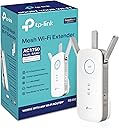
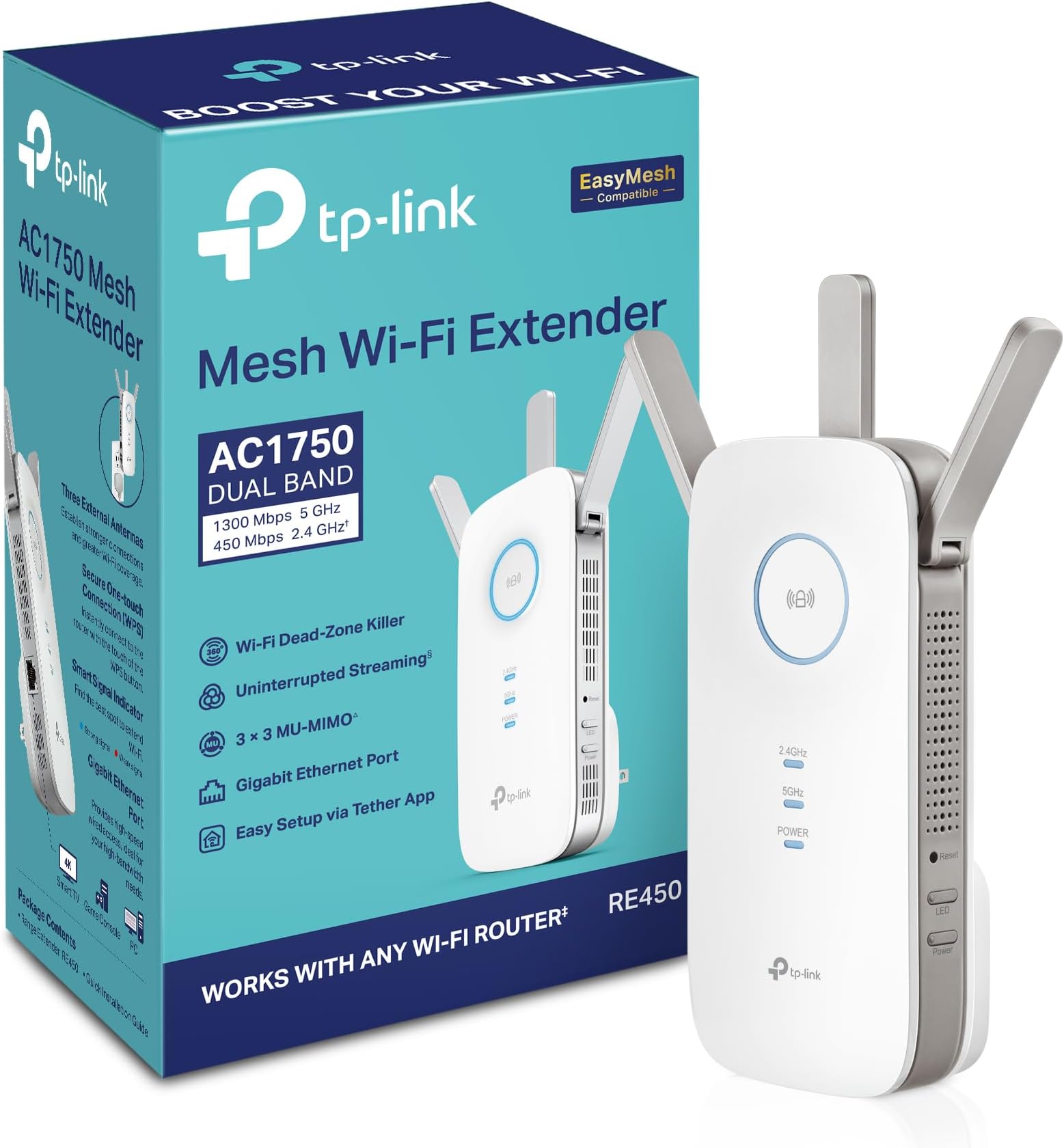
The TP-Link AC1750 RE450 WiFi Extender enhances your home network by extending coverage up to 2000 sq ft and supporting speeds up to 1750Mbps on dual bands. Featuring a Gigabit Ethernet port for wired devices and a smart signal indicator for optimal placement, it ensures stable, lag-free connections for up to 32 devices. Recognized as PCMag’s Editor’s Choice, this plug-and-play device is ideal for professionals seeking seamless streaming, gaming, and smart home connectivity.


| ASIN | B010S6SG3S |
| Best Sellers Rank | #69 in Repeaters |
| Customer Reviews | 4.1 4.1 out of 5 stars (31,377) |
| Date First Available | November 15, 2015 |
| Is Discontinued By Manufacturer | No |
| Item Weight | 10.5 ounces |
| Item model number | RE450 |
| Manufacturer | TP-Link |
| Product Dimensions | 3 x 6.4 x 2.6 inches |
P**L
Works fine for me, beware of the bad reviews
This is for the AC1750 WIFI Extender RE450: I feel like the way some of these reviews are being written it is making it appear that this extender is actually a router which is a giant no. I did see some reviews where they discuss this product isn't working properly which leads me to think it's a firmware issue or user error. Other reviews seemed to think that this would increase their internet speed over wireless, which is not necessarily true. Weak wifi signals will cause drops in connection which may make it seem like your internet is going slow, but it's really packet loss. So by boosting the signal strength you obtain a stable connection that doesn't lose as many packets which makes it seem like the internet is going faster when in reality you just aren't losing as much data in transmission and you're not waiting for your device to receive all the packets it expects. THAT SAID: I just received this product today and out of the box had it up and running in less than 5 minutes (I did not use the WPS method) and immediately noticed a stronger signal to all of my devices. THIS DOES NOT BOOST YOUR INTERNET CONNECTION SPEED. It merely ensures that your wireless connections are stronger to your router, thus giving you as much internet connection benefit as possible from your modem over a wireless connection. I cringe when I read reviews where people do speed tests and claim they see no benefit from this device. If this is you, you're doing it wrong. I went from a weak 5ghz signal (1-2 bar) transmitting at around 120 Mbps, to a solid 4 bar transmitting at 866.5 Mbps and have not noticed any hiccups in stability at that speed over the last few hours. This is on the farthest device from the extender through walls that have plumbing in them. I'm running 11 devices on my wifi network including phones/pc/laptop/security cameras and when it comes to the security cameras when I used to load them up over wireless there was usually a delay (device offline) before the images would come up. This extender has solved that and the images now pop up immediately. This alone makes me happy. While I'd prefer the device to not be such an outlet hog (You're going to sacrifice an outlet for this) I appreciate that I can turn the LED's off as well as use the ethernet port for a non-wifi device. For the price I can't really complain that there's only 1 ethernet port, but I wasn't buying this for that need. Overall so far I'm super happy with the extender. If it can hold up for at least 2 years I'd consider it a fair price, great product, and would buy it again.
E**C
There is absolutely nothing more I could ask for in this unit or a range extender. Period.
I own a TP-Link Archer C5400 router that is several hundred feet away and behind several very sturdy walls. On a good day, I would barely get 200 kilobytes a second. This is actually pretty good considering every other brand I had tried (and there were a LOT I had tried), would not even connect let alone give me any sort of data. Once I installed this product into my room, it was as if I was hard-wired directly into the router. I may not have the fastest internet service available but being able to go from 200 KBps to over 5 MEGABYTES a second, wirelessly at that, is far beyond any expectation I had held. When it is hardwired via the ethernet port into my TV, I get full 4K video streaming without any stutter or delay. When I use the wireless function for gaming, my ping is extremely low and I can game online for the first time in years. I had mediocre hopes for this device to be honest. I was just hoping I could get a stable connection and maybe, just MAYBE 1 megabyte per second. This unit has beyond far exceeded my expectations. Not only does it play well with the android tethering app and enables me to control this unit and the router separately, it is nearly almost exactly plug and play. Almost anyone can install this with basic computer skills even without reading the instruction manual or having even mediocre networking knowledge. I would say I would purchase this again but this single one unit covers every single inch of my house that I do not even need to order another unit. Kudos to TP-Link again for providing me with quite possibly the best router and wireless range extender experience possible. Please do note that when I reference the router that I am speaking of the previous router from TP-Link that I had purchased as this unit IS NOT a router. And on a bonus side note, the customer service provided by TP-Link has far exceeded the customer service I have received from any product I have ever purchased, whether it was another form of electronics or otherwise. I cannot say for sure how well this product would work if not paired with a TP-Link router but based on how this unit is functioning, I can almost guarantee that it would work with any wireless router setup. This is a product that not only do I highly recommend with full confidence but would swear by it on my word. If you are experiencing poor reception or speeds that are far below what your service provider advertises (and I would test it hardwired on a speedtest site first to make sure your provider is not just feeding you fake rates), then this is exactly the product you are looking for and beyond.
G**Y
جهاز ممتاز وبيدعم السرعات العالية جداً والتغطية ممتازة، الأفضل تشوف له ڤيديو مراجعة على اليوتيوب عشان تعرف تشغله ازاي
R**K
FACILE INSTALLAZIONE , EFFICACE
K**L
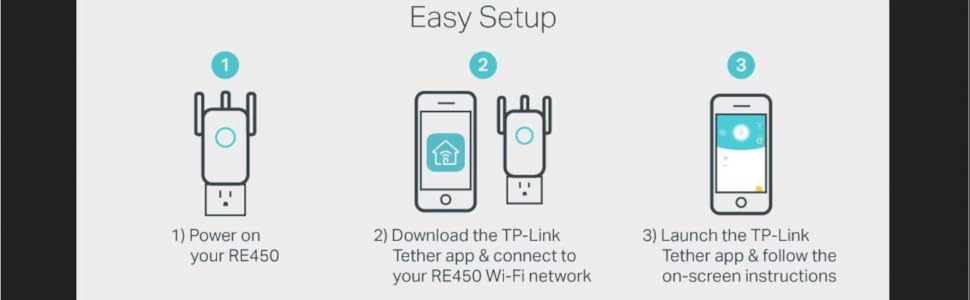
You will NOT require a degree in computer science or relevant networking certification in order to set this up, the app for your phone/tablet will do all the hard work for you, and the instructions are very clear as long as you follow each step and do not try to skip the first one (place it within 10ft of the router first time when setting up) As the room I was trying to cover is a bit of a dead zone I was unable to put it where I wanted in the house, as I also wanted to use the Powerline Lan feature for my system whilst extending the wifi for other devices. BUT as it says in the instructions the idea is to place it in a place that extends the wifi between the router and the target area, which using the socket outside the room it has done very well, only had a couple of drop outs but not sure that wasn't the site I was streaming from. The powerline lan works incredibly well, I have several others and have only ever managed to achieve half 5-6Mb/sec this one caps out my top internet speed of 14Mb/sec from a virgin 100mbit line. So VERY impressed with that, I have also had zero network drops since I switched to this powerline lan. Tested on a default virgin media hub v3 and an AC1750 router connected to the hub in modem mode, it had no issues finding and setting up the extender.
H**N
Very good product
B**L
The fact is, this actually is a pretty decent, reliable and affective device — WHEN IT IS CORRECTLY INSTALLED, USED AND MOST IMPORTANTLY… UNDERSTOOD… The reality is that in this day and age, most people have excellent base-routers in their homes. Even the crappy service provider ones are fairly decent devices. The issue with these things, though, is that they are mostly exceptional devices only when they’re using their 5ghz connections. Where most people believe they’re having connectivity problems and their routers need ‘extending’ or ‘boosting’ is almost always when the device they need assisted is trying to connect to their dual-band base routers which can accept either a 2.4ghz or 5ghz device, but in many, if not most, cases the device needing help is ONLY a 2.4ghz item. And then this is where the problems begin. Home dual-band router these days will almost always prioritize an incoming connection-request from a device into its 5ghz frequency field, even if that request is coming from a 2.4ghz-only device. Result of this is usually connection failure. And so… the unsuspecting person believes it’s an issue with their router needing a boost. Wrong! It’s an issue with their router needing a little discipline! Lol. Not a boost. It needs to be taught to recognize those 2.4ghz devices out there and then to immediately allow those devices a priority to connect immediately to its 2.4ghz band — instead of its 5ghz band. Most routers, especially many newer ones, don’t do this especially well. So… those routers need help. And that’s when and where this beautifully affective extender comes in. This extender will very specifically have you set up two separate extended bands… one for your router’s 5ghz and another for its 2.4ghz. Once that’s done, and you’re ready to connect something to your WiFi, and it doesn’t work the first few times you try it, then try connecting those things to the now-available newly created ‘extended’ 2.4ghz band. Or if you’re using your phone to connect an item with its own app, like say, smart plugs and/or bulbs, then you absolutely MUST switch your phone’s internal WiFi signal over to that newly created 2.4ghz ‘extended’ network. I guarantee all your connectivity problems with those devices will disappear. So what’s really happening here is you are making ‘visible’ your home router’s 2.4ghz network to anything that wants to connect to it, whereas beforehand, that network was very likely ‘invisible’ to you prior to using this new extender because unfortunately while all these new dual-band routers are great, they definitely do not like things automatically connecting to their 2.4hhz bands. So you have to ‘force’ that connection down their throats as-it-were. There are other work-arounds to get your home router to connect to those ‘difficult’ devices, but this is by far the easiest solution — albeit it does mean having to spend some money on one of these WiFi extenders. And it just so happens this is a really good one to do just that. Don’t blame your router. It just wants to dictate to you which frequency your device must try to marry with. It usually still is, though, very, very good at projecting its own indigenous signal great distances reliably. You just have to find a way to have its 2.4ghz band show up in your devices. And that’s what these ‘extenders’ will do for you. So actually, they’re your friend, not your enemy — especially this particular TP-Link unit.
Trustpilot
3 weeks ago
3 weeks ago