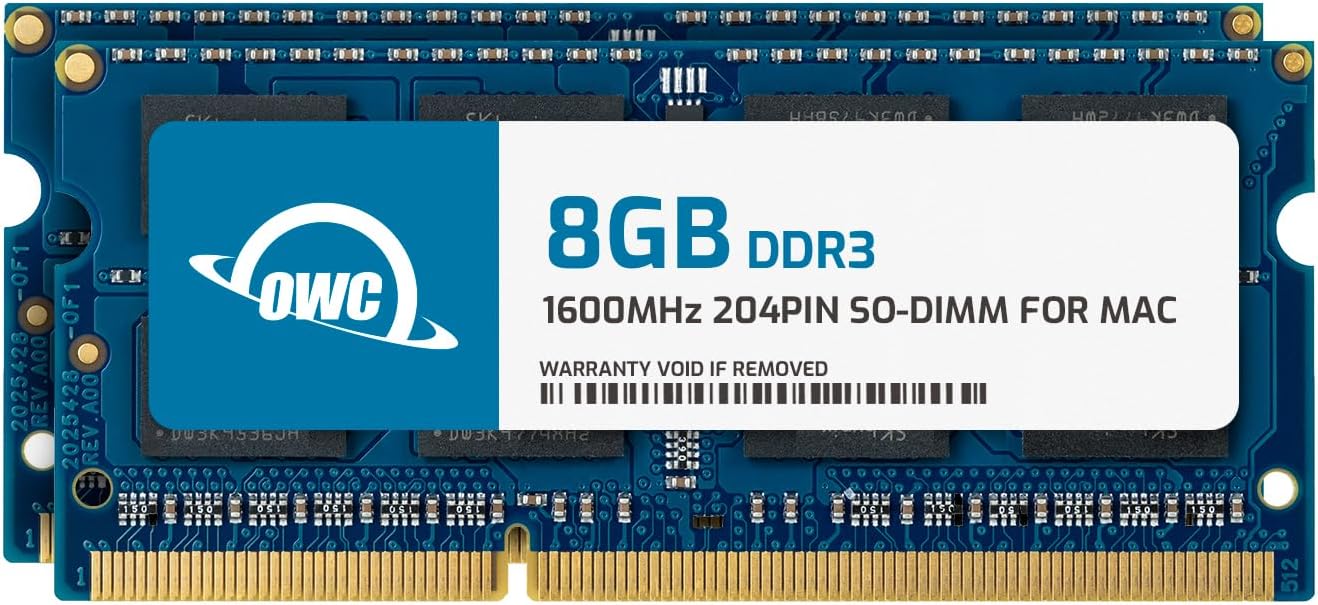
🚀 Elevate your vintage Mac’s power — because slow is so last decade!
The OWC 16GB (2x8GB) PC12800 DDR3L 1600MHz SO-DIMMs kit is a premium memory upgrade designed specifically for 2011-2015 iMacs, 2011-12 Mac minis, and 2011-12 MacBook Pros (non-Retina). Operating at a low voltage of 1.35V, it delivers fast, efficient performance while meeting strict JEDEC and ROHS standards. This upgrade is backed by a limited lifetime warranty and free expert support, making it the go-to choice for professionals seeking to revive and turbocharge their classic Macs.


| ASIN | B00Q0ZB3PU |
| Best Sellers Rank | #464 in Computer Memory |
| Brand | OWC |
| Color | (2 x 8GB) |
| Computer Memory Type | DDR3 SDRAM |
| Customer Reviews | 4.7 4.7 out of 5 stars (1,001) |
| Date First Available | May 4, 2013 |
| Is Discontinued By Manufacturer | No |
| Item Dimensions LxWxH | 6.75 x 4.74 x 0.34 inches |
| Item Weight | 1.27 ounces |
| Item model number | OWC1600DDR3S16P |
| Manufacturer | Other World Computing |
| Product Dimensions | 6.75 x 4.74 x 0.34 inches |
| RAM | 16 GB DDR3 |
| Series | OWC 1600DDR3S16P |
| Voltage | 1.35 Volts |
O**E
I am very, very happy with OWC so far
I decided to come back and actually do a review for OWC because I think they are extremely underrated. I went through some of the 1-star reviews to refresh my memory (ha, no pun intended) on them and I think MANY of the bad experiences are because people did not thoroughly research what they needed. I bought 2x8GB for my mid-2012 macbook pro 9,1, and I tell you... it's like a brand new computer. The memory pressure just from running Chrome on 2x2GB was killing me slowly, very slowly, always in the yellow and climbing... and the difference is stunning. Going from slugging away at 4GB to a 16GB free gallop all over Chrome has changed a lot for me. I'm an artist, so the fear of Photoshop crashing on me because I have other applications open was a big problem. I've never cracked a laptop open before, so when I saw OWC had a youtube channel under the name "macsales" I looked them up. Wow. Even playlists depending on model! I went through all the videos on upgrading my model and learned about converting an optical disk drive into a second disk drive by taking it out and mounting the HDD/SSD to a caddy. They had really clear, nice, professional videos on how to install the RAM into your Mac, everything I needed to feel confident doing all this myself. They had so many good videos! I feel like PC has really robust resources online but Mac is a bit lacking, especially older model servicing. So I REALLY appreciate the work OWC does to make their products accessible to people like me, who know next to nothing (and still kinda don't, but I must have done it right.) To me that level of support for your customers, or anybody browsing around on YT, is the definition of good customer service. After buying the RAM on Amazon and browsing their channel, I ended up getting a 500GB Mercury Electra 6G SSD directly from their site, then using their YT channel to replace the RAM, switch the HDD to an SSD and take out the optical disk drive to install a caddy + another SSD. It went so smoothly and everything works perfectly, I am absolutely satisfied with my purchases from them. I'll definitely be looking into more of OWC's products. Plus when they sent the SSD, I got this cool metal screwdriver pen with a pocket clip- unscrew the top and there's a whole bunch of head bits inside to plug in and use. Nice surprise and appreciated!
K**.
OWC RAM made a huge operational improvement!!!!
This OWC RAM upgrade is the replacement of a past RAM upgrade that failed in my 2012 13-inch MacBook Pro (A1278) non-retina with the three beeps upon powering to turn it on. Memory capacity is16GB to its full potential with a very easy installation and the performance go hand in hand with the storage being SSD as well operating with Linux Kubuntu!!! I have used OWC products before when upgrading RAM, four SSD fixtures, SSD PCIE bootable for a 2010 Mac Pro 5,1 3.46GHz six core desktop computer which is still a good operating computer to this day!!! So I knew that OWC had quality products!!!
J**N
If you have an older iMac and you are not afraid to ruin it...
Great working memory upgrade for the highly initiated with a couple hours to spare. Read no further unless you are bored. I decided to move more during Covid so I mounted the iMac in front of my elliptical. The old drive was bad and I figured, if I have to open it, might as well max it out. EHHHH! This thing isn't like my 27's. If you have a 27, you have a door in the back to do in 2 minute swap. If you have a 21.5 of the wrong year I guess, get ready for brain surgery. You have to remove the screen seal, the left speaker, the drive, the power supply, the shield bar, the fan, the logic board/Mother... but not the right speaker, that you can leave in place. Woohoo. Flip over the Logic board and wish you had an M2 slot to upgrade. Swap out memory and reverse the steps without electrocuting yourself or damaging any connections. Oh, I forgot.. This is a 5 star review. It works great and even better if you don't have to do it your self. All complaining aside, if you run the video tutorial on another machine or a phone, you can follow it step by step and don't get ahead of yourself. One lost screw and the job takes twice as long. Make sure you connect the video cables and don't remove the new tape backing that you painstakingly placed after cleaning of the cement that Apple uses and hope you don't find out why they use stronger tape than you bought. Tape is tape right...Wrong! You put it all back together and it works perfect. You remove the backing tape strips and close halfway to reconnected video cables and done. Until you hoisted up by the adapter and get it ready to connect to the overhead part of the mounted connection to the wall. When you wonder what hit the floor as you are still holding the computer. The double sided tape just lifted off with the weight of the screen. The screen hit a corner then rested flat on the floor. Amazingly, the screen still worked after reconnecting it and taping over the sharp corner it now has. The two long cracks are invisible when watching head on as I am still able to use it like nothing happened. If I ever, when I do another screen removal, I will put a sliver of clear packing tape on bottom and top for added insurance. If you read this far, wow. Hope it helped. Thanks
Z**S
I’m satisfied
It worked
K**C
Why didn't I do this sooner
I upgraded this 8,1 late 2011 13-inch 2.4 GHz i5 MacBook Pro last year with an SSD and saw a huge improvement. But now- with the world where it is- I need to use my laptop more than ever before and it was hurting with the original 4GB RAM. I maxed out with 16GB but accidentally ordered the 1600MHz instead of the 1333MHz my system says it requires. OWC says what I ordered is compatible with my machine and it definitely recognizes it's there in the specs overview. System is running like a dream. Super easy to install for this layperson and I'm super happy with this purchase. Should have done it waaaay sooner! Hopefully this MBP has many years left- love my legacy ports!
P**Z
min dator går super snabb
N**Z
Perfectamente funcionando. De la mano de OWC, intalas y a disfrutar.
C**S
Well, my mini behaves maxi now!
F**N
Habe mein altes Macbook von 2012 damit aufgefrischt und es läuft jetzt wieder wie am ersten Tag. Sehr tolles Produkt.
E**E
Dopo pochi giorni di perfetto funzionamento, la ram ha deciso di non funzionare più. Il mio mac, perfettamente funzionante, non si accendeva più. Ho fatto tutte le prove del caso: staccare batteria, SSD, RAM e inserire un elemento dopo l'altro per vedere quale era rotto. Risultato: Ram bloccante. Per fortuna non avevo venduto i vecchi blocchi da 4 GB. Peccato.
Trustpilot
2 weeks ago
2 days ago