๐จ๏ธ Print Bold, Print Smart โ Never Run Out, Never Settle!
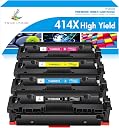
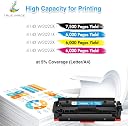
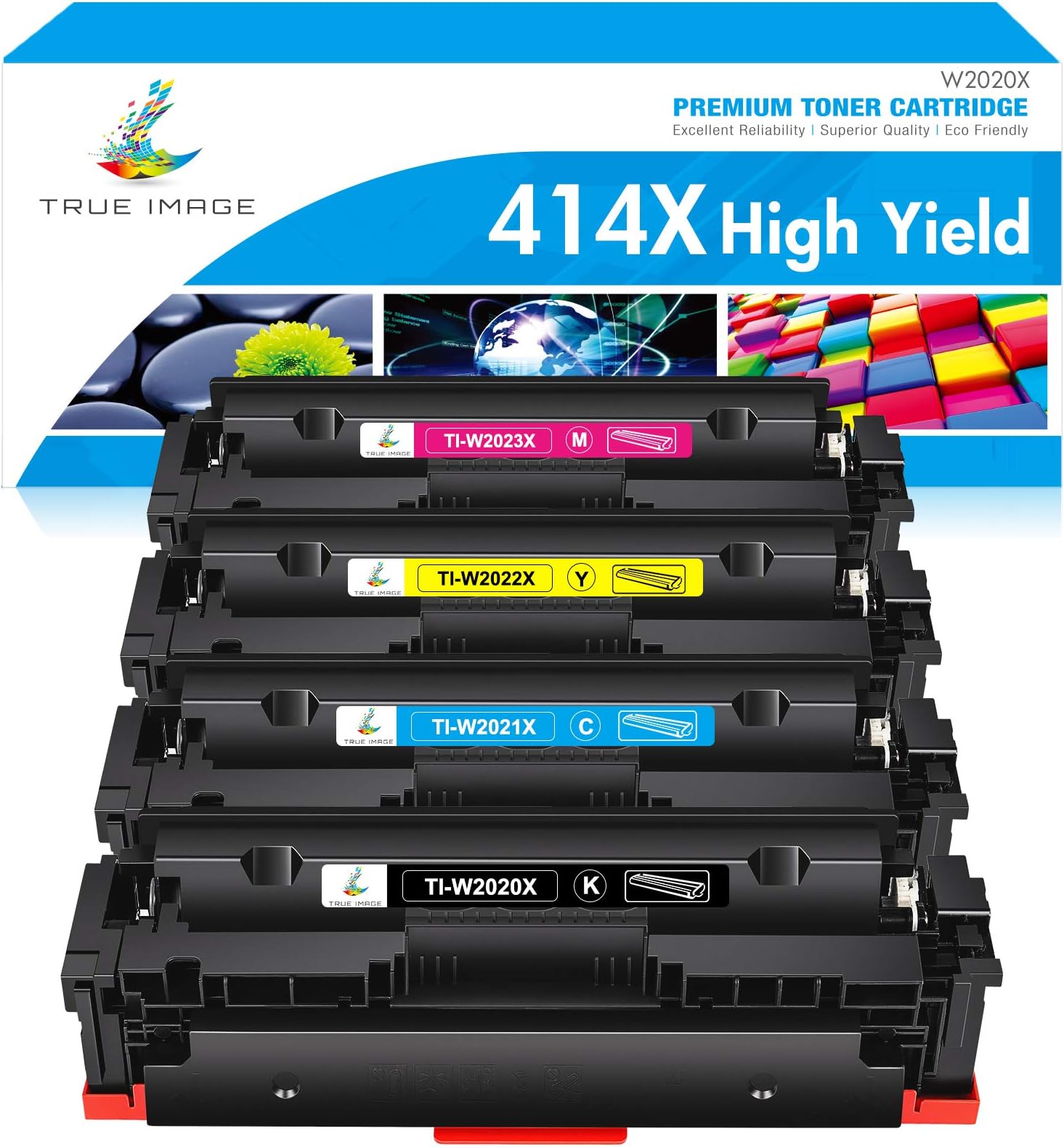
This 4-pack of TRUE IMAGE compatible 414X high-yield toner cartridges delivers up to 7,500 pages in black and 6,000 pages per color for HP Color LaserJet Pro MFP M479 and M454 series printers. Designed chip-free for easy installation with included tools, these cartridges provide vibrant, professional-quality prints while maximizing your printing efficiency and minimizing downtime.
| ASIN | B084QC5CVB |
| Additional Printer Functions | Copy, Fax, Scan |
| Best Sellers Rank | #240,374 in Office Products ( See Top 100 in Office Products ) #7,309 in Printer Toner Cartridges |
| Brand | TRUE IMAGE |
| Built-In Media | Toner Cartridge |
| Cartridge Type | Compatible |
| Color | 414X Black Cyan Magenta Yellow |
| Compatibility Options | Compatible |
| Compatible Devices | 414A/414X for Color M454 M454dn M454dw, Color Pro MFP M479 M479dw M479fdn M479fdw, Enterprise M455dn, Color Enterprise MFP M480f Compatible Devices 414A/414X for Color M454 M454dn M454dw, Color Pro MFP M479 M479dw M479fdn M479fdw, Enterprise M455dn, Color Enterprise MFP M480f See more |
| Customer Reviews | 4.0 out of 5 stars 1,803 Reviews |
| Dual-sided printing | No |
| Duplex | Simplex |
| Included Components | Toner Cartridge |
| Ink Colour | Black, Cyan, Yellow, Magenta |
| Item Weight | 1 g |
| Manufacturer | Dashpots DAS-HP-OTS inc. |
| Mfr Part Number | 414a 414x toner cartridge |
| Model Number | color laserjet pro mfp m479fdw toner |
| Model Series | 414X |
| Other Special Features of the Product | High Yield |
| Page Yield | 7500 |
| Print media | Paper (plain) |
| Printer Model Compatibility | HP Color LaserJet Pro MFP M479FDW |
| Printer Output Type | multiple colors |
| Printer Type | Laser Printing |
| Resolution | 600 x 600 dpi |
| Specific Uses For Product | HP Color LaserJet Pro MFP printers (M454dw, M454dn, M479fdw, M479fdn, M455dn, Color Enterprise MFP M480f) |
| Warranty Type | limited warranty |
S**O
Diving into the World of DIY Toner Replacement: A Crafty Review
Who knew replacing a printer toner cartridge could feel like a scene out of a techy DIY show? Well, with this non-authentic HP replacement set, I embarked on what I like to call 'Operation Toner Transplant'. It's a bit like performing surgery on your printer cartridges - you get to keep your original HP toner cartridge for a crucial step. Don't toss it in the recycle bin just yet! The mission, should you choose to accept it, involves delicately removing the chips from your empty HP cartridges. A bit daunting at first glance, but trust me, it's like unlocking a new level in a video game. These chips are the secret sauce, the key to making your printer recognize the new cartridges as one of its own. Installing the chip into the new cartridge felt like completing a puzzle. The satisfaction of hearing that 'snap' as the chip holder settles into its new home is oddly gratifying. If you find yourself at a crossroads, fear not! There's a knight in shining armor - a tutorial video right in the product description. A true beacon of hope for the DIY-challenged among us. Now, let's talk results. The print quality? Surprisingly good. It's like my printer got a fresh lease on life, churning out documents with gusto. After the initial hurdle, replacing future cartridges is a breeze. It's all about that snap-out, snap-in rhythm. In conclusion, if you're up for a little adventure and don't mind getting your hands metaphorically dirty, this toner cartridge replacement set is a winner. It's cost-effective, eco-friendly (thanks to the reuse of chips), and the print quality doesn't disappoint. Highly recommended for those who like a side of DIY with their printing tasks.
A**R
Great value. Good quality. Easy to install
Print quality is as good as my original HP cartridges. Installation is very easy although I was a bit nervous on removing the chip, they give all the tools and instructions to pretty much make it foolproof. Be sure you have a large table or workspace in case you drop the chip. It is very small and not easy to find. One of the cartridge โchip holdersโ had a small plastic burr/โchadโ hanging on the inside and it made it hard to fit the chip. I tried to force it in and broke the holder and had to modify with sticky tape but works fine. If your chip does not slide in with ease (youโll know what I mean when you actually do the procedure) so not force it. You might need an facto knife and trim out any plastic debris from the injection molding process then it will slide right in. Most importantly, when you are done, go to HP.com and get a free recycling mailer for your old toner cartridges or look where you can drop them in person to recycle for free. Raw toner is nasty stuff and should not be put in the landfills.
T**.
Four months later, toner smeared over everything I print
Okay, I don't love the obscene prices HP charges for its toner. And I'm not a fan of their "cartridge lockin" stunts. (I seem to recall that being illegal, but hey, whatever. HP is too big to jail; we can accept that. That's life in the modern age. Giant inhuman monolithic economic entities have rights; you do not.) So I ordered these cartridges. I'm not a stranger to disassembling and reassembling things at the component level, so sure, fine - I was able to lift the chip off the old cartridges. Great! ... Now I know why these cost so little. Pretty much every page I print, now, has smears of toner running down the page. Perfectly clean paper has somehow, in the course of a B&W print job, received a lavish helping of every single color. This is a nearly-new printer that had no print issues before installing these cartridges. Extreme quality! Endless print-cleanings, including the "several-minutes-long-thorough-scouring" cleaning job, do not suffice to fix this problem. At this point, I imagine there's cheap toner smeared over every internal surface, coming off in little puffs as I print pages. This is the worst toner-replacement product I've ever seen, and although the bulk of the blame rests on our friendly Overseas Half-Assed Mass-Production Bureau and assorted marketers therefor, I reserve a small dollop of blame in my heart for the despicable nature of HP, without whose usurious practices none of these crappy products would have a reason to exist. Thanks, HP! And thanks, TRUE IMAGE! (lol) "TRUE IMAGE - When You Need Disappointment, And You Need It As Fast As Amazon Can Ship It"
C**Y
Great Value for the Money, Great Customer Service to Resolve Issues
For the price, the cartridges are seriously unbeatable. It took me a while to get them set-up the first time, because you have to remove the chips on your old HP cartridges and put them into a clip-on slip on these cartridges (they provide all the tools required to do this). Once you have done that once though, you can just unclip the slip on your old cartridge and clip it into the new one. The print quality is very good, and there is not any noticeable difference between these cartridges and the HP cartridges. I have had a few issues, but they have always been very quickly resolved by customer service. For example, one cartridge that I got had leaked inside its packaging. I didn't even try to load it into my printer. I just emailed a picture to customer service, and they sent me a new one. One cartridge that I got printed slightly to the side of where it should have. Again, I emailed a picture to customer service, and they sent me a new one. One cartridge started to smudge on the side of pages after a few weeks. Again, I emailed a picture to customer service, and they sent me a new one. Customer service has always responded to my emails within 24 hours, and the replacement cartridges have always arrived within one to two days later. Overall, there is definitely some hassle involved with using these cartridges, but the savings compared to HP cartridges outweigh the hassle by a mile. I wish I had started ordering these cartridges instead of HP cartridges sooner!
T**S
Extra care required to swap toner chips
After researching alternatives to the expensive HP toners for my MFP M479fdw, I selected these -- it showed the chip swap process, which seemed relatively simple. So I purchased them, and they arrived without problem. You get the toners AND color photo instructions AND a cutter (to remove the chip supports on the old) AND some tweezers to remove the tiny, tiny chip. Things were fine, except that on the first toner swap, on the first attempt, while I was removing the tiny, tiny chip with the tweezers, it fell and disappeared. I spent the next literal hour searching for it. I thought it may have fallen into the old toner cartridge, so I ended up dismantling that (toner everywhere). Nope. Then I scoured every other place. When someone else arrived and started helping me, we eventually found it had bounced quite a ways away, and was on the floor with the black back showing. Did I mention it is tiny? It is less than ยผ" square. Yikes. Without that chip, the cartridge is useless. When I installed it into the blue chip holder for the new toner cartridge, it took a little doing -- and was the wrong way, so I had to turn it around 180ยฐ. But after that, the printer recognized it, and all was well. The next two cartridges went smoothly. On the last cartridge, HP seemed to be jerks and had put some epoxy or something into the chip area which required me to literally cut it completely out from all sides. Then I had to trim the excess plastic off very carefully (otherwise it wouldn't fit into the new cartridge area). It took quite a while to get it so that the tiny, tiny chip would fit. But then, the printer recognized it, and I'm back in business printing. That said, I won't have to do this again. When I purchase new replacement toner cartridges from this same company (yes, I most certainly will), I can just swap out the chips in their brand new easily removed holder, and put them into the new cartridges. No mess, no fuss, no problem, and a ton of $$ saved. All the problems with "ease of installation" were due to the HP side of this equation.
J**T
Good but missed the excellent mark
I actually ordered just a few days short of a year ago because the toner indicator in my HP Color LaserJet Pro MFP M479fdw stated that two of the cartridges were almost empty. Much to my surprise it continued to print without issues until last week. The written instructions were better than most but still left a lot to be desired. I watched the video on the product page. It is VERY short in length and description. My order did not come with the drill tool but it was easy to remove the chip without it. For me it was difficult to hold the chip with the tweezers. My main fear when using the tweezers was that they would slip and the chip would go flying across the room. I was lucky with the removal of the first chip and I took a close-up picture of it to ensure I knew the top position of the chip. When removing the other three chips they slipped out of the tweezers, two fell down into the toner cartridge and one went flying. I was able to retrieve all three. BTW I worked on one cartridge at a time, remove from printer, remove chip. install chip and install the new cartridge in the printer. This avoid mixing stuff up and I did not know if the chips would work correctly if not placed in the same color cartridge. Inserting the chip into the new holder was much more difficult than I expected, three were VERY difficult to insert, one was so loose I had to also apply some tape to hold it in position. Because I worked one cartridge at a time, as I completed a cartridge I turned the printer on and printed a test page that used all four colors before going to the next cartridge. The huge shortcoming for me is the lack of instructions for resetting the HP chips. I searched the web, but so far have NOT found working instructions for my printer. The printer does work and it looks like the colors are true. Based on my usage of the original cartridges (2 years), the replacement cartridges "should" last about 6 years. I would recommend the replacement cartridges with the understanding that there are some shortcomings with the instructions and no instructions to reset the printer chips.
K**N
Good, if a bit labor intensive.
Edit 3. Ok, I went back and forth on giving this a 5 star, but I feel like I needed to do another update. This product did require some effort to make functional, but it's not awful after the initial WTF, and once you do it once, the other 3 times were easy. I brought this up to their customer service and they said they added a video so you can see what you need to do beforehand, which is nice touch. Plus, there is potential to save $$$ if you go through a lot of ink like we do. Now, I had my issues with the yellow cartridge. 2x in fact. I don't know if that happened to be a bad batch or whatever, but it was problematic. What did work were the other cartridges, so clearly, I just had some bad luck with the one color. So again, giving a 5 start to a product that didn't work 100% seemed counter intuitive. What really earned it for me was who the customer service folks. The emailed me repeatedly, they followed up after corrections were taken, they offered several options on how to proceed. I truly was impressed. TL;DR - its a lot of work, particularly if your unfamiliar with minor computer maintenance EDIT #2 - after a few dozen prints, the yellow is now bleeding on everything. Great customer service aside, I don't know that I trust the product. EDIT 1** i bumped from 2 to 3 star review because their customer service was very prompt and helpful** When I read that I had to swap a chip, I assumed (my fault for assuming) that it'd be similar to swapping a sim card for a phone. Pop out the old chip, slip it into the new cartridge. All set. When you open the box, you are greeted with 3 tools and a set of directions. One of which is a drill. Yes, a small plastic drill. So I proceed to the first replacement cartridge which happened to be the yellow one. I opend the bag to be greeted by a cloud of yellow powder that settled onto my desk and shirt sleeves. (See photo of the cartridge). Not a good start. I cleaned up the cartridge the best I could but there is yellow residue everywhere, which I'm sure will not be kind to my printer and I should probably not use it, but I'm a glutton for punishment. Now, back to the drill. To remove the old chip, you have to physically break the old cartridge to get the chip to sort or, maybe, possibly pop up and then, ostensibly, use the provided tweezers to remove. The problem is that not only is the chip locked into place by plastic guards, it's glued in place. 2nd photo. You can see how the drill, kind of, pops the chip off of its seating and allows you to remove it. I had to use actual needle nose to remove the chip. The soft plastic pair included does not provide enough grip to extract the glue laden chip from its current housing. Which lead us to the wire-cuttting tool included is to clean and of the glue and/or random plastic shards still attached to the chip. Once free of its prison, and after a plastic and glue sheering session, you then have to cram the thing into the chip housing. it doesn't slide in easily. Maybe I didn't clear off the enough plastic or glue, but I felt like I scraped it down to bare bones, but I couldn't see anymore residue to clean. Long story short, I eventually got the chips switched over (20 minutes instead of the usual 20 second drop in the new cartridge) and everything seems to work after a few test prints, but 2/4 of the cartridges leaked colored powder everywhere and the drill thing eventually snapped so I had to hold it together to get it to function. Too many strikes to try this again.
D**D
Excellent Product for Price
These toner cartridges are easy to install even though you need to get the chip from the old cartridge out and place it into the new one. The tools are provided and the task is super simple. First thing I noticed is that these cartridges are larger that than the stock ones that shipped with my printer which is good because they are listed as extended life cartridges. After proper installation, my printer still shows that it is almost out of toner but that is expected because these cartridges use the previous cartridge's chip which is coded with the use or toner level from that previous cartridge. I ran a test print page which has a large photo that includes many colors and it printed absolutely perfectly! One of my cartridges arrived with leaked toner in its bag so I reached out to the seller. The seller asked for a photo so I emailed it to them and shortly after I received another email stating that they would promptly replace that toner cartridge. I received another email within 24hrs with a tracking link. EXCELLENT customer service!!
B**R
True Image's swappable chip carrier is smart!
Hi, been buying True Image's replacement cartridge's for two different newish HP Laser printers for a while now. Found that other non-OEM suppliers do not have the True-Image swappable chip carrier. True-Image's swappable chip carriers are colour coded and once you have an original HP chip in each colour carrier you are good to go. Move the True-Image chip carrier for the correct colour to the new True-Image colour toner. Only have to chew out one HP chip once per colur and less chance of losing an HP chip for future transfers!
B**O
Exelente
Funciona perfectamente, viene con la herramienta e instrucciones tan claras que incluso yo pide instalarlo
M**S
PARFAIT
Parfait rien ร dire 10/10 Merci
C**Y
I wanted this to work.
I really wanted this to work. You have to take the chip out of your existing cartridge to put it in this toner cartridge. After painstakingly and dutifully doing so, I inserted the cartridge back into my HP printer. When I printed a document, the parts of the printout that were supposed to be white, had yellow blotches. Looking for a solution, I gently shook the toner cartridge for "even distribution of toner". In my doing so, the tiny chip fell out, never to be found. I ended up buying an HP yellow cartridge from Amazon, which worked fine. One down of four.... Fast forward three months, my other toners ran out. Excited to try again I removed each digital chip from the HP cartridges and put it in this cartridge. The results? Pink sheets. The magenta was leaking and everywhere there should be "white", there is pink. Of course, since I waited the extra few months, I cannot return the product. Good times!!!!
M**E
DO NOT BUY THIS!!!!!!!!!!!!!!!!!!!!!!!!!
BUYER BEWARE! This product is after market garbage. The chip from your factory HP toner needs to be removed and installed in these cartridges. My printer did not recognize after doing so. Within 35 day the cartridges were leaving marks on every printed page and making the copies I was making useless. Absolutely the worst $400 I ever spent. I initiated a return but was told since it was just over the 30 day return period they will not refund. Again the worst $400 I ever spent. I have now replaced with factory HP cartridges and no issues. DO NOT BUY THIS GARBAGE!
Trustpilot
5 days ago
1 month ago