Buy anything from 5,000+ international stores. One checkout price. No surprise fees. Join 2M+ shoppers on Desertcart.
Desertcart purchases this item on your behalf and handles shipping, customs, and support to USA.
🚀 Flip Your Meetings Into Future-Ready Collaboration Hubs
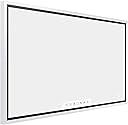
The Samsung Flip 2 WM55R is a 55-inch interactive digital flipchart designed for business environments, featuring a stunning 4K UHD LED display, multi-touch capability for up to four simultaneous users, and versatile connectivity options including Wi-Fi, NFC, HDMI, and USB. Its paper-like writing experience combined with built-in stereo speakers transforms meetings into engaging, collaborative sessions. With a sleek light gray design and wall-mountable form factor, it’s engineered to elevate productivity and modernize any workspace.


| ASIN | B07XJ7L4X4 |
| Aspect Ratio | 16:9 |
| Best Sellers Rank | #86,202 in Electronics ( See Top 100 in Electronics ) #1,979 in Computer Monitors |
| Brand | Samsung |
| Built-In Media | Camera Body, Battery Pack |
| Color | Light Gray |
| Configuration | Screen Only |
| Connectivity Technology | HDMI, USB |
| Customer Reviews | 3.5 out of 5 stars 56 Reviews |
| Display Resolution Maximum | 3840 x 2160 Pixels |
| Display Type | LED |
| Generation | 2nd Generation |
| Global Trade Identification Number | 00887276364124 |
| Hardware Interface | HDMI, USB |
| Human-Interface Input | Touchscreen with Stylus Support |
| Item Type Name | Interactive Display |
| Manufacturer | Samsung |
| Mfr Part Number | WM55R |
| Model Name | WM55R |
| Model Number | WM55R |
| Native Resolution | 3840 x 2160 |
| Other Special Features of the Product | Anti-Glare Coating, Pivot Adjustment, Stereo Speakers, Touch Screen, USB Hub, Wall Mountable, default_no_selection_value |
| Screen Size | 55 Inches |
| Size | 55-inch |
| Specific Uses For Product | Business, Commercial, Student |
| Style Name | Display Only |
| Total Usb Ports | 1 |
| UPC | 887276364124 |
| Unit Count | 1.0 Count |
| Video Capture Resolution | 4K UHD 2160p |
| Warranty Description | 3 Years Onsite (Parts / Labor / Backlight) |
| Wireless Technology | Wi-Fi |
A**R
Perfect Device for Students or Teachers
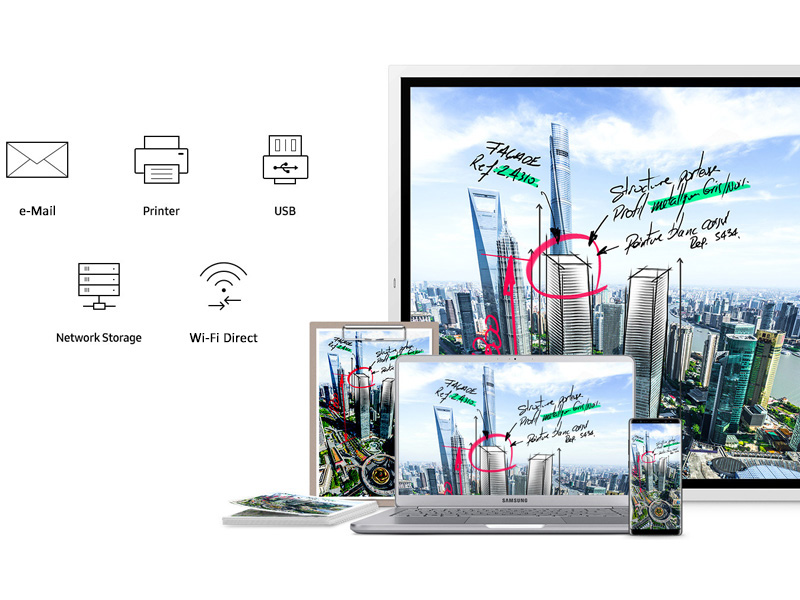
I'm not sure why this device doesn't have a lot of amazing ratings, but this thing is absolutely awesome! I spent a few weeks researching digital whiteboards, touch screen tvs, and even devices that allowed your to convert TVs into touch screens. The majority of the options were clunky, required additional hardware/software, and some looked very outdated and specifically designed for a classroom. I came across the first version of the Samsung Flip earlier this year and I was impressed by its ability to share, modify, and edit just about anything. My only gripe is the inability to minimize your browser and work back and forth between the whiteboard and the browser. However, this thing serves so many purposes! I teach and present from this board when working remotely. It acts a third "INTERACTIVE" monitor for my laptop or desktop. I can use Microsoft Whiteboard seamlessly on it and it allows remote collaboration via Microsoft Whiteboard when using it as an wireless monitor/display The best part is that I've configured it to connect to my network storage, which provides me with even more storage. I can save my projects directly to the storage and connect to them from anywhere. So this thing is a beast. But there is a learning curve for non-technical users. However, its minimal design starts to catch on really quick. If you are in IT, education, media, or simply want an excuse to have a device that also serves as a TV in your office, this product is for your. Lastly, I would suggest buying the Mount-It! TV Wall Mount Landscape to Portrait Rotation, Fixed Mounting Bracket. https://www.amazon.com/gp/product/B005MHGCSK/ref=ppx_yo_dt_b_search_asin_title?ie=UTF8&psc=1
L**N
Terrible service
I bought this monitor for my business last December, 4 weeks later the monitor started having problems. It shut down suddenly after some minutes. I called this company however because was out of the Amazon guarantee period, they suggested contacting Samsung Bussines. Three months later I'm still waiting for a replacement. First, they refer to a technician, then they decided to exchange the unit, and since then I'm waiting with no news. I spend money and I didn't consider other brands because Samsung is a good one, however, I'm losing money for three months and counting.
J**N
Really Cool digital flip chart
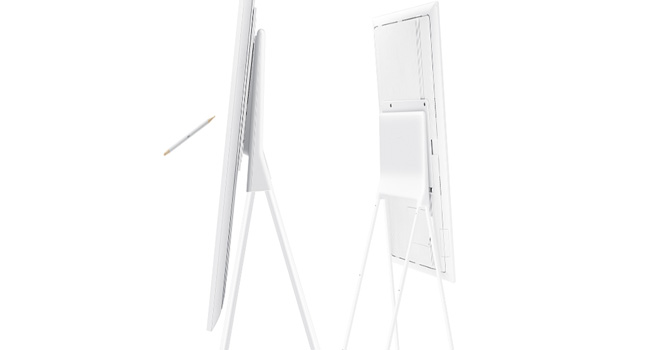
I purchased this to use for a non-profit during expositions to allow little kids to draw on it. Took it to the first event and the kids LOVED it! The software was easy to use and it can do some pretty cool things - like importing pictures, documents, videos, etc and allow you to draw over them. Kids played with it for hours and it only locked up once. I bought the stand and the dock. I would recommend the dock for connecting cables and putting in USB drives. The stand is ok - it is very sturdy and allows to move from portrait to landscape easily. I give the stand four stars because the first time we tried to fold it up, the locking pins fell out, not a huge deal because the send you screws to really lock it into place. The screen itself is 5 stars so far. This device is not meant to be mobile It is very heavy, both the screen and stand. It is fine for an office with an elevator, but not a great device to take to events. I am going to rig something on a new stand so it is easier to travel.
A**V
The best digital whiteboard for that price
I own the WM55H myself and I use one WM55R and a few WM65R at work, so I have some experience with the old and new versions and the differences between them. First, what I like. Both the previous and the new model have the same passive pen made of wood. Two tips serve a different purpose - draw and highlight. As passive stencils, there are no batteries and no charging. The new model has stencils with a piece of metal in them and two dedicated places on the screen frame to hang the stencils, something I really miss with the old model. The "blackboard" mode is very unusual. It's nothing more than background and the H model has more of them of a different colour, and also rosters and other things they call "templates". Those are, basically, fixed backgrounds for the board that cannot be moved and erased. The blackboard model, however, is a bit different. It also changes the palette and uses brighter colours that look better when writing on black. And, of course, the default colour is white instead of black. Erasing by hand is awesome. I used ProWise and Surface Hub (1st gen) and both are painful when it comes to good UX with erasing content. The palm detection, however, often fails because of this feature, so it's hard to start writing whilst keeping your palm on the screen. Flip software thinks that you're erasing and doesn't let you draw. I personally never experienced this issue because I don't put my palm on the screen when I write, but colleagues have such a complaint. The H model has some new features like those templates that I mentioned, which I never use. The brush mode looks and feels awesome but it's more for artists and designers, so I never use the feature. Some other new things are very useful. First, the new model has a proper HDMI output so you can project to a larger screen or use a capture card for remote presentations. With the old model, I have to use the Miracast adapter. The issue with the Miracast adapter that they enforce HDCP on all the content and most of the capture cards block the signal as "copyrighted content". It's not really Flip-specific, more like a flaw in the Miracast standard. Other great new things are select-copy-paste, embed screenshot to the roll, web browser (!), Office 365 import, use the current screen as a screensaver. I am sure I am missing some of the new great features, but those that I remember and find particularly useful. I also like the responsiveness of the touch screen and overall feel of the whiteboard. Again, ProWise screens are really bad compared to Flip and Surface Hub 1st Gen has similar experience but the erasing part is confusing, plus it doesn't store your work because it operates in "session" mode, so unless you share by email or OneDrive, everything is gone when the session ends. Flip, however, is designed for less "formal" environments perhaps, and by default, everything is saved and open for everyone. You can protect individual rolls by password if you don't want your work to be seen by others. For me it is the best compromise between security and usability, using opt-in protection instead of risking to lose your work. Samsung also cooperated with a third-party and provides the touch support via USB also for Mac computers. The H model also started to support touch input in window mode, as for the R model it only works in full-screen. Some controversial features. Flip operates with rolls and tries to emulate an endless flipchart. However, we almost exclusively use it in landscape format and scrolling left-right might be tiring. Again, Surface Hub 1st allows you to have an unlimited drawing space but you have to zoom in and out and move across that endless canvas. Often I see the scale of the drawing changing since you draw on a single window and cannot see how it compares with the rest of the canvas. It become really awkward at times. Flip has no zoom in or out, nor it has an unlimited canvas in all the directions. The scale is fixed and you can move in one dimension only. It felt a bit limiting and awkward at the beginning but I noticed we never had diagrams that are using different scales anymore. Finally, what I don't like: The configuration can be awkward in many places. Address book integration only works with LDAP and you have to ask your IT department to configure it. I am not a novice in those things but you need to know a lot about your org LDAP configuration to make it work. Finally, if you use something like G-Suite as I do, it becomes an impossible challenge. Luckily, Flip saves email addresses after you send a single roll to them and you can reuse those addresses later. The R model has issues with multi-AP mesh multi-band WiFi, I had no chance to test the H model in such environment yet. Configuring share by email is also not the best experience. They could've just integrated with the most popular email services like they do with Samsung phones. No, they as you to configure SMTP with all the things like TLS, server name and port and so on. It can be hard. For example, I use SendGrid for sending emails and they ask me to use the API key, which is like 50 characters long. I tried a few times, also connecting the keyboard to the Flip and I couldn't make it work. Share to a network drive is even worse. It requires Samba protocol but it uses a Linux-style configuration. The R version didn't even support hostnames, only IP addresses. There's no network browser or anything like that. Samsung should've integrated with the most popular cloud storages like Dropbox, OneDrive and so on, it would've been much better experience. I ended up sharing all my rolls by email. Finally, Flip is really lacking the remote collaborative mode. What would it take them to connect two Flips together via the Internet and let people draw at the same time? Maybe add a webcam too? It would've been a completely different level. Again, the Surface Hub 1gen has the Microsoft Whiteboard app and theoretically, you can even share the board with remote colleagues for real-time collaboration. But Microsoft Whiteboard is n/a for private accounts and you must have Office365 with the Whiteboard app enabled. Plus, the "session" mode forces you to log in to your AD account and if you use generated password it becomes too cumbersome, so the feature is practically useless. Samsung had a good chance to win there but they didn't, bummer! Finally, one review mentioned that online collaboration is a false promise of Samsung intro videos. I studied their Flip page and found nothing that promises the remote sharing, so I think it's a misunderstanding. Another review mentions poor drawing quality and Surface Hub as the alternative. After using Surface Hub for a couple of years and now using Flip, I'd say that Flip does the job and in most aspects, it does it better. It's more intuitive and easier to use. My kid loves drawing on Flip and I am quite sure he would be having hard time with Surface Hub. One last thing is that you get what you paid for. It's unfair to expect "enterprise-grade" features and such from a device that costs like a normal TV screen.
B**E
Could Be So Much Better
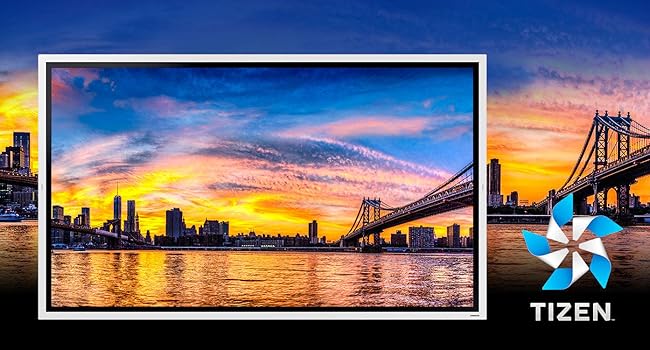
Bought this as an attempt to help transform a small den into a workspace/lifestyle area to support a continued Covid-19 work from home period. I understand the main use case for this would be in a corporate board room or think tank and really to function as a whiteboard. I had hoped given the Tizen operating system, stylus support, wifi, dual 10W speakers and 3gb ram that I would be able to write notes and ideas, do some digital art while listening to music but nope, forget it. The speakers sound diabolical and you cannot connect to a bluetooth speaker that I can see. The Tizen OS is heavily skinned and pared down, and there are zero apps available...nothing apart from brush mode. The stylus while responsive is not pressure sensitive and the edges are jagged and not accurate. Even notes don't look very sharp. The images on the website are not an accurate portrayal of this device. To add insult, I have a Samsung The Frame TV with the 'no gap wall mount' so it looks like a framed piece of art. The Flip 2 is also supposed to utilize the same wall mount. You can imagine to my surprise when I discovered that only the larger 65" model supports no gap wall mounts, so with a standard Vesa mount, I now have a 55" white plastic waste of space protruding from my wall. The only minor positive point to mention is that if you have a modern Samsung mobile phone or tablet, you can mirror the screen and use touch to navigate or use through it. This should be a seamless exercise however I find it very temperamental and it sometimes refuses to connect. I think Samsung have really missed a trick here. Could they not have a better operating system that expands the usage options? Could they not have added Youtube or Spotify? Could they not adapt some of the S pen technology they have in Note series mobile phones and tablets? I'm pretty sure they could but they are stuck in the mindset that modern working environments don't want/need those kinds of things. Needless to say this going back to Amazon and i'll save hard for a Surface Studio despite being half the size and twice the price.
R**S
non-existent support, poor specifications
Got this product as a calendar and an interactive map. Specs are vague about what types of files work. Most important shutterstock standard JPG map file, that works in all other environments, see for example the photo attached, but does not work on this device. Provided all resources to support personnel, and escallated to "engineering level" no response for over one month: we call in weekly -- overly corporate. Do not recommend this unit due to lack of support. Understandable why the price decreased since we purchased two months ago.
C**S
Software is limited and Customer Service Is Terrible- Get a Vibe Instead
I'd like to start off by saying I quickly returned and replaced this with a Vibe board (www.vibe.us)- see quick description of my experience at the bottom. The three primary gripes I had with the Samsung Flip were: 1.Limited operating system 2. Casting from non Samsung devices virtually impossible 3. Terrible customer service 4. Few mount options The writing experience on the board is great, and the functionality it has, while limited, works well. The downfall for me was the Tizen operating system it uses is severely limited. It's not very flexible and doesn't have many uses other than the board functionality. E.g. I could not pull up a full-featured Google Calendar through the operating system or on the web. While they tout the ability to cast from mobile devices, I was not able to cast from anything other than a Samsung phone or tablet. I have both of those as well as a Pixel 4 XL, and 2 iPhones, one of those being an 11 Pro and not even the Pixel, which is an Android device could connect to it to cast to the screen. To verify if this was a limitation in the functionality or me, I called Samsung's customer service line and was transferred 3 times and was hung up on during the 3rd transfer. Each person they transferred me to all thought it was a phone, despite me leading with "Samsung Flip 65 inch" every time, then once I explained to them it was a digital whiteboard they transferred me with surprise. Then I tried chatting with someone online and once I got him to understand it was a digital whiteboard he asked me to do trivial steps (I'm an IT Engineer) and eventually got short with me leading me to disconnect after about 40 minutes. Bottom line is don't expect much support for this device if you buy it. Lastly, while the flip is in the name, the mounting options are not many, especially for the 65". VIBE BOARD DESCRIPTION That said, I have had the Vibe board for a couple of months and the operating system is Android, which allows for an immense amount of flexibility in what you can do with it. You can get full feature functionality from apps you download directly from the Play store. You can split screen the apps, including the whiteboard, and it supports doing meetings while you're split screening and sharing. The customer service is also next level, as they are highly engaged, answering concerns and even implementing customer feedback into the board functionality (they've done this based off of feedback from me within the first couple weeks). They have "Feature Fridays" where they release a YouTube video every Friday highlighting features and how you use them. You can also cast from a wide array of devices and so much more. The price point is above the Flip, but it's light years better and more versatile than the flip with a team of people who are personally invested in their device, so I was happy to spend every dollar more on it. Owning the Vibe after the Samsung Flip certainly encouraged my overall rating.
D**3
Disappointed
We just added four flip 2s to our office. Two 65" and two 55". We typically test new technology before going all-in but figured with Samsung, our conservative approach wasn't necessary- We were wrong. The Tizen operating system is very limited and makes it very difficult to operate the screen as a touchscreen conference monitor without the overlay menu intruding the displayed image. The viewing angle is very poor and makes the screen hard to see when not directly in front. The brightness is very poor, if the backlight is increased to 100% the screen looks very washed out. We also have Dell touchscreen conference monitors and they outperform the Samsung by a large margin. We will likely be replacing the Samsung monitors with Dell. It's a shame because the monitors look great and the concept is perfect, in theory.
O**D
Perfect for educational seminars
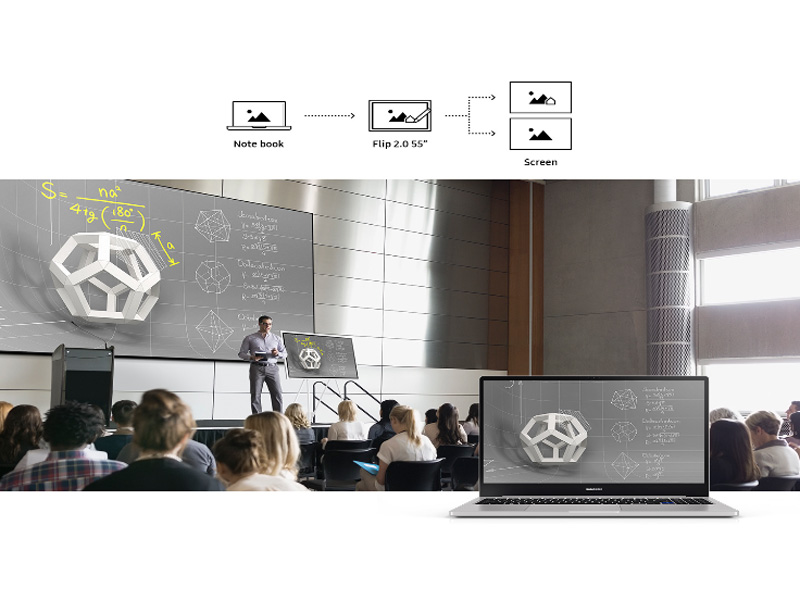
Excellent product. We bought it for language classes we’re broadcasting from home and it’s been very useful. Using a seperately purchased AirPlay adapter it’s easy to project your iPad screen to the board and draw on top. Build quality is exceptional, high-end, and well-worth the money. Highly recommend paying the higher price for this one and not settling for lower quality solutions.
Trustpilot
2 weeks ago
2 weeks ago