Buy anything from 5,000+ international stores. One checkout price. No surprise fees. Join 2M+ shoppers on Desertcart.
Desertcart purchases this item on your behalf and handles shipping, customs, and support to USA.
🚀 Elevate Your Storage Game!
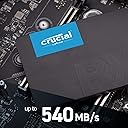
The Crucial BX500 1TB 3D NAND SATA SSD offers lightning-fast performance with read speeds up to 540MB/s, making it an ideal upgrade for any PC, Linux, or Mac user. With a capacity of 1TB and 45x energy efficiency compared to traditional hard drives, this SSD not only boosts your system's responsiveness but also enhances battery life. Backed by Micron's 40 years of expertise in memory technology, the BX500 is the perfect choice for those seeking reliability and speed.
| ASIN | B07YD5KCB5 |
| Additional Features | Portable |
| Best Sellers Rank | #132 in Internal Solid State Drives |
| Brand | Crucial |
| Built-In Media | Internal Solid State Drive |
| Cache Memory Installed Size | 1 |
| Color | Black |
| Compatible Devices | This drive is compatible with desktops and laptops that accept 2.5" 7mm SATA drives |
| Connectivity Technology | SATA |
| Customer Package Type | Frustration-Free Packaging |
| Customer Reviews | 4.8 out of 5 stars 36,477 Reviews |
| Data Transfer Rate | 6 Gigabits Per Second |
| Digital Storage Capacity | 1 TB |
| Enclosure Material | SATA |
| Form Factor | 2.5-inch |
| Global Trade Identification Number | 00649528821577 |
| Hard Disk Description | Solid State Hard Drive |
| Hard Disk Form Factor | 2.5 Inches |
| Hard Disk Interface | Serial ATA |
| Hard-Drive Size | 1 TB |
| Hardware Connectivity | SATA 6.0 Gb/s |
| Hardware Platform | Linux, Mac, PC |
| Installation Type | Internal Hard Drive |
| Item Weight | 0.06 Kilograms |
| Manufacturer | Crucial |
| Media Speed | 500 |
| Mfr Part Number | CT1000BX500SSD1Z |
| Model Name | BX500 |
| Model Number | CT1000BX500SSD1Z |
| Number of Items | 1 |
| Read Speed | 540 Megabytes Per Second |
| Special Feature | Portable |
| Specific Uses For Product | Business, Gaming, Personal |
| UPC | 649528821577 |
| Warranty Description | 3-year limited warranty |
M**E
Best, Dollar For Dollar, Laptop Upgrade w/ Easy Cloning
I bought this SSD for a 5 year old Asus laptop with a simple Core i3 setup with just 6GB RAM. I found free cloning software online, and also bought a wire which I highly recommend, which will come in handy every time you need to upgrade an old laptop to SSD from it's original HDD. The wire you need to make this amazingly easy is USB to SATA. One end is standard USB (works with USB 2.0 and 3.0) and the other end is easy, plug-in to any 2.5" SATA SSD (has both the SATA and power, all in one, wide plug.) Just download your favorite cloning software, plug in the drive, plug in to the laptop, clone, then shut down, unplug and swap out the drives on the inside. Booted quickly without any problem. All programs, apps and data were there, and ran much faster with seek times far better than with the old, standard HDD. IMO, the best value to revive an old laptop. The difference is astonishing, even on a mediocre 6GB RAM, Core i3 rig. Buy that wire. It will come in handy, over and over again, because once you see how easy it is to revive an old laptop, you will be doing it for the whole family and the neighbors as well as they order new SSDs. Bottom line: For less than $30, this Crucial SSD revived a laptop to astonishingly improved speed and boot time. Need more space, splurge for 1TB and have the same speed and quality with even more storage. An easy "clone and swap." (Best with that wire, USB to SATA.) Not included. After this purchase, I bought 2 more, immediately, and did to more laptops. All had the same, flawless result and booted on the first try after cloning. Wild Card: Longevity of the drive unknown, but I hear that Crucial is an excellent brand, even this model being one prior to their newest model. I also bought and installed an "ADATA" brand SSD, and it works as well, but again, we'll see which wins longevity. These days, you should have backups of your important data anyhow.
J**.
This is a good drive. Let's set some facts straight.
Ok there's a few fake reviews below OR maybe they were written for a different device. Here are the FACTS!. The Sata III interface was designed for and cannot exceed 550 mbps per second. That being said there are a few Samsung drives USING SAMSUNG MAGICIAN SOFTWARE ON A CLEAN WINDOWS INSTALL UNDER LABORATORY TEST CONDITIONS that have hit the 700mbps mark. That is the ONLY exception as of this writing. FACT. Motorized hard drives have a 7 to 10 millisecond seek time before they can read or write files, also under ideal conditions on a clean install of ANY operating system, Linux, Windows or Mac. Solid state drives do not have ANY seek time so they are faster by design. FACT: When you clean install windows or any other operating system it installs itself according to the hardware it is installed to and discards the drivers and code it does not need, and optimizes itself to that machine. If you clone that operating system to the same machine with a new drive IT CANNOT re optimize itself a second time, whether its a motorized drive or solid state. also some drivers may not survive the cloning and you will only get a slight performance gain.. THIS IS NORMAL. The ONLY reason for EVER cloning a drive is because of software or user files that cannot ever be replaced or just being too lazy to do it properly. Nothing can compare to a clean install done correctly. All this being said, this is a great budget drive and for the money its hard to beat FOR EVERYDAY COMPUTING. I have installed and sold several of these and none have ever failed. The performance is better than most average SSD's but it wasn't designed to compete with the Samsung, OCZ or any other so called "GAMING" drives which is a marketing cliche anyway honestly. This is a MAINSTREAM BUDGET drive and done correctly in any machine will perform very well on a clean install and last a long time when properly maintained. When people write reviews you need to be comparing exact apples to apples. I would not recommend this to a performance minded overclocking gamer, they will be disappointed but for every day use its hard to beat and can't be beat at this price point. If you want more performance then get a Crucial MX series drive. The BX series is typical mainstream. The both are built with JMicron chips but the MX is a bit faster, just like ram and other things there are levels to this. I hope this actually helps someone and informs the rest. Don't write bad or negative reviews when your trying to compare a ham sandwich to a lobster or steak dinner. Compared to a PNY or SanDisk, this is definitely a better drive but its not going to keep up with a performance drive, not even in it's own brand. Its just that simple. You get what you pay for.
A**N
Breathes new life into old PC's
I have been building PC's for years and work professionally with computer systems. I have upgraded old PC's with SSD's before and noticed improvements in the past, but this latest upgrade was unbelievable. This case, was my mom's old laptop ~ 10 years old and not top of the line at that time either (ancient in PC's years). It was unbearably slow. Luckily she didn't have anything on it she really cared to keep. I was going to clone it over to the new SSD, but decided a clean Windows 10 install would be easier and better overall. The real world performance gains were insane. I did a test before and after the upgrade. The test was timing the moment I pressed the power button, to the time the system started up and was able to load a Google chrome startup page. Before, it almost took 2 minutes. After the SSD install with clean Windows 10, it took about 21 seconds. No, that's not a mistake, you read it right. This laptop is not as good as new, it's MUCH better than new. Yes, the fact that Windows 10 was a fresh install contributed to this improvement, but the biggest factor here is that SSD. Even with the older SATA 2 connection on this laptop, the real world performance gains can't be denied. TLDR, if you're hesitant to upgrade to an SSD because you have a system with SATA 2 and you think it won't give you the full performance, stop hesitating. The real world improvement will be noticeable, measurable, unbelievable and any other adjective you want. The only thing you won't get is the full sequential read/write speed, but that really only affects large file transfers which on a normal daily basis most PC users are not doing. If all you do is transfer large files back and forth, then yes, get a new PC. Otherwise, get one of these and thank me later.
D**L
Best value for basic SSD (includes usable data migration software link)
I've lost track of how many HDDs I've replaced (for myself, family, friends) with SSDs over the last few years, but somewhere around 10. I installed the 120GB version of the BX500 in an old (2010?) HP laptop with a Core2 Duo, and it works well--better than the WD 7200 rpm drive that it replaced, which itself was an upgrade over the original 5400 rpm HDD. Battery life is noticeably longer, boot-up is much, much faster, and starting/closing apps is much improved. For a light-duty laptop used mainly for web-surfing, this is currently the best value on the market, because it comes with access to free, downloadable & fairly automatic software to "clone" your old drive. You will need USB-to-SATA3 interface (housing or adapter), but they are also fairly inexpensive, and once you have one, it can be used over and over. The tiny paper guide that comes in the package has a web address to download the software, but it returned a "502 Bad Gateway" error, so I google-searched "SSD support crucial" and found the top result (after the ad) helpful. (I can't post web address URLs here, or I would). The free, no-serial number Acronis True Image for Crucual software is what you're after. Bear in mind that you must have your BX500 connected to the PC or laptop in question via the aforementioned USB-to-SATA3 interface before and during the Acronis software installation. If you are looking for an SSD with an easy, nearly foolproof data migration (disk "cloning" software included, get a Samsung 860 EVO (but expect to pay about 3x as much for the smallest (250GB) drive they offer. The reviews of the BX500 indicate that the endurance of this drive is expected to be less than many other popular drives (it will eventually have write/read errors, causing the laptop to have crashes or other issues), but since this laptop is for fairly light-duty stuff (not gaming or multimedia editing/rendering), my experience with SSDs indicates that I needn't be concerned. Crucial is not a fly-by-night company. Good luck.
I**D
has been working great
Bought this because it was the cheapest SSD I could find that was not a no-name brand and had good enough specs as well. After installing it I tested it and was perfectly happy with the speed. Installed some games for my wife and it has been going strong for the last few months. The games load much faster than if they were on a HDD so that's all that matters. Don't let the next part of this review scare you away from this drive. Everything has a place and purpose and this drive is no exception. It isn't a bad drive, there are just better ones if you need to go that route. I would buy the BX500(this drive) in a heartbeat over some other random brand like Silicon Power. If you want something that will perform better and be an overall better drive then go with the Crucial MX500 instead. With the current prices there isn't a real reason to not get the MX500 because of how much better it is. You will be happier if it is a drive you want to last and actually care about. The reason I went with the BX500 is it was for a secondary computer that needed a bit more space for some games and I was not that concerned with getting a nice drive. If you want to dive deeper into why the BX500 is worse than the MX500 read up on DRAMless SSD drives, the BX500 is one of them. In simple terms a drive without DRAM will have worse writing performance than one with it but reading performance should be similar. The durability and lifespan of DRAMless drives is also likely lower but this depends on many things. It gets more complicated than this explanation very fast but that puts it as simple as I can. It isn't a perfect explanation of everything involved. Overall the most important thing here is they are all faster than regular HDDs and each kind of drive has its place and usage.
A**R
Exact fit and size
Order received in good condition and appearance. Not yet fully tested. Hope it is effective and will last a long time. Exact fit and size when installed.
J**S
Incredible
It had been over 10 years since i had done any type of computer upgrades. I think XP was still the predominant OS that last time I opened up a computer to do any type of work. I had gotten into the habit of just buying new every couple years and recycling. For the last couple months I had been researching new laptops, and while reading their Amazon Reviews, I noticed a re-occurring theme of dropping a good SSD in with a clean copy of Windows on a brand new machine. I started to go down the path of doing that myself, and got to reading about these Crucial SSD's. I decided that I'd just upgrade my existing laptop (HP 15-af131dx), the small BX500 was only $28, so if i wasn't satisfied I could just go with the original plan and buy a new laptop. Due to the cheap construction of this HP, accessibility was a little bit of a challenge, but I did it on my coffee table in under 15 minutes. I had a clean copy of Windows 10 on a thumb drive, popped it in, and turned on the power. The installer immediately started up, and I could tell immediately how quick this SDD was. Installation was only a few minutes long, and I've spent the last few hours re-installing my commonly used apps and trying them out. 'Astonished' doesn't even come close to describing my feelings. Everything is fast now. I can't believe I didn't do this sooner. I went ahead and ordered new RAM (even though i don't think i really need it) and will be installing that later this week, and there is no longer any need for me to buy a new laptop. This $28 shot in the dark ended up saving me hundreds of dollars on a new machine. I couldn't be more satisfied. Without a doubt the best money i've spent this year.
M**E
Just another pleasantly surprised customer of an excellent product.
Very happy with how easy this was to get working. Came with a little pamphlet highlighting Crucial's website and instructions to help get the SSD set up, and allowed me to contact Crucial's chat support team with a couple of questions. I wanted to add this to my laptop, a Dell Inspiron 15 5000 Gaming, which came with an entire extra port for expandable storage. Though that storage area denoted only HDD, I was pretty sure the SATA cable worked with both HDD and SSD, which it did. I first read their instructions linked on the website, then asked the tech support whether or not I needed to copy my old hard drive like the instructions said, but he assured me I only needed to plug it into the built-in storage expansion and "initialize" it, after which he courteously referred me to Crucial's instructions on how to simply initialize the drive, no copying necessary. (Plus I've already recently backed up my laptop anyway). After following the very straightforward instructions, it worked like a charm right away. Really happy I bought this brand (of course I can't vouch for other brands) because all their information on how to set this up and their quality support made this whole process of storage expansion surprising pleasant. I remember 5 years ago when I bought a 16GB thumb drive for 20 bucks. 5 times that price equals what this 1TB SSD cost, nearly 12 times the storage to cost ratio. Blows my mind.
A**.
La mejor SSD de gama baja
Ya tengo dos SSDs como esta en mis dos portátiles y funcionan de maravilla. Ahora mismo es probablemente la mejor SSD que se puede comprar en este rango de precio y el almacenaje disponible es suficiente para un uso normal. Llevo usando una diariamente durante los últimos cuatro meses y aún no he tenido problemas. No espero que dure muchos años (aunque habrá que verlo), pero esta memoria es perfecta para revitalizar ordenadores antiguos a un precio bajo.
A**O
Velocità e affidabilità
Ho avuto modo di testare l'SSD Crucial BX500 480 GB per diverse settimane e devo dire che sono rimasta molto soddisfatta delle sue prestazioni. Innanzitutto, l'installazione è stata molto semplice e veloce. Bastava inserire l'SSD nel case del PC e seguire le istruzioni a schermo per configurarlo. Una volta installato, ho notato subito una differenza sostanziale nella velocità del mio PC. L'SSD ha una velocità di lettura sequenziale fino a 540 MB/s, il che si traduce in un avvio del sistema operativo e delle app molto più veloce rispetto a un disco rigido meccanico. Inoltre, l'SSD è molto più silenzioso e consuma meno energia rispetto a un disco rigido meccanico, il che è un vantaggio sia dal punto di vista del rumore che dal punto di vista dei consumi. Un altro aspetto positivo è la durata dell'SSD. Non ho mai riscontrato problemi di usura o di altro tipo durante l'utilizzo, il che dimostra che si tratta di un prodotto affidabile e di alta qualità. Inoltre, devo dire che l'SSD è stato molto facile da usare. Non ho dovuto fare alcuna configurazione complessa o installare software aggiuntivi, bastava inserirlo nel PC e il sistema operativo lo riconosceva subito. In sintesi, posso affermare con sicurezza che l'SSD Crucial BX500 480 GB è un'ottima scelta per chi cerca velocità e affidabilità a un prezzo ragionevole. Lo consiglio vivamente a chiunque stia cercando un'opzione di archiviazione rapida e affidabile per il proprio PC
J**N
1TB SATA SSD
El disco duro de almacenamiento es rapido y funcional, se empleo para sustituir un disco duro convencional, el resultado es marcado la veocidad de operación de la computadora se acelero, las aplicaciones se desaempeñan sin ningun problema, totalmente recomendable.
A**R
Instalación ssd.
El ssd está muy bien, para mi junto a samsung las mejores opciones sin lugar a duda. La memoria usada, 3D NAND, hace que su vida útil sea mucho mayor que la de otros ssd que emplean en su fabricación memorias más baratas. En cuanto al rendimiento, es una pasada, no hay mucho más que decir. Además tiene un precio de derribo actualmente. Describo ahora que pasos sigo cada que vez instalo un ssd. Depende de si tienes sólo 1 ssd ó si tienes ssd+ hd, el proceso puede variar (ej. los temporales los pues quitar del ssd si tienes un hd, de otro modo no). : - Activas en la bios modo AHCI (sata, no raid). Poner cd de windows con el orden de arranque desde la lectora y empezar instalación. Se creará un espacio de 100 mg y el resto será donde hagamos la instalación. No hacer particiones al ssd, sufre demasiado. - Una vez instalado, comprobamos alineación y Trim correctos. Para alineación podéis usar Disk Alignment Test, es gratis y no pesa nada. Para Trim, ejecutar sobre windows cmd, escribir fsutil behavior query disabledeletenotify , dará valor 0. Es correcto y seguimos. - Desactivar pagefile.sys, "Panel de control, sistema, sistema, , Configuración avanzada del sistema, opciones avanzadas, configuración, opciones avanzadas, cambiar". Ahí o bien la quitas y la dejas a 0, o la quitas y la pones en el HD, depende de si tienes mucha RAM. - Desactivar desfragmentar, sobre windows, escribiendo Desfragmentador, se abre y quitamos programación. Además lo quitamos en servicios, escribimos en windows servicios, se abre y paramos y deshabilitamos “Desfragmentador de disco". - Desactivar indización, abrimos mi pc, botón derecho sobre c, propiedades, y desmarcamos la segunda opción "permitir que los archivos de esta unidad tengan...." os dirá que necesitas ser administrador, dáis si, os dirá que no todos se pueden, le dáis a omitir. Este paso es el que más tiempo lleva, por eso lo suelo hacer al inicio. Además hacemos lo mismo que antes en "servicios", la opción se llama “Windows Search”, la paramos y deshabilitamos. - Desactivamos hibernación, sobre windows escribimos cmd, y pegamos "powercfg -h off ", ya está hecho. - Desactivamos Prefetch Y Superfetch, sobre windows escribimos regedit, luego seguimos la ruta HKEY_LOCAL_MACHINE\ SYSTEM\ CurrentControlSet\ Control\ Session Manager\ Memory Management\ PrefetchParameters y en las claves EnableSuperfetch y EnablePrefetcher poner un valor 0. Además desactivamos Superfetch en servicios, como en los pasos anteriores. Se llama Superfetch. - Desactivamos puntos de restauración, "Panel de control, sistema, sistema, Configuración avanzada del sistema, protección del sistema, abajo disco c, configurar", y los eliminamos y dejamos a cero. - Desactivar programación windows defender, sobre windows escribimos defender, y desactivamos la programación (no el programa). - Cambiar ubicación carpeta temporales, (con ssd + hd), de otro modo no puedes hacerlo. "Panel de control, sistema, sistema, Configuración avanzada del sistema, opciones avanzadas, variables del entorno, en la casilla de arriba (Usuario) se modifica TEMP y TMP y se le asigna el directorio que prefiráis en el HDD, por ejemplo, D:\TEMPORALES, y hacéis lo mismo con TEMP y TMP de la casilla de abajo (Sistema). - Todos los programas de descarga a d, no en el ssd,, (con ssd+ hd). Ej: torrent, firefox, etc etc. - Comprobamos velocidades del ssd, deben ser parecidas a las que se describan, cuidado que si abusáis de programas tipo crystalmark, una instalación de windows pueden ser unos 60 gb (con todos los programas habituales), pasar este otro tipo de programas varias veces son 2 teras. Insisto no abuséis si ya estáis seguros de que la velocidad es la correcta. A 250 mg/sg de media entre los archivos pequeños y los grandes, echad cuentas cuanto escribes en 1 minuto. - Si el ssd tiene software propio, tipo magician en el caso de samsung, usadlo, y cread el reaprovisioamiento, esto os quita espacio en el ssd, pero alargrá mucho su vida. - No os fiéis si crystalinfo dice que tenéis AHCI y NCQ activados, verificad AHCI en la BIOS, si lo está, entonces tenéis los 2, lo digo porque yo me he llevado sorpresas. He intentado ser lo más claro posible, que cada cual use este guión bajo su responsabilidad, a mi me va bien con él, y sólo he pretendido ayudar. Un saludo.
J**A
Boa experiência, cumpre o que promete
Ideal para quem está usando pela primeira vez um SSD e perceber a diferença entre o HD, mesmo não sendo um NVME, a experiência já é gratificante.
Trustpilot
3 weeks ago
1 month ago