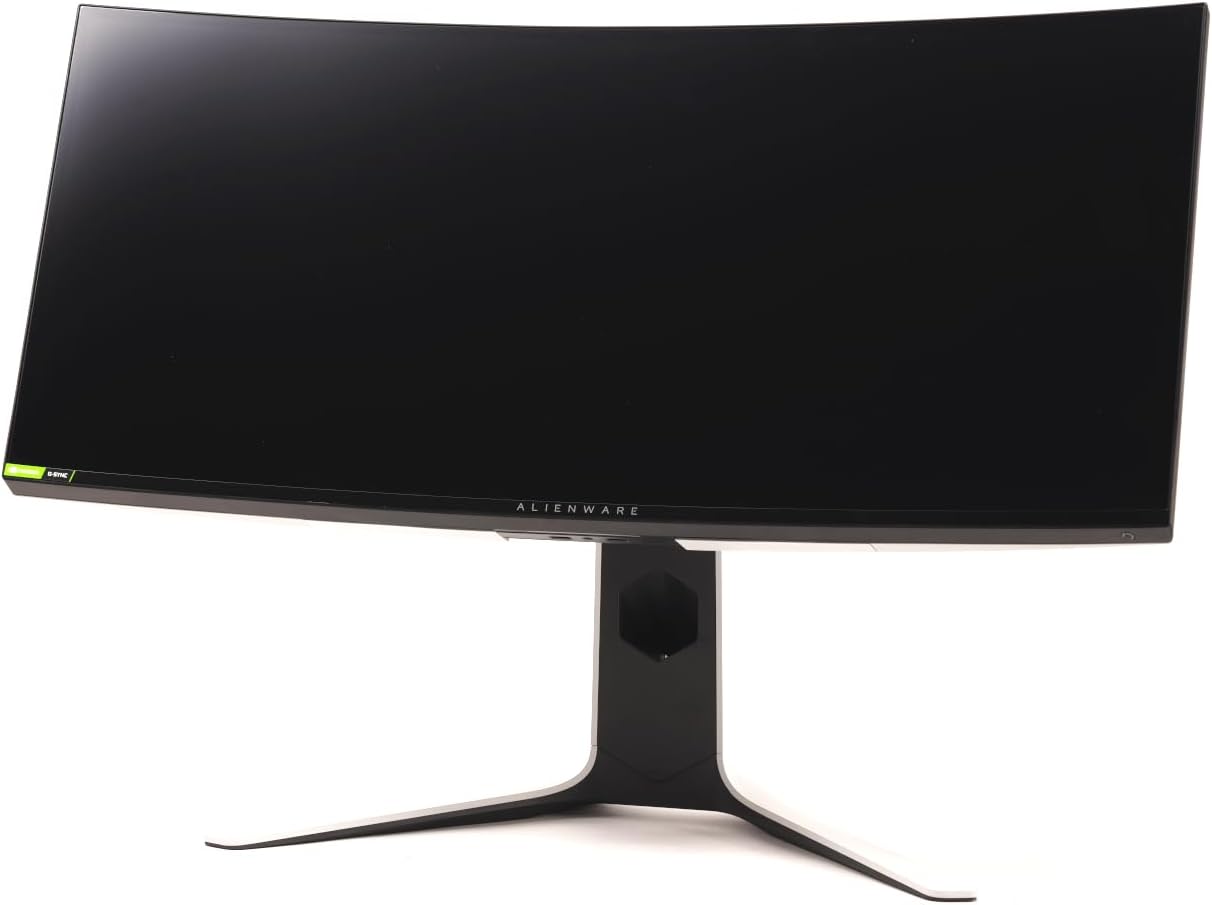
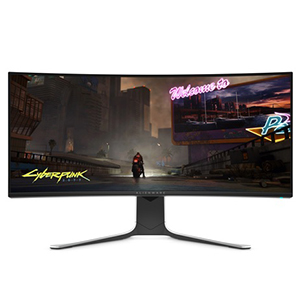
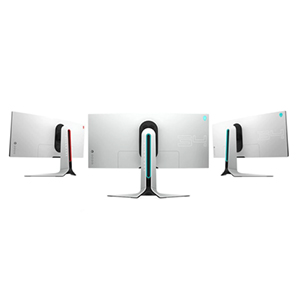
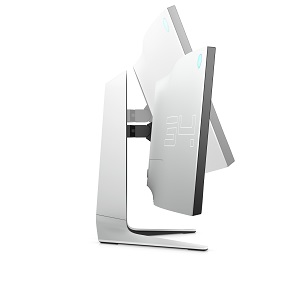
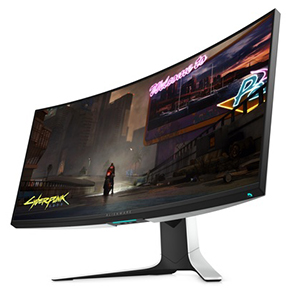
🚀 Dominate your game with Alienware’s ultra-immersive 34" curved powerhouse!
The Alienware AW3420DW is a 34-inch ultrawide curved gaming monitor featuring a sharp WQHD 3440x1440 resolution, 120Hz native refresh rate, and 2ms response time. Equipped with NVIDIA G-SYNC and IPS Nano color technology, it delivers tear-free, vibrant visuals with 98% DCI-P3 color accuracy. Its anti-glare screen and customizable AlienFX RGB lighting make it a premium choice for gamers seeking immersive, smooth, and visually stunning gameplay.


| ASIN | B07YLGH9Q5 |
| Adaptive Sync | G-Sync |
| Additional Features | Anti Glare Screen, Curved, Ultrawide Screen |
| Aspect Ratio | 21:9 |
| Best Sellers Rank | #206,008 in Electronics ( See Top 100 in Electronics ) #4,195 in Computer Monitors #57,310 in Home Theater Accessories |
| Brand | Dell |
| Brightness | 1199.1 lm |
| Built-In Media | 1 xHDMI(ver 1.4), 1 x DP (ver 1.2), 1 xUSB3.0 upstreamport(Rear), 2 xUSB3.0 Downstreamport(Rear), 2 xUSB3.0 Downstreamportwith 1 x power charging (Front bottom), 1 x Headphone-out jack (Front Bottom), 1 x Audio Line-out jack (Rear) |
| Color | BLACK |
| Color Gamut | 1.345 |
| Connectivity Technology | hdmi usb |
| Contrast Ratio | 1000:1 |
| Customer Reviews | 4.6 out of 5 stars 1,553 Reviews |
| Display Resolution Maximum | 3440 x 1440 |
| Display Technology | LED |
| Display Type | LED |
| Global Trade Identification Number | 00884116349648 |
| Hardware Connectivity | HDMI, USB 3.0 |
| Has Color Screen | Yes |
| Image Contrast Ratio | 1000:1 |
| Item Dimensions D x W x H | 22"D x 32"W x 10.8"H |
| Item Weight | 10700 Grams |
| Manufacturer | Alienware |
| Model Name | 091K255 |
| Model Number | AW3420DW |
| Mounting Type | Wall Mount |
| Native Resolution | 3440x1440 |
| Number of Component Outputs | 1 |
| Picture Quality Enhancement Technology | IPS Nano color technology |
| Pixel Pitch | 0.2325 |
| Power Consumption | 110 Watts |
| Refresh Rate | 120 Hz |
| Resolution | QHD Wide 1440p |
| Response Time | 2 Milliseconds |
| Screen Finish | Glossy |
| Screen Size | 34 Inches |
| Screen Surface Description | Glossy |
| Shape | rectangular prism |
| Specific Uses For Product | Gaming |
| Total Number of HDMI Ports | 3 |
| Total USB 2.0 Ports | 5 |
| Total Usb Ports | 5 |
| UPC | 884116349648 |
| Viewing Angle | 178 Degrees |
| Voltage | 240 Volts |
L**L
Quick replacement for broken X34 turned out to be a really good choice.
Update. Used it every day for a few months now. Zero issues. It does seem like there is a bit more back bleed in the corners now but unless your looking for it you just don't see it. I have it on an amazon basics arm (AmazonBasics Premium Single Monitor Stand - Lift Engine Arm Mount, Aluminum - Black) https://www.amazon.com/gp/product/B00MIBN16O/ref=ppx_yo_dt_b_search_asin_title?ie=UTF8&psc=1 I've had it since 2018 and i's a beast of a mount. Get's moved and adjusted constantly depending on what I am doing on the computer and no issues. Really like the Alienware display. As with any display you need to dial it in to your tastes and I did that the first day and have since played with all the features and love it. I don't use the speakers. Good purchase although I would not have replaced my X34 with it had the X34 not been destroyed. I wasn't planning to upgrade my display till the end of 2020. While rearranging my setup for DCS I managed to put a keyboard corner into the X34 pbmiphzx and turned it into a 30 inch screen. While trying to live with it while getting up to speed with displays out now things went "melty, smokey, fiery" fun and that was it for a good x34 I had since May 2018. Now I was back to a ASUS VE276Q Black 27 from 2011 and after you go wide screen there is just no going back so after catching up on what's out I went with the Alienware. VERY HAPPY. It's a very nice screen with deep blacks and really good colors compared to the other 34in. Very little bleed around the corners. Almost none at the top and just a bit around the controls on the lower right. Took awhile to get it all setup and I was REALLY impressed. I play with the lights in the room on dim or off and by brightness setting was turned down quite a bit. I see people complaining about it but for me it's perfect. Did a clean install with the GFroce drivers and set it to 120hz. Using an EVGA GeForce GTX 1080 Ti SC2 Hydro Copper to push the graphics with no issues. It's mounted on a dual display VESA mounting arm that gets moved around every day and the added cord hooks on the back do a perfect job of not pulling at the connection points. Nice slide on cover to really lock them down. Really like the light system on this one but I have already been through my RGB dance for me baby phase so for the most part everything is set to red but you have some good options for lighting. Kind of a shame that I am not using the included stand. It's crazy solid with more light options on it. The little touch on/off light on the bottom of the screen is really useful. Only change I would make to that is a touch brightness and color option for that. 2 USB ports right at the bottom hold my USB Unifying Receiver and my 3D printer thumb drive nub. Out of the way but right there when needed. More USB ports on the back but all I have is the TrackIR5 in there. There is very little piano black which is good as I leave fingerprints over everything. The entire rear panel is all greyish white and to be honest I don't care for it much. There is absolutely no heat coming off it so I plan to wrap the rear in vinyl. Little Alien dude in the corner lights up which is just fluff but it's nice. I had an Alienware M17 R2 back in 2010 and just never thought about them again once it's time had past. Really good controls. Very easy to use and move around. Standard power cord and extra cables included. As long as everything keeps doing it's job over the next year I may push back upgrading my display another year or so. Maybe pick up another used one to replace that ASUS which I use as a 2nd screen for in game instructions and basic functions like news and quick net searches. Not a fan of their pricing. It came out at 1500 and went on sale for sub 1k which was were is should have been priced from the start but it is worth every penny of that 1k price in my book. Just missed the good sales but what can you do when your not shopping for a new display. Overall I think this is a fantastic choice for gaming and movies. No HDR or sky high HZ options which is what I was waiting for to upgrade but at 120hz native it's ripping it up. Oh ..Good packing job with the Alienware box. It's the Xmass rush and Amazon has falling a little short on the packing jobs this month. Normally you get tons of air bags and what not. All this had was a bit of brown paper tossed in which did absolutely nothing in the slightly larger box it shipped in so the Alienware box had a few dents in the corners but not a single thing was out of place in the factory box. Normally Prime does a better job. I once got a pack of cheap metal paint brushes that was packed up like the most fragile object ever shipped. If your on the fence with this one go ahead and get it. Good price for the spec and looks amazing.
J**2
A Solid BIG WIN but with the Right Specs
A Solid WIN but with only the Right Specs. This Monitor is very high spec Resolution is 3440X1440 with G Sync and 120 htz refresh. It's a very bright display has to be around 450 nits Max brightness. It's so bright I use only Game 2 mode in RPG setting I can't use anything brighter trust me it's rediculously bright. You will have to turn down settings in the game your playing if too bright. Ok so with that out of the way this monitor is fully Capable of running AAA titles at Ultra settings or HIGH if you have the right hardware to support it. What does that mean ? Well for starters I am running for my SPEC: I9900k 8 Core Up to (5.2 gtz OC) MSI Trident X Plus with 32GB RAM RTX 2080ti Ventus DUO by MSI PSU: Gold Standard 750 3 Pcie NVME SSD's You get the point. So I can see high frame rates on most titles either RPG or FPS in HIGH settings or ULTRA but that's not hitting full refresh of 120htz in ULTRA nope. HIGH settings or even medium on MOST titles I am seeing refresh rate being hit at that MARK. It really just depends on the game and type of game you play. The OSD: is so easy to use the navigation menu was very thought out and I have no issues. Don't forget to change your FACTORY refresh from 60htz to 120htz in Nvidia control panel or this monitor would be useless in that regard. I happen to like the Alien FX lighting and how simple it is to customize in the OSD menu. I typically leave it on breathing or Spectrum to cycle through the colors to match my Logitech G560 speakers. I really reccomend sitting further away from this monitor as opposed to being close up. The colors are very bright and vibrant. Literally no washed up colors no back light bleed really at all and if it's there just a little bit on this IPS screen you won't notice it at least not my unit. Assembly and set up: Ummm took like maybe 2 mins to set up and get running. It was easy as cake. No tools of any kind required just use the supplied Wing BOLT and your good to go. The monitor really isn't that heavy either. It's very solid and doesn't wobble doesn't move around when slightly touching it. It's also adjustable so thats a plus swivels and tilts. Is it necessary for swivel ? No not really this thing is huge I leave it set in 1 motion only. Final thoughts: You guys I really have nothing negative to say about this monitor really at all. This monitor is truely epic in every way and when it was in sale for $1029 I grabbed it. Shipping took literally 2 days than there it was on my door step. Keep in mind the BOX is huge ok. The packaging is second to none and the directions are clear as day when removing the monitor from it's old home (The BOX) I highly recommend this amazing piece of hardware to add to any high spec set up... Additional thoughts: Please have a high spec machine at least RTX 2070 Super or above to run this beast at it's native resolution. If not than I wouldn't see a use for it and to look elsewhere. Hope this review helps you in your purchase decision as I am extremely impressed and hope you will be to when it arrives on your doorstep.
R**R
Best upgrade of any new build
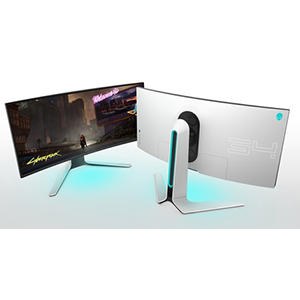
Ok, I'm totally blown away by this monitor, and there's a few things I really want to hightlight about it. 1. Refresh Rate: First, only because it surprised me so much, was the 120 Hz refresh rate. I just switched from three 1080p, 60 Hz monitors that I've been using for a bunch of years. Having never used a higher refresh rate monitor, I thought "how could that possibly make a difference? Who cares? I just want a pristine image." Well, let me tell you it does make a difference. The second I change this display from 60 to 120 AT THE DESKTOP it was a major improvement!!! I can't get 120 in games yet until I update my GPU, but so far even just everyday tasks are benefiting in a huge way from 120Hz. Note that as you go up in frame rate there is increasingly diminished returns....the jump from 60 to 120 WILL be extremely noticeable; the jump to 144 less so, and the jump higher than that will be subjective on whether or not its worth it. So keep that in mind if you're torn on this or a display with a higher refresh rate than 120. 2. Productivity: I was so close to getting a work monitor and a gaming monitor because I wasn't sure if I could get used to ultrawide. After spending all day yesterday gaming, watching movies, and trying out multiple applications I will never, ever go back to my old set up. This thing is wide enough and has a high enough resolution that I can view between two and three open windows at once, which is far nicer than my old 27" 1080p, where just two often got squished and weren't full. 3. Immersion: The extra immersion provided by the wrap-around view of 21:9 truly cannot be understated or undersold. To understand, try to imagine what it would be like going back to watching full-screen movies on an old 4:3 standard def tv. You know how you'd be missing a ton of image on the left and right? This is kind of like that....when jumping up from a regular "wide" to an ultrawide, you gain a lot more image on the sides, which makes everything seem more natural and immersive. And not just games....a lot of movies are shot in 21:9, so when you watch something, it fills the whole screen and there aren't any black bars. Seriously....once you try an ultrawide you won't go back. 3. Image: The image and color quality are very good, for my eyes anyway. I haven't color-calibrated the monitor yet, but it is already a massive improvement over my previous monitor. Blacks are deep and colors pop. No complaints here. I dig the IPS thing. 4. Build quality: Another ace here. Dell/Alienware did a great job with aethetics. This monitor has a beautiful finish, nice bezels, a nice not-too-much level of curvature, and a really cool port hole in the stand that you can rout your cables through. The stand is also a really big, sturdy thing that lets you raise, tilt, and turn the monitor, which again was well thought out and executed nice. It even has a blue under-glow light in the center under the logo that shines on your desk, and you can turn it on/off by swiping over it with your finger! Lastly, mine arrived in good condition; no dead pixels or anything. Based on the other reviews here, I think Dell is great with quality control. Overall, I highly recommend this monitor. I just did a significant overall of my whole PC and setup, and this was the best upgrade I made.
T**I
QUALITY, FUNCTION, AESTHETICS this is it!!
Absolutely love everything about this monitor! I had a few other curved monitors on my list but this one checked all the boxes. 1st off the aesthetics is what caught my attention, like most people lol It’s such a great looking monitor in all angles. Paired with a sturdy base that mostly definitely speaks quality. Love the matte white finish with the subtle yet tasteful RGB lighting in the back. 2nd It’s picture quality is amazing! I wanted to make sure if I’m gonna spend a good amount of money on a monitor it’s gonna have to have everything I need and want. Playing games on it with 120hz is more then enough for me, I also watch movies and do a little content creating as well. Great monitor for all around use. Lastly the PRICE!! So imo, this is by far best bang for your buck when it comes to quality, function and aesthetics for a curved monitor. At the end of the day get what works for you and will make you happy. Long story short, Just pull the trigger and get one! Lol seriously you won’t be disappointed. Hoped this helped!
S**T
Very fine monitor, great replacement service
This monitor is a work of art. Great balance of price, picture and performance. Curvature improves all games, I won’t be going back to flat screens any time soon. I’d take away half a star because I had to get a replacement. The first unit that had a bad power supply or something else that made it not power on after the first 20 days. Luckily, Amazon rushed a new unit out to me within 24 hours - so fast! In my book, that’s earned half star so - 5 stars. 120hz is great. I have had some tearing in some games, but not very often. The ability to turn off v-sync has been great for my gaming competitiveness. Fine details in games look insanely crisp. I just wish the monitor had dynamic brightness to be more easy on the eyes. It’s sometimes not quite bright enough and other times too bright. This is typical with IPS panels. I’ll upgrade from this once a model has HDR10 with dynamic brightness. You won’t regret getting this monitor.
M**B
An HONEST review post color calibration
Lets start with some post calibration specs. This is my gaming calibration. Its not completely color accurate but there is a good reason for that. To become SRGB accurate you have to drop the brightness all the way down to around 40. Because this monitor can only produce 350 nits max, going that low on the brightness is only suitable for low lit rooms and general use. For gaming you will want to crank up the brightness to get all the details to pop. But the trade off is loss of color accuracy. The following calibrations are a compromise to get a great gaming experience even in a well lit room but still have an acceptable color accuracy. Keep in mind that each panel is slightly different so yours may be a few marks off from my settings but this is good baseline for you. -Gaming calibration- Red- 87 Green- 92 Blue- 97 Brightness- 75 Contrast- 81 Response Time- Fast Black Stabilization- off -General use calibration- (For maximum color accuracy) Red- 82 Green- 86 Blue- 92 Brightness- 40 Contrast- 80 Response Time- Fast Black Stabilization- off I will keep this as simple as possible. If you are looking for a really fast response time, low motion blur 34" gaming ultrawide this is in the top 3. It uses the exact same panel as the LG 34GK950F-B but Dell's build quality is just superior. Better materials and better quality control. So you get the best of both worlds with LGs Nano cell color tech which is awesome, and an Alienware chassis. The drawback of IPS is lack of contrast ratio compared to VA panels and less black uniformity. But the Color reproduction is incredible especially for gaming and movies. Colors a super vid and even with lack of brightness and contrast, the nano-cell technology give you the feel of HDR colors without having actual HDR. Yes the price is steep but if you're willing to spend a little extra you will have a had time going back to anything else. So far on my unit there are no noticeable dead pixels. There are some uniformity issues near the edges of the panel where is slightly darker then the center which I have not been able to correct hence my 4 star rating. If I cannot correct it with calibration I may consider sending it back. You should expect perfection at this price.
K**N
Excellent Product
Had the unfortunate experience of having to have this monitor replaced twice since by Amazon but it was not the fault of the monitor necessarily. The first unit arrived with a single dead pixel, the second unit arrived with a broken settings adjustment knob on the rear of the screen making it impossible to adjust any settings, and the third was finally flawless. This screen has lightning fast response time and feels amazing to game on. I personally feel the 3440x1440p resolution is the perfect res to game on with the current flagship RTX 3090, as any higher res would result in lower than ideal frame rates on modern AAA games running on max. This screen does suffer from IPS glow as all IPS panels do, but it isnt bad and I rarely ever notice unless I'm specifically looking for it. The brightness is good, and the settings adjustment is probably one of the most intuitive systems I have worked with, allowing all settings to be adjusted with a simple joystick type knob on the rear. Picture quality is excellent, and color accuracy is superb. Although it's a bit behind the curve at only 120Hz when the standard now is 144Hz, the difference is so minute that it's completely unperceivable under normal gaming conditions.
A**R
A Great Gaming Monitor!
Let me explain the reasons for purchasing this monitor. To be honest, my "perfect" gaming monitor would be a 4K or similar curved OLED panel, with HDR and G-sync, and a reasonable size for my desk (55" Alienware is too big). Well, OLED is not here yet in that size range, and HDR monitors still have backlight bleed and response time issues. This monitor has fast response time, good black levels, acceptable backlight bleed in the corners, and G-sync with Nvidia cards makes the games look "buttery smooth" as several reviewers have noted. I know because I played Star Wars Jedi Fallen order with my previous 4K monitor with no G-sync, and saw irritating frame tearing a lot. Not so with this new monitor. I did notice an issue with the monitor that another reviewer pointed out. In some settings the reds looked strangely pinkish-purple. That reviewer said it resolved when he did a factory reset. In my case it resolved when I chose the "Sports" mode. Now all of the colors are beautiful, and the reds are a pleasing deep crimson. I even love to look at news channels with this monitor and routinely set the videos to full screen. I have to admit that the wide curved monitor really pulls you into a game as your visual field is filled out to your peripheral vision limit. In summary I will probably upgrade to an OLED/HR/G-sync some day, but for now this answers the mail really well.
Trustpilot
4 days ago
2 weeks ago