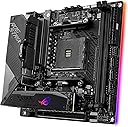
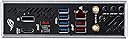
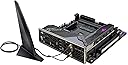
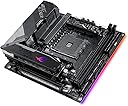
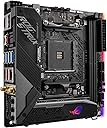
🔥 Power-packed Mini-ITX gaming motherboard that refuses to compromise!
The ASUS ROG Strix X570-I Gaming motherboard is a compact yet powerful Mini-ITX board designed for AMD Ryzen 2nd and 3rd Gen processors. It features 10 robust power stages, PCIe 4.0 support, dual M.2 slots, Wi-Fi 6, and Intel Gigabit Ethernet for top-tier connectivity. With advanced cooling solutions and customizable Aura Sync RGB lighting, it delivers high-end gaming performance and style in a small form factor.


| ASIN | B07XVSTVRY |
| Are Batteries Included | No |
| Brand | ASUS |
| Colour | Black |
| Computer Memory Type | DRAM |
| Connectivity Type | Wi-Fi |
| Customer Reviews | 4.3 4.3 out of 5 stars (234) |
| Date First Available | 13 Sept. 2019 |
| Form Factor | Mini ITX |
| Graphics Card Interface | PCI-Express x16 |
| Guaranteed software updates until | unknown |
| Item Weight | 730 g |
| Item model number | 90MB1140-M0EAY0 |
| Manufacturer | Asus |
| Maximum Memory Supported | 64 GB |
| Memory Clock Speed | 2133 MHz |
| Memory Technology | DDR4 |
| Number of Ethernet Ports | 1 |
| Number of HDMI Ports | 1 |
| Processor Socket | LGA 775 |
| Processor Type | Xeon |
| Product Dimensions | 17 x 17 x 5 cm; 730 g |
| RAM Size | 6 GB |
| Series | ROG Strix X570-I |
| Wattage | 60 |
| Wireless Type | 802.11a/b/g/n/ac, Bluetooth |
T**S
Good
Bought this because my gigabyte board was completely fcked. It is waaayyy overkill for me but it shipped fast and seemed RELIABLE which was the main thing for me, and so far it's been working brilliantly. Bit odd with having to install the io shield but that's not a huge issue. Most annoying thing abt this board is that i literally could not plug in the hd audio cable. The plug for it is behind this cover thing, and when i took the cover off to plug the cable in, it straight up was not going in, period. Bit of a shame but i'm not using the front panel audio jack anyway so it doesn't really matter. Yeah, very cool mother board :)
B**B
Ideal piece of hardware
Good mother board in mini itx form. There is no usb C plug on the board and no flash bios button. Lights decent. Overall quality seems top end.
C**S
Overclocks by default
While I get that ROG is gamer board and for overclockers, this board comes overclocked by default. That's scary in an ITX SFF build, and whats the point of ITX if you're not gonna stuff it into a tiny case. So it works fine, it's fast as heck, active cooling is necessary and pretty quiet. Just wish the defaults bios settings didn't make it run hotter than normal. Fixed with bios adjustments.
A**R
Fully Featured MITX Board
Awesome power delivery, VRM cooling (if you're okay with fans - if not, there's very limited selection of x570 boards for you), along with PCI-E 4 compatibility, in the smallest form-factor you're likely to be able to build a fully featured gaming machine/workstation.
P**L
It works
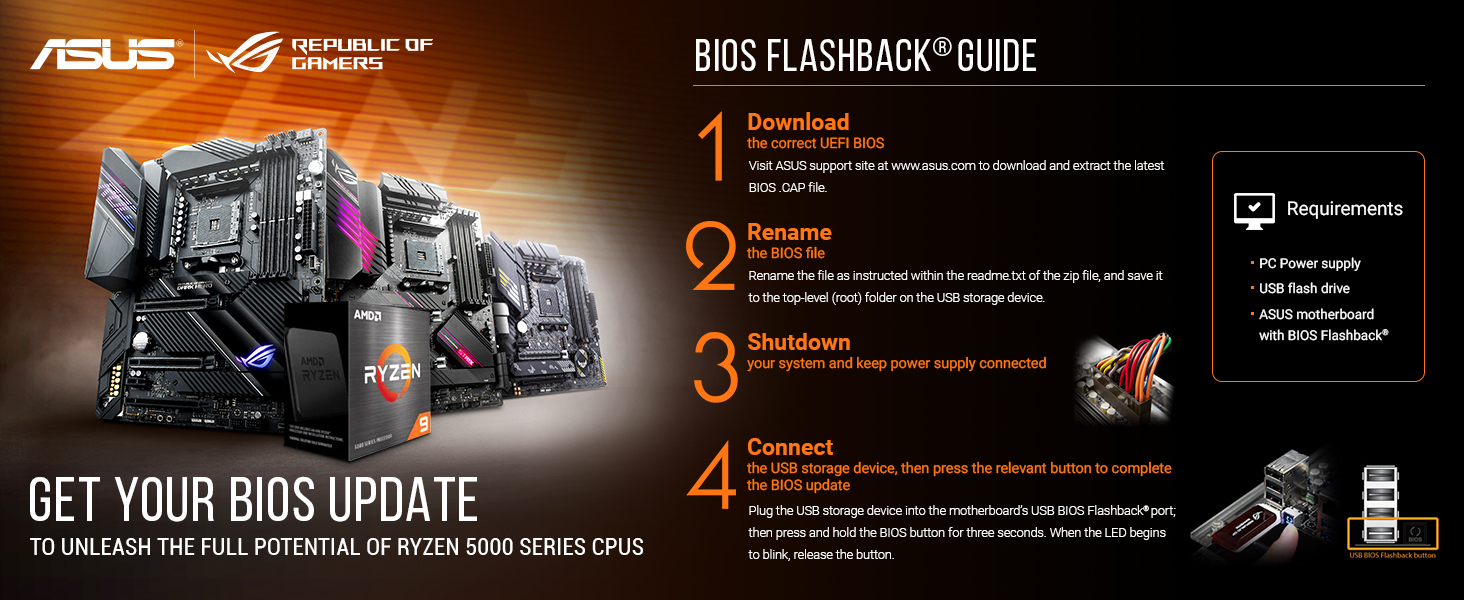
If this stops working like my Gigabyte one did twice, I will edit this review. One important thing to note if you are using a pcie4 graphics card, the bios version shipped with mine 0404, did not have options to set the pcie speed on different lanes. And if you want to have to restart your computer 25 times to successfully POST, and have windows bsod loop when you install the drivers, go ahead and use pcie4. I updated to 1407 with fingers crossed they added the option (not documented), and ended up with a corrupt bios some how. All I saw was a corrupted display output and two short beeps. Luckily you can use Asus CrashFree 3 to flash the bios without a display or even a working bios. Just format a usb drive FAT32, and stick the bios file on it and rename to SX570IG.cap (also undocumented and not in the manual). Boot the computer and it will reboot and flash this bios. Second time it worked and it had pcie speed options. The board has two active fans, however, they make much less noise than my gigabyte board, this I am really happy with. I paired this with a Noctua-L9A-AM4 cooler which fits perfectly. And a 3700x with CBS disabled because I am not interested in a little extra speed at the expense of heat, and it runs at 40C idle, and maxes at 66C.
P**T
Good stuff
Good product, quick and easy installation.
M**C
A great board with a single, fatal flaw for silence-optimised builds.
This board is wonderful in so many ways. It's pretty nicely laid out, with nothing too qwerky (aside from the front panel audio). It lacks silly things like bios flashback which would have been nice in hindsight for those with a 5000 series CPU, but Asus' x570 BIOS updates have generally been great for me on another board (Pro Ace WS). My main issue for this board, and the reason for my low review score, is how utterly incapable the chipset cooling solution is on this board. I get it, it's an X570 board and if you can skimp a little on the IO and the PCIe 4.0 connectivity, then you're better off with a B550 instead. But for the price, this board is £100 more than the Gigabyte B550I (to which I have now swapped) and all you're really getting is a few more USB ports and an extra PCIe @ 4.0 speeds. So the main issue? The whine.. the chipset fan on this thing, when just idling the PC or browsing the web, runs at around 5-6k RPM with the chipset breaching 60 - 70 degrees. It's silly, and if you start gaming those temps continue to climb, alongside the fan's RPM. At idle, this produces an audible and annoying hum or whine, but at full load as the chipset doesn't get enough direct cool air (due to CPU/GPU dumping extra heat into the case) this thing gets hot. Many people online have attempted to resolve this by swapping the thermal pad and even following this by unplugging the fan, but reported temps after gaming are then in the 80°s. This is technically acceptable but not something I would want to worry about any time my PC is under load, because the temperature can't come back down without the fan, they will simply remain hot. An awesome board with one fatal flaw, it's constant whine from the chipset fan. The same fan used for the VRMs isn't an issue because those stay rather cool on this board, so that is at least a good implementation from Asus. My takeaway: unless you're willing to put up with it for the extra IO and NVMe speeds, get a B550. You'll thank me later.
P**R
Best all round mini-itx x570 board
Great board - easy to work on and assemble, and I have not built a PC in 10 years.... Likes: 3 X FAN headers PCIe 4.0 support Good WIFI aerials and WIFI 6 support Final system build: Case: CoolerMaster NP200P) - amazing SFF case - incides 2 case fans Power: Corsair SF750- tiny, modular, 750w power supply Video:Zotac Mini 1060 6GB CPU: AMD Ryzen 5 5600X CPU Fan: Scythe Fuma 2 - awesomwe cooler Case Fan: 2 x Scythe Kase Flex 120 Memory: G.Skill Ripjaws V 16 GB, CL16, got 2 8GB sticks
T**.
ALTERNATE Search shop ... account shopping cart Socket AM4 ASUS ROG STRIX X570-I GAMING, mainboard ASUS ROG STRIX X570-I GAMING, mainboard to the product 4.3 with 3 ratings 2 reviews 0 reviews 1 review 0 reviews 0 reviews Currently only ratings with 5 stars are shown! Back to all reviews Sort by: TLDR: Easily the best motherboard I have worked with. I have bought ASUS ROG STRIX X570-I to build a smaller form factor gaming PC for my living room. I have paired it with AMD Ryzen 9 3900X CPU, 32 GB DDDR4-3200 RAM kit from Ripjaws and NVIDIA RTX 2080 Ti. Pros: - The design of the motherboard is absolutely stunning - it looks even better in real life than in pictures. - The build quality is also amazing - the thing feels very solid with barely any flex to it. - Very feature-rich - it is hard for me to think of anything I'd want that this board does not have. - Well-designed BIOS - I had no issues enabling XMP profiles for my RAM or updating the BIOS. - (While I don't care about it) The included RGB looks quite nice :) While there are no obvious (to me) cons, there are a few things you should keep in mind, namely: - The included Wi-Fi antenna is meant to be used separately from the PC case, rather than just screw onto the IO shield . While it does provide some benefits, I would have liked to have regular antennas included in the box. - The IO shroud installed on the motherboard is quite big and will limit the CPU cooling options. I had no problems installing NZXT Kraken X62 AIO coller, but I can imagine how it can create issues for some air coolers. - Like any X570 motherboard, ASUS ROG STRIX X570-I includes small fans to cool the VRM and SSD. They are very high quality (rated for 60,000 hours of usage) and cannot be heard over CPU / GPU fans, so shouldn't be an issue.
O**E
Monto pc da quando ero praticamente in fasce e sto problema non mi è mai capitato , praticamente ho solo messo le componenti che avevo nel mio vecchio pc (ryzen 5 5600x,rtx 3060ti,Corsair vengeance 3600,ssd crucial m.2) in quanto mi serviva un itx come pc e appena lo accendo mi ha dato subito problemi con il sistema che praticamente non si avviava se non in modalità provvisoria(con tutti i dati funzionanti all’interno) ad un tratto schermata blu e ogni volta che si accende fa schermata blu; io adesso provo un po’ di tentativi per far funzionare il pc ma se non ci riesco vado a chiedere subito il reso Modifica: Sono riuscito a risolvere, non ho più avuto problemi di questo tipo
J**A
Es una placa espectacular muy recomendable para ensamblarse un pc mini itx, llevo con el desde enero y va fenomenal (ryzen 7 3800x, rtx 2060, 32gb ram a 3000mhz hiperex). Solo un consejo si pensáis montar refrigeración liquida de hzxt como en mi caso, yo tuve que aflojar un poco los adaptadores de la placa base para encajar bien la bomba de la refrigeración y luego apretar todo. Otro punto a favor es que tiene dos conexiones mve y la que mas fases de alimentación tiene dentro de sus competidores (cuando la compre solo estaban la de auros y la de Asrock), solo tiene una pega, que no posee conexión tipo c para el panel frontal, aunque creo que esa conexión por ahora solo está en las mini itx con socket de intel.
G**M
Anakart gayet başarılı, yüksek ve kolay overclock imkanı sunuyor(hem ram hem cpu), Ram Frekans aralığı çok geniş, malzeme kalitesi gayet iyi. (5. nesil Ryzen kullanacaksanız, 3. Nesil CPU takıp Bios'u update edip sonra 5. nesil cpu'u ile kullanmanız gerekebilir. Eksileri; -Chipset'deki aktif soğutma fanı bütün donanımlar 35 derecede olsa bile 4000 rpm'de çalışıyor ve malesef ASUS 3 senedir bios güncellemelerinde Chipset fan ayarlama seçeneği getirmemiş, kasa fanlarını, sıvı soğutma pompası ya da cpu fanlarının hız ayarlarını kontrol edebiliyoruz ancak chipset fanı hala kontrol edilemiyor. Chipset fan sesinden rahatsız olan coğu kullanıcı güncel Bios'u modlamış ve biosa chipset fan kontrolü eklemiş ama hem zahmetli hem de riskli bir işlem olduğu için ben yapmadım. -MSI ya da Gigabyte kartlarındaki Optik Dijital Ses çıkışının olmaması beni üzdü, ses sistemi kullanacaksanız Bluetooth, USB ya da kasanızdaki 3.5mm analog ses çıkışını kullanmanız gerekiyor.
T**R
Ich hab ein x570-f gaming und nun auch ein X570-I gaming im Einsatz. Das ITX Board macht einen sehr hochwertigen Eindruck und ist auch recht schwer für die Größe. Die Steckplätze für die M. 2 sind richt gut platziert vorallem der auf der Rückseite. (beide Gen 4) Der Chipsatztlüfter ist nicht hörbar, ich verstehe nicht was die. Leute sich da immer einbilden.... BIOS update sollte man trotzdem machen, damit die neuste Agesa drauf ist. Zu den verkratzen Schrauben von einer anderen Rezision.... Falsche schraubendreher genommen und unsachgemäßer Gebrauch.... Sehr gute Kühlung, sehr viel Metall verbaut und eine mit in die Kühlung eingebundene Backplate. Die Anzahl der Phasen ist marktführend. Mit Abstand due besten Spanningswandler. Klare kauf empfehlung.
Trustpilot
1 month ago
1 month ago