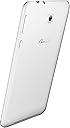
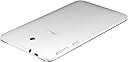
🚀 Elevate Your Everyday with ASUS!
The ASUS MeMO Pad 7 ME176CX-A1-WH is a compact 7-inch tablet powered by a 1.33 GHz Quad-Core Intel Atom processor, featuring 16 GB of internal storage that can be expanded by an additional 64 GB. It runs on Android 4.4 KitKat and boasts a vibrant HD IPS display, making it ideal for both work and play. With a lightweight design and a battery life of up to 9 hours, this tablet is perfect for professionals on the go.
| ASIN | B00KC7VY3S |
| Age Range Description | Adult |
| Aspect Ratio | Unknown |
| Battery Average Life | 9 Hours |
| Battery Capacity | 15 Watt Hours |
| Battery Cell Type | Lithium Ion |
| Battery Power | 15 Watt Hours |
| Best Sellers Rank | #299,221 in Electronics ( See Top 100 in Electronics ) #3,916 in Computer Tablets |
| Brand | ASUS |
| CPU Model Number | Atom Z3745 |
| CPU Model Speed Maximum | 1.33 GHz |
| Camera Description | Front, Rear |
| Cellular Technology | 4G |
| Color | White |
| Compatible Devices | External Storage Devices, USB Accessories |
| Compatible Flash Memory Type | microSD |
| Configuration | 1GB RAM, 16GB Storage, Model A1 |
| Connectivity Technology | Wireless |
| Customer Reviews | 3.6 out of 5 stars 665 Reviews |
| Display Refresh Rate in Hertz | 60 |
| Display Resolution Maximum | 1280 x 800 Pixels |
| Display Type | LCD |
| Front Photo Sensor Resolution | 0.3 MP |
| Generation | Android 4.4 |
| Global Trade Identification Number | 00886227775491 |
| Graphics Coprocessor | Intel Integrated Graphics |
| Graphics Description | Integrated |
| Hard-Drive Size | 16 GB |
| Hardware Interface | USB |
| Human-Interface Input | Touchscreen with Stylus Support |
| Item Weight | 1 Pounds |
| Lithium-Battery Energy Content | 15 Watt Hours |
| Manufacturer | Asus |
| Memory Slots Available | 1 |
| Memory Storage Capacity | 16 GB |
| Mfr Part Number | ME176CX-A1-WH |
| Model Name | MeMO Pad 7 |
| Model Number | ME176CX-A1-WH |
| Model Year | 2014 |
| Native Resolution | 1024 x 768 |
| Number of Rear Facing Cameras | 1 |
| Operating System | Android 4.4 KitKat |
| Operating System Family | Android |
| Photo Sensor Resolution | 2 MP |
| Processor Brand | Intel |
| Processor Description | Intel Atom |
| Processor Speed | 1.33 GHz |
| RAM Memory Installed | 1 GB |
| RAM Size | 1 GB |
| Rear Facing Camera Photo Sensor Resolution | 2 MP |
| Screen Size | 7 Inches |
| Set Name | 7 inches |
| Size | 7 inches |
| Specific Uses For Product | personal |
| Style Name | Tablet Only |
| Total Usb Ports | 1 |
| UPC | 804892187593 886227775491 |
| Unit Count | 1.0 Count |
| Video Capture Resolution | HD 720p |
| Video Processor | Intel |
| Warranty Type | Limited |
| Wireless Compability | 802.11bgn |
| Wireless Technology | Wi-Fi, Bluetooth, GPS, NFC, Cellular |
C**Y
This is the droid you are looking for
I tried a Coby and a ProntoTec, and had issues with each one. This time I decided to spring for an Asus, and I am SO GLAD that I scraped together the extra money. There are a zillion reviews on here comparing the MeMO Pad to higher priced tablets such as Nexus, Galaxy, and Ipad. Certainly those reviews played a role in my decision to purchase it. I have never owned those other devices so I can't really attest to how my tablet compares to them... I want to focus instead on what sets the MeMO Pad apart from the low end of the spectrum. Just what makes it worth the extra $80 or so dollars compared to the ProntoTEC or the Coby? The answer is, Just about everything: - Speed. I thought that waiting several seconds for an app to come up was just the normal way tablets worked. I thought it was normal that I had to close down one app before starting another if I wanted to be able to do much of anything with the new one. I was so wrong. This thing just screams. I habitually have several apps running, including Skype, Comcast Connect, Facebook Messenger, and Google Hangouts, and they all perform well. The connect one actually lets me make or answer calls from my home phone from the tablet, any time I have a WiFi connection. Very cool stuff, and these apps don't keep me from anything I do in the foreground such as web browsing, ebook reading, Facebook, etc. - Battery Life. I knew that one of the limitations of my old tablets was battery life, but until I had this one I had no idea it was such an important aspect of using a tablet. I used to keep the others plugged in almost all the time because you could just about watch the battery meter draining as you used it. The MeMO Pad runs for a long time without needing a charge. - Apps. The Coby only had a few apps available and could not be connected to Google Play. The Prontotec used Google Play but a lot of apps were not compatible. The MeMO Pad can run almost all the apps on Google Play and that is a huge improvement. - Geek Stuff. I'm a programmer, and I like to be able to manage my tablet from my laptop and vice versa. While I still have not found a way to view and control the tablet screen from the laptop, I have at least three different ways of managing the apps, exchanging files, pushing urls or clipboard, and even debugging code for apps I write. The Coby only allowed limited interaction of this type, and only via the USB; the ProntoTec allowed me to interact via AirDroid over WiFi but was not recognized by the computer over USB. The MeMO Pad connects easily via either USB or WiFi, and I can manage it with AirDroid or SnapPea as well as the Google Play Store. I can also use Android Studio to download and interact with my own apps. - Manufacturer Website. The Coby and Prontotec sites are a joke. Asus has a real site, with a support area and web storage, It lets you track your devices' warranty status, learn about updates, etc. It's in English. All in all, this is just a great tablet. It is well worth the extra money I spent. Asus has been my laptop of choice for 3 years and their Tablet offering is just as good.
A**R
great sub $150 tablet. Now garbage with no support
This is probably on of the best sub $150 tablets out right now. It is blazing fast and has a very nice android skin. For hardcore android users this may seem limited as some kit Kat features are not accessible but having used android since the original motto droid cupcake I have figured out some suitable work around. The tablet is not horribly burdened with bloat wear and some of the included Asus software is somewhat useful. There are approx 11.5 gigs of storage available to load up with apps. Screen sensitivity and resolution excellent. Battery life is pretty good. My first charge has lasted over 7 hours so far. Sign up and updates are painless if your a Google or android user. Camera is substandard but who is buying a tablet for the cameras. Yea it will Skype and that is all I really need. Not being able to move apps to SD card is annoying to me but that is because I like to put everything on sd so when I look at devise storage I see all that free space. This tablet is nice and light and remarkable thin when compared to my wife's tab2 I find this tablet nice to hold and very comfortable to use. It really is in a league of its own. I have compared it to a nexus7 a tab2 and a tab3 and this blows them all out of the water speed wise and has a display that will rival those. Stability has been excellent in the 2 days I have been using it. So far I have dumped over 30 apps on it without a hitch. WiFi connection has been excellent especially since my internet is based on my phone's 4g hotspot. I did take off one star for the limits placed on this machine by android and Asus itself. Not being able to move apps to sd is a hindrance even if it is only in my mind. I also have not been able to reliably link to my wife's tablet as the software seems to be glitchy. Cameras are pretty lame. All in all I really like this tablet and am very pleased with the features it comes with at this price 7 day update. Up to almost 90 apps and only 2.4 gigs of space used up (still have 8.8 to go!)Battery life is pretty good if you leave the wifi connection active all the time and set the battery saver to the middle setting. Oh and turn off Asus storage. That app is always trying to go online no matter what (even if the tablet is off!) I plug the tablet in when I go to bed every night and the tablet is usually just below 15%. I use it pretty heavy durning my lunch break and most of the evening (ebay, checking mail, angry birds, shopping, surfing). I'm getting about 15 hours on the battery, not the greatest, but not too bad. I installed Nova launcher and ran it for a couple days, but it was not working as smoothly as I had hoped (hard to tell if it is the tablet or the app). I've gotten a bit more used to the Asus launcher and have found some really nice nuggets buried in it (like the fact that Asus tells you how much space their bloatware takes up, how much space your apps are taking, how much space is reserved for the system, and how much space you can still play with- most other system I have seen won't openly admit to how much space they use up with their preinstalled crap- they make you try to do the math). Also the Asus task manager is first rate and has even allowed me to get rid of my task killer programs (useless anyway in the modern droid age). I have not notice much lag except when my contact unfortunatly stops (that the message I get). I suspect that contact is trying to update some google program on my wherabouts but can't because I have location services turned off. I have only 1 app so far that won't work on this Tablet (but does work on my galaxy s3 phone) Marble Drop. Charger cord is a very tight fit, but it seems that the port is slightly angled and if you try to kind of roll the plug into the port it is much easier to insert. I sometimes have issues with my lock screen wallpaper vanishing and my homescreen wallpaper taking over (this was resolved by removing Nova Launcher, except when turning on the tablet from deep sleep for the first time?) The only other real issue I have come across is difficult to remove fingerprints. This screen loves fingerprints, and a quick wipe with a tissue does not do the trick. I will be adding a screen protector very shortly (I hate the thought of windexing my screen every day!) UPDATE!!!!! Asus listened!!! I just got a system update and YES APPS CAN!!!!! move to SD card!! I was able to easily move .6 gigs of apps to sd. Nice part is there is a new list in your apps settings that shows you all the apps that can move! I moved 27 of my 28 possible apps (GT racing 2 would not move). Now don't panic when you look at the app and it says it will take a while. It won't- it is ULTRA fast ( I'm using a Lexar 16gb class 10 SDHC). Also don't panic if the app moves but shows as still being on the device, I confirmed that they are indeed moving but the moved data is not being registered. This tablet just went from a 4 star great tablet to a 32gig monster 5 star tablet. Thank you asus. Thank thank thank you. Only downfall is that some apps do take slightly longer to launch from sd card, ahh the trade offs. 2 wekk update. This tablet is still rocking! Amazingly fast, great GPS locks, outstanding online and off line preformance. Tons of space (now that apps move at least partially to sd card). About the only real issues with this tablet are that I can't completly link with my wifes Tab2. We connect and she can look at my files and download them but my device still can't see hers (might very well be a jellybean vs kitkat issue). Oh and the cameras still suck. I took some pictures with the rear facing camera and they were grainy and dark (even with exposure set to max). I mean the pictures are good enough for just casual viewing, but I would not dare use them on ebay or for backgrounds. On a surprising note, videos were actually pretty good (not actually video camera quality, but good for such a low res camera!) Battery life continues to be ok (I use the tablet pretty heavy for 6 to 7 hours a day, and i usually am at or just below 15% when I plug it in for the night. Battery does charge pretty quickly (aprox 4 hours from 15% to 100%) and i carry a back up emergency 6000mah battery that will run the tablet for about an additional 4 to 6 hours. The Asus update went very smooth and I have to compliment them on a very useful and positive update. The only negative I have about the update is I lost the ability to veiw the preinstalled apps space allotment. It is now combined with all the apps (the way most android devices are configured). Its a small detail but one that I did appreciate (im still figuring based on pre-update stats that the bloatware/os/launcher still consumes right around 4 gigs. On another good note I was able to get Marble Drop working on this tablet now! I uninstalled and reinstalled after the update and it started working. So yea for that! 12-2015 update. This tablet went from great and powerful to absolute garbge after the lollipop update. Tablet now crashes 2 to 10 times a day. It will just lock up and shut down and restart. I have done a factory reset and that made the problem worse. I thought i had fixed the problem when i disabled the asus launcher and used nova launcher. 5 full days without a chrash then bang it all went to pot. I wont update any of the asus bloatware and have most of it disabled as it just makes things worse. I have tried uninstalling apps one by one to see what causes the problem and nothing. Asus support has been useless saying try uninstalling the offending app and try a factory reset blah blah. I no longer recommend this or any asus product to anyone. Asus. A stupid unusable system. Look elsewhere
M**N
A Tablet With Just The Right Price And Size
It's not hard to compare this to the Nexus 7 from Google (7-Inch, 16 GB, Black) by ASUS (2013) Tablet because they are exactly identical to each other more or less. In some ways it would be unfair to do so because the Nexus 7 is a Google device that was built according to their specs however this tablet was entirely designed by ASUS from the ground up and I will detail those designs one by one. In doing so, I will compare to Nexus 7 when necessary. DESIGN ------ Very, very small. By that I mean it literally fits in your pocket. The portability of this is amazing. If you have a 10 inch or even an 8.5 in it becomes a nightmare to shelp around with you especially during the summer when you have nothing on you. Being able to conceal this out in public makes it even more special because to me portability is important. Sure it would be nice to have a bigger screen but bigger doesn't always mean better. DISPLAY ------ I haven't officially tested this completely yet in various types of light (sunlight, nighttime) but so far so good. You can adjust the display so that's good. The only thing I don't like is that it doesn't have an auto brightness mode (Unless it's hiding somewhere) but this shouldn't really be a deal breaker as I'll explain shortly. Although everyone has their preferences, you can adjust to your liking. I'm not sure I am happy with the settings as of yet but so far everything is crystal clear and sharp. PERFORMANCE ----------- AS I said above, there is no auto brightness feature but ASUS seems to do something no one else does and that's an "ASUS OPTIMIZATION" feature which allows you to conserve battery. Not sure how this works except that one feature is that it turns off the WiFi when in sleep mode. Again, when it comes to this it's a preference so what works for me may not work for others. The MeMo Pad does perform fast though thanks to: HARDWARE ------- For the price point (this is meant as a budget tablet) you get VERY good specs. ASUS was pretty generous. Android 4.4 KitKat CPU Intel Atom BayTrail Z3745 Quad-Core 1.33GHz GPU Intel HD Graphics RAM 1GB Memory 16GB And for those who don't know, 16 GB isn't really 16 because half of that is ASUS's software (which is a lot) so out of the box it's about 12.5 give or take but that's okay because there's a micro SD slot expansion that's good up to 64GB (If you are like me, you will be using this to put downloaded movies) Camera Rear : 2MP; Front : 0.3MP Not much but seriously does it matter? You'd be surprised how many people won't buy a tablet if it lacks flash or higher mega pixels. I mean the front would technically only be used for chats and maybe selfies. And at 2MP, this isn't really bad. How many people will actually take pics with a tablet anyway? Besides that, in a budget tablet, some sacrifices have to be made so be glad it was with the camera. SOFTWARE ------- I mentioned before how ASUS has some preinstalled software on this thing and they are: ZINIO - The World's Largest Newsstand 6 free Mini-Subscriptions to your favorite magazines and a $10 voucher at registration. 6 free Mini-Subscriptions to your favorite magazines and a $10 voucher at registration. 6 free Mini-Subscriptions to your favorite magazines and a $10 voucher at registration. (I don't use this but it could come in handy for others. I'm not even sure what the minis are as there's no voucher or coupon out of the box) eMusic - A discovery-and-download destination for people who love music. Play, discover, and download music wherever your day takes you Enjoy 75 complimentary music downloads from ASUS. (If you are a music fanatic then this is a really generous offer) Obviously ASUS put their own stuff on here some useful and some not. The problem with pre installed stuff is that they are nearly impossible to delete. ASUS WEB STORAGE: 500GB free of charge. I believe this is more then what Dropbox offers. AUDIO WIZARD: I failed to mention that the MeMo Pad has stereo speakers and as such has the audio wizard which is pretty nifty. What this does is basically allows you to be your own DJ. For example: If you are watching a movie (either your own or through Netflix ) just press the MOVIE button and you will get theater quality sound. MUSIC will give you studio quality. So on and so on.... You get the idea. And if you toggle the sounds you will notice the difference. To my knowledge, this feature only works if headphones aren't plugged in. Also, some Google apps come already installed. I'm with the tablet for less then 24 hrs so this review is based on my usage so far and I am sure there's still more I am discovering however so far it's not bad at all and I'll end this review with a summary: 1)Price point is excellent. 2)Specs are very generous 3)Design is excellent (looks like Nexus 7 only smaller) 4)Software: It is what it is. What can you do? 5)Hardware is good Lacks an HDMI port but it's purposely admitted because of Miracast which is supposed to "beam" to your TV. Honestly, I have no idea how this works as I haven't tried it let alone finding it in the menu. I don't even know if your TV has to be Miracast compatible. Ah well. There's always Google Chromecast HDMI Streaming Media Player and Samsung UN32EH5300 32-Inch 1080p 60 Hz Smart LED HDTV (2013 Model) Yellow's my favorite color so I got the yellow version (They are all the same spec wise). I love my tablet and I hope you do to.
D**P
Not Perfect but an Impressive Device.
Bought this for a friend who wanted a basic small tablet without busting his budget. Very impressed by what you get for the price. Screen image is rich and beautiful, wifi seemed quick and strong, android interface isn't mucked up by overlays and performance seemed comparable to higher end tablets I have used. Setup was easy but as others have mentioned the very first thing you need to do is update the operating system. The one quirky bit I found was you needed to fully shut down tablet and then restart (did this 2 times) for the device to acknowledge that updates existed and were available for download. Battery life has been impressive. Lasted 3 days after full 8 hour charge even though we were sporadically updating OS, downloading apps, setting up accounts etc. Didn't appreciate the fact that HDMI output is not supported, but the device has native Miracast. Had to buy a Miracast dongle (got the Elsse WIFI Display Miracast DLNA adapter on Amazon) to work with non-smart display devices. The Miracast works great but significantly impacts battery usage. Didn't find much bloatware installed. Don't quite like that there are only three swipe screens, though icons can be nested on this device. Even so, I think my friend will need to choose home screen apps and widgets wisely to conserve real estate. Camera is basic and not extremely high resolution and lacks the panoramic camera feature that other ASUS and android tablets have. Even so, for the performance, features and brand name you get at this price point, I would highly recommend this tablet.
K**T
Great Specs for the Price, but Overheating is an Issue
First off, I don't regret buying this. It runs really well for the money. The Atom Z3745 processor has a score of 1071 on passmark.com, which is about on par with a Celeron or Athlon desktop processor from the late 2000's. Not great for a usable desktop by today's standards, but pretty good for a fifty dollar tablet. That processor makes it run very good, and very smooth. I use the tablet for some fairly cpu/gpu intensive gaming, primarily, and that is where the problem, and hence the three stars, comes in. It's been fine for general use (streaming video, social media, etc.), but began to overheat with gaming. After about 45 minutes of gaming, the frame rate dropped to a stutter. Then it froze up completely. The tablet felt like I could cook an egg on it at that point. I shut it down and let it cool down, and then it ran fine again.I installed an app that is supposed to lower the temperature, but that seems more like snake oil than anything else. This is a problem for me, but I plan to keep it and hope I find a solution. The performance for the money is phenomenal, but for now, I will have to either rest it frequently, or find some way of providing additional cooling by attaching an additional heat sink or something. I do not know if it will work. So if you plan on intensive gaming, be aware that you will most likely also have to get creative to make this fifty dollar tablet functional. I've also seem some reviews on here saying you can do better with another brand. I looked at some Lenovo and Samsung tablets, to name a few. The ones I saw were more than double the price, and most only had 8gb of internal storage. Buying any tablet or phone with 8gb storage will quickly lead to regret. Even though you can expand the memory with a micro usb on almost all tablets, that does not solve the problem. The amount of bloatware on modern tablets will eat up that space, and also, many apps (including the bloatware) will not transfer to the micro usb's memory. You could fix this by rooting it, which is a pain in my opinion. And trying to constantly shuffle everything so that the internal memory if functional is a pain also. This tablet has 16 gb, so that is a big plus, and is so much easier to deal with....it's just less of a headache overall. So once again, if you are not going to do intensive gaming, or are ok with coming up with creative ways to deal with the heat issue, the performance-for-the-price of this tablet is exceptional. The only thing spec related I would change is having 2gb of ram instead of 1gb. But 1gb is functional; 2gb just makes things a bit faster and smoother. Compare benchmark scores of the processor, ram specs, memory specs, and gpu specs (if applicable) vs price to decide for yourself what is worth the money. Which is, by the way, something everyone should do before purchasing any computer or mobile device.
L**E
Okay occasional-use tablet, but there are better ones out there
My Google Nexus 7 worked great, for a few years. Unfortunately the system began to slow, and even wiping and re-installing the Android OS didn’t help except for a short time. Slower and slower it got (not abnormal for Android devices anyway; unless you use them in a very average manner), and checking with various diagnostic programs seemed to show errors on the onboard memory card. These got worse and worse until trying to re-install anything was unsuccessful with too many errors popping up, rendering it a pretty brick. It was past the Google warranty but I had an extended one from Squaretrade. A lot of good that did me – after a bit of back and forth with one of the experts at the company, and running diagnostics they ‘determined’ that it was a software problem and that they would not cover it. Obviously it was a damaged internal memory card which was getting worse. But no amount of convincing would get them to cover it, and even the tech people at Google said that Squaretrade should be covering a problem like that. No amount of convincing would get Squaretrade to cover it. So it was on to picking up another tablet. I originally had decided to go with one version of a newer iPad Mini but I cheaped out and turned up some Android tablets with cheap price and good specs. Not great specs, but good ones. After lots of review-reading and spec-comparing, I ordered an Asus MeMO Pad 7 ME176CX-A1-WH 7-Inch Tablet (White) using the credit I had on Amazon through my affiliate account. Not too many days later I received the tablet on a cold, blizzardy near-zero-visibility northern New York Winter day – in other words a regular Winter day here in the great frozen north. And as you are probably aware, or should be if you live in climates where it can get quite cold – it’s a Very Bad Idea to power up a device that’s been sitting out in the cold (as in my MeMO’s case; a cold USPS delivery jeep) for a long period of time until it has come up to room temperature. Otherwise the quick differential in temperatures as it heats up is going to draw moisture out of the air in the form of condensation. And condensation (moisture) is definitely not what you want inside your powered-up electronics. The box it comes in is nice, as boxes go, I suppose the artwork is good, it’s shrink-wrapped and the tablet itself is padded in a plastic form-fitted portion inside the box – though the box is very small. The tablet just fits in it with only a little plastic padding on the sides, protected by a thick plastic wrap around the entire tablet. Underneath are a few quick start manuals in various languages and a warranty manual, a wall charger with a USB port, and a USB cable. The charger is a standard Asus wall blister, the USB cable is neither very thin cable nor very thick. Standard fare. I ordered the white version of the tablet as I knew that I was going to get a case for it and I didn’t really care that much about the color, white for some reason is a few bucks cheaper. And I’m frugal, so there ya go. A casual glance might even have you cursorily mistaking the white version for an Ipad Mini. But that’s where all similarities end. After I let it warm up, and then charged it (you’re supposed to charge it fully before you use it), I booted it up. Right away I noticed the display was very bright, crisp, and clear. More so than my a-few-years-old Google Nexus 7 first generation. Footprint-wise the MeMO is only slightly smaller than the Nexus 7, just a tiny bit, with a correspondingly smaller display. The MeMO even fit in the Nexus case, though of course the plugs and such don’t line up and there was a bit of extra space on the side. I went through the set-up process, if you’re ever set up a Google Android tablet before you’ll be familiar – a few questions, entering a Google account, etc. Everything went fine until I got to a place to set up an Asus-specific account for Asus web storage. I don’t necessarily need any more web storage, and I didn’t know anything about Asus’s web storage but assumed that having an Asus account registered on the tablet would be good anyway, perhaps for Asus-specific apps and such. I have an Asus account already, from registering other devices, but no matter what I did it would not accept the password that I had. I even checked it on my computer by logging into Asus through their website, no problems. Unfortunately the help provided didn’t work any miracles (and I found a misspelling on the Asus help site, one of a number of others I would find over time). So even though it seemed that if I had an Asus account then I should be able to log into the web storage part, but I wondered if it was somehow separate. So I set up a new account. Again yielding nothing but a vicious circle of registering and incorrect passwords, whether trying to recover the password for the account that I had just made or creating yet another. The onscreen keyboard also seemed to keep obstructing the CAPTCHA, forcing me to rotate it this and that way to see it. Later I found that this keyboard bug affected a few other sites I wanted to use, but after an update this onscreen keyboard problem seemed to be fixed, and it does not affect the tablet usage anymore. Anyway, after being thoroughly annoyed I decided to skip the Asus account and web storage for the time being. The rest of the process went fine and after a short time I was at the familiar Android desktop, with Asus’ own flare on it with a few new apps by Asus, and some Asus-modified versions of familiar apps (or at least rebranded icons for them). I started exploring. The tablet was fairly responsive, not super-fast but just fine. And the display was really nice as I said above. A forward-looking camera as well as a rearward was good to have as the Nexus 7 only had one. The forward camera was a bit disappointing in quality at first but a quick change in the settings increased it’s MP’s to a whopping 2 and it takes a decent picture, especially under good lighting conditions. The camera app is familiar, works just fine with some nice refinements. One thing I noticed right away was that it had version 4.4.2 of Android on it, but the system is heavily modified by the Asus stuff so it does seem to have many of the features of Android 5 on it. Still waiting for a Lollipop upgrade though. After some updates I also didn’t seem to have that keyboard-obscuring-something problem that I did with the Web Storage signup. And it never seemed to show up again, though the keyboard was slightly configured differently. The space bar is a bit small and I keep hitting some other characters when I try to speed type. But no matter as there are many other nice onscreen keyboards for Android that can be installed. The Asus onscreen keyboard is pretty standard and works well otherwise, with a few different sizes available and many options, most of what you will see in the standard Google keyboard. You can do some interesting things like splitting the keyboard for thumb typing, nice touch. I’ve noticed since I got it that a number of Asus updates have popped up, all of which I allowed to download and update the system. A few times I noticed actual improvements, like the dual apps mode. The dual apps mode is something that was a bit of a selling point for me and a bit of a disappointment when I couldn’t figure out how to make it work. But after one update the dual app ability showed up and I was able to try it out. Unfortunately as far as I can tell it only works with a certain limited number of apps. So it is disappointing after all, unlike the excellent multitasking abilities of something like my Samsung Galaxy Alpha phone. Gaming was fine, though I don’t do that much so I can’t give you a lot of info on this. Some shoot-em’up’s and sniper games were very fluid and fairly fast. The display is, as I said earlier, really nice. As is the audio. There is a small audio app for adjusting the sound according to what you are playing, which works excellently, as well as a power saver mode. The audio really is quite good on this device. The memory card slot is good to have, allowing sharing of files easily but also giving it the boost of more storage space as needed. And I can use my OTB to connect low-powered USB devices to it, like thumbdrives and such. Dragging down the Notification Bar gives you some quick access to various functions, which you can customize. Want to quickly mute the audio? Turn on and off Bluetooth? Switch to Reader Mode? Yes, and lots more. The reader mode is nokay, putting the tablet into a semi-e-reader mode. Unfortunately the more I used this tablet, and the heavier use I put on it, the slower it got. Not necessarily uncommon for cheaper Android devices but tweaking and continually watching and adjusting resources via shutting down unnecessary programs can get tedious. Even supposedly automatic resource monitoring apps only are temporarily fixes and it quickly slows down, drags, and generally gets mired in high resources. I also disabled some of the many useless Asus-specific apps that were installed and could not be uninstalled. I’ve had a heck of a lot of issues with using this tablet and the Google Chromecast. The Chromecast works beautifully, though it has its limitations. But ‘casting the screen using this tablet can be iffy. The video will skip, cut out, sometimes completely stop with a green screen or have just the audio play. Resetting the tablet fixes any green screens or stoppages, but it still skips and cuts out, even when the tablet and Chromecast are near one of my routers. Using any app that has its own Chromecast button works just fine – the tablet is telling the Chromecast to grab the Chromecast version of the app and run it on the Chromecast itself, thus the tablet is acting only as a remote control rather than streaming it’s screen and audio to the Chromecast. The latter of which is what causes problems. Also using my phone instead to ‘cast the phone’s screen to the Chromecast works flawlessly. So obviously it is the tablet itself that is causing issues, perhaps not being able to keep up with the streaming process of sending it’s screen and audio to the Chromecast. I ended up restoring the tablet to factory settings and that helped a lot, but I expect it happening again as the tablet loads down with unresolved OS garbage collection. I’ve always considered Asus to be an excellent company and that was one of the selling points of this tablet, but I was starting to feel that that may not be quite the case here, or that they cheaped out a bit with this tablet. While the specs look good I’ve become quite disappointed with this device, to the point where I feel that I may have wasted my money on it. Likely a normal fairly light user would not have as many problems with this tablet. Also, while there were a number of updates at first these seem to have stopped. And the documentation and info on some of the Asus-specific apps are filled with misspellings as well as the help; not a good sign. As I said above, if you open a few apps once in a while and use the browser you’re probably going to be fine – it either won’t be a problem or you won’t notice it. But any heavier-duty use seems to cause fragmentation and memory leakage. Your results may be different, but it seems to be a fairly common problem with my heavy use of any more limited Android device. I picked up a really nice BobJ Rugged Case for the MeMO. You don’t want to drop your tablet but if you do you might want to have it in a Bobj case, it’s thick and soft and well-cushioned with silicone and even comes in a boatload of colors. It’s a great case. The one made for the MeMO is especially nice as it has forward-facing sound chambers that take the badly located speaker audio position and sends the sound forward, really nice feature. Note here – if you are buying a case for the MeMO make sure you get one that fits the specific model number of your particular MeMO. Different models of 7 inch MeMO’s need the exact correct matching case so double-check the model number of your MeMO, and the model number that the case is made for. This is true of ANY case you get for your MeMO. So in conclusion – I can’t recommend this tablet overall. If you are on a budget and you plan on using it mostly to surf the Internet and do some light duty installation of apps then it probably will work fine for you. For occasional use it should work for anyone. But not for heavy-duty work. Occasional wiping of the tablet seems to speed it back up again for awhile, which is a bit of a PITA but isn't too much trouble with Google's Android Backup to restore everything.
E**O
Best for under $150
PROS -Good Build Quality -Lightweight -Powerful for the Price -Nice Screen -Android 4.4 KitKat -Expandable Storage (MicroSD) CONS -Intel chip might have compatibility issues -Screen resolution not exactly sharp -Might not get updated to 5.0 -No ambient brightness sensor. Should you buy:Yes Actual Value: $150 This is probably one of the best Android tablets that you can get for under $150. If you can find it for around $100, don’t hesitate to buy it. -Design- This is a beautiful, if somewhat generic, tablet, especially considering the price. It will not come close to the aesthetics of the iPad Mini, but they are also not even close in price. Realistically, it does come close to the look of the Samsung Galaxy Tab 4. However, I prefer the more minimalist design of the ASUS. -Software- This MeMO Pad 7 runs a slightly custom 4.4 Android KitKat. Anyone familiar with Samsung or any other device with Android will probably already familiar with this as well. Anyone from iOS may have a slight learning curve, but it is mostly simple. Icons are clearly laid out and most of the apps are helpful. There are a few apps that feel more like bloatware rather than helpful, but easy to ignore. The notification bar is easy to use and the quick controls can lock the screen, turn off bluetooth, adjust the brightness, and other small tools. But this being Android, you can also download other launchers and make it work based on your personal preference. I’ve personally tested Google Now Launcher and it works like a Nexus 7. -Performance- The ASUS MeMO Pad 7 uses an Intel Atom™ Z3745 Quad-Core chip running at 1.86 GHz. Intel used to be great for laptops, but weak for mobile devices. However, this new generation of Intel processors are now powerful, energy efficient, and overall compatible with Android. Games like Dead Trigger 2, Asphalt 8, Clash of Clans, Modern Combat, among others will work smooth with slight lag on occasion when things get too intense, but never enough that it affects gameplay. Menu is also smooth and it might lag ONLY if you have too many things on the home screen or too many apps open at once. -Quality- ASUS has a reputation of making quality products and this tablet is no exception. The tablet has no flex, cracks, or defects, as far as I can tell. The screen is fingerprint resistant and although it isn’t Gorilla Glass, it is tough enough. My 10 year old brother has used it for 2 months, which is technically 6 months for typical people. It still has no damage to it and works. The screens resolution isn’t Retina screen sharp, but there is no tablet for the price that is that sharp. However the quality of the screen is amazingly good and as long as the tablet isn’t too close, the image is good. -Competition- The Samsung Galaxy Tab 4 as well as the Kindle Fire HD 7 are probably the biggest competition to this ASUS tablet. However, there are reasons to still go with the ASUS over the other 2. First and foremost, the Galaxy Tab 4 7.0 has an MSRP of $20 more than the ASUS as well as having a worse screen than the ASUS (Same Resolution, but the Samsung has a TFT display while the ASUS has a IPS display). Even though the Samsung has more RAM, the software that Samsung likes to put eventually holds it back. The Kindle Fire HD 7 is an excellent tablet. However, it is only worth it if you are heavily invested in the Amazon Ecosystem. Otherwise, the lack of customization and limited apps might hold you back. -Conclusion- This tablet is good. Really good. Probably not good enough to convert Apple customers, but close. There are indeed many tablets that are the same price as this ASUS MeMO Pad 7. But If you factor in the quality, the price, the performance, and the looks, it really is one great tablet and the best for the money.
C**K
Asus has produced a winner
The Memo Pad 7 is a great budget when you compare the price with what you get for it. Firstly, this 2014 model of the Asus MeMo Pad 7 has some minor differences form its predecessors, specifically from the 2013 model. The first change is the back material used for the tablet, previous MeMo Pads used a smooth glossy type material but this model comes with a matte type yet smooth plastic material. The camera is also a step down with this model featuring a 2MP rear camera versus a 5MP camera in the previous model. Design The device is beautifully designed and is very ergonomic. The tablet feels very nice to hold and does not become uncomfortable after holding for extended periods of time. It is light weight but doesn’t feel cheap at all, it is just short of feeling like a premium build. The edges are smooth and the borders are slim and device has a very futuristic look to it. I do not like the faux silver trim around the outer edge of the device, these tend to rub off after a while from abrasion and constant touching leaving an ugly appearance. On an overall all basis, the device definitely looks like a tablet from 2014 and unlike some other tabs that have 2014 internal components but outdated designs. My only gripe is that I am not a fan of the coloured models. The white and black are nice opposites of the colour spectrum but black front and red or yellow backs models are just plain ugly to me. Hardware It runs and Intel Atom Bay Trail processor. This is something that got me really excited, and for good reason. Asus made a big win by doing this. If you hate slow devices then this is the tablet for you. This tablet is above all as the fastest I have ever owned and/or used. Some big negatives are is very poor camera quality and the lack of an ambient light sensor. The cameras are grainy in anything other than perfect lighting conditions, this is not a big deal as for most people their tablet is not intended to be their main camera. The lack of an ambient light sensor is a bit annoying though as I constantly have to adjust the screen brightness. This is something has been taken for granted in the past until you don’t have it. Software Android 4.4 Kitkat has introduced a lot of performance improvements and matches well with Asus on top Zen UI. The Zen UI this time around has been improved in the way it looks and feels. The Do It Later feature and What’s Next are nice additions, they do things that many other apps already do but it’s nice to have them included. I personally like the What’s Next feature to see my schedule at a glance. Asus Shady Business Practices I am a big fan of Asus as a technology company, as I do own many Asus products however I have noticed many subtle acts of deception on their part in the marketing of this tablet in particular. 1. On their website, Asus lists the official specs for the camera as “2 MP Front Camera / 5 MP Rear Camera with Auto focus( 1080p Video Recording )”, however Amazon’s listing states “Rear : 2MP; Front : 0.3MP”. Seeing this I thought that Amazon probably made and error as I doubted and wished that Asus would not uses such a low resolution camera from what is considered standard today. 2. Asus claims that the tablet comes with “over $270 worth of content and services”, namely eMusic, Zinio and ASUS WebStorage. I was expecting to open the box and see coupons for these, however none were included. So I checked the apps as I assumed that the offers would already be available, that turned out to not be so either. After some digging I realized that the offers for eMusic and Zinio are offers that are open to all users of the app and are in no way exclusive or part of any agreement with Asus. It was all a clever marketing trick to make customers think they are getting more than what they pay for. Overall the Asus ME176C is a great tablet and I would recommend it as a main tablet for anyone looking for a 7 inch portable tablet for daily use. It delivers on all grounds, hardware, software and performance.
Trustpilot
1 month ago
3 days ago