Desertcart purchases this item on your behalf and handles shipping, customs, and support to USA.
🚀 Elevate your security game with ultra-smart 4K vision!
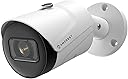
The Amcrest 4K IP POE Camera delivers stunning 8MP UltraHD video with a super-wide 125° field of view and powerful 98ft night vision. Featuring AI-driven human and vehicle detection with tripwire and intrusion alerts, it ensures precise monitoring with minimal false alarms. Built tough with an IP67 weatherproof metal housing and powered via Ethernet for easy installation, this camera integrates seamlessly with Amcrest’s cloud and app ecosystem for real-time alerts and secure remote access—perfect for professionals demanding reliable, cutting-edge outdoor surveillance.


| ASIN | B07V1WKRBB |
| Alert Type | Motion Only |
| Antenna Location | Outdoor Security,Night Vision,Surveillance,Home Security |
| Best Sellers Rank | #160 in Bullet Surveillance Cameras |
| Brand | Amcrest |
| Built-In Media | Item |
| Color | White |
| Compatible Devices | Smartphone |
| Connectivity Protocol | Ethernet |
| Connectivity Technology | Ethernet |
| Control Method | Voice |
| Controller Type | Amazon Alexa |
| Customer Reviews | 4.2 out of 5 stars 735 Reviews |
| Effective Still Resolution | 8 mp |
| Effective Video Resolution | 8 mp |
| Enclosure Material | Metal |
| Field Of View | 112 degrees |
| Form Factor | Bullet |
| Frame Rate | 20 fps |
| Global Trade Identification Number | 00850007530198 |
| Indoor Outdoor Usage | Outdoor |
| Indoor/Outdoor Usage | Outdoor |
| Item Dimensions | 6.54 x 2.76 x 2.76 inches |
| Item Weight | 1.1 pounds |
| Light Source | LED |
| Manufacturer | Amcrest |
| Manufacturer Warranty Description | 1 Year Warranty |
| Memory Storage Capacity | 256 GB |
| Mfr Part Number | IP8M-2496EW-28MM |
| Model Name | IP8M-2496EW-AI-V3 |
| Model Number | IP8M-2496EW-V2 |
| Mount Type | Wall Mount |
| Night Vision | Starlight |
| Night Vision Range | 98.4 feet |
| Number of Channels | 1 |
| Number of IR LEDs | 1 |
| Number of Items | 1 |
| Optical Zoom | 4 x |
| Other Special Features of the Product | Image Sensor, Motion Sensor, Night Vision |
| Photo Sensor Resolution | 8 mp |
| Photo Sensor Technology | CMOS |
| Power Source | Power Over Ethernet |
| Recommended Uses For Product | Outdoor Security,Night Vision,Surveillance,Home Security |
| Room Type | Classroom, Kitchen, Living Room, Office |
| Special Feature | Image Sensor, Motion Sensor, Night Vision |
| Specific Uses For Product | Surveillance |
| UPC | 850007530198 |
| Unit Count | 1 Count |
| Upper Temperature Rating | 60 °C |
| Video Capture Format | H.265/H.264 |
| Video Capture Resolution | 4k |
| Viewing Angle | 125.01 degrees |
| Voltage | 12 volts |
| Waterproof Rating | IP67 |
| Wattage | 6 watts |
| Wireless Technology | Wired / POE |
| Zoom Type | Digital Zoom |
D**.
The video quality is great, super easy setup, and a nice, wide viewing angle.
The Amcrest UltraHD 4K (8MP) Outdoor Bullet POE IP Camera, 3840x2160, 131ft NightVision, 2.8mm Lens, IP67 Weatherproof, MicroSD Recording, White (IP8M-2496EW-28MM) is my 11th Amcrest camera I've purchased over the last 3 years (all are still in service). I added the IP8M-2496EW-28MM to my barn group to better monitor our miniature therapy horses in their turnout. This is a POE camera that I have connected to a WI-FI network that's P2P linked from the barn to my home WI-FI mesh. I use a TP-Link PoE injector and a TP-Link access point in the barn. The P2P from the barn to the house is with Ubiquiti Nanostation M2's. I installed the Orbi mesh and everything else to have a separate high performance network to handle the video load to my Amcrest NVR and I've been really happy with it so far. Installation: As with all the other Amcrest cameras, the actual setup of the camera was the easiest part, once the twisted pair wiring was run. This particular model gives a little more room to mount the camera with the mounting screws without mangling the bullet body, which has been a rub for me on previous versions, so that's a plus. I also give Amcrest a thumbs up for making the connection kit opening large enough to fit the cat5/6 tip through. It's the small things that make a difference. Overall setup time once the twisted pair was in place was about 5 minutes. For my network I always set the camera configuration to use static IP addresses otherwise it's chaos, and I ensure the camera is set to reboot once a week whether it needs it or not. Edit: this was my error. Got it working. I did notice that something changed in the last couple of months that won't run the Amcrest web view plugin in Chrome or Edge but I haven't taken the time to figure it out as I always use the mobile app to view my cameras. Viewing Angle: One of the feature I rely on is a wide viewing angle. This camera has a 112 degree view and not much distortion in this view. Sometimes with wide angle lenses you can get a good bit of a fish-eye effect, but there's very little of this with this camera. I'm able to see nearly all of the horse paddock with one camera, and I see the little bit that's not covered with this camera with an older camera in a different location. Video Quality: I'm pretty impressed with the quality of the video on this unit, both daylight and night vision. There's no chop even when zoomed in. Even the nigh vision is pretty crisp with the horses within 20-30 feet of the camera. In the photo i've uploaded you can even see the fencing at the far end of their paddock which is about 70 feet from the camera. Build Quality/Reliability: I've only had the camera installed 24 hours, but it's made of rugged materials (steel/aluminum I suppose), and is IP67 certified for weather resistance. I have several Amcrest cameras installed that are directly exposed to the harsh northern Illinois climate, and as long as you protect the power/network connectors, the cameras are durable. So far I like this one. The video quality is great, super easy setup, and a nice, wide viewing angle. Keep up the great work Amcrest.
S**G
Seamless & Trouble Free
This camera was recognized instantly by my network, and was a breeze to set up in Blue Iris along with all my other and older TrendNet cameras. The firmware and interface work smoothly and allows for a wide array and range of adjustments, and the resulting picture quality is excellent. In my installation, it looks out over a section of the front yard and street that is reasonably well lit by an LED street light at the corner of my property. This allows me to use it in "day" mode even at night so that I can tell the color of objects and vehicles that pass by at night, as opposed to "infra-red" mode in which everything is gray scale. The resolution is superb for a camera of this price, and it has been up for 2 months now and has never glitched or required a re-boot. I did try it in night vision mode when I first installed it, and like other reviewers, found it to have limited, but in my opinion, reasonable night vision. But, I have never had ANY camera of this "consumer" level with super night vision unless you install an external infra-red floodlight to help with illumination. So, this one is as good as any I have used. I also installed the Amcrest View Pro app on my phones and tablets, and it finds and displays this camera's video stream quickly and accurately on demand when I am on my local network. I have not tried the built-in motion detection and remote features, as I use Blue Iris to handle the whole system at once for those tasks. So, of all the cameras that I have added to my security system so far, this one has been the best all around and as old cameras need replacing, this will be my first choice.
A**R
No apps or cloud requires, works with open source software
I've had these cameras for a few weeks, with good results. The image quality is great in bright light, and still pretty good in low light. The built in infrared LEDs do a pretty good job in very low light conditions. What I like most about these cameras is they work just fine without any Internet connection or apps. You do need power over Ethernet, and some passive power injectors may not work. The 48V PoE injectors from TP Link work just fine. Once you have power and Ethernet, the camera will grab an IP over DHCP and you can use the built in web server to configure. The camera will try and reach out to the manufacture over the Internet, but works fine without connecting. Firmware updates can be downloaded from their site and uploaded to the built in web server. They play well with open source stacks and protocols. It can log events (including motion detection) to a syslog server. It can save video to a server using SFTP. I had no issue with it connecting to an Linux server using SFTP, but found the file naming and upload lag to be undesirable. Saving the video to TrueNAS over NFS works better. It will stream video using RTSP, with works fine with "Motion" under Linux. The magic configuration line being: netcam_url rtsp://USERNAME:PASSWORD@IPADDRESS:554/cam/realmonitor?channel=1&subtype=0 In addition to NFS and RTSP, you can install a microSD card and set this up as fail safe storage in case the NFS connection fails. The web interface for accessing the SD card storage is a little awkward, but works. A way to bulk download files from the SD card would be a welcome feature. Motion detection works fairly well and is configurable. My only complaint here is that setting up multiple detection regions doesn't seem to work as I would expect. It seems that if motion is first detected in one region, it may not be detected in a second region. Be aware that you have to save *twice* when editing motion regions. You have to save on the edit screen, but then again on the previous settings page. My only real complaints are that the documentation is not great and there are some awkward things about the web interface. But nothing that is a show stopper. Would recommend.
N**.
Great cam at daylight
It performs far too poorly at night. I have a lot of garden lighting but for this camera it's not enough, my 10 year old Foscam can film in color without problems. But with this Amcrest the picture either becomes incredibly noisy, very dark, or everything that moves becomes like a ghost. And using IR gives not much improvement. Then it gets other difficulties such as not reacting to movements a little further away, as well as giving a lot of false recordings when nothing moves. And believe me, I've tried many different settings, but you end up having to compromise on something here. Pros + Fantastically good picture in good light during the day. + Good detailed possibility to point out areas in the image on which it should detect movements. + Good that it has RTSP, and that you can save to your NAS (don't want to run with the cloud). But you have to update it, otherwise you can get problem with lagging at night in the stream. (which you still have in the browser though). + You can set it to automaticly delete records that is X days old, and it works even on the NAS. (Beware that the file is then gone, so use it with care) Cons - Complicated to set all the settings especially for the night, and to figure out how to make the IR work automatically. - Substream would like to be able to stream in HD 16:9. - The file structure is too complicated on the NAS. Wish you could set if you want all the files to end up in the same folder and how they should be named. - Gets pretty hot. - Would like the sensitivity for movement to be slightly higher. You can max out the sensitivity to 100 and the threshold to 1 in order for it to react to objects further away in the image (>10 meters), and at night it doesn't help. - It also wouldn't hurt if you could have 25fps in the highest resolution. I have to stick to my old Foscam, which beats this one on everything, except the image quality during the day. With my old camera I can still say to the police "It was a red Volvo at 01:30am pasing by, but I can't read the registration number", with Amcrest: "No, there was no car that passed here last night, but there were a lots of black and white ghosts though, and between that some blizzards (strange when its summer)." Conclusion: If the most important thing for you is to get really good picture quality on the day then this camera is for you. If it is most important to get really good image quality at night, then this is not a camera I recommend.
A**T
Excellent easy to set up camera
I got this Amcrest camera to set up at my in-laws house to get a view of their dock. Set up was easy to set up using the existing system. POE is great because you wont have to worry about finding power nearby. Once set up I was please by the viewing angle that also allowed you to view the back deck of their house. The mounting bracket allowed for easy mounting under the offset and give a great shot of the back yard. As you can see from the picture the view is clear and vibrant (screen cap off of computer monitor). The camera is easily viewed from the Amcrest Surveillance Pro program on my computer or mobile device (works great on my iPad and iPhone). The device itself is simple and sleek looking. It is low profile and does not call attention. The night vision works well especially on a clear night as the lake reflects light and really allows you to see whats going on. Have tested video playback and that also works well. Overall very happy with this camera and I am thinking of adding more to their system. They travel alot and love to check on "their lake" and have seen them showing people the view from their mobile phone. Sometimes they even leave the camera live feed up on the wall mounted TV (computer is hooked up to it) as almost a screen saver or window to the lake. Great camera highly recommend this and other Amcrest products.
D**K
Not Rainproof. Rain killed 3 cameras
The cameras may be rainproof but not the normal connectors. Rain gets in, shorts out the camera's connectors and the cat5e cable RJ45 connectors and maybe the NVR. This applied to every POE camera Amcrest sells which all use the same flawed rainproofing kit. Amcrest provides a rainproofing kit to protect the connection but it doesn't work with off-the-shelf cables. A minor design change would make the rainproofing kit work with all cat5e, cat6 etc cables but Amcrest has done nothing about it. They are good cameras but the connectors are not rainproof without the kit and without it the rain will kill your camera. Amcrest confirms this - and specifically that their rainproofing only works iif you construct your own cables so they will fit in their connectors. This involves purchasing RJ45 connectors, wire strippers and a special crimping tool, not too expensive. Then cutting the cable to length, stripping the cable with wire strippers, sorting out the ten multicolored wires, attaching them to the end of the RJ45 connector and using a crimping tool to make the attachment. Pray a lot that you didn't mess up the order or not crimp it tightly enough. Clearly best left to professionals who have the tools and the experience. I've lost 4 cameras to rain, and one maybe took out its NVR. Today my preferred solution is to shelter the cameras from rain, and if that is not possible to encase the cable to camera attachment with a non lubricated condom. Finger cots were too small. Secure each end with a twisted wire or cable tie. Shrink tubing didn't work. Duct tape might work. There are waterproofing solutions from TNP for enclosing the joint used to extend cables but they don't mate ot the Amcrest connectors. I'm still sticking with Amcrest but hoping they better engineer their waterproofing kit.
R**N
Better than the 3MP
**This camera was purchased with a full manufacturer's rebate in exchange for this review** **Camera in use for less than a week at the time of this review** Previous Amcrest Purchases: 2016 - 3 3MP Bullet POE 2017 - 1 3MP Bullet POE 2017 - 2 ProHD indoor 1080P WiFi 2108 - 1 3MP Bullet POE 2018 - 1 ProHd Outdoor 1080P WIFI Cameras are used for home surveillance running on Blue Iris. Eight Amcrest purchases over the past three years offers evidence of satisfaction with product/manufacturer. Amcrest cameras have proven to be reliable and trouble free. I "lost" one outdoor camera because water rusted the ethernet connection, but that was more my fault than anything else because of improperly installed seal. This would have normally been an easy issue to fix by installing a new connector, but Amcrest support was of absolutely no help with providing the specs on the camera ethernet wire coloring. I've generally found their support to be less than helpful. This 8MP bullet camera shares a very similar firmware as the previous models. The one thing I noticed is that this model offers the H.265 codec whereas 3MP models are at H.264. Like all the Amcrest cameras some general networking/video knowledge is required for proper set-up, or at least the patience to learn (google, youtube, etc). This camera has great picture quality and a wider field of view than the 3MP cameras. Running a full 8MP comes with a price as it can add noticeable increased resource consumption (CPU) on the computer running Blue Iris. I also experienced quite a bit of video lag running at 8MP, but that may be more of a computer resource issue than not. I found that knocking the video stream down to 6MP (3072 x 1728) versus 8MP (3840 x 2160) provided smoother video stream and less CPU consumption. In summary, I've been completely satisfied with all the Amcrest cameras purchased to-date. I am not an expert in networking or video, just a regular home user who utilized internet searches to learn how to set-up and use the Amcrest cameras.
M**Z
Great quality, firmware features are lacking and at times confusing.
I purchased this camera in June/2022 as part of a webcam going to a remote cabin in another country (Canada). I connected it up to a cellular hotspot/router, with a limited data plan, so live-stream is absolutely not an option. They do give you a way to disable all the phone-home cloud functionality, which is good for my needs. My plan was for the camera to upload a single picture about once per hour during the daytime, for a year (or, hopefully, several years). The way to do this on the camera itself is really not intuitive, it can be done, but it doesn't always happen at the right time. BUT I really wanted an "on-demand" capability as well, via software running on the hotspot/router, and it turns out this isn't possible with the scheduling built into the camera. I ended completely turning off the scheduled upload on the camera, and doing everything from the router (a script gets a picture and uploads it, and that script is scheduled, or can run on-demand). The image quality is great, even in the dark, which is impressive given the distance. Overall, for the price, it has worked out well. Hopefully it'll survive the winter, as that's my real goal here (other than beautiful sunset pictures!).
S**N
delivery on time and product as displayed /committed
very happy with the consistent delivery on time and Amcrest Camera products are really good.using for last 2.3 years flawlessly.delighted.
D**A
Buen producto
Hasta el momento no me ha fallado, y ha aguantado ambientes de calor y lluvia muy bien.
C**O
Buena compra
Estoy satisfecho con esta compra por la calidad del producto y por el excelente servicio del vendedores
E**M
Bueno/Malo
Software solo en inglés.
Trustpilot
3 weeks ago
1 week ago