Desertcart purchases this item on your behalf and handles shipping, customs, and support to USA.
🚀 Elevate Your WiFi Game — Stay Connected, Stay Ahead!
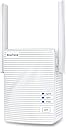
The BrosTrend AC1200 WiFi Extender is a powerful dual-band signal booster delivering up to 1200Mbps speeds and extending your wireless coverage by 1600 sq.ft. Designed for busy homes and offices, it supports up to 32 devices simultaneously and features easy WPS setup with a compact wall-plug design. Perfect for professionals craving reliable, high-speed connectivity across multiple smart devices.


| ASIN | B07L4BMD34 |
| Best Sellers Rank | #378 in Repeaters |
| Brand | BrosTrend |
| Built-In Media | 1 x 1200Mbps WiFi Extender, 1 x Quick Installation Guide, 1 x Ethernet Cable of 3. |
| Color | White |
| Compatible Devices | Compatible with any WiFi devices, such as smartphone, TV, tablet, computer, game console, video doorbell, security camera, printer, smart bulb, smartwatch, smart thermostat, speaker and Much More |
| Connector Type | 1 x 10/100Mbps RJ45 Fast Ethernet Port |
| Customer Reviews | 3.8 out of 5 stars 16,093 Reviews |
| Data Transfer Rate | 1200 megabits_per_second |
| Frequency | 5 GHz |
| Frequency Band Class | Dual-Band |
| Frequency Bands Supported | 5GHz, 2.4GHz |
| Item Dimensions D x W x H | 1.8"D x 2.2"W x 3.1"H |
| Item Highlight | WiFi Extender Signal Booster for Home Office Coverage Up to 1600 sq.ft. WiFi Range Extender, WPS Easy Setup, Wall Plug Design |
| Item Weight | 158 g |
| Manufacturer | BrosTrend Technology LLC |
| Mfr Part Number | E1 WiFi Extender |
| Model Number | BrosTrend 1200Mbps WiFi Extender |
| Number of Items | 6 |
| Special Feature | Delivers 1200Mbps Dual-Band Extended WiFi; Supports WiFi Extender Mode and Access Point Mode |
| Special Features | Delivers 1200Mbps Dual-Band Extended WiFi; Supports WiFi Extender Mode and Access Point Mode |
| UPC | 742186982250 |
| Unit Count | 1 Count |
| Warranty Description | Register for 2-Year Warranty |
| Wireless Communication Standard | 802.11a/b/g/n/ac |
| Wireless Compability | 802.11a/b/g/n/ac |
K**Z
Work From Home / Cisco IP Phone
Purchased a WiFi Range Extender for my new work phone, which happens to be a CIsco IP phone. This required the phone be connected directly to either my laptop or my WiFi modem, which is in another room. I couldn't connect it to my laptop due to connectivity issues. another option was to run the Ethernet cable from my living room to my office or drill a hole in the wall and run the Ethernet cable through that. Neither of these options sounded ideal (to my husband). So after some searching and reading some reviews, I came across BrosTrend. I cant even begin to say what a life saver this little nifty gadget is! it was super easy to connect, and no connection issues throughout the day. Works like a charm! Definitely worth the $$
J**R
Watch the video and pay close attention to minor details!
Overall I'm happy with the performance but I was a little frustrated at first. The installation seems fairly simple but can be problematic. First off there are no instructions on or in the box. You need to watch the YouTube video online or on Amazon. When I first plugged it in and the light came on I searched my phone settings and did not find the generic unsecured WiFi BrosTrend. It had listed 4089Isabella_EXT. which was a secured network. I couldn't figure out what was wrong. I tried several times and couldn't get it to work. I watched the video again and then tried to connect via WPS. That didn't work but I found out that there is a reset button on the bottom to stop the search for WPS and go back to the factory settings. Once I reset it I saw the BrosTrend_EXT come up and the rest of the installation was easy. I think that this might have been a used or refurbished model that someone forgot to reset before they sent it to me. Now that I got it working I moved it around the house to different locations. Most of the time I would get the red light indicating it was too far away. It only seems to work when it is fairly close to the source WiFi, only one or two rooms away. I finally got a good connection signal and was somewhat skeptical about the location. I went downstairs where I have most of my signal loss and my phone connected to the Extended WiFi and the signal was at maximum level. I've only had it for a day but it seems to be working well. It would have been less frustrating if I had know in advance the types of issues I would run into during the initial installation. There is a note in the box to extend the warranty by 6 months by sending an email to the address and include your Amazon order number. I sent the message and got a reply that they extended the warranty from 24 to 30 months.
B**7
Bros trend wifi extender is a game changer!
Thank goodness this does what it says! I had no idea which extender to buy, and took a chance on this one. The directions were easy to understand and follow. I paired the device w my router only having to push 1 button. I then took the extender outside to our garage( which isn't attached to our house), for my son's "man cave" to have a better signal. It works beautifully! The signal strength went from 1 bar all the way to 5- it filled our WiFi signal. I was able to stay on our home network much farther than ever before. We live in a small town on a dead end, w a few acres. I'm also able to move it to diff locations - like on the 2nd floor of our house to strengthen our signal for gaming purposes. This was the best decision I could've made when it comes to an extender. I have a Netgear nighthawk router. Easy pairing, huge performance boost. Highly recommend.
E**E
You get what you pay for.
Had a first bad experience but was fixed pretty fast. First one I received was a used one but I paid for a new one so I had to reach out to Amazon and they sent a new one right away that I received next day. The way I knew it was used was that it didn’t come with the Ethernet cable and when first installing it, it was already programmed to an old wifi signal with a name that wasn’t the default name..reset it and that name disappeared and the default one appeared, even with having to do that the installing process was pretty quick. I just don’t want a refurbished/used one because they won’t last as long as a new one. I received the new one and it’s still pretty quick and easy to install. The only issue I have with it is that with the extended wifi I only get half the speeds I get with the regular router wifi. Normally I get between 300-400 on our regular router but with this extended wifi I only get about half. All in all it does it’s job well except for the speeds but at the end of it you do get what you pay, and for this price it’s actually not that bad of an extender if you don’t mind the drop in speed. And I get half the speed even when I set the extender right next to the router or halfway across the house. So if you just want more stable connection all around the house this is the one to buy. I only gave it 3 stars because of the speed reduction. Installation and coverage is great.
M**E
DIDN'T WORK AT ALL!
I purchased this, because it looked like it was just what I needed, and they made it appear easy to install, but I couldn't get it to do a thing. I plugged it in a socket about 3 ft. from the router, and pressed the WPS button within the 2 minutes after the router started, and it wouldn't connect, so I moved it closer to the router, and I did everything the instructions said to do, and it wouldn't connect. I didn't call tech support, because I had just spent what seemed like forever on the phone with Spectrum to see what the reason was for the slow internet speed, and was told it was the router, and that if the TV in the room closest to the router was working fine, then the Netgear router wasn't strong enough, so because this was supposed to be so simple to install & so great, I decided to buy it, even though I didn't have any problems with the slow internet or router until the pandemic hit. Strange, I know. I spent half the day messing with this thing, and then had to take it to town to return it. A big waste of time!!!
S**2
Does not stay connected, flashes a red light beware.
This is an honest review of this product. It did not increase my internet megabits. My numbers stayed the same. My opinion about this device: If you have devices that are FAR from your router, have this product plugged in close to proximity to where those devices are located. This product extends your Wi-Fi. I have Wi-Fi cams outdoors. My router is far from those cams. I have this product plugged in rather close to my cams. I noticed a big difference when I wanted go make my cams talk to my phone. So yes, this product works. Also to let you know, you have the option to sign into this products own Wi-Fi. You will have two different Wi-Fi networks as soon as you plug this product in. Just imagine you being able to stretch your Wi-Fi signal farther on your property or in your house. It's that simple. I would recommend buying this if you have a situation like mine. I hope this review helps you. ***UPDATE*** It has been a few weeks since the first review. I regret buying it. It does not stay connected. If you buy this, be ready to start seeing a red flashing light on the unit. That means the extender is too far away from your router. So move it closer to see if the red light goes away. It will stay blue for a few days making you think the problem is fixed but when you least expect it, it goes red. Gets pretty annoying when I am at work and cannot check my Wi-Fi cams at home to see what is going on. You get what you pay for I guess. Maybe if we spend more money and buy a stronger extender but this one is a wimp and needs to be close to your router so what's the point?
F**O
Worked beyond my expectation
I initially gave this product a 5 star rating, but I am updating my review below. Streaming with my iphone inside my carport storage (man cave), the signal was weak and dropped making watching impractical. I installed the BrosTrend by the upstairs wall closest to the carport storage. The signal inside the storage area was now strong no more dropping of the signal. Installation is not easy, essentially mating the BrosTrend to the router, entering a password for both. Password entry did not work on the PC, but worked on the iphone. However, the BrosTrend extends to the PC and the iphone. Edit: The review above was written while the BroTrend was fairly new. I am adding information from my almost 2 year ownership of the product. 1) On occasion, the BroTrend would drop reception and will reconnect at some point or by a direct reset. 2) The BroTrend stopped working after nearly 2 years. Contacted tech support for warranty information (by registering my warranty I received a 5 year warranty) 3) Customer support did not return on my request for warranty service.
J**E
Great 2G&5g coverage
I needed an extender that would have a 2G&5G because my security cameras need 2G. The coverage of this is great and the 5G is lightning fast because I have an average of 950 gig wifi. Setup was very easy and I would recommend it to anyone. Also as soon as I setup the extender I received a phone call from tech support asking if I needed any help 👍
M**H
Wi-Fi Issues solved - thanks to this clever device :)
I recently changed over to Virgin Media for my Broadband services and was supplied with the Hub 3 Router. Having set the route up I noticed intermittent connection issues and signal dropout. After numerous phone calls with Virgin Media Tech support I was told that I needed their Wi-Fi Booster Pod which would resolve my issues......one problem none were available. So a little hunting around on Amazon and I come across BrosTrend AC1200 WiFi Booster Range Extender. From receiving the item to setting it up took literally minutes. Their is a helpful YouTube video link card that came with the product. But the instructions included were simple and straightforward to follow as well. Many routers now have the WPS function which makes the setup process even easier. Do follow the instructions though and set the device up initially close to your Wi-Fi router before repositioning to a mid point in your house. You'll know when you've found the ideal spot as the signal light indicator on the front of the device will stay 'solid blue' rather than 'solid red'. In any case my connection issues are now resolved and I have strong Wi-Fi connection (2.4Ghz and 5Ghz) everywhere in my house and even out into the garden. If you are having issues like I have described above and aren't getting the support you need from you service provider - give this device a shot.....You'll be glad you did. I hope this helps.
J**D
Best Wi-Fi Extender Ever! Small, Easy to setup, and Exceptional Performance
So far, I have nothing bad to say about this product. I ordered it after comparing it to other similar/more-expensive/more 'well-established' brands, and it lives up to the specifications and gets the job done just as well if not better (Don't waste your money on a 'fancy unit' just b/c it is prettier or more 'name-brand'). It literally 'pumped up' the Wi-Fi to the 1/2 of my house that had some Wi-Fi issues with coverage (e.g. garage door, security cameras, downstairs office devices, smart devices, phones, etc.), so things on that end are covered and work so much better. The unit is small, quiet/not noticeable, and comes with an ethernet-cord should I want to plug it in to another device (e.g. smart TV/NAS/etc.). The unit comes with I believe a 6-month warranty as-is, but when you register it online, it's extended to 30 months. I just registered it online, and got a response the next day. The setup with instructions took less than 5 minutes. There was also links and such for 'how-to' videos as well. Looking at how it impacts the rest of the internet in the house, it is definitely comparable to any over-the-top/over-priced 'mesh systems'. I have zero problems with any devices switching from the 'extenders zone' to the 'normal ISP zone' of coverage (e.g. cell phone) - so it 'plays nice with your ISP equipment'. I would say the device in total took about a 10-15 min to setup (to unbox, setup, register, etc.) and for ease of use, I have no doubts my parents (a bit older, not so 'techy'), would handle it in about the same time. With the price, the warranty, the performance, I am so glad I didn't make a 'big spend' and waste money on something more 'shiny'. Not my first purchase from BrosTrend (I bought an item from them before, and it has yet to fail me - which is super helpful as I'm a US med student/Biotech student who travels to a lot of developing countries for school/work).
J**.
Buen producto
Fácil de configurar y bastante útil el uso del cable ethernet en mi caso a Sido bastante útil lo hace más versátil y práctico dando una buena calidad en la señal
F**N
Nice device.
Used for a bit no problems. Good product.
A**N
WIFI BOOSTER
Wifi Booster works well, but ensure the doors are open where you experience wifi blackspots.
Trustpilot
2 weeks ago
1 month ago