Desertcart purchases this item on your behalf and handles shipping, customs, and support to USA.
🖥️ Elevate your workspace, command your view — mount like a pro!
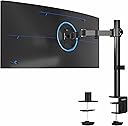
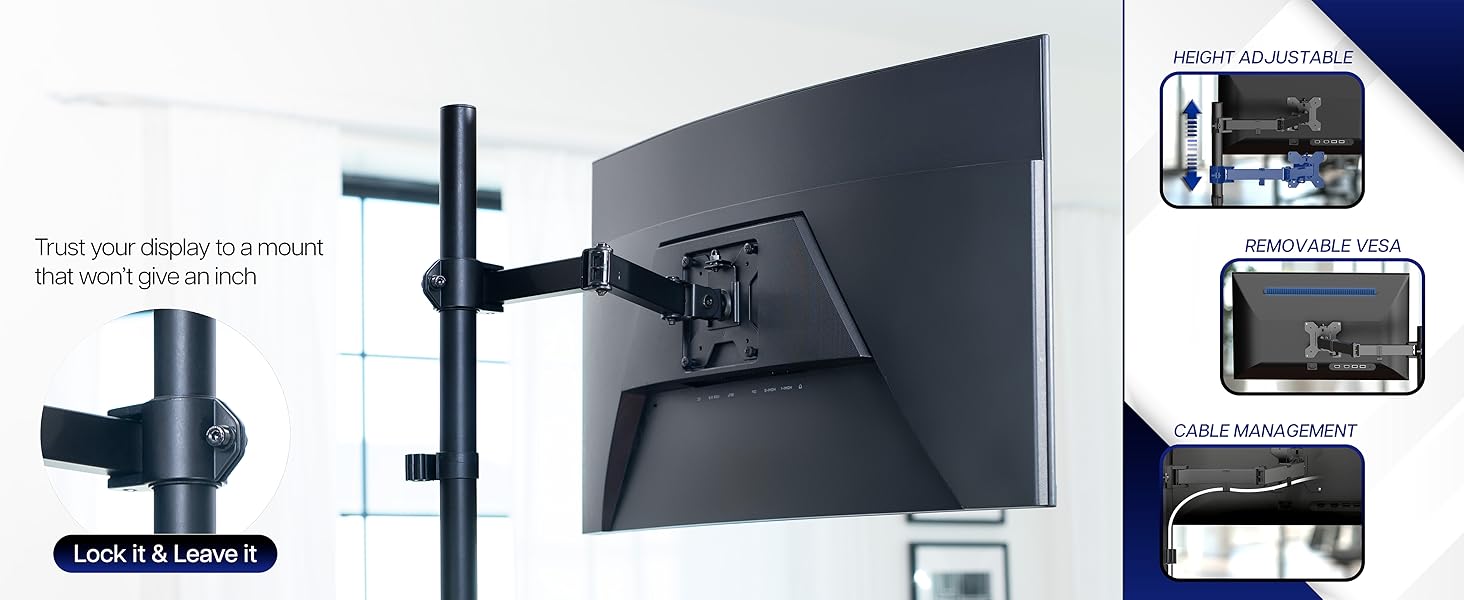
The VIVO Single Ultrawide Monitor Arm STAND-V001 is a robust, fully adjustable desk mount designed for monitors between 13 and 38 inches, supporting up to 22 lbs. Crafted from durable alloy steel and aluminum, it offers 360° swivel, ±90° tilt, and 16-inch height adjustment for ultimate ergonomic customization. Featuring both C-clamp and grommet mounting options with integrated cable management, it ensures a clean, professional setup. Trusted by thousands with a 4.5-star rating and backed by a 3-year warranty, this mount delivers stability and flexibility for the modern professional’s multi-monitor workspace.


| ASIN | B00B21TLQU |
| Best Sellers Rank | #10 in Computer Monitor Arms |
| Brand | VIVO |
| Color | Black |
| Compatible Devices | Monitor |
| Customer Reviews | 4.5 out of 5 stars 20,360 Reviews |
| Enclosure Material | Alloy Steel, Aluminum |
| Global Trade Identification Number | 00617401138579 |
| Manufacturer | VIVO |
| Material | Alloy Steel , Aluminum |
| Maximum Tilt Angle | 90 degrees |
| Maximum-Supported Screen Size | 38 inches |
| Mfr Part Number | FBA_STAND-V001 |
| Minimum-Supported Screen Size | 13 inches |
| Model Number | STAND-V001 |
| Mounting Type | Tabletop Mount |
| Movement Type | Articulating , Swivel , Tilt |
| Number of Items | 1 |
| Number of Packs | 1 |
| UPC | 617401138579 300675927498 |
| Unit Count | 1 Count |
| Warranty Description | 3 Year Warranty |
R**.
Sturdy...and moddable!
For the past few years I've been on a quest to find the perfect mount for my preferred triple-27-inch-monitor setup. The first was a cheap unit from a fly-by-night drop shipper, 'nuff said about that. The second carried the monitors on a massive cross-beam that worked well in and of itself, but the outboard monitors could not be slanted inward enough to avoid straining my unfortunately aging eyes. (The setup is fully six feet wide with all monitors flat to the wall.) The third had gas-charged arms, and was recommended by several tech sites. I have no idea what people see in gas-charged mounts. This one (also a VIVO) was finicky as heck to get positioned, you still have to tighten a bunch of screws HARD to get everything to stay in place, and the slightest bump to the desk makes it wobble to an almost dangerous degree and knocks the outboard monitors way out of alignment. So I was browsing the other day looking for ideas for a way out of my dilemma; a stand that (1) lets the left and right monitors tilt inward about 20 degrees so I'm not constantly craning my neck back and forth to see everything, and (2) would allow you to sneeze without one or more monitors dropping and/or tilting. I was growing discouraged. Then, in the middle of a thread on reddit, it was like a heavenly beacon of light sprang up to highlight a comment reading, simply, "The best triple-monitor mount is three single mounts." And so here we are. Vivo's mounts are nothing if not complete. You have your choice of clamp-on or through-hole mounts. There are plenty of fasteners, cable clips, and such to do just about anything you'd want to do. Instructions are simple and clear. The units are also quite sturdy; heavy-gauge steel with serious hex bolts at all the pivot points. It takes some doing to get the arm set the way you want it, but once in place and tight it does not move. A smack on the edge of my desk that made the previous gas-charged mount nearly bounce the outboard monitors' edges off the desktop just makes these wiggle about 1/8 inch for a couple seconds. The only thing I would change is to beef up the desk clamp, maybe with two side-by-side screws instead of the one, to prevent what little side-to-side motion they have. (This was the issue with the gas mount as well - it was simply too heavy for a single clamp.) Assembly was straightforward. As noted above, I used the edge clamps instead of through-hole, of which my desk has none. Getting the three monitors to sit side-by-side on their three stands was, as you might expect, rather more involved than positioning gas-sprung arms. I had a real problem at first with all three, owning to the limited range of motion of that jointed arm. The arm will not fold flat on itself, or even close to flat. No matter how I positioned it, I could not get the outboard monitors to sit up against the center one at the right angle and tilt. The center monitor also sat too far out over my desk for comfort. But, Vivo's apparent preference for using a limited number of robust parts came to my rescue. It turned out that I was able to remove the part of that jointed arm closest to the vertical tube on all three. It takes some muscle, but it can be done without breaking or stripping anything. With that limited center joint out of the picture, I was able to get everything positioned where I needed it to be. As a bonus, the center monitor sits even closer to the wall than it did with the gas-spring mount, putting it at just the right distance for me. Bottom line: Whomever posted that comment on reddit is a genius. This setup Just Works, due in no small part to Vivo's quality and modular design. And, as icing on the proverbial cake, the three stands together cost a little less than that gas-sprung octopus. Five stars.
C**R
Sturdy mount at a good value
TLDR: Experienced installer, and I chose this mount for my personal office for its ease of installation and its sturdiness. For any monitor mounting operation, careful thought and planning is required, and this mount solves more headaches than is causes. I read over several reviews of this product prior to purchase. I've seen many that offer criticism of their sturdiness and various other features, but I feel most of them are unfounded. My first purchase was for work... about 20 of the shorter dual monitor mount by the same company. When we installed them, they easily held the 32 and 27 inch monitor pairs we were attaching to them. Mounting any monitor of this size can be difficult, but with a little patience, all 40 monitors were mounted, aligned and ready to go. After installation, they were quite well fixed in place, and we have had no problems in the year since we bought them. No signs of joints getting weaker, or mounts leaning over or any of that in all that time. Of course, when it came time to by for my home setup, I looked for the same company. I bought 2 of these mounts, which are higher, so that I could elevate 2 heavier 24 inch monitors above an ultra-wide monitor which will reside below. Even at their highest setting, which provides the most stress to the mount, I found them to be quite firm in their support. When I wiggle my desk (within reason) I get no more than 1/4th to 1/2 of an inch in deflection; nothing that appears dangerous. And trust me, there is no way I would mount 2 cheap monitors over my quite expensive ultra wide monitor if I did not feel they were sturdy enough. A couple tips on setting them up. Do NOT place anything in the clamp other than the surface of your desk. If you are worried about marring your desk, you likely should be looking for a floor or wall mount. The rubber grommet included for inside the clamp is not meant to protect your desk, but rather to act as a shock absorber to the system. It will provide some protection to the top surface, but do you really want to be clamping something to a really expensive desk? If you install it, and your mount is leaning, you either did not tighten it enough (this one will squeeze to nothing if adjusted right) or your desk is not sturdy enough to hold the mount. When properly adjusted, a gentle shake of the desk should cause a slight rocking, but nothing should be out of place when they stop. Attach the monitor to the mounting plate, but do not attach the mounting plate to the extension arm until after the extension arm is attached to the vertical support. It says the opposite in the instructions, but if you lock the extension arm in place firmly, it is safer and easier to do it my way. I did knock off one star on the range of movement. Each joint allows only a 90 degree bend. This somewhat limits some of your options, but should not preclude any use case you might have in mind. It just means you might have to think about it a bit as you install it. I did not feel this affects the use of the mount enough to have it affect the overall rating. In fact, it likely is a trade off which contributes to the sturdiness of the mount. This mount does provide a reasonable throw, which is the length of the extension arm in this case. If you need more than this one provides, you likely need to look at a spring loaded mount. Throw in this case is the horizontal distance a mount can place the center of the monitor from the mounting location. Besides sturdiness, the ease of installation is of note. I've mounted hundreds of monitors and this one is quite strait forward. You have enough factors going for an installation, and extra doodads that provide little function are not appreciated. This one fits the bill nicely. This extends to the cable control devices, which are critical if you don't want to slice a cable in half. All in all, a good, but simple mount with reasonable throw and good sturdy construction. A++
S**E
good inexpensive monitor mount. Hard to get to hold it's exact position. Comes with excessive cardboard packaging.
I've been living with this mount for about a week now. I used it to turn my secondary monitor in to a vertical display. My secondary monitor is not VESA compatible, so I had to do a little modification to the monitor, bit now that I have, the stand works great. The monitor I have mounted on it is an AOC i2367F. It's a pretty light monitor, but not ultra light. My biggest concern was that because the stand is not attached to the center of the back of the monitor, the monitor would rotate. That doesn't seem to be the case, and so even though the rotation plane is NOT adjustable, it has a high level of tension and holds up to a fair bit of torque. The stand came with a lot of cardboard packaging. The amazon box had some paper and a smaller brown box inside of it. Inside this smaller brown box was a white box, and inside that white box were two more white boxes, one containing the vertical part of the stand, one containing the horizontal part and all of the screws and small parts. Way too much packaging. I really like the cable management, I thought that would be a gimmicky feature, but it actually works well. The place where you mount the stand on the desk even serves as good place to stick the power brick for the monitor if it has one like mine (see photo). All but one of the axis (the tilt up and down one) are adjusted with a single allen wrench that is provided. The one that isn't, is adjusted with a different wrench, also provided. This axis is a pain to adjust, why couldn't they have just gone with the allen wrench on that one too? I don't know. The monitor's position does drift a little. Over the course of the day it will move 1-2 millimeters. Not a huge deal, you can just adjust it, but if you are obsessive about things being lined up like I am then you might have a problem, but overall this isn't such a big deal when you consider the convince that this thing affords you... This thing is convenient! it makes so much more space on my desk and eliminates the clutter of a stand. If you are working on something in the vertical window, just use the arm to bring it in front of the main screen and work like that. If your desk has a lot of depth like mine does, this thing is a must, because it allows you to bring the monitor closer to your eyes without having to have a traditional monitor stand sitting smack in the middle of the desk. I am really liking the adjustability of the monitor, and I am going to purchase another one of these stands when I upgrade my main monitor in the near future. Once you go adjustable stand you can't go back. They are the best. I would absolutely recommend to a friend. Photos: - the first photo is of my desk setup, the monitor currently using the stand is the vertical one on the right. - the second photo is of the back of the back of the monitor and the stand. - the third photo is a close up of where the stand attaches to the desk. there is a wide array of adjustment here and you could fit all thicknesses of desk. Also note that my monitors power brick is held conveniently right under the mount. UPDATE: 6/7/15: I have been using this for a little longer now and have decided that I like it enough to purchase a second one for my main monitor. UPDATE: 6/15/15: I'm as happy with the second stand as I am with the first.
K**R
Perfect product.
Perfect product for my Asus pro-art PA278CV. The installation was easy the size is small and perfect for aesthetic look. But the stability seems a bit off when you place the arm too high. the weight it is apparent when the weight of the monitor goes against the level of where you place the arm.
S**L
Great Basic Monitor Arm for the Price
For the price I paid, I am blown away by how well this is working out. The fit and finish is what you would expect for a product in this price range: good, but there are a few small scuffs/blemishes. Honestly, it is black and sits behind my monitor where I barely notice it; the way it looks does not matter all that much to me. The welds look solid and I like the design of how the pole has a small plate welded on the bottom with threaded holes that hold it to the desk clamp. The split desk mounting clamp is also very helpful, as it allows you to install the arm on a desk with a tight clearance against the wall without moving everything around. Everything went together very quickly, and the instructions are clear, with illustrations. One thing I was concerned about was getting the height adjustment right with the pole+clamp style arm, but it was actually super easy! This is definitely a design for lighter monitors, and I do think it would slip with a larger, heavier screen. I love the included cable management clips, which are genuinely useful and very high quality. It was very for me easy to get a nice tidy install without wires hanging down (see photos). The screws and fasteners seem fine, but I would recommend applying some threadlocker (Loctite) to everything you screw together. I like that all the necessary tools were included. The only downside of this arm is that I do not think it would hold a heavy display well. Also, as others have pointed out, the range of positions is limited based on the way the arm works, but for my setup this is working out perfectly.
A**A
perfect
very easy to install it fit my monitor perfectly and was pretty much exactly what i wanted. i like how you can adjust the height of it but i wish i could move the monitor farther to the side. it seems pretty stable but obviously if you shake your desk the monitor will shake too. it also hid my cords very well.
O**E
just about perfect
A very solid mount for a single Dell Ultrasharp 25" monitor, that I wanted to overhang a gap between desks. Easy to assemble, with a good balance between stability and adjustability. None of the terrible springs or loose joints here that I've seen in other hardware. Directions are a little obtuse, but the steps are simple. There's not as many "extra" parts as wall mounts have. It stays in place very well and the mount is noticeably less bouncy than most OEM desktop stands. Everything structural is metal-- only the cable guides and clamp handle are plastic. It mounted (clamp-style) to my IKEA desks (ca.2016) without any problems. I didn't want to put a hole in the desktop, although this mount comes with the kit for a grommet (through) mount. It takes both hands to adjust the monitor position, which is good-- it doesn't move if I (or cats) bump the screen. The joints are tight but not stiff. The angle of the head was the only place where I had tighten the matching screw. The only thing you can't easily adjust (after assembly) is the overall height of the screen- which is good, that adjustable point is a weak spot in other mounts. That overall height can be any height on the pole, since it clamps on rather than screws on. This mount was clearly designed by somebody who's actually used monitor stands and understood what was needed to make one work well. It's well-engineered, extra-sturdy, and well-made. All without being terribly expensive. I can't find a single thing to complain about. Highly Recommended.
M**L
Great stand for non standard desk
This stand works great for a non standard desk arrangement. It allows us to position the monitor on the side of the desk with a variety of height options for a great fit. Was easy to assemble and attach our Samsung screen and has great cable management.
R**T
horse dung
terrible, came broken, literally made me cry
B**R
Great Quality, Highly Recommend for Your Secondary Monitors/Office Setup
Would Buy Again - Really easy to build and is very stable. Only slight complaint is how on my 24 inch monitor, the back VESA mount rattles a bit when moving it due to the thumb screws not going in the full distance, but i believe it's the monitors issue, and not the screws. The arm has very smooth movement and the included cable clips really tidy up the space and they are a great addition. Highly recommend this for Dual/Trio/Quad Monitor Setups on Secondary Monitors!
D**3
stabilny z monitorem 38"
działa dobrze z monitorem lg-38wn95cp-w mogłoby być wyższe o 10cm
H**R
Buon supporto Monitor
Ottimo supporto Vesa per monitor, esteticamente molto gradevole, solido ed efficace. Facile da assemblare, permette di guadagnare molto spazio poichè il monitor appare sospeso sulla scrivania e si sfrutta tutto lo spazio. Usato con LG 27GP850 dopo un mese di utilizzo regge perfettamente senza dover mai fare correzioni, tutti gli accessori per il montaggio inclusi nella confezione risultano efficaci e privi di problemi. Non è un supporto per chi ha continuamente bisogno di alzare o abbassare il monitor ma per il resto è perfetto.
B**Z
Good product
Item as described
Trustpilot
4 days ago
2 weeks ago