🚀 Elevate your office game with speed, security, and smart automation!
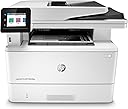
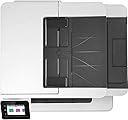
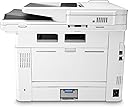
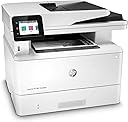
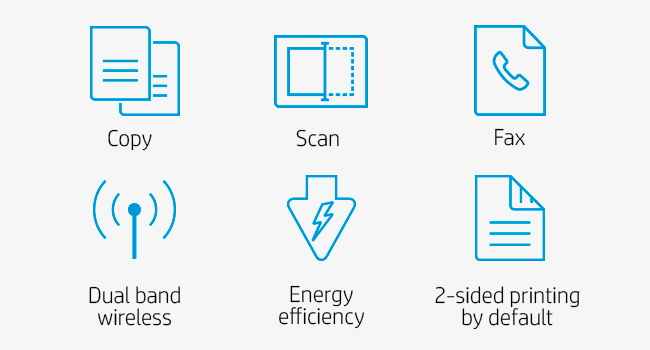
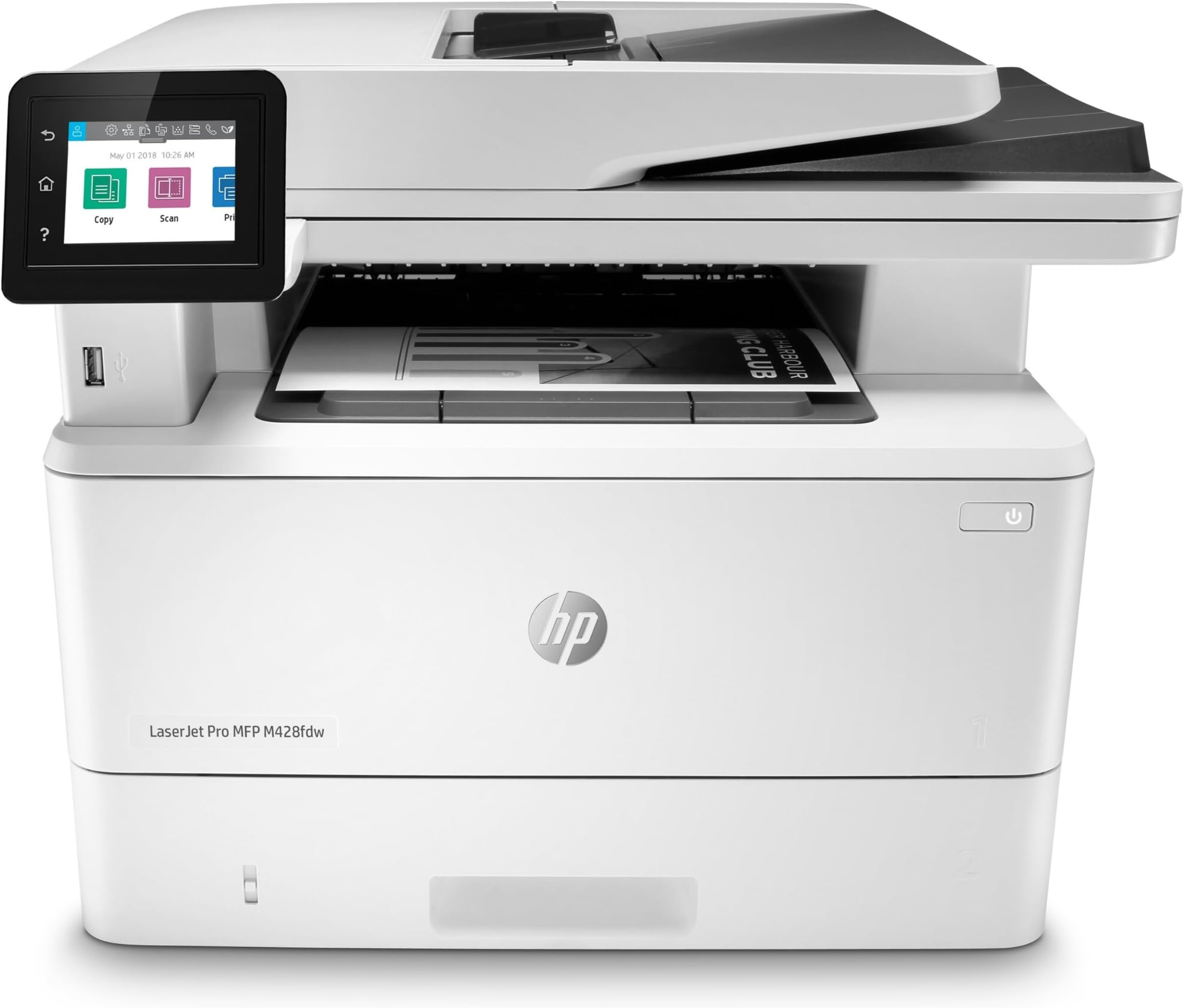
The HP LaserJet Pro MFP M428fdw is a wireless monochrome all-in-one laser printer designed for busy professionals. It delivers fast printing at up to 40 pages per minute, robust HP Wolf Pro Security to protect sensitive data, and versatile connectivity options including Wi-Fi Direct and Ethernet. With automated workflows, a 50-sheet auto document feeder, and energy-saving features, it’s engineered to boost productivity while reducing environmental impact.


| ASIN | B07RRFFMNN |
| Additional Printer Functions | All In One |
| B&W Pages per Minute | 40 ppm |
| Best Sellers Rank | #143,925 in Office Products ( See Top 100 in Office Products ) #152 in Laser Computer Printers |
| Brand | HP |
| Built-In Media | Getting started guide, HP LaserJet Pro M428fdw, HP software is availalble from http://www.hp.com/support, Phone cord, Power cord, Preinstalled HP Black LaserJet Toner Cartridge (58A for AMS, yield ~3,000 pages), Regulatory flyer, Support flyer, Warranty guide |
| Color | White |
| Compatible Devices | Laptops, PC, Smartphones |
| Connectivity Technology | Bluetooth, Ethernet, USB, Wi-Fi |
| Control Method | Voice |
| Controller Type | Amazon Alexa |
| Customer Reviews | 4.5 out of 5 stars 1,747 Reviews |
| Dual-sided printing | Yes |
| Duplex | Automatic |
| Global Trade Identification Number | 00192018915053, 00192018915060 |
| Hardware Interface | Ethernet, USB 2.0 |
| Ink Color | Black |
| Item Dimensions D x W x H | 12.72"D x 16.54"W x 15.35"H |
| Item Type Name | Multifunction Printer |
| Item Weight | 27.78 Pounds |
| Manufacturer | HP |
| Maximum Copies Per Run | 50 |
| Maximum Copy Resolution Black and White | 600 x 600 dpi |
| Maximum Copy Speed Black and White | 40 ppm |
| Maximum Media Size | 8.5 x 14 inch |
| Maximum Print Resolution Black and White | 600 dpi |
| Maximum Sheet Capacity | 100 |
| Model Name | Old Version: M428fdw |
| Model Number | M428fdw |
| Model Series | M428 |
| Number of Trays | 2 |
| Other Special Features of the Product | 2.7-Inch Color Touchscreen with Customizable Shortcuts, 550-Sheet Optional Paper Tray, Accomodates Up to 4,000 Monthly Page Volume, Auto-Duplex, Cloud Print Enabled, Fast First Page Out, HP Auto-On/Auto-Off Technology, HP EcoSmart Black Toner, High-Speed USB 2.0 Printing Port, Network-Ready |
| Output sheet capacity | 150 |
| Paper Size | 3 x 5 to 8.5 x 14, Letter, Legal, Envelope |
| Power Consumption | 510 Watts |
| Print media | Card stock, Envelopes, Glossy photo paper, High-resolution paper, Labels, Paper (plain) |
| Printer Connectivity Type | Bluetooth, Ethernet, USB, Wi-Fi |
| Printer Output Type | Monochrome |
| Printer Type | Laser |
| Printing Technology | Laser |
| Processor Count | 1 |
| Resolution | 600 x 600 |
| Scanner Type | Flatbed |
| Special Feature | 2.7-Inch Color Touchscreen with Customizable Shortcuts, 550-Sheet Optional Paper Tray, Accomodates Up to 4,000 Monthly Page Volume, Auto-Duplex, Cloud Print Enabled, Fast First Page Out, HP Auto-On/Auto-Off Technology, HP EcoSmart Black Toner, High-Speed USB 2.0 Printing Port, Network-Ready Special Feature 2.7-Inch Color Touchscreen with Customizable Shortcuts, 550-Sheet Optional Paper Tray, Accomodates Up to 4,000 Monthly Page Volume, Auto-Duplex, Cloud Print Enabled, Fast First Page Out, HP Auto-On/Auto-Off Technology, HP EcoSmart Black Toner, High-Speed USB 2.0 Printing Port, Network-Ready See more |
| Specific Uses For Product | business |
| Total USB 2.0 Ports | 1 |
| Total Usb Ports | 3 |
| UPC | 192018915084 192018914995 192018915053 192018914988 192018915022 192018915077 192018915046 192018915091 192018915060 192018915015 192018915039 192018915107 192018915008 |
| Unit Count | 1.0 Count |
| Warranty Description | One-year Bench/Depot Repair warranty |
| Warranty Type | limited warranty |
| Wattage | 510 watts |
J**4
Business class MFP for the home office
BW laser printers have been the most cost-effective for my needs at home. They last forever. There is no goopy ink making messes or clogging lines and print heads. I go years on a single toner cartridge. Brother has been my go-to for these for the last 15 years. Very affordable with great features and quality. Unfortunately, the new lineups from Brother are not getting the kind of reviews that give me confidence; I saw several red flags around toner lock-in and forced re-supply. HP has always been the leader in printing technology. They have just been cost-prohibitive for personal use. The LaserJet Pro MFP M428fdw is snappy, smart, good quality, easy setup, and has all the business class features I value while not breaking the bank. Not super cheap, but I feel like I am getting my money's worth with this printer. I definitely recommend this product for anyone looking for low total cost of ownership with best in class printing technology.
D**D
Great multifunction printer with glass top and feeder tray
I conducted a lot of research before I purchased this model. Glad I did. Used for two months now and absolutely love it. It's fast, reliable and makes great copies. I can print from anywhere from all my devices. I'm connected by ethernet now, but it was just as fast and responsive using WIFI. Scanner works great. From what I can tell, it came with a full 10K pages toner cartridge (but will see over time), if so, that's a $200 value in itself! Because every product has some lemons, (and they don't make them like they used to), I purchased an Asurion protection plan, which I hope I never have to use. My last HP MFP was 12 years old and still working--only died after lightning strike hit close to our house and took out many of my electronics. Also, I purchased this on smile.amazon.com so my favorite charity receives some cash from the purchase.
T**.
HP M428 PRINTER START-UP FAILURE
PURCHASED THE HP M428 PRINTER APRIL 2021. IT WORKED OK FOR ABOUT 6 MONTHS. THE PRINTER WOULD NOT BOOT-UP ON INITIAL POWER ON. I COULD GET IT TO BOOT UP BY UNPLUGGING THE POWER AT THE BACK FOR SEVERAL SECONDS, THEN THE PRINTER WOULD SOMETIMES BOOT UP. I CALLED HP ABOUT THE PROBLEM. THEY HAD ME SEND IT BACK TO THEM FOR REPLACEMENT. THEY DID REPLACE THE PRINTER A REFURBISHED MODEL. IT WORKED FOR ABOUT 6 MONTHS AND IT FAILED AGAIN. I HAD PURCHASED IT FROM AMAZON. I REPORTED IT TO AMAZON AND THEY HAD ME RETURN IT TO THEM FOR A REFUND. I UNDERSTAND HP IS HAVING CHIP PROBLEMS. I SINCE PURCHASED A CANNON LASER PRINTER. A GREAT PRINTER. MUCH BETTER QUALITY. DON’T BUY THE HP M428 LASER PRINTER. MY COMPUTER SPECIALIST SAID DO NOT BUY HP NOW. Ted
A**R
Beautiful printer, and beautiful copies!
I love my HP M428fdw printer! I purchased this one a year or so ago, and it churns out copies or documents faster than you can imagine. I had an older but excellent Brother printer that needed a new drum (which was a good investment; it still works), but that also lacked a USB port which has become essential for my work. After researching dozens of options, I settled on this HP model. Here's what I love: Literally lives up to the word "laser" in its speed. Spits out the work almost before your finger leaves the print button. The touch screen is a great feature, and lets you choose what you want to do with documents you put in the feeder. You can NAME documents you scan to your USB drive! How cool is that? The USB port is in the FRONT, not hidden in the rear. I'm not sure who thought it was a good idea to hide those things (especially on black printers) but this one is easy to find. If a manufacturer needs to have a rear port, fine, install two of them. The printer is white, and looks beautiful on its stand. I personally find darker colors depressing in my work area. The printer has all the latest bells & whistles for wi-fi, etc. I have not used some of the features yet, so I cannot comment on them. Things I'd change: If you replace the toner, you have to replace the drum as well. This is needlessly expensive and almost kept me from buying the printer (the USB port, its placement in the front of the unit, and the color of the printer were among the deciding factors). The drum and cartridge that came with the unit are still putting out great copies (even though there's an alert that toner is getting low). I never replace toner until I absolutely have to; I purchased the replacement (high volume) cartridge/drum when I bought the printer, just to have on hand and it's still in its box. It appears the HP laser printer will produce a lot of good copies with its original toner before you have to invest in the toner unit. The cost of the toner (which requires buying the drum, too) is the reason for only four stars. I'd have rated it 4-1/2 if that option were possible, because I really do love the printer and all its features.
M**N
Easy to set up and prints fast
Read the reviews for this printer and saw so many people who said this printer was super difficult to set up. I had this printer out of the box, plugged in, and connected to our WiFi in minutes. I’m not sure what these other reviewers are doing. I printed something from every computer in my house and these days that ranges from a PC running windows, macs running Big Sur OS, Mojave OS, iPads and iPhones. I used it as a copier, a scanner and a printer. I did not scan anything to my phone or iPads only to our computers. It has a cool feature where you can email a document to the printer from anywhere in the world and it will print it. HP has made this pretty simple. I hate when people write bad reviews about a product when it was them who didn’t know what they were doing. This printer is monochrome, can you imagine if I wrote a bad review because it didn’t print in color. After setting this thing up as fast as I did, that is how I see all bad reviews of this laser printer. Good luck on your search for a laser printer. If it is going to be your first one, you’ll never go back to an ink jet.
M**.
Best Home Tech Upgrade
I'm replacing a 7 year old multifunction printer from Dell. Nearly every time I went to print something recently, I had to -at the very least - reboot this printer, and sometimes that didn't work. Enter the HP LaserJet Pro MFP M428fdw. This gem took about 5-7 minutes to initially setup via USB connection, all very simple and self-explanatory. Printed a test sheet, then went to the touch screen to set up wireless connection. The touch screen looks small and easy to "fat-finger", but I never hit a wrong character. About 2 minutes max on an easy wi-fi setup. Then I connected three laptop devices, all very simple and self explanatory. Bottom line is (1) easy setup, and (2) prints what you want when you hit "print" on your device. I wish I had bought this printer a year ago, and would recommend it to anybody for home use, or even business if you don't need more than 22 ppm.
C**B
It's going back...
It was connected to my network, but the software couldn't find it. Chat with tech support resulted in tech support person telling me to call my IT department! I am a home user, I don't have an IT department. Managed to install it by shutting off Windows Firewall, but it cautioned me this would only work for its existing IP address. However my router uses DHCP and there is no way to give the printer a static IP address, so I could anticipate having to constantly reinstall it. During the brief time I did get it working, it printed fine, but I really need scanning to work. The scanner works OK but I could not get it to automatically save to a file, you have to wait for the scanned document to show up and manually save it. And you have to manually rotate all the pages, it doesn't do any of that automatically for you. Also it comes with ReadIris scanning software, but only with a license for 1 computer -- even though you are buying a networked wifi machine for multiple users. And the kicker; the phone app would scan -- but only one-sided, no way to duplex scan through the phone app. If you just need a networked laser printer and only occasionally need to scan this might work for you (if you don't have the installation issues I did)...
T**S
Highly recommend
Love this printer!! I use it for my small business. I print a lot of envelopes so I searched a lot of printers to be able to do this and this is the one!!! I do wish it held 500 sheets of paper in the tray as I’m loading paper more often than I wish I had too, but I’m willing to give that up for the capability to print multiple envelopes at a time. Love that I can print from my phone so easily as well. The copy function is so easy and I can now get rid of my old scanner. Double sided is really fast!! This little guy is a work horse. Highly recommend!
A**E
Très bien pour une utilisation "médecin"
Je suis médecin, et ai changé d'imprimante car l'ancienne me coutait très cher en toner. J'ai choisi cette imprimante car j'ai une configuration réseau particulière (il me fallait l'option scan réseau et des pilotes Windows Server 2008 R2). Celle-ci a pu être paramétrée sans problème. Sur le plan de l'impression, celle-ci est de qualité. L'envoi d'une page sur l'imprimante est rapide. Par contre, quand on veut imprimer un document de plusieurs pages, l'impression est un peu lente, l'imprimante ayant tendance à faire des pauses entre les différentes pages. Cela ne me gène pas dans mon exercice, puisqu'il est rare que j'imprime de gros documents. Est-ce du à l'imprimante ou à mon réseau? En tout cas je n'avais jamais eu ce problème auparavant. Au niveau de la consommation des cartouches, la cartouche fournie avec l'imprimante devait faire 3000 impressions, elle en a fait 3300. Mon imprimante OKI précédente avait plutôt tendance à en faire 1800 sur un toner de 2500. Donc un vrai mieux ! Pour ce qui est du scan, on a donc un chargeur de documents, qui scanne les documents recto ou recto verso en un seul passage. Le scan est couleur et de bonne qualité. On a programmé un raccourci de scan réseau recto, et un second R/V, et ça devient très rapide de scanner: je place mon documents, choisit le type de scan en appuyant 4 fois sur l'écran de l'imprimante, et le scan est parti. Pour mon usage, d'impression fréquente de feuilles uniques, cette imprimante est très bien, j'en suis très contente.
P**R
Gutes Gerät.
Funktioniert super.
J**N
Dúplex!!! Doble cara para impresión y escáner.
Rápida precisa y con terminación dúplex (por las dos caras) tanto en impresión como en escáner. Tiene un montón de utilidades: puedes imprimir desde el móvil, por wifi, desde cualquier dispositivo de casa, puedes hacer fotocopias... Hay cartuchos "compatibles". Y además la compré reacondicionada, me vino prácticamente nueva con los plásticos protectores y todo por lo que la calidad precio ha sido inmejorable y tengo impresora multifunción para muchos años.
A**R
Good
Amazing good printer
K**K
Quick delivery
as described
Trustpilot
5 days ago
1 month ago