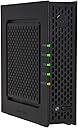

ARRIS / Motorola SURFboard Gateway SBG901 DOCSIS 2.0 Wireless G Cable Modem - Retail Packaging
Product ID: 1297656
📤30 Mbps UL
📶38 Mbps DL
🔌802.11g Wi-Fi
Desertcart purchases this item on your behalf and handles shipping, customs, and support to USA.
🚀 Elevate Your Internet Experience!
The ARRIS / Motorola SURFboard Gateway SBG901 is a DOCSIS 2.0 wireless cable modem that delivers internet download speeds up to 38 Mbps and upload speeds up to 30 Mbps. It features a Wi-Fi router with 802.11g compatibility and a single 10/100 Ethernet port, making it a versatile choice for both wired and wireless connections. The front-panel LEDs provide easy status monitoring and troubleshooting.
R**O
BEFORE YOU SEND IT BACK
Never have bothered to write a review before but maybe this will help someone. You know how reviews usually go, half the people love it and half the people hate it and you still have to flip a coin. Anyway, hating to rent anything I bought the SBG 901 to replace Charters SBG 941 which was doing a fine job running download at 10 to 13+ Mbps and upload at 3+. The unit never dropped me off the net requiring a reboot. The SBG 941 is apparently not available to consumers but I had read in one of the reviews the SBG 901 was a consumer version.Anyway, for a non geek type the setup was easy, install the disc, follow the screens and finally call the provider with the MAC address. Ok, I'm up and running but have lost speed. Several days later speed is half of what I had and I'm getting dropped off the Net and having to reboot the router several times a day.Had decided to send it back but then thought maybe I can get tech support from Motorola. Can't find a number on line but Amazon has it. 847-523-5000 Motorola tells me that the SBG 901 will do everything the SBG941 would do with performance. The problem may just be that that I have to try another channel on the router. (it has 11 channels) Great patient support guy who showed me how to get into the router and change channels. He would have stayed on the phone with me but once I understood what we were doing I said thank you and good by. Spent about a half hour changing and speed testing all channels. Am now back to running the same as the Charter rental unit and not being dropped off the net.If you want to try it yourself the router address is 192.168.0.1 username: admin password: motorola On the first screen click "Wireless" at the top which takes you to screen were you can change channelsUpdate and more learning. 1/2/12 Been using now for weeks and still doing a great job but had company and no one could get thier stuff on the network with the passcode I gave them. This has been a learning experience. The few wireless routers I had set up in the past there was only one password/secuity key and if I remember I created my own number. When I set this up on our three computers and not really understanding what "should work" I kept at it till I got it to work.After intial setup on my first computer my other two could "see" the network but I could not sign on to the network with the passcode. I ran the installation disc on both and all was well, I thought.Called support again. Only needed to use the installation disc on one computer which sets up the router. The number on the label just to the right of PASSCODE only works with the setup software. The 20 digit number on the label just above PASSCODE is the security key. I'm 66 and trying to learn, my grandkids probably would not have had to work so hard at it !
D**L
Impressed by extra wireless features
I just bought two of these, for my Mom and Dad (both of which had aging 802.11g routers and DOCSIS 1.0 cable modems). Set them up this weekend with Comcast here in Oregon and no problems there, but the reason I'm coming back to Amazon to rate these is because of two really cool wireless features I've never seen on any other wireless router with the factory firmware.First, in addition to the normal "Primary" wireless network, the SBG901 gives you the option of setting up a "Guest" wireless network that's completely segregated from your primary network. It can be open and unencrypted, or locked down with encryption and hidden so only guests you trust with the login info can connect. Guest users will have full access to the Internet (within the limits you can set in the firewall, parental controls, etc), but will not be able to see your home network computers. Neat! I've only ever seen that in hacked firmwares before, never in the factory configuration. One scenario I thought of where this could be useful is if parents used this Guest network as a way to provide access restrictions on their kids' XBox 360 without locking down the entire network.The second feature that I really liked was in setting up the wireless encryption settings. Most wireless routers and access points make you choose your encryption framework (WEP/WPA/WPA2) and protocol (TKIP/AES), and then you have to match that exactly on the clients that connect to your network. This can be a problem when old machines can't support the newest WPA2/AES encryption standard and so you normally have to scale it back to WPA/TKIP in order to be compatible with a wider client base. I was VERY surprised to see that the SBG901 allowed me to enable both WPA and WPA2 at the same time, and support encrypting in both AES and TKIP at the same time, allowing any client I want to connect to the gateway to use the highest level of encryption that they can support. My Windows 7 laptop can connect with WPA2/AES while my Dad's old WinXP laptop connects using WPA/TKIP, to the same network using the same authentication credentials.An added bonus, though much less important feature-wise, was the ability to change both the username and password from defaults. Usually you're allowed to change the password only, which is not as secure (because anyone who's read the manual for your router already knows one half of the username/password authentication pair - what's the point of a username if it's always "admin"??) So that was nice to see.All in all I'm very impressed with this cable modem/wireless router. As soon as Motorola releases their SBG6580 DOCSIS 3.0/802.11n wireless cable modem this summer, I'm absolutely going to buy one for myself, on the assumption that it will have the same build quality and features this one has.
Trustpilot
3 weeks ago
3 weeks ago