Desertcart purchases this item on your behalf and handles shipping, customs, and support to USA.
๐ง Upgrade your iPad Mini like a proโDIY repair, zero compromises!
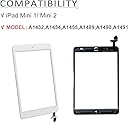
This JPUNG replacement touchscreen digitizer is designed specifically for iPad Mini 1 and 2 models, featuring a 7.9-inch ultra-clear, scratch-resistant 9H glass surface. The kit includes essential components like the home button, camera bracket, and a full set of professional tools, enabling a smooth, do-it-yourself repair experience that restores your deviceโs touch functionality and display clarity.
| Asin | B07QL17D65 |
| Best Sellers Rank | #73,978 in Electronics (See Top 100 in Electronics) #34 in Tablet Digitizers |
| Brand Name | JPUNG |
| Clarity | 1 |
| Color | White |
| Compatible Devices | Camera, Tablet |
| Compatible Phone Models | iPad Mini 1 (A1432 ,A1454, A1455), iPad Mini 2 (A1489, A1490, A1491) |
| Compatible Tablet Computer Models | Apple iPad mini 1, Apple iPad mini 2 |
| Customer Package Type | Standard Packaging |
| Customer Reviews | 4.1 4.1 out of 5 stars (1,337) 4.1 out of 5 stars |
| Finish Type | Glossy |
| Item Hardness | 9H |
| Manufacturer | JPUNG |
| Material | Glass |
| Model Name | JPUNG iPad Mini 1/2 Digitizer 8541525132 |
| Model Number | 8541525132 |
| Number Of Items | 1 |
| Part Number | jpung-mini-w |
| Screen Size | 7.9 inches |
| Screen Surface Description | Glossy |
| Special Features | High Definition, Scratch Resistant |
| Unit Count | 1 Count |
| Upc | 745302427765 |
User
Very simple, saved me hundreds of dollars
Pretty easy. I had an iPad mini with a badly badly cracked/shattered screen. Unusable. Couldnโt track finger movement. I was quoted various prices from 150 to nearly 300 to have it repaired professionally either through OEM or third party. A refurbished model was only about a 100 bucks. So I decided to have a go if trying the repair myself for under 20 bucks.Mine probably went easier than most. My screen was so badly damaged, the glass literally just popped out. I didnโt have to fight to remove it at all. From there, just a handful of screws, and an electrical connection swap, and it was done. Start to finish less than 15 minutes.It works great. Just like new. Every movement is recorded perfectly everywhere on screen. I also had a โcrunchyโ home button before (it was a prize that was won, and when received, it had been purchased too long ago to be covered by warranty. The box had apparently been dropped, as there was already a small chip on screen and a small crack in LCD off to extreme side where it didnโt interfere with display or function, and home button was crunchy). The replacement glass came with new home button. So technically, this works better than when it was originally received.Also, I learned how easy it would be to swap the LCD screen out too for 40 bucks. Far easier to repair this little guy than I realized. After learning this, Iโm appalled at the rip off level charging being done by OEM and aftermarket repair groups. A 15 to 17 dollar part (probably only 10 bucks when bought in bulk) and less than 20 minutes of work with a return of 200 to 300 dollar charge to end user. Disgraceful.These groups should be ashamed.Donโt get suckered. Try it yourself. It was really not that difficult. Just go slow, follow instructions, watch at least 2 different videos on it, and you can do this too.
User
Great screen
Great quality, just remember to use the same home bottom from the original or the fingerprint it would be disable
User
Working product but poor instructions & dtube adhesion
This turned out to be a fingerprint home screen button and did not work after installation. That may be my fault on installation. The screen itself works fine and seems good quality. The installation instructions were worthless and I relied more on youtube 3rd party instructions. Their was only an email contact, no webpage to get information or instructions.My biggest complaint was the adhesion supplied came in a tube and their was no instruction how to apply. Other kits have the black heat tape similar to the OEM. I took a guess and only applied a small amount of the supplied clear glue at the same spots as the OEM heat tape on the original install.At this point I have a working screen install but the home button does not work.
User
This kit good as any. Great toolset included.
I replaced a horribly shattered screen on my iPad Mini with this kit. As long as you take your time, the replacement is straightforward. The instructions are incomplete but there is no excuse for not knowing how to do this in advance given the number of available videos. The one issue I had was a problem with adhesion despite the fact I cleaned the frame. This happened becasue I chose not to use the supplied glue. After seeing that the peel and stick that came on the new screen was not going to adhere the screen to the frame, I flopped the screen out, used the glue, and and no further problems with adhesion. I would recommend this kit and after doing it myself, would never pay anyone to do it. The tools are first rate but I also used an xacto knife (risky). That said, this repair is not for the faint of heart and not for folks who can't live with the fact that they could kill their expensive device with a slip of a tool. If you are many hundreds in on a new cellular-enabled device with lots of expensive memory, I recommend paying Apple to do the job. If your device is years old and has become a throwaway, this is a way to get more years of service out of it.
User
Adhesive is not preinstalled as advertised
I chose this screen due to the advertised โPre installed adhesiveโ. In fact the adhesive is included on a roll of double sided tape, just like almost every other screen kit. I specifically did not want to mess with tape.
User
Good product. Great customer service.
Good replacent digitizer with a decent set of tools. Excellent customer service.Some tips from my experience:- if you have not done this before, go to YouTube first and watch a video or two of the replacement process for your specific model. The included printed instructions are then helpful to keep track of the steps, but would not suggest relying on them alone.- the kit came with all basic tool. It includes glue to reattach the screen. I prefer double side tape for this, so consider getting some instead.- the iPad mini 1 has A LOT of screws and two strong magnets on one side that will attract the screws. If youโre missing a screw, check the magnets.- a tricky part is getting the digitizerโs ribbon cable under the LCD. Be patient and very gentle - again, watch a video that shows you how itโs done. Observe carefully how the cable is folded when you disassemble the original screen.- use the protective screen to pickup any dust or small glass pieces that might have stuck to the LCD before attempting to clean it with a wipe so you donโt scratch it.- donโt forget to remove then protective screen on the back of the digitizer as the last step before closingI bought this specific kit because I had a good previous experience with another JPUNG replacement kit. I had to contact them because parts of the digitizer were not working. They responded to my email within a few hours, where very nice, and most importantly resolved the issue.
User
Good fit and finish, minor issues with functionality
Installed this at home, very easy to do with the supplied tools. Initial tests had no issues to report. Two days later with some in-depth use, Iโve discovered a vertical portion of the touch screen functionality to the left of the home button doesnโt work. Fine everywhere else. This causes me to have to change the orientation of this iPad mini 3 to overcome issues with typing and interacting with the Home Screen. Overall, itโs worthy of three stars.
User
It works!
It works!Touch screen and home button work!The adhesive does itโs job!The screen on tablet was cracked and shattered significantly so this took me quite a bit of time- about 3 hours with mini brain breaks in between haha! this was my first time ever replacing a device screen and thankfully it turned out well. Sadly I will be purchasing ANOTHER replacement screen because before I could get a tablet protector it was dropped and cracked again! On the positive side I know this replacement screen works and is much cheaper than buying a new tablet haha.
User
Great value for money
This product works fine.
User
Worked great!
I would recommend this. I bought it to replace my iPad mini 2 screen. There are no instructions, but you can easily find a video on YouTube. Picking off the shattered glass on old screen was tedious. I used a blow dryer to soften the glue around the edge of screen. In total, this probably took me just under two hours to do. But it worked great and Iโm happy with the result.
User
The connections is facing the wrong side
User
Great customer service!
Great customer service! My daughter broke her ipad and I decided to replace the broken glass screen by myself. The instruction included is pretty easy to follow and customer service is excellent after the first product was replaced immediately because the item I got is not responsive and they send to me a new one that works perfectly. Now my daughter is happy again with her ipad.
User
Ipad mini2 replacement screen is the real deal!
It's the real deal folks. Was a cheap fix to revive a 32GB ipad Mini2. It's not an easy fix though. My Ipad was a mess though....lots of broken glass bits i had to pick out around the camera area where the screen was crushed. A Youtube video for motivation was all i needed and a heat gun. The instructions that are included are terrible. Youtube's your friend for this one.
Trustpilot
4 days ago
1 month ago